
DOWNLOAD THE APP


Customer Services
Copyright © 2025 Desertcart Holdings Limited
DOWNLOAD THE APP


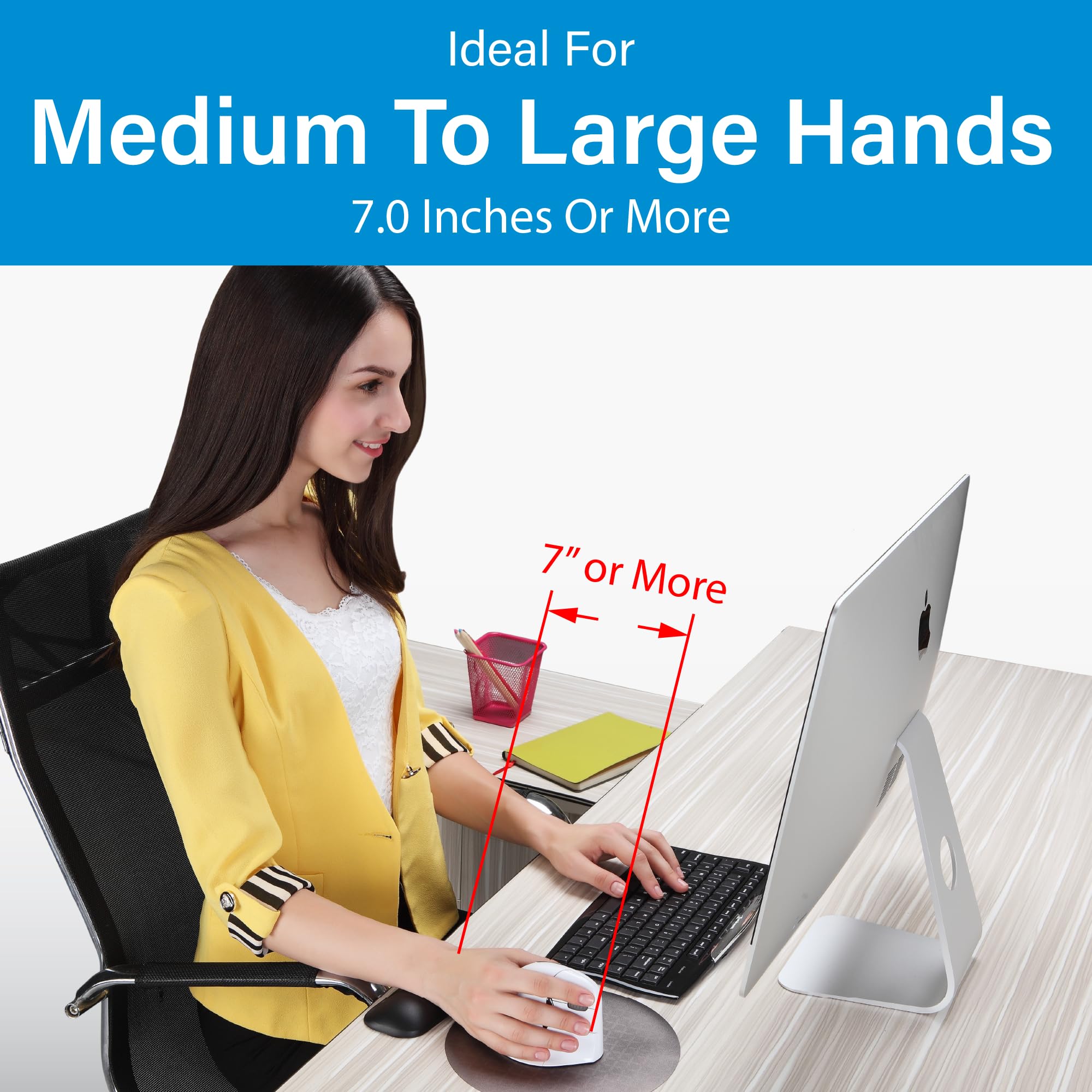
🖐️ Elevate your workflow with comfort and control!
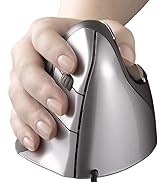
The Evoluent Vertical Mouse 4 Right Hand VM4R is a wired ergonomic mouse designed to reduce wrist strain through its natural vertical grip. Featuring an optical sensor and 5 programmable buttons, it delivers precise control ideal for professionals engaged in coding, CAD, or extended computer use. Lightweight and compact, this black mouse blends comfort with productivity, making it a top choice for health-conscious users.







| ASIN | B00427TAIK |
| Amazon Bestseller | #323,122 in Computers ( See Top 100 in Computers ) #5,537 in Computer Mice |
| Batteries Included | No |
| Batteries Required | No |
| Brand | Evoluent |
| Color Name | Black |
| Compatible Devices | Personal Computer |
| Connectivity Technology | wired |
| Customer Reviews | 4.4 4.4 out of 5 stars (2,550) |
| Date First Available | September 20, 2011 |
| Item Model Number | VM4R |
| Item Weight | 0.2 Kilograms |
| Item model number | VM4R |
| Manufacturer | Evoluent |
| Material | Plastic |
| Model Year | 2011 |
| Product Dimensions | 13.72 x 9.14 x 9.14 cm; 200 g |
| Special Features | Ergonomic Design |
姚**祥
Prod is good but can't get newest driver
Prod is good but the driver's Certificate expired and Official downlaod is dead
ナ**コ
右腕を痛めて使えないようになり、左右両手それぞれマウス操作、テンキーと役目を振り分けた。まずマウスを立てて使う構造が人の体に沿っている。握りこぶしを机の上に自然においてみて手首をひねって横にすることなくそのまま操作する感じ。縦であることが非常に楽。閲覧のほかCAD、コーディング作業をしている。
M**A
多くの3DツールやDAWソフトでは中クリックが重要な機能を持っているのですが、中クリックボタンが独立しているマウスが少ないためこちらのマウスを購入しました MacOS で問題なく使用しています 中クリックが押しやすくなり満足しています
M**E
慢性的な腱鞘炎で、普段から手首にあまり負担をかけないようなマウスを選んで使っています。 個人的には、MicrosoftのSculpt Ergonomic Mouseが一番しっくりきましたが、無線接続ですので、電池交換の手間や電波干渉や処理で負荷がかかった際のもっさり感などの欠点もあり、有線接続のエルゴノミクスマウスを探してこれに辿り着きました。 使ってみた結果ですが、期待通り手首の痛み、違和感はかなり緩和されました。 どうも、小指が乗せられるデザインになっているところがポイントのようで、他のこの手のマウスですと、小指が乗せられなかったり、乗るにしても中途半端だったりすると、とてもストレスに感じることが分かりました。 欠点としては、クリックするのに普通下へ押すところが横に押すような形になるため、クリックする力が横に加わり、たまにカーソルが滑ってしまうことがあるのと、マウスの手に触れる部分がツルツルしているので、掴んで持ち上げる際に滑ってしまうのところが、マイナスです。 持つ部分はラバーにしてほしいとも思いましたが、ラバーは時間と共に加水分解してベトベトしてしまうので、長く使うことを考えると、これが正解なんだろうなと思います。
あ**な
昔は日本のメーカーも左利き用マウスを出しておりました。 無線タイプもありましたが、すぐに故障してしまいました。 最近は海外でわずかに生産(しかも有線タイプのみ)しており、気軽に購入できなくなりました。 この製品は少し値段は張るのですが、左利きマウスを探している人にはもってこいだと思います。 このエルゴノミック形状、一見すると使いにくそうですが、実はひじや手首の負担が一番かからないように設計されています。 おそらくこの形状に慣れてしまうと、普通のマウスには戻れなくなるはずです。 ただし見た目通りがさばるので、持ち歩くのには不適です。 私は一番長い時間マウスを触っている会社のデスク用に購入しました。 自宅用にも別の(少し安いもの)を使用しています。
P**ド
仕事でマウスを使う時間が長く、手首が痛くなるので、これまでさまざまなマウスを試してきました。右手用はいろいろな種類のものがありますが、左手用は左右対称のものを選ぶしかなく、不満を持ちつつ使用していました。このマウスは待望の左手用。この形状は手首への負担がすごく少なくて楽です!価格が高くて迷いましたが、一日の大半触っているものなので、と思い切って購入しました。期待通りで、購入してよかったです。
か**ー
新しいPCを購入するのにあわせて購入しました. 以前の物と比較して,親指で押すボタンが増えて割り当てることが出来る機能が増えたので良いです. 以前から使用しているマウスも現役なのですが,マウスだけで操作出来る快適さを知ってしまうと古いマウスは残念な感じです. このバーティカルマウスは左右対称形状の物があります.一台のPCを複数の人が使う場合に一台のPCに左右つなげておいて使用した場合に左手の人用の設定に変えるなどの作業が必要無い所も良いです.
山**郎
割と大きいマウスなので、人を選びます。 確かに手首は楽になります。 カスタマイズはWindowsのショートカットキー機能とファンクションキーが選択できます。 自由に任意のキーを割り振ったりすることは出来ません。 キー設定はアプリケーション(exe)毎に設定できるようですが、割り振れる機能に制限があるためあまり有用では無いです。 Windows7 64bitで使用していますが、ドライバインストール直後はマウスを操作できませんでした。 デバイス抜き差しやEvoluent Mouse Managerを開いてキーカスタマイズを変更したりしたら使えるようになってました。
N**R
It is very useful for healing wrist pain due to extended use of mouse.. I would recommend it to everyone using the mouse for long duration ..
T**G
Compré este ratón por un problema en la mano y la verdad es que me ha resultado de mucha utilidad. Tiene un manejo sencillo y te haces a él enseguida. Es cómodo y ágil y la posición de la mano es buena. Ha mejorado la posición del brazo y ha disminuido el dolor considerablemente. Estoy muy contenta con el producto.
D**4
C'est ma seconde souris de ce modèle, la première commençait à manquer de précision après 4 années de service à temps plein (2011 à 2015). Soit une durée plus longue que les autres marque que j'ai eu avant. On prend vite l'habitude de ce type de souris et le double clic sert souvent. De plus, avec Win 7, Win 8 et Win 10, le clic droit est fréquent et les doigts sont bien positionnés. La lumière "bleue" peut plaire ou non, par contre, les témoins vert de réglage de précision sont intéressant pour certains logiciels (dessins notamment).
K**Y
Not only is its higher angle than other vertical mice helpful in removing wrist strain, its well thought out comfort and usability make it a very productive device at that. In a few hours of usage, its fit feels natural. For those that gripe about the challenges of straining new muscles to position their pointer, they need to utilize more their fingertips and thumb, with its well sculpted cavity, for fine motion. We do that with pencils and pens (remember those inventions?) Anchoring your palm's side might save a lot of effort with small precise movements, with your wrist on a wrist rest too. And moving your arm for more coarse positioning in the "handshake" posture feels natural if not more so than flat mice. Optical, infrared sensing and 2600 DPI resolution should be high enough to satisfy many gamers, maybe not the hardcore twitch variety. But for desktop app use, sometimes dropping to 1800 and 1300 DPI (depending on screen size) with the pointer's acceleration sensitivity to the minimum (maximum threshold before accelerating) will help you improve slow speed accuracy. Browsing hyperlinks on a 2k screen is fine for me at 2600 DPI, but sometimes I need something lower for letter-precise aiming in editing text. The main buttons, including an ingenious middle button that's not forced to reside as the wheel, are considered to be a very light touch by a reviewer, but I measure left and right actuations at approximately 40 grams of force. I suppose knowing membrane switches can start down as soft as 25 gf should have taught me to take subjective anecdotes with a grain of salt. It feels as firm as many mouse buttons do. The clicky sounds are definitely pronounced. The wheel in between the left and middle button can be spun more quickly by operating it with the index and middle fingers. Tilt-to-move works like a charm and it's possible to move the mouse's body and not upset the screen blanker, thanks to an angled foot. Just follow the instructions on the insert. Although, it's not as reliable as a serious gaming mouse, which shouldn't even register 1/16000th inch of movement, for example. The highly mounted top thumb button (9 cm off the surface!) is easily struck if you're switching your hand from an unsplit keyboard on the left by touch for the first few days. So make sure it's not set to something that performs an irreversible action. It's the 'back' button by default and I have to watch out for it typing this review in a web browser. That's not an issue if you place your mouse in between split keyboard halves or in front of it. Before this review sounds like a shill, I am peeved this costs as much it does, and there are seldom sales nor used units available. And with reviews of low durability too, leaving me wondering if there are better values out there competing for Evoluent's mindshare and rank. And it costs more than many wired gaming mice which represent the pinnacle of performance, convenience and endurance, not that those should be the definitive benchmark for this market. But I'd have to conclude with so much product design executed well, we are getting what we pay for. And at least we get a gaming grade sensor that proves to be a very accurate tracker, even without a good gaming mouse pad. Hint: If you have to temporarily go left-handed, the thumb buttons can be programmed as left/right buttons and the mouse still operates comfortably, vertically and functionally.
G**E
Die vertikale Maus für links habe ich mir nach langjährigen, immer mal wieder aufflackernden Problemen mit der rechten Hand (+ Arm) als Ergänzung zu meiner ergonomischen Tastatur und als Abwechslung zur Maus auf der rechten Seite (im Büro) für zuhause gekauft. Ich nutze sie jetzt seit wenigen Tagen und ich finde sie einfach super! Bislang nutze ich nur die rechte/linke Taste und das Rad zum Scrollen, und das funktioniert bereits sehr gut. Es ist am Anfang sicher eine Umgewöhnung, aber das ist es auf jeden Fall wert, gerade wenn man sonst Probleme hat. Ich möchte diese Maus schon jetzt nicht mehr missen und kann sie auf jeden Fall empfehlen. Sollte ich dann irgendwann noch die weiteren Funktionen nutzen, wäre das noch das Sahnehäubchen. Es ist aber so schon eine große Erleichterung. Eine Maus auf der linken Seite ist i.ü. auch ganz gut, wenn man mit der Maus am Computer viel macht und gleichzeitig rechts mit der Hand handschriftlich etwas notieren will, ohne dauernd die "Geräte" wechseln zu wollen. --- Und am Rande noch ein Tip an alle Interessierten, die ihre Handgelenke schnell und einfach entlasten wollen oder sich fragen, ob noch eine Handballenauflage sinnvoll sein könnte (wie ich): Ich habe versuchsweise mal ein Pack Taschentücher (10 Stück) parallel zur Schreibtischkante zwischen mich und die vertikale Maus gelegt, mit einem Abstand zur Maus von etwa 7 cm. So ruht mein Handgelenk/Unterarm (leicht weich gebettet) auf der Seite, und es fällt mir leichter, die vertikale Maus entspannt zu bewegen (besonders gut in Kombination mit einem eher klein eingestellten Radius der Maus). Mit so einem einfachen Taschentuchpack kann man auf gleiche Weise auch im Büro oder unterwegs, wenn man mit einer normalen Maus oder einem Touchpad arbeitet, u.U. seinem Handgelenk/Arm kurzzeitig mal Entlastung verschaffen, weil man so den Knick im Handgelenk beim Bewegen der Maus deutlich verkleinern kann. Und ein Pack Taschentücher ist überall zu bekommen, leicht und verursacht keine Zusatzkosten. Auf diese Art kann man auch mal ausprobieren, ob eine Handballenauflage zur Maus etwas wäre (das Prinzip ist ja ähnlich, auch wenn es professioneller aussieht ;-) ). - Ist der Taschentuchpack zu hoch, kann man die Tücher rausnehmen, bis es paßt. - Ist der Taschentuchpack im Sommer zu schwitzig, kann man ihn in einem Taschentuch wie ein Geschenk einpacken und es auf der Unterseite mit Tesa fixieren. Mir hat das sehr geholfen. Wenn es auch anderen hilft, umso besser. :-)
Trustpilot
1 month ago
2 months ago