
DOWNLOAD THE APP


Customer Services
Copyright © 2025 Desertcart Holdings Limited
DOWNLOAD THE APP

⚡ Power your productivity with the Swiss Army Dock of Thunderbolt 3!
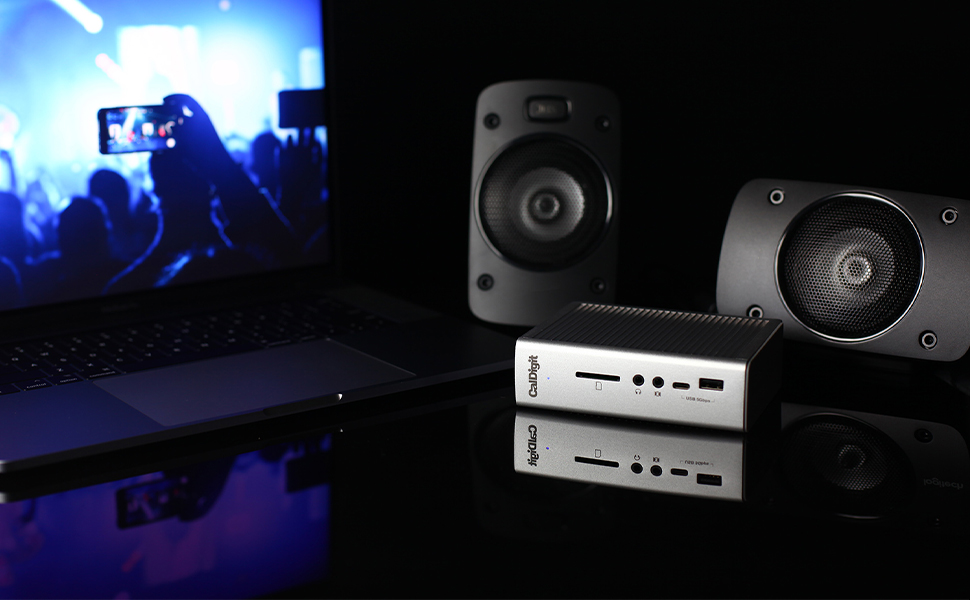
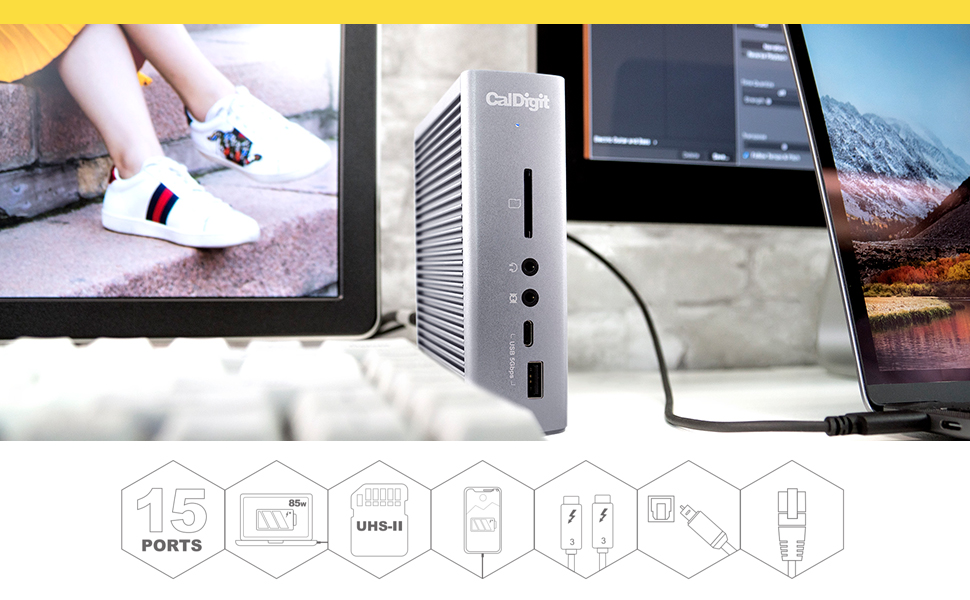
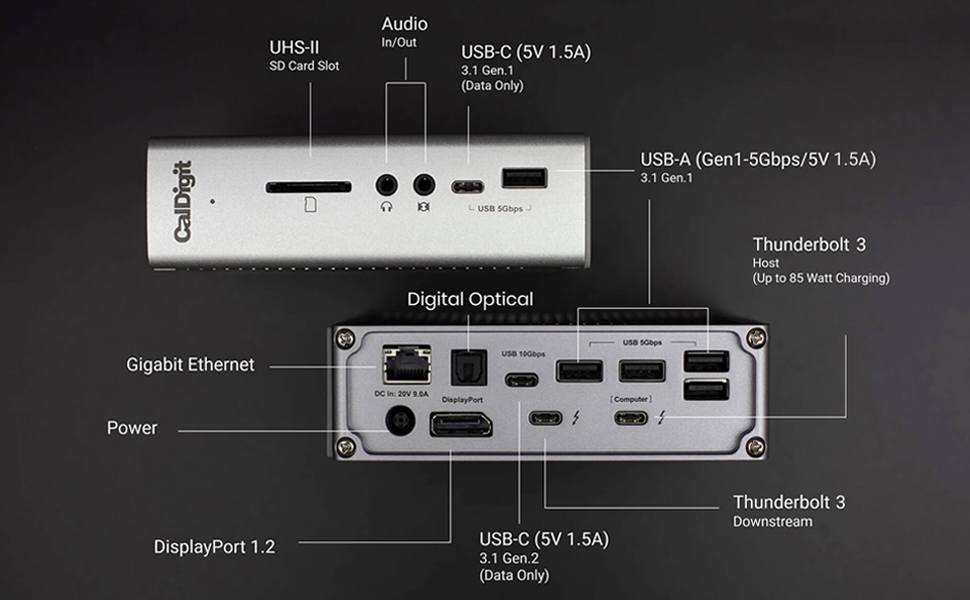
The CalDigit TS3 Plus is a premium Thunderbolt 3 dock delivering 87W laptop charging, 15 high-speed ports including dual 4K display support, USB-C Gen 2, and a blazing fast UHS-II SD card slot. Compatible with Mac and Windows, its robust aluminum build and fanless design make it the ultimate hub for professionals craving seamless connectivity and clutter-free workspaces.


| ASIN | B07CZPV8DF |
| Best Sellers Rank | #10,173 in Electronics ( See Top 100 in Electronics ) #158 in Laptop Docking Stations |
| Customer Reviews | 4.2 4.2 out of 5 stars (4,570) |
| Date First Available | December 13, 2017 |
| Is Discontinued By Manufacturer | No |
| Item Weight | 1.32 pounds |
| Item model number | TS3PLUS-US07-SG |
| Manufacturer | CalDigit |
| Product Dimensions | 6.8 x 5.4 x 4.8 inches |
L**.
The Swiss Army Knife of Thunderbolt 3 Docks
About three years ago, after a bad experience with a competitor's docking station, I realized the CalDigit TS3 Plus was what I should have purchased in the first place and ordered one. I am a professional software developer using a 2018 MacBook Pro 15-inch to create iOS apps. For me, that means using lots of screen real estate and having lots of phones connected at once for testing. My main screen is a 30" 2560 x 1600 Dell U3011, with Dell 20" 2007FP 1200 x 1600 screens on either side, rotated to portrait mode. The TS3 Plus drives the 30" screen directly via DisplayPort and one of the 20" screens via a Uni USB-C to HDMI adapter. I'm also using the gigabit Ethernet port, most of the USB ports, and even the optical output port to drive an NAD D 3020 digital integrated amplifier that I use for audio. The TS3 Plus never ceases to amaze me in that all of this just works, with no fuss whatsoever, and all through a single cable, leaving the three other Thunderbolt ports on the computer for whatever else I can come up with. The screens go to sleep when they should and wake up when they should. The battery in the computer charges when it should and doesn't discharge when it shouldn't. The various USB devices charge and communicate. This was not true of the competitor's device, which would lose connection to the screens and periodically drain the computer's battery when it was actually plugged in. In fact, it works so well, I tended to forget exactly what was connected and moved my USB-C Time Machine backup drive from the TS3 Plus back to being directly connected to the computer. Why? Because I would forget to eject it before unplugging that one cable (!) to take my computer on the road, prompting a curt reminder from MacOS that I had committed a no-no. Of course, I could use a Post-It note as a reminder, but why bother when I have so many ports still available? The device also looks good, is solidly built from anodized aluminum like the computer itself and the ports are thoughtfully arranged to reduce cable clutter, with most of them out of sight on the back, where they belong, while retaining just what's needed on the front, where they are easy to reach, for devices that tend to be connected and disconnected frequently, such as headphones, memory cards and a few extra USB ports for anything else that might be needed. I recently had an opportunity to deal with their technical support when the power supply gave up the ghost after years of glitch-free service, and they were easy to reach and provided first rate assistance. In fact, it was so easy to contact them, with zero hold time and instant answering, it made me wonder if they were sitting around bored like those mythical Maytag repair people in the old TV commercials? If so, they are clearly doing something right with their products on the inside as well as the outside.
-**-
Works perfectly
For my "work" MacBook Pro, I had an OWC TB3 docking station for a long time. It was... okay. It worked but was a bit finicky, better than almost anything else available when I got it in 2020, but also more expensive than almost anything else back then. But it eventually died due to poor design - the power supply connection was not solid enough and started shorting out inside the unit. My needs are: External monitor (while internal is also on), USB support/power for keyboard, speakers and HD for TimeMachine, and 1Gb or better ethernet. I figured I should be able to get a cheap hub or dock to replace the OWC. But every passive unit (those without their own power supply) and even the powered odd-brand docking systems (Hyrta and Hagibis) were flaky when driving an external monitor and network during zoom calls. By then, I already had on my "personal" 2023 MacBook Pro a CalDigit TS4 (ThunderBolt 4), which is the successor to this model. That is a very very expensive, but super good, docking station. Most of the name-brand docking systems are basically clones of one reference design, including the OWC ThunderBolt 3 unit, but this CalDigit TS3 is, like the TS4, different. And since the "work" Mac doesn't have ThunderBolt 4, I got this. Like the TS4, this excludes build quality. And it works. No drama. Which is all I wanted. It is a LOT more expensive than the passive units (non-powered) I tried, but it hasn't glitched out at all in the two months I've been using it heavily.
J**Y
Fantastic port replicator, lets you do ANYTHING, compensates for poor Macbook Pro design
Apple really screwed up the Macbook Pro 13" design by providing only two Thunderbolt ports and no other ports at all. That's fine if you use your Macbook as a toy but if you are using it for work, you need monitors and peripherals and while "anything" can be plugged in to the Thunderbolt ports, that can only be two at a time. If you have two external monitors you can't even plug in the charger! I did a lot of research on port replicators for this laptop and there are very very few available that do a proper job. I wish I stuck with Dell. But I digress. In the end I chose this Caltech dock and I'm very happy. I can just plug in one Thunderbolt cable to my laptop, and I instantly have access to two external 1900x1600 Dell monitors, one of them turned sideways (the dock supports up to 4k with two monitors), my wonderful Cherry MX USB keyboard, my teleconferencing headset, a charging cable for the magic mouse and a bunch of other USB nicknacks. The dock has its own power pack and supplies power to the laptop so I can keep the laptop's own charger at a different location. Most important though is 2 monitors + power. None of the cheaper docks allow you to do this with the 13" Macbook Pro (unless you have the more expensive Macbook with 4 Thunderbolt ports). This dock is expensive, but not more expensive than the very few comparable ones and it seems to be the best one. With this dock I was able to re-use most of my existing cables and only had to buy one expensive special cable. The dock came with the dock-to-laptop cable. I could use my existing DP-to-DP cable for one of the monitors. For the other one I had to buy a Thunderbolt-to-DP cable. The dock has separate microphone and headphone jacks, which happens to be what my headset needs as opposed to the cellphone-style 4-tip single socket that the Macbook has. The dock has LOTS of USB ports, which made me very happy. I do not need any external USB hub. It's such a nice dock, I wish I could buy another one for the other location I use my laptop. But I only have one monitor there, so there are much cheaper alternatives. The high price is the only thing I don't like about this dock. FYI Apple does not do NEARLY as nice a job as Windows at remembering hardware configurations. Every time I re-dock I have to re-configure the monitor arrangement and re-select the Caltech audio device. That's not Caltech's fault, it just does not seem Apple was meant for serious work users.
R**F
what i have already connect to ts3 plus from my other devices. they are a lan cable between ethernet switch,netgear s8000 model gs808e to the port of gigabit ethernet on the dock.this switch have a lan cable with the router netgear x6s r800p. and this router have a lan cable to the modem. they are a thunderbolt 3 cable between the dock and my laptop asus zenbook pro 15 model ux580 ge. at this point make sure your laptop or computer are compatible with thunderbolt 3 technology. the laptop must have one or two ports usb 3.1 gen 2 type c. if you buy this dock, do not buy the thunderbolt 3 cable because it is include with the dock. other ports i use on the dock is a digital optical cable between a soundbar samsung hw-h750. the subwoofer of the soundbar can work wi fi. choose a high quality optical cable with the end in metal. i use a dp cable between my monitor samsung u28d590d and the dock. also i use a usb cable between the printer hp envy 4500 and the dock. buy a cable with a square port for the printer. with a lot of ports usb 3.1 gen 1 type a you can connect your smart phone like s10 plus or your tablet like tab s4 or a portable external drive like my passport ultra from wd. your headphone are plug in the front of the dock.i have not use yet the sd card reader. on the back of the dock they are a second port of thunderbolt 3,probably use if you want to connect a second laptop.many other use of this dock. i still have another hdmi cable between my laptot and the av receiver because with a arc hdmi port,the t.v., the blu ray player and the av receiver work together.i can send any content from the laptop to the t.v. with 5.1 surround sound. i can garanty this dock work very well with window 10. as you can see i don t have any apple product.i prefer cable to wi fi for obvious reason.i recommand without hesitation the caldigit ts3 plus.welcome to the 21 st century.ENJOY!
S**I
I would recommend this to anyone that has a standing desk and wants to mange their cables
B**E
- Drives two DisplayPort 1080p monitors no problem - Runs well with MacBook Pro lid closed. No weirdness (SMC resets needed) when powering up from cold or rebooting unlike other docks - Stays cool while running, and MacBook pro stays cool when sleeping. Previous dock I had was always warm and MacBook was warm even when sleeping - Substantial construction. Enough weight so it doesn't fall over with many cables plugged into it Running 2017 MacBook Pro with two Dell U2417H monitors connected via DisplayPort. One monitor using https://www.amazon.ca/gp/product/B073XTY6NL/
A**K
Probablemente de los mejores accesorios que he comprado, lo utilizo con una Mac mini y me ha solucionado todo el problema de los cables y conexiones, es un producto ya consolidado en el mercado que a pesar de que ya tiene sus años, sigue siendo 100% recomendado. La calidad es muy buena y justifica su precio.
I**C
Es una buena herramienta para utilizar múltiples monitores y dispositivos al mismo tiempo y con excelentes velocidades. Funciona en Mac y Windows sin problema, recomiendo descargar las actualizaciones de la página de CalDigit para su funcionamiento óptimo.
Trustpilot
1 day ago
2 weeks ago