
DOWNLOAD THE APP


Customer Services
Copyright © 2025 Desertcart Holdings Limited
DOWNLOAD THE APP
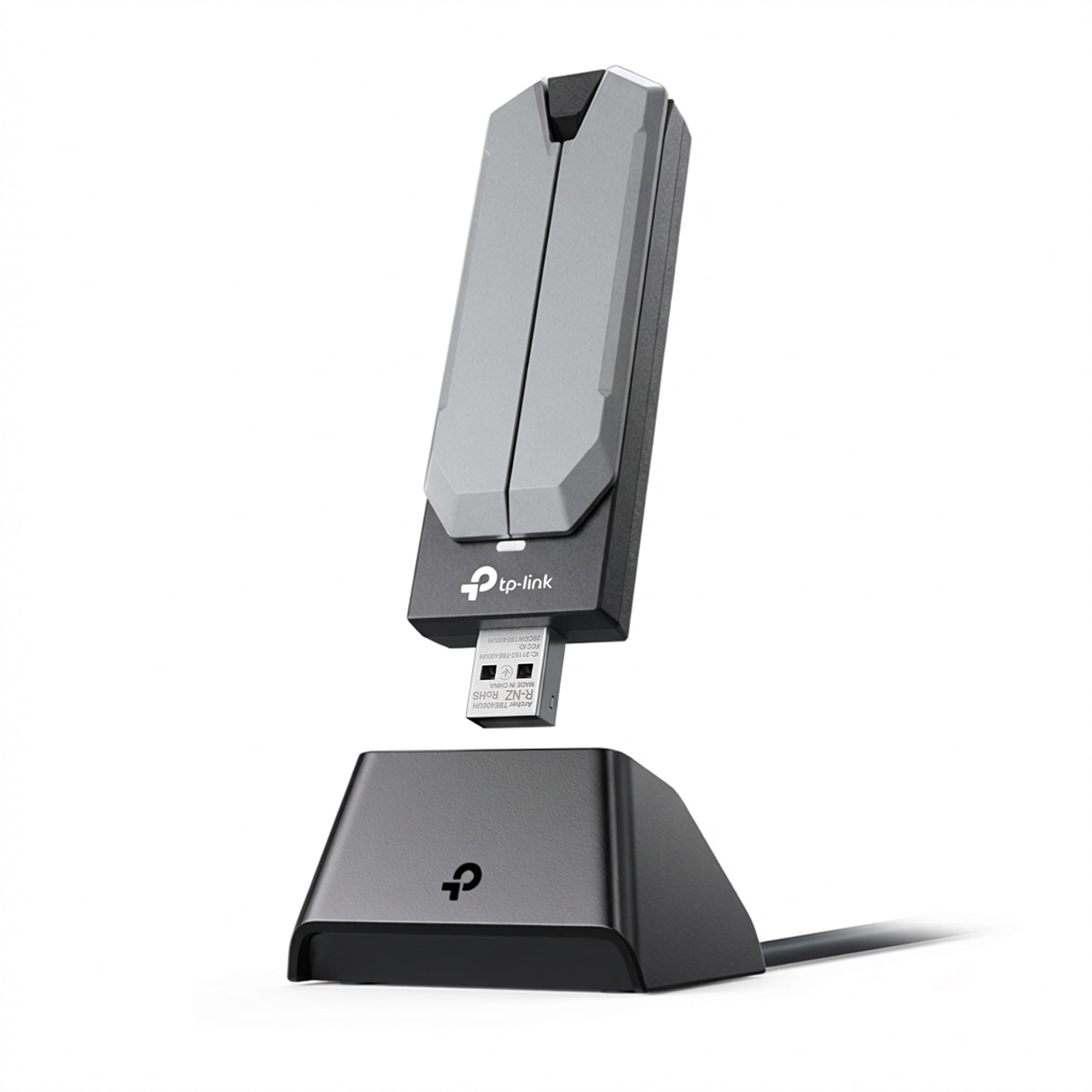
⚡ Upgrade Your Connection, Own the Future of Wi-Fi!
The TP-Link Archer TBE401UH is a cutting-edge Tri-Band Wi-Fi 7 USB 3.0 adapter designed for desktop PCs, delivering ultra-fast speeds up to 2,882 Mbps on the 6 GHz band. Featuring advanced technologies like OFDMA, MU-MIMO, beamforming, and WPA3 security, it ensures superior multi-device performance, extended coverage with high-gain antennas, and robust data protection. Compatible with Windows 10 and 11, it offers plug-and-play installation for a seamless upgrade to next-gen wireless networking.


| ASIN | B0F4CB7DLX |
| Best Sellers Rank | #1 in USB Computer Network Adapters |
| Customer Reviews | 4.4 4.4 out of 5 stars (41,912) |
| Date First Available | April 24, 2025 |
| Item Weight | 4.8 ounces |
| Item model number | Archer TBE401UH |
| Manufacturer | TP-Link |
| Product Dimensions | 1.2 x 0.7 x 4.21 inches |
B**E
Good WiFi Adapter
Works just like the older version I have. Easy to install and use.
G**R
Worked Great after Learning About WiFi Channels
I have a very old Windows 10 tablet that still works great but has WiFi connectivity issues because the area I use it tends to be right on the edge of where it can reach my router. Some days it’s ok and some days it’s unusable. I figured the internal antenna is probably small and likely using pretty old technology, and that perhaps attaching a larger newer USB antenna, I would improve my signal. After switching to the USB WiFi adapter it offered very minimal improvement at first. My connection was still very hit and miss. But, the USB adapter offered more channel options than my old internal antenna and I was able to get much better connectivity by switching to 802.11ac in the adpater properties inside the device manager. This probably worked because it's a combination of newer technology and because there are not other nearby devices using this channel. To understand what channels can be used to improve your signal and how to switch them you need to look into 2.4GHz and 5Ghz and the different 802.11 channels (a/b/g/n/ac/x etc) also known as wifi 1, 2, 3, up to 7. What works for you can depend heavily on how your network and other nearby networks are set up and how many devices you have on each channel. The initial setup of the USB adpater was easy. I went to the website and downloaded the driver because I already had access to the internet on my tablet. If you don’t have internet on your device because you don’t have WiFi, the antenna conveniently comes with a CD that has the drivers. The difficulty I had is that even after adding the additional WiFi adapter, my tablet wanted to keep using the old one no matter what. But I learned that if you go to the WiFi symbol on your task bar and go into the WiFi options where you can choose a network to connect to, the very top shows the WiFi adapter you are using and it is actually a drop down menu where you can easily select the other adapter. I never knew this because I never had two WiFi adapters on a computer before. But this is nice because if I want I can easily switch back to the other adapter. I should note that my router is the same brand TP-Link, but I expect the WiFi adapter will work with fine with other routers. However, if you're trying to get maximum range and signal strength you will probably need a router that supports the same 802.11 channels as the USB WiFi adapter. Most new routers probably will but older ones might not.
F**O
Best option for the price
Always looking for the cheapest option but I've bought these before and they have not failed. It was worth the cost. It's actually not very expensive and they work very well with no drivers needed for Windows machine even though it does come with a driver disc.
E**S
Solid WiFi Boost with a Few Caveats
Solid WiFi Boost with a Few Caveats I’ve been using the TP-Link Archer T2U Plus USB WiFi Adapter to give an older desktop some wireless capability, and overall, it does the job well. Setup was quick—plugging it in and letting Windows handle the driver worked fine for me, though TP-Link’s website offers updated drivers if needed. Performance is solid for everyday use. On the 5GHz band, speeds are noticeably faster and more stable than 2.4GHz, which is expected. Streaming video and browsing felt smooth, and I had no trouble with Zoom calls. The long, high-gain antenna makes a real difference for range—signal strength stayed strong in parts of the house where built-in laptop WiFi usually dips. That said, this isn’t the most compact option. The antenna is large and sticks out quite a bit, so it’s not ideal if you plan to move the computer around or use it with a laptop on the go. Also worth noting: while it supports Mac, it only works up through macOS Mojave (10.14), so newer Mac users are out of luck. Bottom line: A reliable and affordable way to add or upgrade WiFi on a desktop, especially if you need stronger range. Just keep in mind its bulky design and limited MacOS compatibility.
C**Y
Good
Works as attendant had no problems with it really easy to set up
L**C
Great signal boosting wifi antennae
I found these antennae to be perfect for our laptops that were in the farthest point of the house relative to the wifi router. These boosted the signal significantly and connected to our 5mhz wifi no problem. Easy installation. Only downside is that you need to be careful with it when your moving the laptop around, as it can break if you forget it's there and it gets jerked around with the laptop.
S**H
Amazing WiFi Adapter
I have a very fast internet speed with little to no lag or buffering. It's easy to use- all you have to do is plug it in and connect to your wifi. I don't have a Bluetooth option when I use the adapter, but overall, the price is amazing and the adapter is definitely worth it.
S**N
Excelente solución para conectar una de nuestras computadoras de manera inalámbrica al internet. Magnífica solución cuando una computadora carece de tarjeta Wi-Fi o cuando ésta se le haya dañado. La marca es muy buena, muy conocida y confiable para este tipo de conexión inalámbrica. Nos sirvió para conectar una computadora a nuestra Red en casa. Muy fácil de instalar y, sobre todo, proporciona una conexión muy estable y confiable a alta velocidad, tanto en la banda de 2.4 como en la de 5.0 Gbytes, a las que puede acceder de manera inteligente según la que pueda proporcionar una mejor conexión en el momento. Esta última característica fue clave para poder aprovechar nuestra conexión a internet mediante esas dos bandas. El rendimiento ha superado nuestras expectativas y ha contribuido, junto con un sistema de repetidores inalámbricos de señal, tipo Mesh de la misma marca, a que finalmente superemos el problema de disminución e inestabilidad de la señal de Internet en las partes de la casa más alejadas del módem. Existen muchos otros dispositivos de este tipo que son más baratos, pero esta experiencia nos ha confirmado que, a la larga, lo barato sale más caro. Con este equipo reemplazas un dispositivo más barato, de otra marca, pero muy poco eficiente y de velocidad de conexión muy inestable. Llegó antes de la fecha prometida, en buen estado, bien empacado y un instructivo de instalación tan breve como claro, aún para no expertos en cómputo como yo.
G**P
Does the trick. Connected easily, and 5GHz worked immediately.
C**N
Ho acquistato questo prodotto dopo aver letto diverse recensioni e devo dire che nel complesso sono rimasto molto soddisfatto. Il pacco è arrivato puntuale e ben imballato. La confezione si presenta curata, con tutti gli elementi ben protetti e disposti ordinatamente.
K**R
There is no dislike i love this product
T**O
Comprei pra usar num pc gamer e não tive nenhum problema com a conexão. Funciona muito bem em 5ghz, super rápido, não tive nenhum problema. A instalação é super fácil, só colocar na porta USB e já reconhece as redes wifi disponíveis e é só conectar na rede.
Trustpilot
4 days ago
1 month ago