🚀 Elevate your data game with speed, space, and seamless swapping!
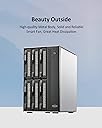
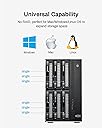
The TERRAMASTER D6-320 is a high-performance external hard drive enclosure featuring USB 3.2 Gen2 Type-C connectivity for blazing 10Gbps transfer speeds. It supports up to six 3.5" or 2.5" SATA HDDs/SSDs with a maximum capacity of 132TB, ideal for professionals needing massive, scalable storage. Designed for plug-and-play compatibility across Mac, Windows, and Linux, it offers hot-swappable drive bays and intelligent temperature-controlled cooling for reliable, quiet operation.


| ASIN | B0BZHSK29B |
| Best Sellers Rank | #21 in Enclosures #996 in Data Storage |
| Compatible Devices | Windows, Mac, Linux |
| Connectivity Technology | SATA, Thunderbolt, USB |
| Customer Reviews | 4.2 4.2 out of 5 stars (419) |
| Data Transfer Rate | 10 Gigabits Per Second |
| Date First Available | February 10, 2023 |
| Hard Disk Form Factor | 3.5 Inches |
| Item Weight | 9.02 pounds |
| Item model number | D6-320 |
| Manufacturer | TERRAMASTER |
| Max Number of Supported Devices | 1 |
| Product Dimensions | 9 x 5 x 9 inches |
J**H
great all around disk array
Excellent product, easy to use, hooked this to a MS-01 with Unraid for my hard disk storage. Works great over the 10gbps usb4/thunderbolt port on the ms-01. Trays easily remove with a tool-less approach to adding drives. Well worth every penny. Using 10TB HGST enterprise drives in 2 bays with no issues on heat, quiet and for usb4, will never saturate the entire speed of the connection. works with software defined raid or jbod. size comparison, just slightly larger than my Synology 920.
R**.
The RAID1 functions as expected.
I purchased the D2-320 2-bay RAID enclosure with USB 3.2 Gen 2 10 Gbps My purpose with this unit was to mirror (RAID1) two 6TB WD Reds with a Linux machine. I’m not familiar with this brand, so I decided to test it a little before copying a lot of my files over to the D2-320. Getting everything working was pretty easy. I pulled out each bay, installing the drive was pretty easy, no screws needed. They provide a video on it if you’re unsure. I set the selector on the back of the unit to RAID1, shoved in both drives, connected the USB (drives are powered but won’t spin up until the USB is connected), then held the RESET button with the provided pin until the disk lights flashed. The system found one drive - as it should have. I wrote approximately 18K files and directories of various sizes to the array and then without disconnecting the USB or turning off the power, I pulled out one drive. I then connect the pulled drive directly to another computer to see that the files were in fact written to the drive. They were. All good to go. I replaced the drive. Both lights are green. Since no changes had been made to either drive, this is perfect, it didn’t try to rebuilt the array Next, I pulled the second drive out hot. Then connected that drive to the other computer and checked to make sure all files were also written to this drive as well. They were! It is working as it should be. I then created a couple files on the other drive and then replaced the pulled drive back into the D2-320. One drive light was blinking green, the other blinking yellow. According to the online documentation, this means it is rebuilding the RAID1 mirror. Perfect .. Everything is performing as expected. It did take a few hours to rebuild .. but these are 6TB drives, so that was expected. The USB cable provided seems adequate, USB C on both ends. If you need a different cable, consider that when purchasing. Average 1G file write 156 MB/s, average 1G read 221MB/s. Slow but these are mechanical drives connected via USB. Acceptable. Later, I watched a video using Jellyfin and reading, transcoding, and streaming worked perfectly fine. The large fan is quiet and seems to keep the drives cool. Airflow looks to be sufficient. How noisy the unit will be will depend on your drives. Some are louder than others. These drives will be part of a system I have in place which will be up and running 24/7. I’ll be very interested in seeing how well the Terramaster D2-320 performs in the long run. I’ll post updates after I have used them for some time.
R**.
intrinsically works but with issues
D2-320 arrived and looked good. solid construction high quality cables, parts fit well together. Installation is intuitive. So simple, in fact, I had it installed with 2 SSDs, THEN looked at the installation instructions. Transfer speeds are pretty good. USB 3.2 is a speedy boy, even with both drives hammering large (700G) transfers at the same tiime. Now, the issues. It has an EXTREMELY small supported product list. Trust me if your device isnt on the compatiibility list, its probably not going to work well. Support, while available pretty much 24 x 7, are extremely slow to respond in live chat...and in fact one of them went for an hour meeting while in chat with me without saying so. Support attitude is poor, at best. In regards to knowledge, they didnt tell me anything of value other than obvious things like "change what bays the drive is in"... well duh...rocket science. They even said that "Sharing" a drive via standard windows file sharing required a NAS rather than a DAS. sorry...wrong... Despite their fumbling support and extremely restrictive compatibiility list, I AM still using the product, and its functioning pretty much as good as it looks (which is pretty boring, but thats a good thing with computer hardware. boring means its working). I managed to sort out the issues myself, which werent really attributable directly to the product other than it not supporting faster, newer SSDs, and very few of the older generation drives. Would I recommend it? Probably not. Spend a little more. Update - New Samsung 870 EVO 1Tb drives arrives. Inserted into the DAS which proceeded to not see them. Windows Disk Manager did, however see them both and proceeded with addiing them and letting me format them. The DAS automatically detected the drives once they were partitioned and formatted. Setup Windows shares and they work perfectly across the network to another Win 11 machine and a Win 10 machine. Care must be taken on shares if you are hot swapping disks since it seems to be the slot in the DAS uniit that gets the share name and permissions rather than the actual disk. This is NOT the fault of the D2-320 but a windows thiing. Rating increased from 2 to 4 stars.
C**E
Nice DAS. Performs well. Attractively priced.
Bought in July 2024. Still working very well. Great price for a 6 bay DAS. I'm using with Win 11 Storage spaces. Two of the drives are set up in a RAID 1 config. The others are in a single drive config. Performance is very reasonable over USB 4. However don't expect super speed. If you REALLY need high performance use an internal SSD directly connected to the motherboard. I just need plain vanilla storage in a large volume with RAID configuration options and this serves me very well. To date, the drive configs have been stable with no issues. See enclosed benchmarks. I'm driving the Terramaster D6-320 with a Geekom A7 mini PC. I've moved from a tower case with a 750W power supply to the Geekom A7 and the Terramaster D6320 and I'm VERY happy. This config runs at a fraction of the power draw of my tower and is MUCH quieter.
H**R
En la mayoría de artículos este podría decir que se ajusta a muchas de mis necesidades, un adecuado precio y me sirvió como extensión de mi NAS, creando más habías para acoplar mas discos NAS y no tener que cambiar todo mi equipo. Con la conexión USB C logra buenas velocidades y al ser RAID da la posibilidad de acoplar de la mejor manera los discos. Creando un RAID para tenerlos como discos separados o discos unidos y visualizar una sola unidad (aunque con dicha configuración se pierden TB de almacenaje) Lo que me llamo la atención es que hace juego con mi NAS negro en lugar de desentonar el color con los clásicos blancos o grises
A**R
It is exactly as described in the description of product. No second thoughts on buying. Using it as partial RAID and simple storage for homelab. For mounting SSDs, screws are provided, this information is missed out in the product package contents. R/W Speeds match the described information.
C**N
Muy buen producto, agregando discos duros podemos tener bastante almacenamiento
K**N
Well I had 5 external hard drives hooked up to my server, I ran out of electrical outlets so I wanted something to change that. This was seamless, I shucked all the external drives and popped them in. Connected the USB-C and started up the server. All drives remained the same drive letter and I was back in business. I added some foam on the bottom as the hard drives have quite a bit of vibration when spinning (Enterprise drives) and this reduced the noise to nothing. Transfer speeds/read write are limited to what the drives can read/write and not what the controller/interface can handle. Overall great product, solved my needs, simple to setup, and I have a free bay for later expansion. The hot swappable feature is also very nice to have.
J**A
Easy to use. Fan is less noisy.
Trustpilot
1 week ago
3 weeks ago