
DOWNLOAD THE APP


Customer Services
Copyright © 2025 Desertcart Holdings Limited
DOWNLOAD THE APP


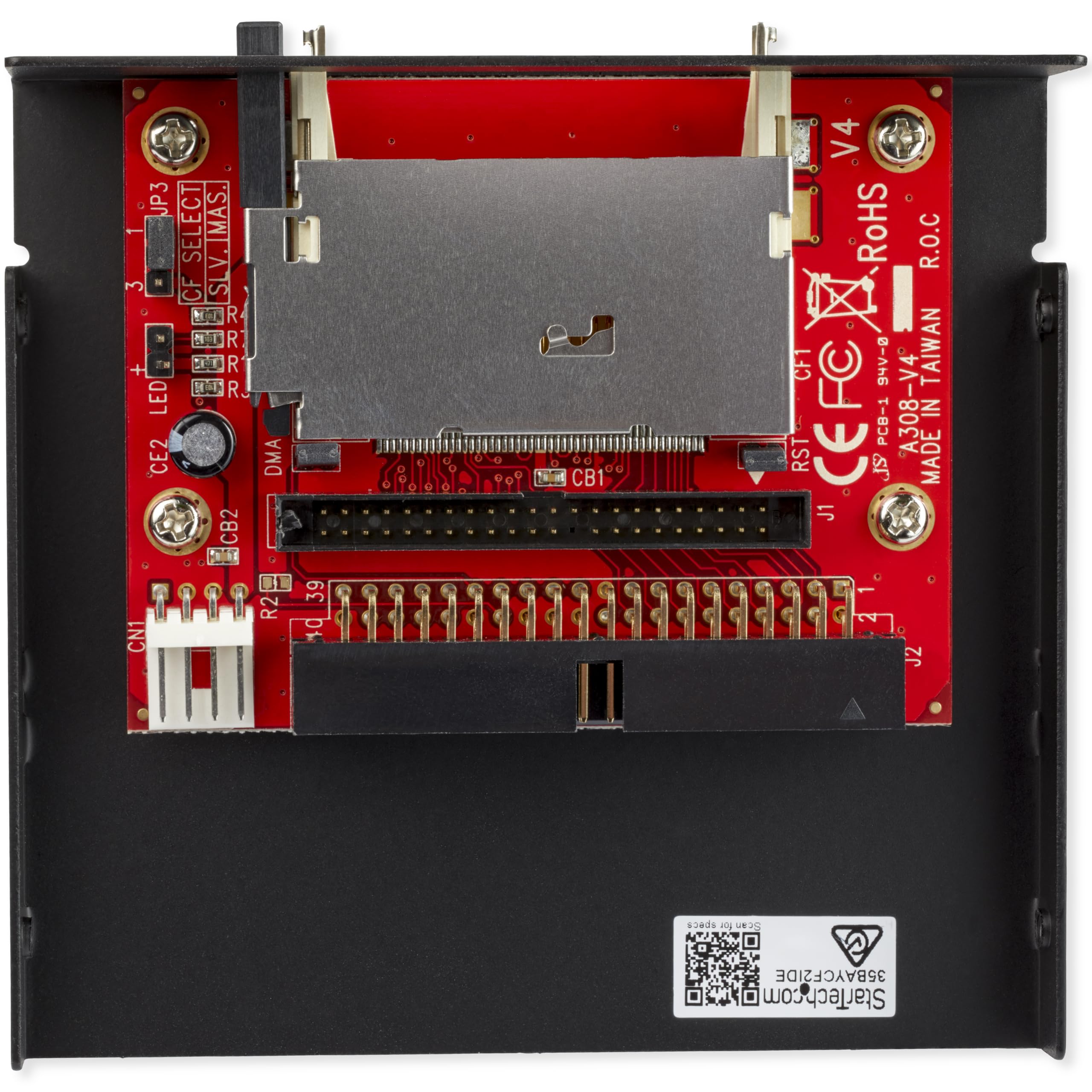

💾 Upgrade your vintage rig with modern speed—no fuss, all flash!
The StarTech.com 3.5in Drive Bay IDE to Single CF SSD Adapter (35BAYCF2IDE) enables seamless connection of CompactFlash cards to desktop computers via IDE slots. Supporting both 40 and 44-pin IDE connectors, it installs easily without drivers, fitting standard 3.5-inch bays. Ideal for professionals maintaining legacy systems or seeking reliable, fast storage upgrades with minimal hassle.


| ASIN | B000T9QQP0 |
| Are Batteries Included | No |
| Batteries | 1 AAAA batteries required. |
| Best Sellers Rank | 12,799 in Computers & Accessories ( See Top 100 in Computers & Accessories ) 165 in External Memory Card Readers |
| Brand | StarTech |
| Card Reader | CompactFlash Type II |
| Colour | Black |
| Computer Memory Type | DDR3L-1600 SDRAM |
| Customer Reviews | 4.5 4.5 out of 5 stars (1,271) |
| Date First Available | 5 April 2009 |
| Guaranteed software updates until | unknown |
| Hardware Platform | Personal Computer |
| Item Weight | 129 g |
| Item model number | 35BAYCF2IDE |
| Lithium Battery Energy Content | 2.6 Watt Hours |
| Lithium Battery Packaging | Batteries contained in equipment |
| Lithium Battery Weight | 5 Grams |
| Manufacturer | StarTech.com |
| Number Of Lithium Ion Cells | 4 |
| Operating System | Any |
| Product Dimensions | 22 x 4.8 x 15.8 cm; 129 g |
| Series | 35BAYCF2IDE |
| Standing screen display size | 3.5 Inches |
S**R
Simple and effective
I bought this unit along with the 3.5 - 5.25 front panel convertor tray. It's a simple box with the facia with various inputs and at the rear is a single cable terminated with a 9 pin USB connector plug. The cable is off a decent length which enables the directing of the cable well out of the way of other components and keeps things neat and tidy. The 9 pin plug is the only connection required and easily connects to a spare USB header on the motherboard. Installation was easy and the supplied fixing screws ensure the unit is firmly secured to the convertor tray (which comes with it's own chassis screws). On powering up, the green power indicator light on the units front panel was illuminated as was the activity light when a storage device was plugged in. Files were opened with minimal delay. If you are looking for a card reader/writer with the added bonus of an additional USB socket, then for the money, I can highly recommend this product. I bought this unit after having bought a similar product which failed to operate and is currently being returned. I wish I had gone with this one from the start. Not a single glitch with installation or functionality. No driver installation required either.
M**K
Worked great on 486 Dos pc.
Worked great on old 486 pc with 2gb transcend card. After you install dos 6.22 you might need to do fdisk /mbr for it to boot.
S**2
Value for Money
Still doing the lob it was bought for. Had it a fair while now
S**Y
Good card reader
So far it's running just fine. It was simple enough to install and the drivers were automatically installed by Windows 7. Relatively well made for an inexpensive reader and it comes with enough cable to reach the USB sockets on the mother board. Tried it with SD and compact flash cards and though the CF cards are put in upside down they all read and write with no errors. The USB 2 socket is handy and works fast enough even though it's not USB 3. It's nice to no longer have trailing cables across the PC and desk for external card readers.
V**L
Excellent ... just works as it's supposed to.
Easy to set up (just connects to a USB 2 header), fits into a 3.5" bay/front panel, drivers install automatically. Although there are six slots, you can only use four cards at a time. Four drives will appear in 'My Computer' and they are as follows: - Compact Flash (CFI/CFII cards) - x-Picture (XD cards and similar) - SD (includes SDHC, micro SD, etc.) - MS (includes M2, MS Pro Duo, etc.) Note that the SD and Micro SD slots can't be used at the same time. Whichever card is entered first will be picked up by the SD drive, the other won't be recognised (until you remove the first). The same goes for the MS and M2 slots. When you first install it and the drives appear, they probably won't state which is which. On Windows 7 (and possibly other Windows operating systems) you can figure this out by inserting cards or by going into Disk Management (Control Panel -> Administrative Tools -> Computer Management then select Disk Management from the left window) and scrolling down the bottom window, right clicking on each drive and selecting properties. The type of card each drive reads will display in the title bar of the window that appears. The USB 2 port works fine as well. And the lights aren't too bright. I would recommend this, especially as there are inferior card readers out there which have malfunctioning USB ports etc. This one is no trouble to set up and does what it's supposed to. For reference: my OS is Windows 7 Home Premium 64-bit.
H**J
Akai MPC compatible? Yes, but......
If you're buying this for the Akai MPC2000xl this will work! However it is not hot swappable and you will have to test different CF cards as not all of them will work with this device.
R**B
Easy to fit on HP systems.
Two media pin sets available on HP 8200, 8300 systems. A 23.5 to 35.5inch bay caddy to fit towers. Desktops fits under dvd drive.
N**S
ROland VS840 EX owners rejoice
Don't spent stupid amounts offered by Ebay sellers for "compatible" devices. Upgrade your VS880/840EX with this for a fraction of the cost. Works like a charm. You'll need to get a longer 44 pin IDE cable as the one in the Roland is tiny to connect to the ZIP drive, but, yes, superb option
R**Y
Parfait. A remplacé avec succès des disques durs dans mes 286. Attention pour les débutants, n'oubliez pas que si vous utilisez autre chose que les systèmes dos ou and par exemple, il faut impérativement prendre des cartes flash industrielles (industrial grade). Les cartes flash normales vous lâcheront sans crier gare, les industrielles sont prévues interne pour fonctionner comme un hdd ide, dans la durée
R**I
Mycket bra StarTech.com 3.5" Front Bay 22-in-1
F**)
Costa un pò ma cm al solito, se costa di più è perchè è stato Prodotto come si deve. Ho avuto un lettore prima di questo che mi era costato €8,99. Mezza cinesata. Mi è durato nel tempo, ma a livello costruttivo, si era dimostrato una cinesata! Questo Lettore invece si è dimostrato essere di qualità. Basti pensare alla differenza di prezzi, l'altro che ho reso €8,99, questo costa €24,11! Una "Piccola" differenza eh? Questo lettore costa di più ma credetemi, vale il prezzo pagato! Funziona, molto più solido di quello che avevo prima e di cui ho fatto il reso! StarTech.com, un Marchio da tenere bene in considerazione!! ;-)
M**T
Needed to replace my existing one and this one had more card reader options than the old one. Wouldn't necessarily recommend for anyone not familiar/comfortable opening a computer and changing components.
S**C
.
Trustpilot
2 months ago
2 weeks ago