
DOWNLOAD THE APP


Customer Services
Copyright © 2025 Desertcart Holdings Limited
DOWNLOAD THE APP
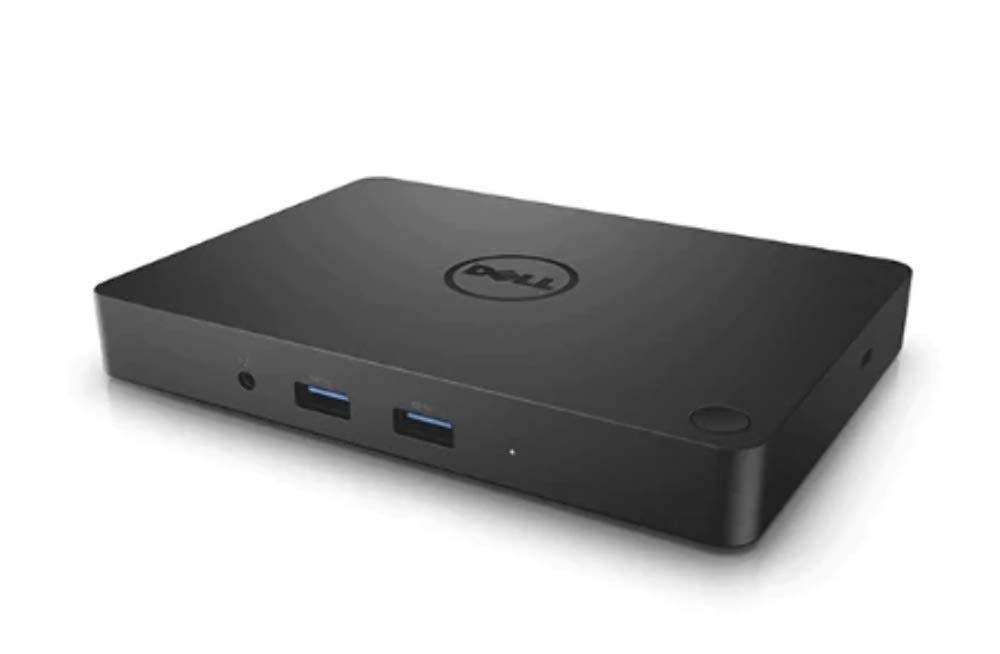

⚡ Power up your productivity with Dell WD15 – the ultimate desk upgrade you didn’t know you needed!
The Dell WD15 Gen 1 Docking Station delivers versatile USB-C connectivity with 130W power delivery, gigabit Ethernet, and multiple USB ports. Compatible with a broad range of Dell laptops, it simplifies your workspace by consolidating peripherals and displays into one sleek, compact hub—perfect for professionals seeking efficient, clutter-free setups.


| ASIN | B01FN1YK92 |
| Are Batteries Included | No |
| Best Sellers Rank | 211,487 in Computers & Accessories ( See Top 100 in Computers & Accessories ) 19,029 in USB Cables |
| Brand | Dell |
| Colour | black |
| Connectivity Type | Wireless |
| Customer Reviews | 4.0 4.0 out of 5 stars (411) |
| Date First Available | 17 May 2016 |
| Guaranteed software updates until | unknown |
| Item Weight | 422 g |
| Item model number | 450-AFGM |
| Lithium Battery Energy Content | 1 Watt Hours |
| Lithium Battery Packaging | Batteries contained in equipment |
| Lithium Battery Weight | 1 Grams |
| Manufacturer | DELL |
| Number Of Lithium Ion Cells | 1 |
| Number of Ethernet Ports | 1 |
| Number of HDMI Ports | 1 |
| Number of Lithium Metal Cells | 1 |
| Number of USB 2.0 Ports | 2 |
| Number of VGA Ports | 1 |
| Product Dimensions | 10.9 x 15.49 x 2.11 cm; 422.41 g |
| Series | WD15 |
| Wattage | 130 watts |
M**L
Grand product
Fantastic value and works great
J**N
no psu
No Power supply unit, clearly states it comes with one.
M**I
Arrived on time the following afternoon. Excellent condition. No issues whatsoever.
U**C
No me ha llegado!!!
P**T
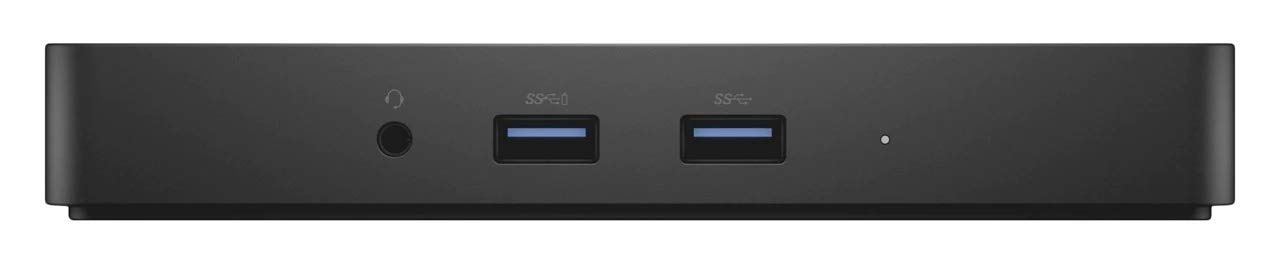
This is exactly what I was looking for. I have a brand new Dell Inspiron 13 2-in-1 laptop (purchased Aug 2016) with Windows 10 that gets used at my home office desk just as much as it does on the road. I was looking for something that would allow me to have full desktop capability at home by connecting only one cable to my laptop and this fit the bill. I was able to use all of my old (and I do mean old) peripherals - VGA monitor, USB keyboard and mouse - and it worked right out of the box. All of the peripherals get connected to ports on the back of the box which makes for a clean desk space, and the only ports facing front are the ones you might plug/unplug cables from more often: the headphone/headset jack and two USB 3.0 ports. In the back I have my ethernet cable, VGA cable, USB cable for my keyboard, USB dongle for my wireless mouse, USB dongle license key for a software program, and audio cable for my speakers. And the included power supply/power delivery means I can keep my portable power adapter in my laptop case for when I travel and I don't have to purchase a second one for my home office setup. I'm only using one monitor so I can't speak to its ability to run 2 monitors at once. It has 3 video ports (VGA, mini-DP and HDMI) but I've read you can only use one 4K monitor or 2 lower resolution monitors at the same time. They used to call this a "Triple 4K Dock" but they seem to have listened to the complaints about it actually supporting only one 4K monitor and they changed the name. The unit came with a note about needing to update the computer to the latest BIOS version and WD15 drivers before hooking up this dock. My laptop was new enough to have the latest so I just plugged everything in and it all worked. As a side note, I'm able to leave the laptop closed when it's docked at home. There's a "sleep" button on the top front right corner of the dock that puts the laptop to sleep (faster than doing it through several clicks in Windows) and I'm able to wake the laptop by pressing a keyboard key or moving the mouse. It's a laptop configuration that allows you to do this but my point is that the WD15 doesn't prevent the keyboard/mouse signals from reaching the laptop when it's asleep. These units cost $199 from Dell at the time I wrote this review but I paid only $89 on Amazon. I expected I was not going to get a brand new unit given the price and sure enough it came in an opened box from Kazba so don't be surprised if you get the same. The unit looked new and was in its plastic packaging and as I mentioned it worked great out of the box. So maybe the unit was returned to Dell and resold by Kasba, I don't know. But I think it was a fair price even if it didn't come in a sealed box. And I ordered it on Thursday and received it from Kasba on Monday.
W**4
We originally purchased a TB16 dock for use with the newer Dell laptops like the Latitude 74xx and up series, and the newer XPS models. The TB16 is horrible. Then we tried this. In short: THIS WORKS. There were no special drivers, no special setup - just plug it in. Unlike the other docks, this has no moving parts, no fans. It's small, had plenty of ports, performs well, and just works. You can use two digital monitors (ie you're not stuck with 1 DVI and one VGA like previous Dell docks) by using the HDMI port and the miniDVi port. Of course there are resolution limits, as with anything, you can check the specs on Dell's site to see what resolutions it supports. This one comes with a 130W PS, but really you can use any Dell PS that has enough power for all your stuff. Just add up the numbers and subtract power for the dock itself (about 40w). If you have a Dell laptop, it supports MAC address passthrough, which is nice for business so you can do MAC address filtering on your switches or whatever. It does work on other USB-C computers, but no guarantee on which ones. We tested it and it worked on the newer Macbook / Macbook Pro and some other non-Dell laptops. As far as quality, I did not notice any issues... no video lag, no connectivity issues, network issues, dock/undock issues... nothing. It just works.
N**S
Works exactly for what I needed to set up my home office. I didn’t want to go with an aftermarket brand as I worry about compatibility and reliability so I went with Dell to match my laptop. Works perfectly so far!
Trustpilot
4 days ago
2 months ago