
DOWNLOAD THE APP


Customer Services
Copyright © 2025 Desertcart Holdings Limited
DOWNLOAD THE APP


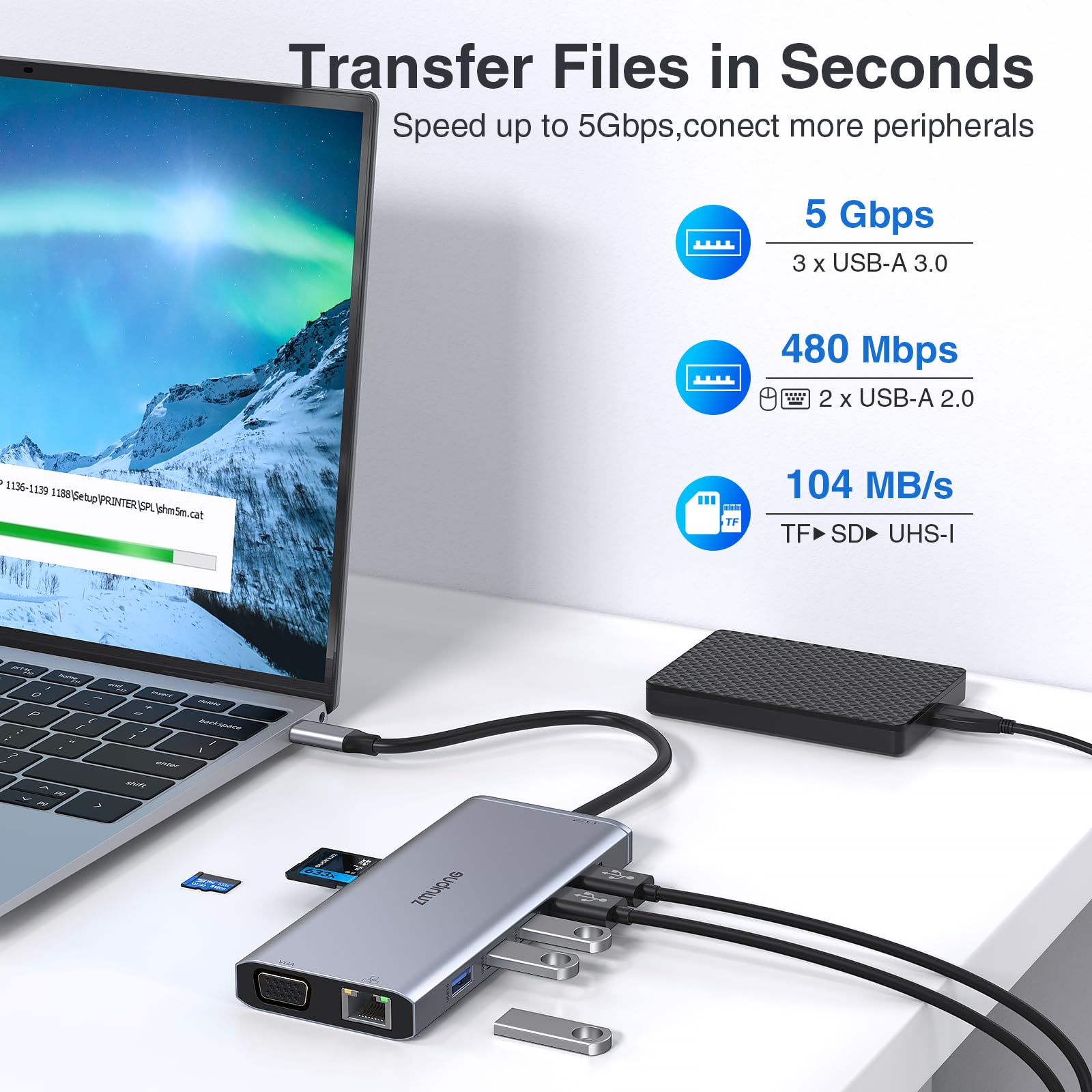


🚀 Elevate your laptop game—connect, charge, and conquer your workflow!
This sleek 14-in-1 USB-C docking station expands a single Thunderbolt 3/4 port into dual 4K HDMI, VGA, Ethernet, multiple USB ports, SD card readers, and 3.5mm audio, supporting triple monitor setups and up to 100W power delivery. Compatible with major laptop brands, it offers plug-and-play convenience and robust performance to transform any workspace into a high-efficiency command center.


| ASIN | B08H5CYC43 |
| Best Sellers Rank | 3,064 in Computers & Accessories ( See Top 100 in Computers & Accessories ) 28 in Docking Stations |
| Guaranteed software updates until | unknown |
| Item model number | ZM0218 |
| Manufacturer | ZMUIPNG |
| Product Dimensions | 1.5 x 9 x 17 cm; 100 g |
A**N
Absolutely perfect, used it for months now with no issue.
The USB-C dock functions flawlessly, providing seamless connectivity and expanded capabilities for my laptop. It effortlessly connects to multiple peripherals, including monitors, keyboards, mice, and external storage devices, without any issues or delays. This USB-C dock offers a wide range of ports and features, including USB, HDMI, USB-C, and SD/microSD card slots. The versatility of these ports allows me to connect all my essential devices and accessories with ease, making it a convenient hub for my workstation. I've found the USB-C dock to be highly reliable in maintaining stable connections and transferring data efficiently. Whether I'm multitasking, streaming media, or transferring large files, the dock performs admirably without any hiccups or disruptions. Despite its robust functionality, the USB-C dock features a compact and sleek design that doesn't clutter my workspace. Its slim profile and lightweight construction make it easy to transport and integrate into various setups. This USB-C dock is compatible with a wide range of laptops and operating systems, providing seamless integration and support for different devices and platforms. Considering its exceptional functionality and versatility, this USB-C dock offers excellent value for money. It streamlines my workflow and enhances the productivity of my laptop, making it a worthwhile investment for professionals and enthusiasts alike.
J**Y
Perfect
Works perfectly with my laptop, two monitors via HDMI, various USB peripherals, Ethernet connection, and more. The setup is smooth and everything runs without lag or connection drops. You do need a decent power supply for all ports to function—I use my MacBook’s 60W charger and it handles everything flawlessly. Anything lower and you’ll notice some ports won’t work as they should. Build quality feels solid, and it doesn’t overheat even after hours of use. Overall, a great all-in-one solution for turning your laptop into a full workstation.
A**C
Well made but headphone jack doesn't work
Very well made, all functions work except for the headphone jack. It worked for about a couple of weeks and then stopped. However, everything else works well. I would recommend it but not if a headphone jack is essential to you.
J**K
Excellent fully-featured dock for a Surface Pro 9
Bought this as a dock for my Surface Pro 9, and it's been perfect so far. I needed a dock that has: * 5 x USB-A for external keyboard, mouse, Jabra, and external USB ASIO sound interface and MIDI keyboard * 1 x USB-C for external SSD drive * Ethernet port * Headphone jack * Long cable so that I can put the dock on my desk when connected to the Surface Pro 9's inconveniently placed Thunderbolt ports. As I have a lot of devices connected, I've used an additional external power supply connected directly, and have had no problems at all. I've run music software, playing VST instruments live, reading sample files from the connected USB audio drive, using the external audio + MIDI interface, over this dock with no problems at all. I've not needed the two HDMI connectors or VGA port (or card readers) yet, as I use a separate Thunderbolt -> DisplayPort cable using the second Thunderbolt connector on my SP9. The headphone adaptor worked fine when I tested it. The unit is compact and not too heavy, considering how many adaptors are built in. So far I'm absolutely delighted with this - it's a perfect dock and excellent value for money.
P**G
Great
Works great with no problems Bought to use on an Apple laptop and is perfect for the job
C**U
Great.
Fantastic. I use it everyday with 2 external screens. Not had a single problem in 2 years. Buy.
M**C
USB not compatible for all devices!
I bought this item in conjunction with a new HP laptop as I needed to connect an HDMI cable to my monitor. I also bought a new Logitech combined mouse and keyboard which I planned to plug in to the USB port on the new adaptor. The HDMI worked fine but the USB port did not work. I was given this explanation: When a USB 3.0 device is working, it will cause noise and interfere with devices such as a wireless mouse/keyboard operating at 2.4Ghz. Intel has also confirmed this issue. For all hubs, this is an unresolved problem currently. What we can do is to reduce the noise interference to the 2.4Ghz channel, product itself has been shielded but it cannot completely block the interference. Especially the logitech mouse and keyboard, we tested out this brand of interference is more serious Have you try the methods below to decrease the interference? 1. Keep the wireless mouse/keyboard as close as possible to the mouse/keyboard receiver. 2. Or keep the receiver is as far away as possible from the USB 3.0 device. Use extended usb2.0 cable to plug your wireless mouse keyboard receiver or if you have another hub, you can plug the hubs into the sides of the computer, one hub with usb 3.0 device, another with the mouse/keyboard receiver. 3.Use cabled mouse, keyboard. Strange explanation but it certainly would have been nice to know before buying!
Y**R
Dissatisfied LAN port alignment
Review based on 1-week usage: -Good part is it’s thin & sleek compared to similar other models in the market. -Another plus is it has other popular ports for data, audio and video transmission (i haven’t tried/used them yet) -However, given the price, I’m not at all happy & satisfied with the LAN port since unplugging the cable from it is a hassle and definitely not an easy job. Further effort to unplugging keeps me worried as either cable or the port might get damaged/impacted.
S**T
Works well with both my windows and mac, no issues
B**S
Degelijk ding, werkt direct en probleemloos met een HP G6 Elitebook. Getest met de volgende hardware ingeprikt: logitech unified receiver, een 1440p LG monitor (max refresh rate zit vast op 75hz), een muis en een logitech brio 4k webcam. Ook opladen gaat goed waarbij de temperatuur van de hub hoogstens handwarm wordt.
B**.
Produit acheté pour équipé un MacBook Air 2020, l'adaptateur s'adapte parfaitement bien et fonctionne à merveille. Vous pouvez acheté les yeux fermés.
J**Y
I got this because I was setting up multiple monitors linked to my laptop without enough hdmi ports. Suffice to say this was exactly what I needed, while also giving extra port functionality I didn't know I needed (mouse, keyboard, ssd, etc).
D**.
Ich nutze die Dockingstation Zuhause im Homeoffice mit 2 Monitoren. Klein und gut unterm Tisch verstaubar, viele Anschlüsse wirklich nichts zu beanstanden!
Trustpilot
1 day ago
4 days ago