
⚡ Elevate your network game with pro-level speed and control—no IT degree required!
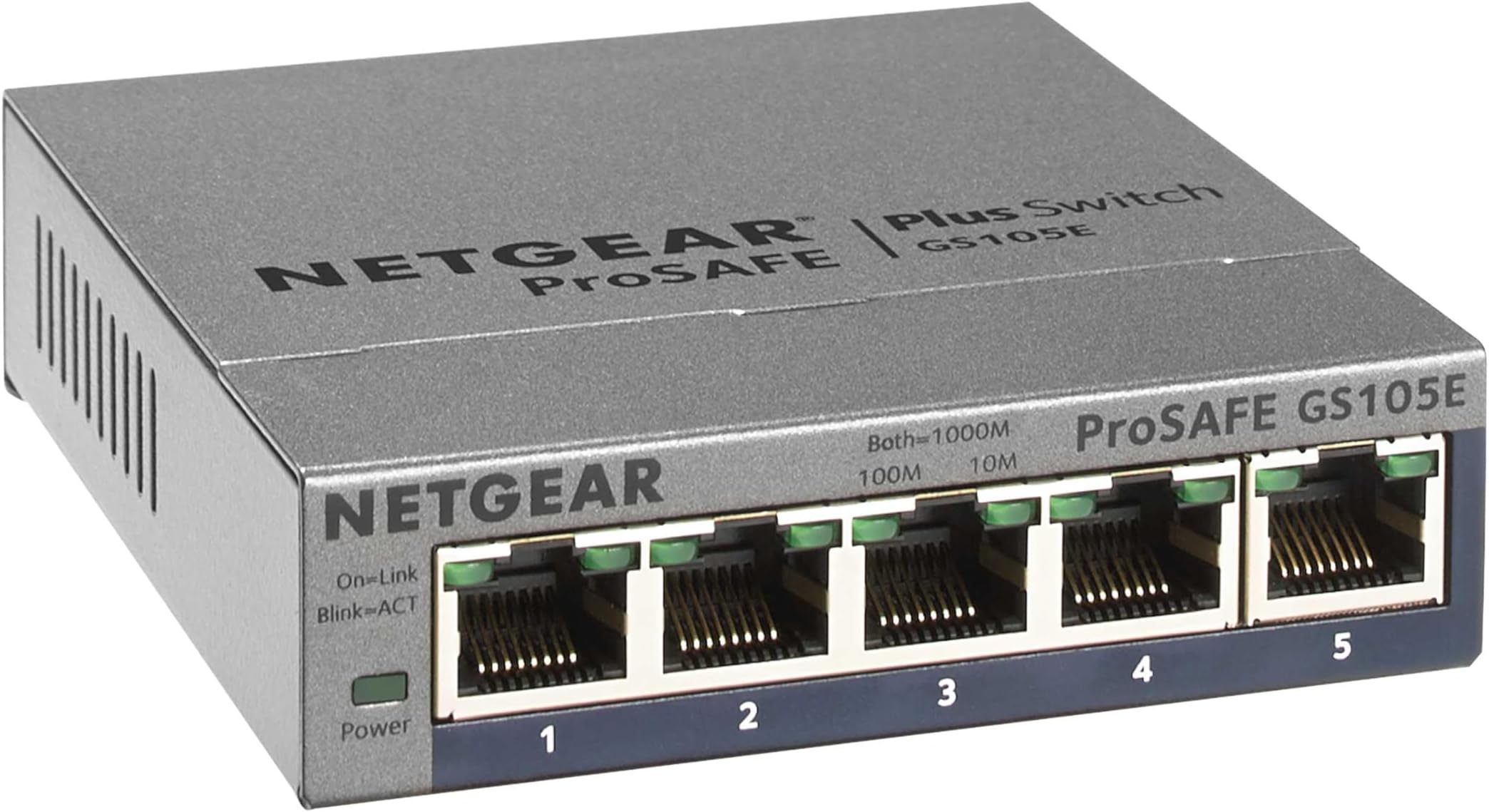
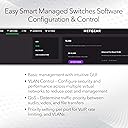
The NETGEAR GS105Ev2 is a 5-port Gigabit Ethernet smart managed switch designed for both plug-and-play ease and advanced VLAN configuration. Its durable metal build, silent operation, and ProSAFE lifetime protection make it ideal for professionals and savvy home users seeking reliable, high-speed network expansion with flexible management options.


| ASIN | B00HGLVZLY |
| Best Sellers Rank | #6 in Computer Networking Switches |
| Brand | NETGEAR |
| Built-In Media | dvd |
| Case Material Type | Plastic |
| Color | 5 port |
| Compatible Devices | Monitor |
| Customer Reviews | 4.7 out of 5 stars 2,298 Reviews |
| Data Transfer Rate | 1000 Megabits Per Second |
| Global Trade Identification Number | 10606449101512 |
| Included Components | dvd |
| Interface | RJ45 |
| Item Dimensions L x W x H | 3.7"L x 3.9"W x 1.06"H |
| Item Weight | 0.56 Pounds |
| Manufacturer | Netgear |
| Mfr Part Number | GS105E-200NAS |
| Model Number | GS105E-200NAS |
| Number of Ports | 5 |
| Platform | Not Machine Specific |
| Product Dimensions | 3.7"L x 3.9"W x 1.06"H |
| Switch Type | Managed |
| UPC | 606449101515 |
| Unit Count | 1.0 Count |
| Upper Temperature Rating | 122 Degrees Fahrenheit |
| Voltage | 12 Volts |
| Warranty Description | Lifetime |
M**K
Lots of VLAN configurability, stable performance
A professional network engineer might scoff at this "prosumer"-grade switch, but it does actually have a fair bit of flexibility in regard to its VLAN configuration, and you get a lot of bang for your buck. I bought it so I could connect two Internet gateways (a cable modem and an optical network terminal) to my router's single WAN port and two virtual LANs to my router's single LAN port. Despite the two passes that packets need to take through this switch on their way between the Internet and my LAN devices, I can still download the latest Chromium sources from Google at over 100 MiB/s (average over the course of a 2-GiB+ download) through my gigabit Internet link, so I know the switch matrix is doing a good job at keeping the crossing flows from colliding. To pull off having two gateways connected to one WAN port on my router, I have two 802.1Q-tagged virtual interfaces configured on my router's WAN interface with distinct tags that I assigned as the PVIDs of the two switch ports that the gateways plug into. Each of those two switch ports is configured to pass the traffic of its respective VLAN untagged since the cable modem and the ONT are not expecting 802.1Q-tagged Ethernet frames. Then the switch port that is connected to my router's WAN port is configured as a member of both of the gateway VLANs and is configured to pass their traffic with tags so that my router can run its two virtual interfaces on its one WAN port. That switch port has its PVID set to a throwaway VLAN (of which no other ports are members) so that any untagged traffic coming from the router's WAN port will be thrown away and will not leak to the remaining five switch ports that connect my internal LAN. Those other five switch ports, which I use for my LAN, are members of two more VLANs, one of which is set as their PVID, meaning any untagged traffic they receive gets assigned into that VLAN, and also they are configured to pass any traffic on that VLAN in untagged frames. The other VLAN is for my isolated Internet-of-Things network so I can have remote Wi-Fi access points hosting a dedicated SSID just for my IoT devices. The LAN switch ports are configured to pass traffic on the IoT VLAN using tagged frames, so the IoT network is "invisible" to other switches and hosts unless they intentionally connect to it. The router's LAN port runs both the default (untagged) interface for the trusted VLAN and also an 802.1Q-tagged virtual interface for the IoT VLAN, and those two interfaces are addressed on separate subnets with some firewall rules to prevent IoT devices from connecting to trusted devices, but trusted devices can connect to IoT devices (to command them, read status, etc.). The reason I described my complex setup here is so you could get an idea of how much flexibility this switch offers. Sure, it may not have the kind of Cisco-esque management console that network engineers are trained to endure/love, but the switch's web interface is actually shockingly capable of configuring almost any bizarre VLAN arrangement that you can imagine. And there are actually three other VLAN configuration modes that I did not even describe: a basic port-based mode, an advanced port-based mode, and a basic 802.1Q mode. (I use the advanced 802.1Q mode.) As far as the physical build of this switch goes, it looks and feels exactly as you would expect a Netgear desktop switch to look and feel if you are at all familiar with them. It's a sleek metal slab with a line of Ethernet ports along the front edge and a 12V DC barrel jack on the rear. Each port has two LEDs that show link speed/status and activity, so you get your typical blinkenlights show. The 12V input is nice because it allows me to put this switch on my 12V battery backup along with my router and my two gateway devices. The four devices will easily run for many hours in a power outage. As for reliability, I have never had this switch hang or lose performance with prolonged use. It runs silently for months to years with no intervention required. It just works, even despite the crazy configuration I gave it. I have no complaints at all.
N**M
Perfect & Powerfuml Switch for non tech folks
This is a perfect switch if you want to expand your home or small business network. If you want to plug in multiple devices to your existing network then this device is for you. I am giving this product a 5 stars for the reason below: 1. Plug and Play. Absolutely no programming or setup required. 2. Percect device for novices users and non IT/computer users like me. Again...no setup required. Just plug in your devices and you will be automatically connected to your LAN. 3. Excellent quality build. The entire unit looks and feel high quality. Case is metal and device is heavy. No cheap plastic and lightweight feel. 4. Netgear is a reliable and makes excellent switches. I have a 10/100Mbs 5 port netgear switch that I bought in 1999 to use in my college dorm to get multiple computers to a single network port in my dorm. I still have this switch 18yrs later and it is still 100% operational. In matter of fact I bought this 8 port to replace my 18yrs old switch. I am only upgrading because i wanted 1000Mbs speee and more ports. Some misc tips for novices/non tech folks. 1. If your house is built after 2004 and was originally wired for telephone lines throughout your house then you already probably got either cat5e or cat6 cables installed already. Electrician will use cat5e/cat6 cables to wire your house for telephone use because they are just as cheap as regular telephone line and more readily avaiable. Therefore, no need to run ethernet cables. Just pull apart your telephone wall plates and verify. I hope this review helps.
P**Y
Great switch for a simple network or VLAN environment
Great little switch. I bought the five-port model, and it's a nice small size that tucks behind keyboards and monitors no problem. I bought it specifically because I needed VLAN support, so while you can use it as a single-network switch, it also functions great in a multi-VLAN environment. Configuration is through a web GUI. The switch comes up at IP 192.168.0.239 by default, and I had trouble getting to the web GUI at this address until I downloaded Netgear's ProSAFE utility (free from their web site) and used it to connect to the switch and upgrade to firmware 1.4.0.6. Since upgrading firmware, I've had no trouble connecting to the switch. (If you don't need VLAN support or don't know what it is, you can skip this paragraph). In my network, I deployed over 20, with 5-7 VLANs untagged and tagged (802.1Q) depending on location. For example, we have port 1 configured with VLAN 1 (default) untagged and as PVID, and VLANs 20-70 tagged on an uplink to a larger distribution switch; ports 2-4 offer the needed VLANs untagged, and port 5 offers a subset of the VLANs tagged to a Ubiquiti wireless access point (for multiple wireless network access). You can configure VLANs four different ways, but as a Cisco/Juniper guy, I found the 802.1Q/Advanced path most familiar and capable for the project. With 20+ deployed, no DOAs, and no problems after several weeks. Solid little switch.
G**H
Great for the office - recommend for heavy duty work environment.
Simple to use - just plug in and it works. We use these all over the office. I like the PRO series, as they are managed, and work great with the office PC's and PHONE systems. You connect them right into the network, they link up and work. Built to last!
A**R
Great little switches - but getting more expensive
PROS: 1. Lifetime warranty, Metal chassis, Netgear reliability 2. Best 8-port VLAN web-managed switch 3. Comes with wall mounting hardware and rubber feet. CONS: 1. Almost 2x the price of a managed TP-LINK 8-port switch, which really is only slightly worse for reliability these days. $65 for a 8-port switch is too much to convince someone to buy the better Netgear when a TP-LINK is $25. Netgear seems to be slowly making these more expensive to push you to their cheaper non-lifetime warranty switches. Shouldn't they be doing the opposite and making these their standardto compete with TP-LINK and TRENDNET's managed switches? If this continues we'll just buy two TP-LINKs and keep a spare at each site. 2. Can't view the mac-address table, which is really important for any managed switch to track down duplicate IPs 3. Doesn't run LLDP to discover/show useful information (like connected port # and mgmt IP address) about neighbor switches 4. VLAN assignment is a pain 5. Can't assign more than one MGMT IP address or MGMT VLAN (MGMT IP only available on a single VLAN). 6. Netgear seems to have a never-ending number of switch discovery utilities. There's the ProSafe discovery tol, the Smart Managed discovery tool, and at least one other one. How hard is it to write one application to do a layer-2 broadcast and send a SNMP query to set a mgmt VLAN and IP address?
L**Y
Awesome Switch AFTER the Needed Firmware Update to Correct the Throughput issue.
We recently had a new home built and included was an OnQ panel to house all of the alarm and other whole house voice/data connections. All of the OnQ devices for voice and dta are quite nice to look at however very overly priced for what they are. Enter the Netgear ProSAFE GS108Ev3. This is an amazingly simple, yet soooo very functional device for what it is. Simply put for the price of under $60.00 and a rebate for $15.00, there wasnt another device that offered as much or even matched the Netgear. Easy plug n play to get you up fast or use the software on the provided disc to manage all aspects of your network. You can even test for network cable errors. The only issue with this was that the firmware that it comes with was not complete as the throughput was half of what it should have been. (the internet speeds using this device were about half of what we were paying for) Easy fix, after visiting forums and other various sites. I will save you the frustration and fits of anger by telling you there is an easy fix. Firmware update! This throughput issue was a known issue with Netgear for atleast 4-5 months. They recently released firmware 2.00.05 that will completely fix this issue. Simply visit their website and download the firmware update. Im so glad I found the issue because I almost returned it. I even made a custom bracket to mount it in our OnQ panel. Actually looks great! The metal case of the Netgear is a nice touch that adds a bit of substance and class to an otherwise boring peripheral. Dont waste your money on looks, buy performance at a fraction of the price. Full Gigabit speed all the way!
F**0
Great Product
Works Great for the three devices I needed it for.
M**E
Great home managed switch
This is my first managed switch for home use. I have always used Netgear un-managed switches and have never had a problem with them. I wanted to try their managed switch to have better control over my network. Specifically, I wanted to try and place my VOIP phone on a separate VLAN. Setup of the switch was generally easy if you are familiar with networking technology and terms. If you don't understand networking technology, stay with an un-managed switch. I used the Plus Utility to do the basic setup and then used the web interface to do the configuration. I set the switch with a static IP address and then setup the various features of the switch. For the VLAN's I used port based VLAN as using the 802.1Q VLAN setup didn't work with my VOIP. Using the port based VLAN I was able to keep the first 7 ports on VLAN 1 and setup port 8 for the VOIP VLAN 2. I then had to change port 1 (connected to my wireless router) setting to "all", which then allows the internet connection coming in from on port 1 to be shared with port 8 VLAN 2. Everything is working now and I'm pleased with the setup and the other features I can use on the switch, including IGMP and QOS. For the price, features, and quality, I really like this switch. Just make sure you actually need a managed switch, and that you would be comfortable setting one up. If you don't, stay with un-managed switch.
Trustpilot
3 weeks ago
3 weeks ago