
🚀 Elevate your display game with ultra-HD speed and clarity!
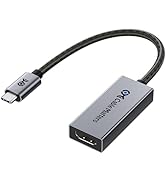
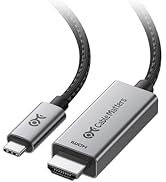
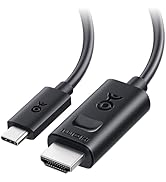
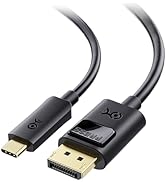
This USB-C to HDMI 2.1 adapter delivers ultra-high bandwidth of 48Gbps, supporting resolutions up to 8K at 60Hz and 4K at 240Hz. Compatible with Thunderbolt 3 and 4 ports, it features a durable braided cable and aluminum enclosure, ensuring premium performance and longevity. Ideal for professionals and gamers seeking future-proof, lag-free, HDR-enhanced video and audio experiences.



| ASIN | B08MSWMXT4 |
| Best Sellers Rank | #48,295 in Electronics ( See Top 100 in Electronics ) #684 in HDMI Cables |
| Item model number | 201388-A |
| Manufacturer | Cable Matters |
| Package Dimensions | 19.61 x 8.51 x 1.09 cm; 18 g |
J**N
Cumple con la función de pasar señal 4K 120hz hasta 12 bit color Full Gamma. Pero se pierde compatibilidad con VRR (Gsync / Freesync) Si tienes una RTX 20XX y no quieres estar limitado al HDMI 2.0 este adaptador es la opción, pero considera que no es compatible con VRR.
P**L
I was quite mad discovering that it needs a firmware update, and then to my dismay unable to achieve the image I wanted. However, it turns out the cable was the issue!
M**S
I have the AMD RX6800 XT graphics card in my computer, it has one HDMI output, two DisplayPort and one USB-C. The HDMI was already taken by another monitor I use, so I ended up opting for USB-C -> HDMI to be able to share screen to my TV. Cheap adapters kept limiting my connection. One gave me only 24Hz, very "laggy" picture. Another would top out at 30. A third wouldn't even let me reach 4k. Then I decided to go for the recognized Cable Matters, and just out of the box I can turn up all settings without any issues. Thanks for a reliable device! Extra bonus star for the fact that firmware updates are available even after buying the product. That's was beyond expected. 6/5!
P**.
Hallo, also erst einmal die Qualität war gut. Gedacht war der Adapter eigentlich um meinen PC, mit einem HDMI Kabel und mein Mac Studio beide mit dem Studio Display (Apple) zu verbinden. Tja, verbunden habe ich meinen PC und Mac mit dem Display bekommen, doch leider sah ich KEIN Bild. Ich hab alles Mögliche versucht doch leider kein Erfolg dabei gehabt. Mit einem Telefonat habe ich dann erfahren das Apple es einen wirklich fast unmöglich macht seinen Windows PC an deren Montor (Studio Display) anzuschließen. Also falls jemand das selbe Problem hat dann hier mein Fazit: Am besten vorher informieren bevor man ein Windows PC hat sich einen Mac incl. ein Apple Studio Display kauft und beide an das Stduio Display anschließen will und dazu den Adapter nutzen möchte, denn das geht nicht gut. Ein Mac kann man immer an einen normalen PC Monitor anschließen aber Windows PC an Apple Geräten geht schief. Die Rückabwicklung ging ohne Probleme, Danke !!
R**L
It has been quite a learning experience on how to get my MacBook running at 4k HDR 60hz and this adapter will do it for you. For me and perhaps for you too, you have to choose the full 4k resolution of either 2048x1080 (HiDPI) or 4096x2160 before you get a choice of 25, 50 or 60hz, otherwise, for me, all I get is 25hz for my very old Sony TV. Thus with my MacBook outputting at 4k 60hz HDR I had thought that I would get my netflix, disney and amazon all playing at 4k HDR, but unfortunately for me my whole chain of receiver to my old 4k HDR Sony tv is a full chain of 2.2 compliant devices so therefore all the streaming services still only plays 1080p. Yes you can get netflix, disney and amazon prime to play at 4k but you do need all your devices to be HDMI 2.2 compliant.
Trustpilot
2 months ago
3 days ago



