We remain fully operational. Our teams are working around the clock to ensure your deliveries continue safely.

DOWNLOAD THE APP


Customer Services
Copyright © 2025 Desertcart Holdings Limited
DOWNLOAD THE APP
![ineo Aluminum M.2 2280 SSD Heatsinks with 20mm Fan and Pure Cooper Strip for M.2 NVME SSD [C2600 Fan]](https://m.media-amazon.com/images/I/612kIHXfT4L.jpg)


❄️ Keep your SSD chill and your workflow cooler — because throttling is so last season!
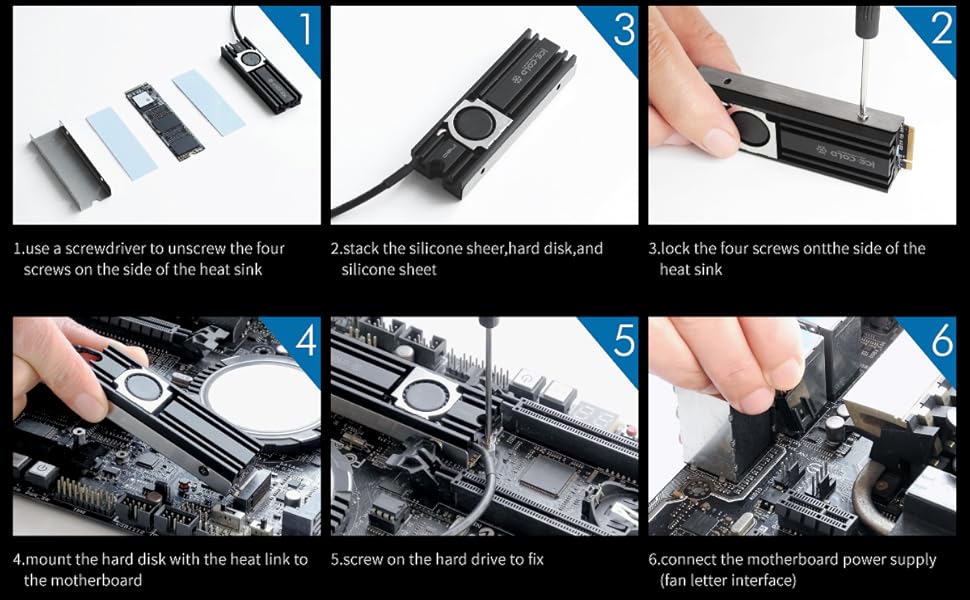
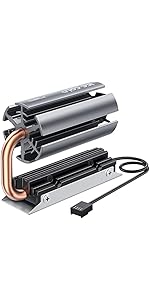
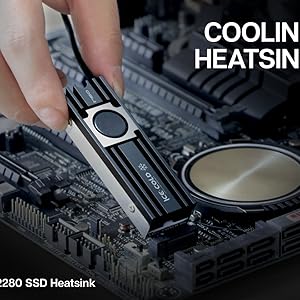
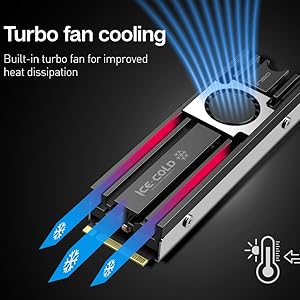
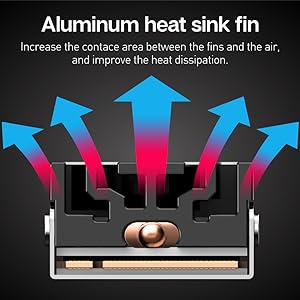
The ineo Aluminum M.2 2280 SSD Heatsink with a 20mm high-speed fan and pure copper strip delivers exceptional cooling for PCIe NVMe M.2 SSDs. Featuring a 10,000+ RPM fan, advanced nano silicone thermal pads, and a groove-enhanced aluminum heatsink with 560 W/mK thermal conductivity, it reduces SSD temperatures by up to 43°C, preventing thermal throttling and sustaining peak performance. Designed for desktop use, it offers adjustable fan speeds via motherboard headers, balancing noise and cooling efficiency for gamers and professionals who demand reliable, high-speed storage.




| ASIN | B0827PM9VR |
| Best Sellers Rank | #151 in Heatsinks |
| Brand | ineo |
| Cooler Heatsink Material | Aluminum |
| Date First Available | December 2, 2019 |
| Item Weight | 0.78 ounces |
| Item model number | 2600Fan |
| Manufacturer | ineo |
| Mounting Type | Chassis Mount |
| Product Dimensions | 2.95"L x 0.94"W x 0.24"H |
| UPC | 797716581632 |
J**Z
Massively over-delivers on its promises.
The product description claims a fan speed of 10,000 rpm and thermal performance of 8°C - 25°C. I was skeptical about both the fan speed and the possibility that a fan the size of a dime would actually make a significant difference, so I did some testing. I was wrong. SSDs run hot, but without really pushing them you'll never know just how hot they can get. I used HWiNFO 64 to measure fan speed and SSD temperature, and Atto disk benchmark to measure SSD performance. In order to ensure the SSD was stressed as much as possible, Atto was configured to use a 32 GB test file. Testing with no cooler, the SSD reached a temperature of 105 °C and began thermal throttling roughly one third of the way through the benchmark run. Throughput before throttling was roughly 2.9 GB/s write, 3.3 GB/s read. After throttling began throughput dropped to roughly 1.1 GB/s write, 1.5 GB/s read. Still pretty fast, but well below the drive manufacturers promised throughput. This is normal for SSDs. Drive manufacturers advertise peak throughput and leave out the details about sustained throughput. This particular drive actually performed excellent; when stressed in this manner, some SSDs throttle back to speeds that make hard drives competitive. With the cooler installed, HWiNFO reported a fan speed of just over 15,000 rpm, substantially higher than the advertised speed. The Atto benchmark run was completed with no thermal throttling, and the SSD's peak temperature was 62°C, a 43°C difference. Obviously, this is substantially better than the cooler manufacturer's 8°C - 25°C performance promise. Fan noise from the cooler at 15k rpm was just enough to be annoying. The cooler is designed to plug into any motherboard fan header and doing so gives you control over fan speed. Changing the fan speed to 8000 rpm eliminated the noise, still eliminated thermal throttling, and yielded a peak temperature of 74°C. This is 31C better than running the SSD with no cooler, and once again, better than the manufacturer's performance promise. In both cases the cooler reduced idle temperature from 70°C to 56°C. A passive heatsink may meet your needs as well as this cooler while costing less, and installing this cooler is moderately more complicated than installing a passive heatsink. But a passive heatsink is potentially bulkier, less effective, or both. This cooler is compact and delivers substantially more than it promises. If you don't stress your SSD, you probably don't need a cooler at all. If you do, you should definitely consider this one.
A**R
Cooler is great but the fan is a little too loud (even with speed control)
The cooler was simple to install and it did help with temperatures, but my only gripe was the noise with the fan. Even without the fan, it does a great job on keeping things running cool. Other than the fan noise, the product was great and it is sad to see the fan not in use.
D**N
Works fine if you keep your case temperature down
Using this to cool a Samsung NVMe 970 PRO. Magician showed the SSD to be running at 51C and labeled it as "hot." I installed the ineo heatsink per instructions. The instructions said nothing about removing the clear plastic cover from the conductive tape, but my ASUS motherboard instructions stated that the plastic needed to be removed on their conductive tapes, so I removed the clear plastic covering. After installation the temperature showed as 49C. Big disappointment. I also cleaned the computer case fan and filter during the ineo isntallation. They were filthy. A couple of hours later I realized that I had reinstalled the case fan backwards. I changed the fan back to where it was blowing in - I have a second fan at the back that blows out - and brought up Magician after running the computer for a couple of hours. The temperature went from 49C to 42C. This was a worthwhile purchase. The bottom line: The ineo cooler can only cool your SSD down to near the temperature inside your case. As an aside, don't forget to calibrate the fans in your BIOS if you have an ASUS motherboard.
S**K
Much butter than my old JEYI
I had a JEYI NVMe M.2 SSD Cooler Heatsinks with 20mm Fan Powerful Cooling that had a failing fan that was annoying the heck out me making a squeaking noise. Replaced with this, and wish I'd have done it much sooner! This is cooling my SSD about 17 degrees C more than nothing, about 8-10 more than my old JEYI. This also has a nice long 4pin fan connector that should be able to reach any open FAN connector you have on your mobo. Edit: When this is at 100% RPM it's kinda loud/annoying. I also have a very quiet system because I have AIO water cooled CPU fan. I manually set it in my BIOS to only run at 60% (lowest my mobo could go). SSD is only like 1-2 degrees warmer (only 43), and it's much nicer sound wise so sticking with that. I almost wonder if I'd have been better off with a PCI slot Graphics Card Cooling Bracket Chassis Heat Dissipation Side-Blown Bracket Vertical Cooling Fan Mounting Bracket Supports type thing though. In my setup, I'd be able to do 60mm fans instead of the 20mm this has.
T**S
ineo Aluminum M.2 2280 SSD Heatsink - 5 Stars!
Bought this M4 cooler heatsink with fan to keep my new Samsung 980 Pro 2TB OS / media partition drive cool. Nice packaging, completely easy installation, and absolutely... QUIET. Even with heavy drive access, temp stays around 41C. Nice! No need to look elsewhere, I bought a second for another build in process. Highly recommend. Looks cool, protects your investment, and does exactly as promised. All FIVE Stars.
F**T
The fact that it has an actual heat pipe instead of copper pipes like in the Sabrent was a positive point. The fan is slightly loud at full speed, however, I have a bunch of Noctua low noise adapters and it is almost inaudible after plugging it in. It successfully brought my SSD a small, hot mini-ITX box under control, whereas 3 different passive heatsinks I tried previously failed. I'd recommend that you swap the thermal pads for Gelid's 1.5mm and 0.5mm thick ones, as they are much better at conducting heat, and softer to conform height differences of the controller and NAND. You might also want to cut around the DRAM on the bottom as the 0.5mm thick pads will not be able to compress enough. Product origin: China Company origin: Taiwan
A**ー
冷却性能には満足していますが、ファンがびっくりするほどうるさいです。 常に冷却ファンが全力で回り続けており、電動シェーバーみたいな音が鳴り続けています。 必要ないときは回転数落とすみたいなこともしないみたいなので、フルタワーPCに5つついてるファン全部足したのよりうるさいですが、一番大事な冷却自体はできてるのでまぁいいかなという感じです。
K**R
The heatsink does it's job on cooling down my M.2 SSD. The only problem was that mine did not come with any thermal pads in the box. Not sure if I got a resealed heatsink or it was missed in packaging the product. I ended up having to use my own thermal pads for assembly. Not too upset by it, as I have a plethora of PC parts laying around, including thermal pads. Just be on the lookout for missing items in the box. Would recommend to those who don't have a heatsink to use on their SSD.
ح**ن
يشتغل
M**E
Keeps my drive running cool
Trustpilot
2 months ago
2 weeks ago