🎛️ Elevate your Raspberry Pi projects with precision and speed—because your data deserves the best!
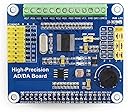
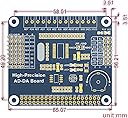
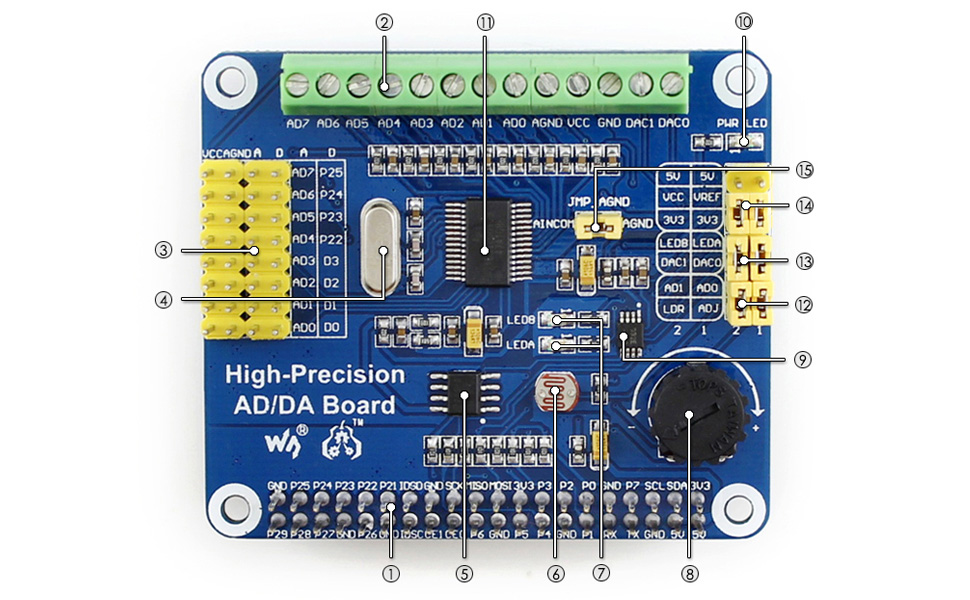
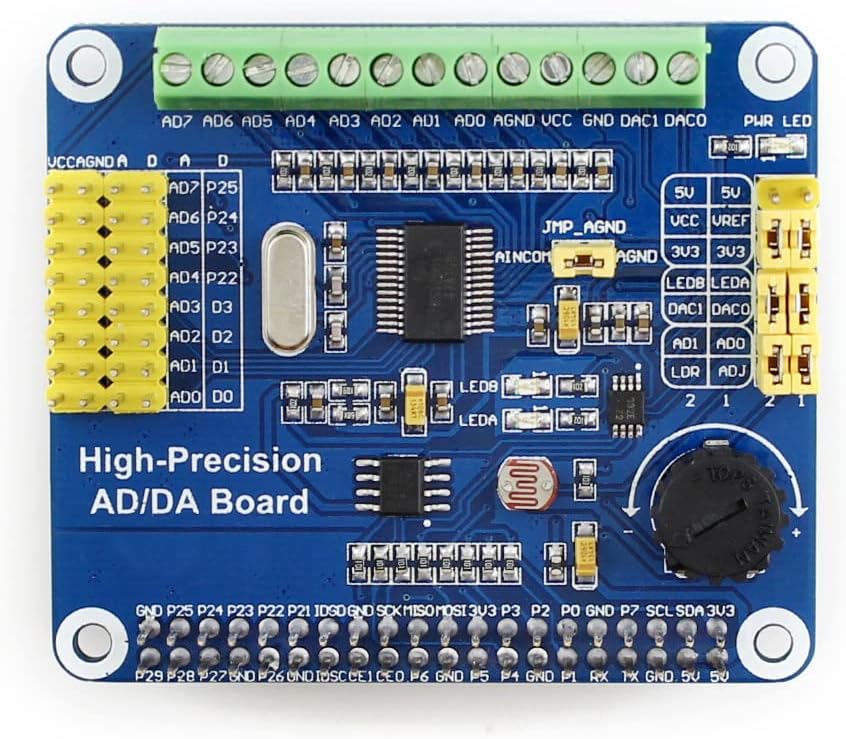
The Waveshare AD/DA Expansion Shield Board enhances Raspberry Pi capabilities by adding high-precision analog-to-digital and digital-to-analog conversion. Featuring an onboard 24-bit ADS1256 ADC with 8 channels (4 differential inputs) and a 30ksps sampling rate, plus a 2-channel 16-bit DAC8552 capable of up to 30MHz output, it offers versatile sensor interfacing through pin headers and terminal blocks. Ideal for professionals seeking accurate signal processing and seamless integration in prototyping and development.


| ASIN | B0105DPYNO |
| Best Sellers Rank | #9,769 in Single Board Computers (Computers & Accessories) |
| Customer Reviews | 3.5 3.5 out of 5 stars (33) |
| Date First Available | June 19, 2015 |
| Is Discontinued By Manufacturer | No |
| Item Weight | 0.353 ounces |
| Item model number | High-Precision AD/DA Board |
| Manufacturer | WaveShare |
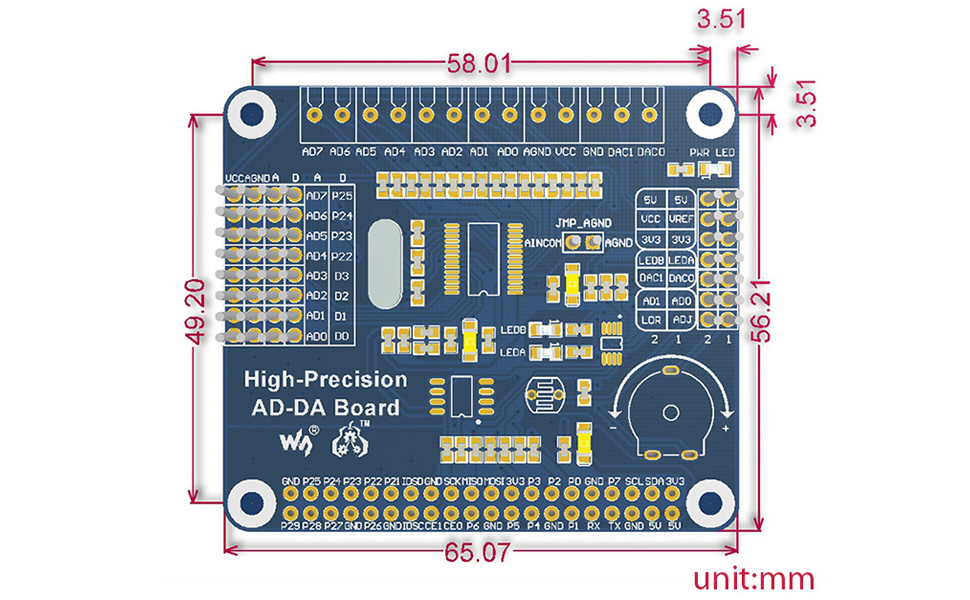
| Product Dimensions | 7.09 x 3.94 x 3.54 inches |
R**D
Easy to intall. Reference test source code easy to build and use.
Works strait out of the box with the available reference source code. Thoughtful, quality board design. Reference source code simple to build into executable on Raspbian. Easy device connection via convenient terminal block or pin headers. Feed through GPIO header provided for easy access to any other Pi GPIO connections you may already have in your project. Mounting standoff hardware not included, but not necessary for lab bench development activities. Adds enough height to preclude use of standard Pi enclosure. Power connection provided on both terminal block and pin headers for driving input devices. I'm using power on the terminal block for driving string potentiometers used as position sensors.
D**N
Don't give up too soon!
This board will expand your knowledge of how the hardware and software work together. Pay close attention to the version of the Broadcom library you are directed to install. Get the one being pointed to in the link. (hint: you have to roll your mouse over the link to see that it is a link) Then compile and install as directed. I got it right on my second pass and every thing works as advertised. On my first pass it hung on reading the chip ID. I know this because I added print statements to the code to see how far it was getting. It's true the documentation could be better organized but it is all there if you look hard enough. I can see me getting more of these in the future after I come up to the level this board is capable of pulling me up to. Take you time and follow the instructions and you shouldn't be disappointed unless of course you are looking for a $10,000 board via a $37 purchase.
A**R
ADC works well at lower sample rates (if you write your own code!)
I started with the Waveshare sample C code that cycles through all 8 channels, and rewrote it to use one channel at a time. I found it runs on a RPi2B at an actual sample rate up to 25 kHz (at the 32 kHz setting), but the noise at that rate is so extreme I think it's not 100% working. But if you need that rate you probably don't want a sigma-delta ADC anyway. At 2 kHz or below the noise is reasonable, and at the lowest speed it is quite good. I measured a low-noise source (AA battery) and get only 1.2 counts RMS noise and 5 counts pk-pk noise sampling for 10 seconds at 2.5 Hz so at that speed it does warrant the claim 24 bit ADC. My code is "ADS1256_read.c" in the "jbeale1 / DataAcq" folder on github. Another person did a Python library which is in the "ul-gh / PiPyADC" folder on github. I took off a star for the state of their demo code, but the hardware is usable and the price is surprisingly low. The waveshare wiki site does have the circuit board schematic also. I didn't try the DAC8552 chip onboard, but note the Amazon page here claims "up to 30MHz output" which is wrong, check the datasheet: up to 30 MHz *input clock* and you need 24 bits for each update so you can't even make a 1 MHz square wave, and also there is an output settling time. Also on the Raspberry Pi, I am not sure about 30 MHz SPI clock; the Waveshare demo code uses 1 MHz.
B**S
Fantastic delta-sigma A/D and decent D/A
Great product, have several and no problems whatsoever with them. I found the documentation quite clear, if you are vaguely familiar with linux. Had it up and running in a couple hours. From a hardware perspective, I'm getting 23 bits of noise free a/d conversion at 100 Hz, several bits less at 1 kHz (when running differential). Two channel D/A generating 16bit waveforms at 1 kHz, haven't gotten it to go faster yet for some reason. Great product, buying more.
A**O
Waveshare AD/DA Expansion Sheild Board for Raspberry Pi
This board worked well for me once I got some info from the waveshare website and GitHub. It connects directly to the Raspberry Pi. It is better featured than other ads1256 boards, and ethink had the best price. I want to thank ethink for the help with the order, it got stuck at SFO. My customer representative was first class.
J**R
From a board quality perspective 5 stars, from a ...
From a board quality perspective 5 stars, from a documentation/readiness perspective 0 stars - average 3. No this board is NOT at all "ready to plug in and start right up". The documentation is not well structured and flat out incorrect at places. There are a lot of steps/hoops to go through to make it play. After days futzing and several pots of black coffee I can now see the chip's ID and get some voltages that seem to follow the input. But after a few seconds the values don't change anymore and I need to reset the application. Clearly not done futzing. Frustrating little board because of the lack of documentation. Emailed waveshare's customer support .... crickets.... EDIT DEC 30/2015 Lowered my review to 1 star because: a. Though documentation prominently shows a max 30kHz sampling speed, onboard filters are set to 1.5kHz. b. Even ignoring the 1.5kHz fixed filters, this board cannot be used on a RPi B+ for 30kHz sampling without the need of a kernel driver to support a true IRQ service routine. This thing is nothing but a 8 channels of voltmeter.
G**M
avoid this like the plague
Unless you are very familiar with C programming, avoid this like the plague. There is very little Python code out there for this board, and those of you who are used to the high quality documentation and python code examples from companies like Adafuit will struggle. So if you are thinking of buying this as a quick way to get your analog gas sensors working, you would be better to to use an MCP3008 chip and the multitude of of great documentation that describes its implementation. I don't think it would be that hard for the propeller heads at Waveshare to put some decent Python/RasperryPi code up on their site to help the user community get to grips with this product. On a positive note, the board is physically well constructed.
A**R
it works, be persistent. documentation is lacking but there is enough to figure this thing out.
There have been some bad reviews of the waveshare adc board. The documentation is not very good and scattered around the internet. With persistence you can get it to work. I am new to raspberry pi and linux but had some previous C experience. I was able to get the example program to compile and work. You must properly install the broadcom gpio library into your compiler. I used geany. For some reason I had to change the keyboard encoding on the source code before geany would recognize it as a valid file.
A**R
Very easy to use. Works with the python3 library in raspberry pi 4B
F**O
Producto impecable. Gran documentación, fácil de sacarle todo el partido
Trustpilot
3 days ago
2 weeks ago