Buy anything from 5,000+ international stores. One checkout price. No surprise fees. Join 2M+ shoppers on Desertcart.
Desertcart purchases this item on your behalf and handles shipping, customs, and support to Colombia.
💎 Mine smarter, not harder — the ASUS Prime Z390-P is your crypto rig’s power play!
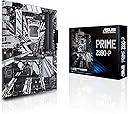
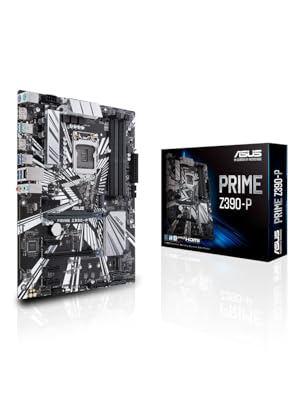
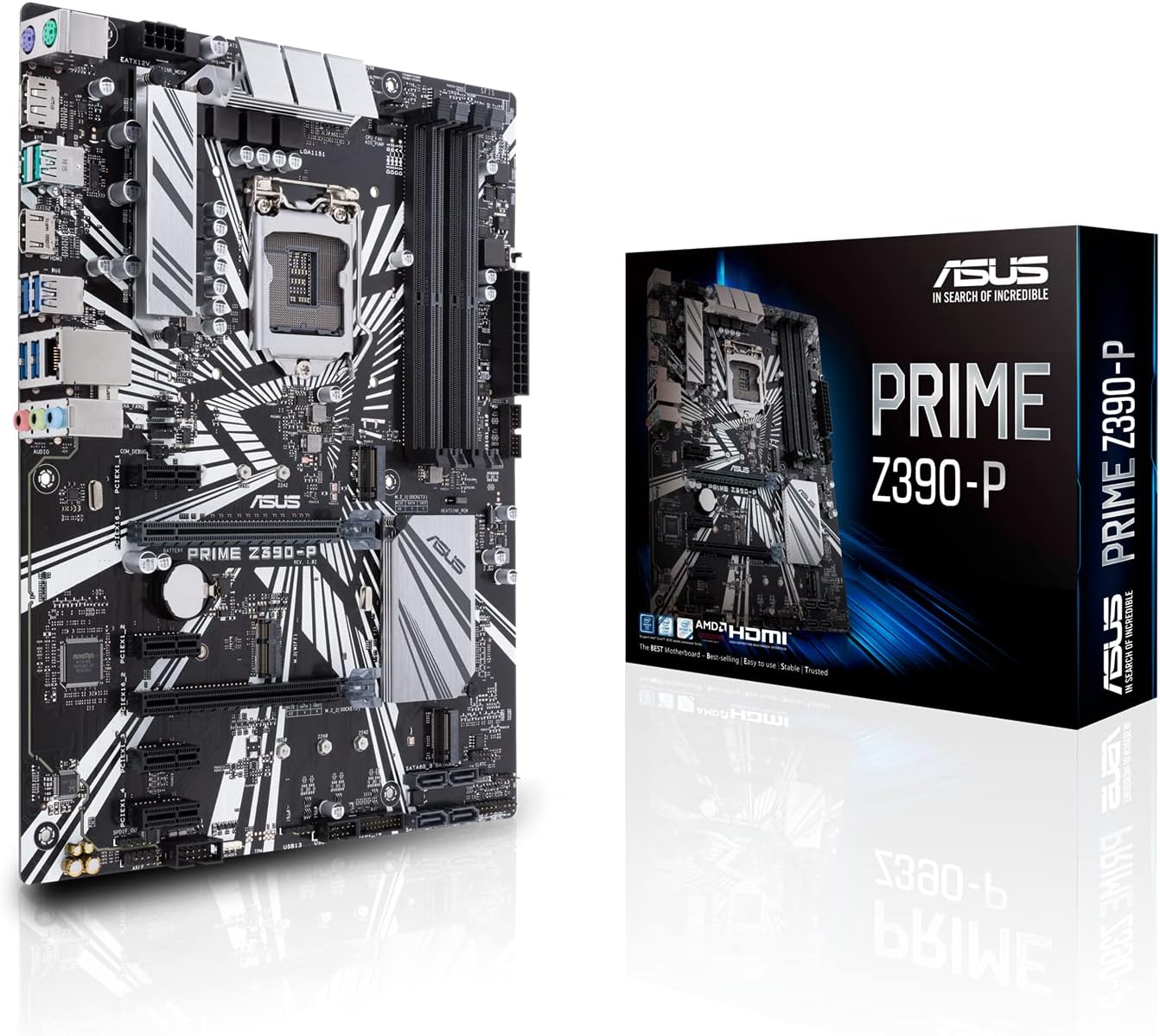
The ASUS Prime Z390-P motherboard is engineered for professional-grade cryptocurrency mining and high-performance computing. Compatible with Intel 8th and 9th Gen Core processors, it features 6 reinforced PCIe slots for multi-GPU setups, advanced cooling controls, and robust hardware protections. With USB 3.1 Gen2 and M.2 support, it delivers ultra-fast connectivity and stable overclocking, making it a top choice for millennial pros building future-proof mining rigs or high-speed workstations.


| ASIN | B07HCT5GBD |
| Best Sellers Rank | #146 in Computer Motherboards |
| Brand | ASUS |
| Built-In Media | IO Shield, M.2 Screw Package(2), PRIME Z390-P, SATA 6Gb/s cables(2), Support DVD, User's Manual |
| CPU Model | Core i9 |
| CPU Socket | LGA 1151 |
| Chipset Type | Intel Z390 |
| Compatible Devices | Personal Computer, Desktop |
| Compatible Processors | Intel Socket 1151 9th / 8th Gen Intel Core, Pentium Gold and Celeron Processors |
| Customer Reviews | 4.4 out of 5 stars 1,806 Reviews |
| Global Trade Identification Number | 00192876128497 |
| Graphics Card Interface | PCI Express |
| Item Dimensions L x W x H | 10.34"L x 2.09"W x 12.91"H |
| Item Type Name | ASUS Prime Z390-P LGA1151 (Intel 8th and 9th Gen) ATX Motherboard for Cryptocurrency Mining(BTC) with Above 4G Decoding, 6xPCIe Slot and USB 3.1 Gen2 |
| Item Weight | 600 Grams |
| Main Power Connector Type | 24-Pin |
| Manufacturer | ASUS Computer International Direct |
| Memory Clock Speed | 2400 MHz |
| Memory Slots Available | 4.0 |
| Memory Storage Capacity | 64 GB |
| Mfr Part Number | Prime Z390-P |
| Model Name | Prime Z390-P |
| Model Number | Prime Z390-P |
| Number of Ethernet Ports | 1 |
| Number of Ports | 25 |
| Platform | Windows 10 |
| Processor Socket | LGA 1151 |
| RAM Memory Technology | DDR4 |
| S/PDIF Connector Type | Optical |
| System Bus Standard Supported | SATA 3 |
| Total Number of HDMI Ports | 1 |
| Total PCIe Ports | 6 |
| Total SATA Ports | 4 |
| Total Usb Ports | 13 |
| UPC | 192876128497 |
| Warranty Description | 3 years |
A**N
Great 6 GPU Mobo with caveat
It does indeed utilize 6 GPUs as some others have stated. You do need to disable things like HD audio, and enable 4g encoding. (I did not need to update my bios to do this.) It also does appear to be that the GPUs DO need to be the exact same make/model/etc. In fact, yesterday I bios modded my cards, and now it only sees 4 and will not even post with more than 4 installed. Each card works great solo. I will be testing today once home from work if I flash them all with the exact same bios if the mobo will then boot with all 6. Up until this point though, the motherboard has worked great out of the box, looks good, and has been exceptionally adequate for my needs. Especially for the price at which I purchased it. UPDATE: I actually added in 2 other cards via a PCI-e 4 way splitter so now I am running 8 gpus on this board. In addition to this, 2 of them are different models from the other 6. I am running 6 rx 580 4 gb, 1 rx 480 4 gb, and 1 rx 570 4gb. They do NOT have to all be the same card.
V**R
Had to replace first board, faulty, second board running great so far
If you get a black screen upon first boot be sure to remove cmos battery for a while 10+ minutes to reset everything. It should then be able to boot into bios. I knew my first board was faulty though because my cpu fan wouldn't even spin, replacement came in quick within 1 day. Enjoy, it's a good board for the price, you can't blame the manufacturer for wear that could happen through shipping, especially with delicate components.
V**O
Good motherboard but be very clear on its limitations.
Used to replace the A version in a more simplified application. It’s pretty nice but not that easy to install. Some of the pin locations are too different from the A motherboard which makes no sense, since it’s supposed to be the same board with a few less features. Regardless it works just as well as the A board it replaced.
J**L
Good basic mobo for btc mining but does not include hardware based security needed.
Works great for mining and gaming. Only 4 sata porta though on the mobo as sata cable have no splitter technology for them yet to run more than just 4 hdds on with this board forcing people to invest in more expensive 14tb and 20tb hdds from wd and seagate. No WiFi 6 or fi-wi wireless recharging for the mobo if you need that sort of thing for a ups backups system for a 20 minute battery in case of the power going out or for cutting the power cord inside the pc itself with pcie cables for ssds and gpus. Not a server socket cpu for Intel xeon parts or epyc from ama from asia yet for a budget mining mono. Ram sockets are major pain in install vs on the gigabyte designate z390. Port I/o is ok but not great as 10 gigabit ethernet connections is needed with hardware vpn chipsets for cryptocurrency mining mobos and yubikey usb-c /a not included for needed security and hardware based btc wallets to store your money on when not mining or to offload your accounts into to keep the system anatomy and privacy for offline solo mining with this mono as the software has no mining gui apps to use offline to transfer to a cryptocurrency usb yubikey wallet to mine btc offline with.
M**B
Miner Motherboard
Wanted to provide a recent review for those who are considering this Motherboard for mining. I can confirm that mix manufactured cards (Nvidia and AMD) in the same rig will not work. Otherwise Same card models will. I have 6 x AMD 6700XT running Pretty close to 47/MHs. Still messing with settings. I am running my mining setup on Windows w/Team Red miner. Like previous review, Update BIOS to latest version (3004). In bios, just reset everything to default after update (F5). Use F9 for search, type 4G -> Enable both. Change all PCIE speeds to GEN2, Disable Audio, Serial and SATA ports not in use (I am using #1). Lastly, make sure CPU is being used as default graphics display, not auto and disable fastboot. You May need to do a TdrDelay Mod of 8 to 10 in windows with 5 Video Cards Plugged in. My Tdr setting is 8. PCIx1_1 should be the last slot for your last video card. 5 Video Cards works with no prob, once you add TdrDelay w/bios settings, Windows Boot might take 30sec-45 with that 6th card, so just wait for the display to turn on. The video driver didn't fail. 46.6-47.5 MHs is norm for 6700xt on this build. Hope this helps any future folks. Can't comment on HiveOS, I just avoid it, so can't speak to 6 cards with Linux, only windows.
D**D
Excellent
👍
R**.
DOA, possibly refurbished MB
This motherboard was missing the instructions booklet, and had the IO guard open at the bottom of the box. Got it mounted and installed into my cousins PC for it to turn on for about 30 seconds and then shut off before I can even hit the button to power it back down.
A**R
Works great. Easy setup.
M**P
5 étoiles :-)
Avec ASUS ont est certains de ne jamais se trompé sur la qualité, parfait pour un utilisation quotidien régulier.
E**Z
Buen producto
Sinceramente buen producto, funciona al 100, recomendado
D**A
Simple et très complète
Tout est dit dans le titre, très bonne carte comme savent le faire Asus...
M**K
Very good board for its costs
Works perfectly for me. I went with the i7-8700K, and this board runs it at 5Ghz with no problems.
K**D
Trotz defekten Artikels Kompetent
Sehr freundlich und kompetent. trotz defekten Artikels. Rücknahme ging reibungslos.
Trustpilot
2 months ago
3 weeks ago