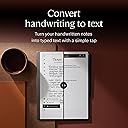
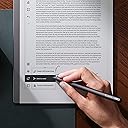
📝 Elevate your ideas with the digital notebook that feels like paper—because your best work deserves the best canvas.
The reMarkable 2 Starter Bundle redefines digital note-taking with its ultra-thin 10.3-inch paper-like display, 2048-level pressure-sensitive Marker Plus pen, and up to two weeks of battery life. Designed for professionals craving distraction-free focus, it offers seamless cloud syncing, direct PDF annotation, and effortless integration with Microsoft Office and popular cloud services. Lightweight and portable, it’s the ultimate tool to organize, create, and share your work with unmatched precision and clarity.

| Active Surface Area | 10.3 square inches |
| Additional Features | Low Profile |
| Amazon Bestseller | #33,516 in Computers (See Top 100 in Computers) #438 in Computer Tablets |
| Asin | B08HDL3XJR |
| Brand | reMarkable |
| Built In Media | 9 Marker Replacement Tips, USB-A to USB-C Cable |
| Color | gray |
| Compatible Devices | Android, iPhone |
| Connectivity Technology | Wi-Fi |
| Customer Reviews | 4.4 4.4 out of 5 stars (1,283) 4.4 out of 5 stars |
| Display Type | LED |
| Global Trade Identification Number | 07090045251195 |
| Item Dimensions L X W | 24.6L x 18.8W cm |
| Item Weight | 0.4 Kilograms |
| Manufacturer | reMarkable |
| Mfr Part Number | RM113 |
| Model Name | ReMarkable 2 |
| Model Number | RM113 |
| Native Resolution | 1872x1404 |
| Number Of Items | 1 |
| Number Of Packs | 1 |
| Operating System | Linux |
| Pressure Sensitivity | 2048 Levels |
| Screen Size | 10.3 Inches |
| Software Update Supported To Date | unknown |
| Specific Uses For Product | Phone |
| Target Audience | Consultant, Engineer, Manager, Student, Working Professionals |
User
重い
紙に書く良さがでている。バックライトもなく本当に紙。マイナス点は画面で接触が悪いところだと線が太くなったりする。重い。
User
Incredibly frustrating to use because it lacks a common sense feature
For the love of god, if you cannot add a Boolean variable and a if statement to disable the zoom function within the next month; fire every single one of your developers and product managers for they are completely useless.Unintentionally zooming and repositioning the page fifteen times an hour shows a complete lack of testing prior to release, a lack of care for your product and disrespect to its users.I’ll write the update for you, I’ll do it for free. You have no excuses, completely unacceptable.Go read the Reddit thread from 3 years ago; they complained about it then, they complained about it last year and now I’m complaining about it presently.Ridiculous, don’t buy this until it’s fixed.
User
Génial
Super tablette graphique et en couleur. On peut prendre des notes, créer des dossiers, faire des dessins, organiser ses idées... c'est génial mais un peu cher.
User
Game Changers
The ReMarkable2 is making my life easier daily. I am still learning to use it and leverage the features it contains yet in a few short weeks it is making my work/side hustle/personal life easier. A few simple positives:It is simplistic. It does one thing and it does it well.It is distraction free.Basic usage is intuitive.Intermediate usage is pretty intuitive with a little guidance.I still need to dive into training videos to become a power user.I appreciated the packaging came in recyclable containers.The ability to write, erase, and move text is super simple.Organizing is easy once you understand the Folder/Notebook/Quick Sheets structure.I spent 3 days in a seminar recently. I was able to download the PDF notebook (over 200 pages of documents) into my ReMarkable and then write my notes on the document. I will upload the document back to Dropbox to save/print off later. I had the option of writing my notes on the document or using a Layer (think clear sheet) that I could write on and turn the 2nd layer off if I wanted to see the main document without my notes. That wasn't an issue for me. Later, I did have one page with checklists I needed to use 3 times so I chose to use the Layers for each use and then remove them when I didn't need it anymore.At work, I have a weekly meeting that traditionally has been one sheet of paper per week and then keeping up with each piece of paper as I needed to go back and review. With the Notebook feature, I now have those meeting notes going into one document that I will add to each week. It's easy to find and no lost pieces of paper. I also have a coaching practice and this allows me to keep notes on clients in one running document instead of multiples I must file and track.Two things for the creators to consider - first, it would be easier to read downloaded documents with a lighter/color screen. That said, the existing screen didn't stop me from accomplishing what I wanted to accomplish. Second, a pen loop would be helpful as the magnetic pencil can come unattached. That said, placing the ReMarkable with the binder edge down and pencil on top in my bag helps.I think I have now sold 6 of these to family and friends. At the recent conference there were a few of us who had the ReMarkable2 and we met during a break to share notes and unanimous enthusiasm for this tool.It is fantastic.
User
Keine Zettelwirtschaft mehr.
Ich habe sehr lang überlegt,ob ich mir das remarkable 2 Tablet gönne. Da ich mir viele Notizen machen muss, in unterschiedlichen Beratungen oder Briefings sitze hat sich das remarkable bisher sehr ausgezahlt. Vorher hatte ich ich zig unterschiedliche Notizbücher, über all stand was drin und ich musste es im Nachhinein mit Hand abtippen.Nun mache ich meine Notizen, wandel meine Handschrift um und schicke mir die Datei als Mail oder speichere sie in der Cloud.Ich liebe die Ordnerfunktionen, unterschiedliche Vorlagen und das ich nun nicht mehr soviel Papier verschwende.Da ich das Tablet nur tagsüber benötigt und darauf nicht lesen, fehlt mir die Beleuchtung -so wie sein Nachfolger es hat- nicht.Definitiv ein tolles Gerät mit langer Akkukapazität.Lieferung zuverlässig und schnell
User
La mejor con diferencia
Es la mejor libreta electrónica que todas las que tengo. Es ultra fina (aunque de nada sirve porque le puse una funda gruesa para que no se me rompa porque viajo con ella a todas partes). Es muy fácil de utilizar, el trazo es muy uniforme, tiene muchas opciones y, además, se puede utilizar de libro electrónico, y la batería es muy duradera. Por poner una pega, el refresco de pantalla que se hace molesto (a mi parecer lento) y el tacto gomoso del Marker Plus
Trustpilot
2 months ago
2 months ago