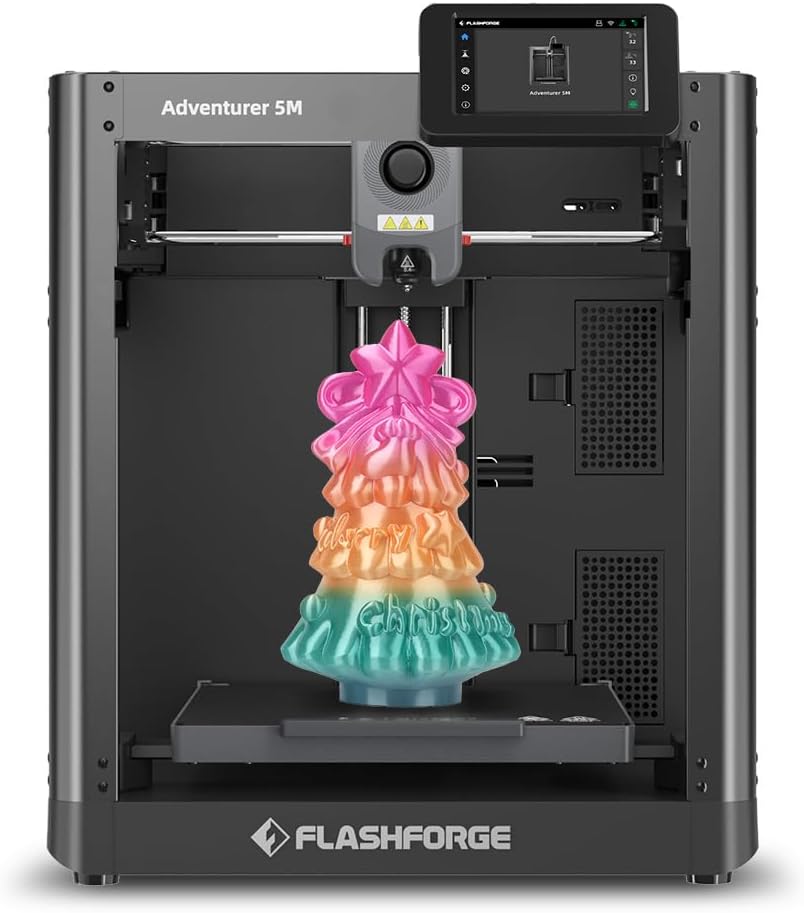
FLASHFORGE Adventurer 5M 3D Printer, 600mm/s High-Speed, 1 Click Fully Auto Leveling, Upgraded Direct extruder Quick Detachable 280°C Nozzle, Dual-Sided PEI Coating Plate, Print Size 220x220x220mm
Details
- BrandFLASHFORGE
- MaterialPolyethylene
- ColourBlack
- Product dimensions36.3D x 40.2W
- Item weight23.8 Pounds
Desertcart purchases this item on your behalf and handles shipping, customs, and support to Colombia.
Details
- BrandFLASHFORGE
- MaterialPolyethylene
- ColourBlack
Description
⚡ Print Fast, Print Flawless – Own the Future of 3D Creation!
- HEAT FLOW MASTERY - 280°C quick-detach nozzle with 50W heating powers smooth, blur-free extrusion.
- SMART PRINT CONTINUITY - Filament run-out sensor and power loss recovery keep your projects uninterrupted.
- LIGHTNING FAST PRECISION - Accelerate your creativity with 600mm/s top speed and 0.025s acceleration time.
- VERSATILE ROBUST BUILD - Dual-sided PEI coated removable plate supports multiple filaments for pro-grade results.
- EFFORTLESS PERFECT PRINTS - One-click full auto leveling guarantees flawless first layers every time.
The FLASHFORGE Adventurer 5M is a high-speed Core XY 3D printer boasting a max speed of 600mm/s and ultra-fast 0.025s acceleration. Featuring one-click full auto bed leveling, a 280°C quick-detachable nozzle, and dual-sided PEI coated removable plates, it ensures precision, versatility, and ease of use. Smart sensors for filament run-out and power loss recovery guarantee uninterrupted, professional-grade printing with a build volume of 220x220x220mm.


Specifications
| Asin | B0CHJGFVSL |
| Item Model Number | Adventurer 5M |
| Manufacturer | FLASHFORGE |
| Product Dimensions | 36.3 x 40.21 x 44.81 cm; 10.8 kg |
Reviews
User
Not Working
The product doesn’t work when delivered. Upon return, restocking fee of 50% was applied without even fixing the problem. This is the not the right way of doing business. Faulty products either should be either replaced under warranty or repaired. Companies cannot make money on returns!
User
Just WOW! Best printer I have used yet.
One year UPDATE:Still working flawlessly. I would recommend this printer to anyone, especially for a first time user. This is a great printer.Well, I have to say I am very impressed with this little guy. Since I had been using a 2019 printer of a different brand, with a much larger footprint, when I downsized to this one, I was not expecting the print quality that I am seeing.Pros: Small footprint, was up and running in under 10 minutes, all metal frame, X,Y,Z axis, nice controller once you get used to it, has handled all types of PLA so farCons: Small build limit, not crazy about a filament feed tube, no auto shutoff (the Pro version has it for a couple hundred dollars more), it continued to try to print with an empty feed due to a tangle (but only on the loose sample, never on rolls), I couldn't get it to connect to our wi-fi, but I didn't try the 2.4g extender, only the 5g mesh router.So far, the learning curve was easy. I had a printer before, so that may have helped a lot. But I think the biggest hurdle is always the new software. This particular printer does best with the recommended Orca Slicer. I either download STL files from Thingiverse or make my own STL files from Fusion 360. I import them into Orca Slicer and size and tweak as needed. Then slice the plate, and export to g-code to a memory stick. That then goes into the control panel on the printer itself. Very easy to get to, it's at the top front of the printer.It's now printing a 12+ hour job and I'll try to post it when it finishes. Aside from these prints in the photos, I have only done a tiny sample tugboat and it came out very smooth.
User
Great quality for the budget.
I have been self-buiding.my 3D printers for some time since the last one I purchased before this. I was unsatisfied with the print quality and speed that were previously available in a budget printer choice, and ones that I knew could deliver seemed to be better as a self-build.My best printer is still self-built, however I spent much more on the components to build it than this whole unit.It has several very nice features which result in very good quality prints. Many automatic features make dealing with the printer simple and beginner friendly.In the "cons" column is the proprietary network interface, which restricts the slicers that can be (easily) used with it. You can implement Klipper on the printer which will then open up the choices, but with the standard firmware you can use the proprietary slicer or Orca slicer. Fortunately Orca slicer (for which there is a pre-built profile) is quite robust and not difficult to switch to from PrusaSlicer. I could not upload gcode from PrusaSlicer to the printer, but didn't spend much time trying.The standard touch screen let's you manage sliced print files, change filaments and other standard tasks.The filament sensor is not a very advanced one and only lets you know if there is no filament in the tube. It cannot detect if the filament has stopped moving from a tangled spool or other feed issue. It does pause the printer appropriately. (Full disclosure, I have only ever used a simple microswitch holder myself as a filament sensor.)All in all, a great printer for the money, it creates excellent results.
User
Easy to use and reasonable finish
The Flashforge Adventurer 3M was fairly easy to set up, and has printed reliably with good quality. I’m finding it a bit noisy, and have bought the enclosure kit to reduce it. Running at 80% of the top speed also seems to help.I’m using Orca slicer to make the g-code file for printing and found it pretty straightforward.Overall good value for money and a quality build.
User
Flashforge AD5M
Produto com um bom custo beneficio, fácil montagem, boa eficiência, Impressora precisa e rápida, ainda não foi possível explorar tudo o que ela entrega, mas tudo que foi feito e testado está de excelente qualidade.Quanto ao serviço da Amazon, o produto foi entregue antes do prazo, intacto e foi importação.
User
Very solid, with only a couple niggles.
The setup is easy. Just read the instructions and you'll be fine. The printer setup goes smoothly, except for when it cleaned the nozzle, it moved to the rear of the machine and scraped the nozzle across the plate scratching it at the very back, the print area isn't affected by this but the machine shouldn't have done this. It should have asked the user to make sure the nozzle was clean, done a bed level/calibration.Other than that it has performed well, it prints fast, the build quality is good and solid. The screen is not capacistive, but rather a resistive type, similar to something like a Nintendo DS (bottom screen). Making it best to use a small stylus for best results. The resolution is good.The other thing that could be improved is integration and instructions for Orca Slicer to have the Devices tab work. It's a bit disappointing that it isn't explained, as to why it doesn't show, which programs you might need (mainsail?). The wifi setup should also be explained better, I had to use a youtube video to help me along there.Print quality is solid, it is very fast, I slow it down on the perimeters to improve the print quality. Uploads and prints directly from Orca, which I quite like.Overall I'd give it a 8.5. Mostly down to the bed scratching, which didn't need to occur, and the device tab in Orca not working and no explanation/instructions on how to make it activate properly (without being told you have to use Orca Flashforge version.)
Common Questions
Trustpilot