We remain fully operational. Our teams are working around the clock to ensure your deliveries continue safely.

DOWNLOAD THE APP


Copyright © 2025 Desertcart Holdings Limited
DOWNLOAD THE APP



Buy anything from 5,000+ international stores. One checkout price. No surprise fees. Join 2M+ shoppers on Desertcart.
Desertcart purchases this item on your behalf and handles shipping, customs, and support to Colombia.
🎬 Master your media kingdom with SofaBaton U2 — control that’s as smart as you are.
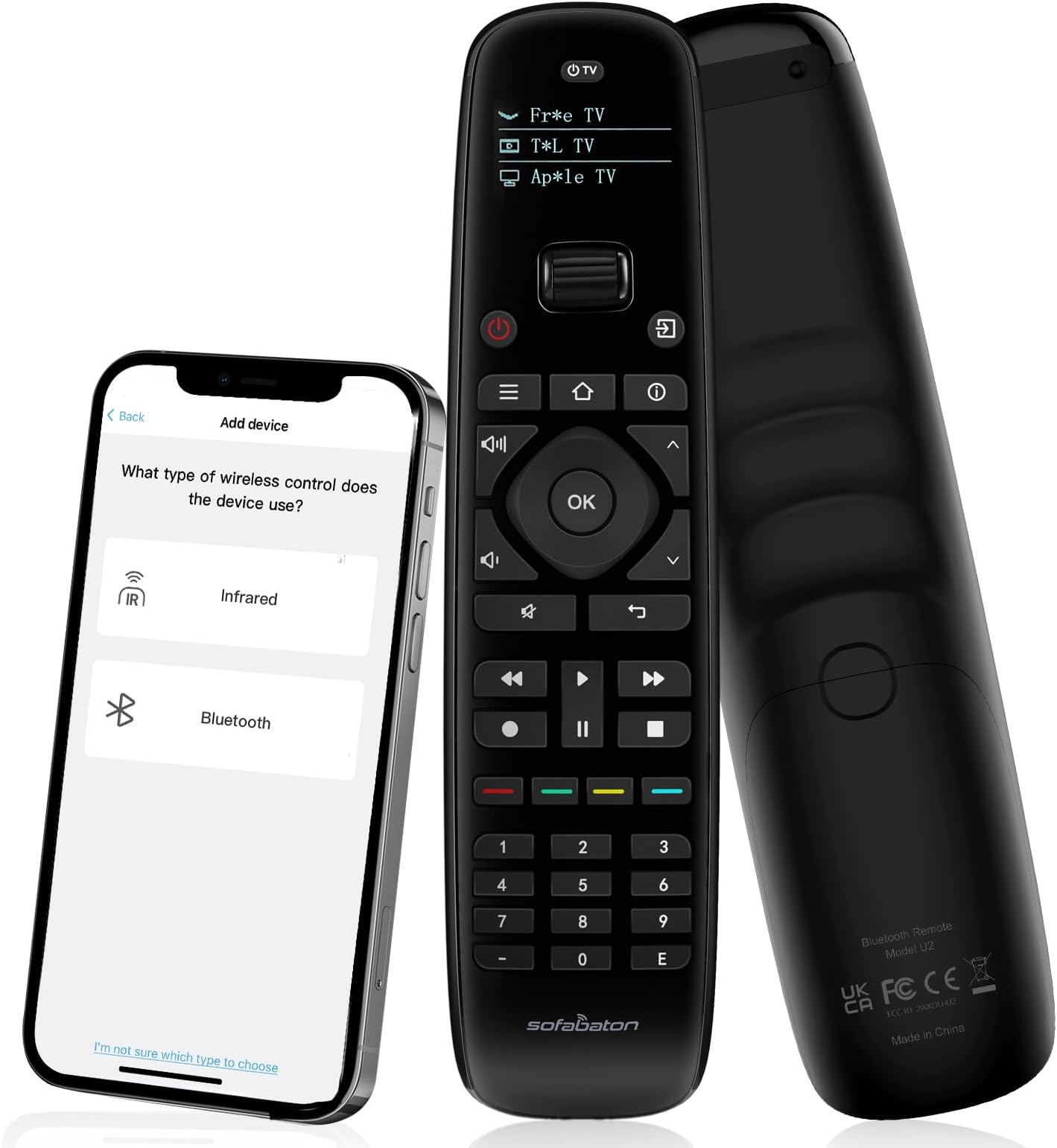
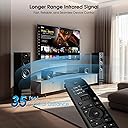
The SofaBaton U2 Universal Remote is a professional-grade, all-in-one smart remote control designed for millennials who demand seamless entertainment management. Supporting over 6,000 brands and 500,000+ devices, it features backlit buttons, an OLED display, and an extended 35-foot infrared range. With customizable macros and a dedicated app for personalized setup and control, it transforms multiple remotes into one sleek, ergonomic device—perfect for simplifying your smart home theater experience.


| ASIN | B0DQSJN72G |
| Additional Features | Ergonomic, OLED Display, SofaBaton APP, Universal Remote Compatible, all-in-one universal remote |
| Battery Type | 2 AA Batteries Required |
| Best Sellers Rank | #6,669 in Electronics ( See Top 100 in Electronics ) #287 in Remote Controls (Electronics) |
| Brand | SofaBaton |
| Button Quantity | 39 |
| Color | Black |
| Compatible Devices | DVD/Blu-ray Player, Home Theater, Set Top Box, Streaming Device, Television |
| Connectivity Technology | Bluetooth, Infrared |
| Controller Type | Remote Control, SofaBaton APP Control |
| Customer Reviews | 3.6 3.6 out of 5 stars (391) |
| Item Dimensions L x W x H | 1.9"L x 1.1"W x 7.9"H |
| Item Weight | 4 Ounces |
| Manufacturer | SofaBaton |
| Maximum Number of Supported Devices | 15 |
| Maximum Range | 35 Feet |
| Model Name | U2 |
| Model Number | U2 |
| Number of Batteries | 2 AA batteries required. |
| UPC | 741421609853 |
| Warranty Description | 1 Year Manufacturer |
N**S
Third Time's the Charm!
At last, my quest for a universal backlit remote that will work with my new Hisense 43" Fire TV is over! I picked up the new TV for my guest room during a Black Friday sale but with low light one needs a flashlight to see the remote buttons. I guess that's what you get for a cheap, no-frills TV, but I've had enough experience with third-party universal remotes to foolishly think, "no big deal - I can always pick up an inexpensive backlit multi-device remote to operate the TV, soundbar, and onn Android box." Boy, was I wrong! The first two remotes I tried, even though they said were compatible with Hisense TV, weren't, at least with my particular model. While it's not stated anywhere I could find, and I did spend a fair amount of time searching, apparently this particular TV, and possibly other Fire TVs as well, uses Bluetooth rather than IR or RF bands for the remote. I discovered this only after purchasing my SofaBaton U2 backlit remote and finding that like the previous models I'd tried, I could not set it up with IR, but switching over to the Bluetooth instructions where the remote actually communicates directly with the TV to get the proper device profile had me up and running with nearly all TV functions in a matter of minutes. From there, adding my older IR-based LG soundbar took another few minutes as the SofaBaton U2 already had a code set for that particular device, and reassigning the volume and mute buttons to use the soundbar functions regardless of source was pretty straightforward. Lastly, while it took a few tries, I was able to set up a macro to the very top button to turn on/off both TV and soundbar with one button. I now have a backlit remote that operates both the Hisense FIre TV and LG soundbar flawlessly. I have yet to add my onn Android TV box (much faster and more customizable than the Fire TV interface) but suspect that should be fairly easy now that I am more familiar with the U2 process. Everything is working together now and original remotes have now taken up residence in a nightstand drawer. The only thing I didn't like about programming the U2 in Bluetooth mode is that you need to keep switching the U2 back and forth between the Android phone app and the TV during the setup, which did cause some delays and confusion about which device the U2 was connected to at any given time. Also, apparently with Bluetooth one cannot use the learn function to copy a particular button from the original remote to the U2. I had wanted to add the TV button from the original remote to one of the colored buttons but was unable to do that because I could not locate that button in the original remote codes that were downloaded from the TV and could not learn it from the original remote. That said, there is a workaround to access the TV Guide from the Home screen, and from there select a specific channel, requiring additional button pushes and scrolling. Other than that, I found the U2 to be superior, in many ways to my two Harmony remotes which get little use since my home theater system runs mostly off the Samsung remote that came with the TV using HDMI eARC control. In short, the SofaBaton U2 offers both IR and Bluetooth control options, which make it more compatible, especially with newer devices, and once you figure out the connection, it's even faster setup than using a preset device profile since it gets all the commands directly from the device being controlled. I found the backlight buttons and LCD panel to be bright enough to see easily in a darkened room. I will be testing the onn Android box in a few days and update this review accordingly. Also contemplating adding a mini PC to the mix, which should be pretty simple and only requires changing the TV's HDMI input, but not sure at this point if I can directly choose a particular input or just have to rely on turning the PC on to switch the TV input as it does with the onn Android box. Overall I recommend the Sofa Baton U2 because of its enhanced compatibility over IR only remotes, relative ease of setup, customization options including macros, solid feel and good backlighting.
K**.
A great universal remote for all of your devices!
Like a lot of people, I have a lot of devices in our living room that need to be controlled. Previously, I had various Harmony devices, but then they stopped making them, so I had to find a replacement when my last one malfunctioned. Enter SofaBaton. I’ve now tried their U2 original, their X1S, and now their upgraded U2. There’s a lot to like about these remotes, and only a few minor things that keep them from being perfect. The new backlit U2 is nice. It’s ergonomically comfortable while holding it. The two main new things that I can tell about it are that it has the backlight and the roller mechanism for selecting devices seems a bit sturdier. I had no issues at all connecting to the SofaBaton app. Finding the devices was easy, and it makes sense in how to remap the keys if necessary. The U2 doesn’t seem to support activities like the X1S does, and that’s a bit of a shame, because I have gotten used to activities on my old Harmony remote and the X1S. With activities, I can just turn on the activity and it turns on the TV, changes the HDMI, and sets up whatever device I’m using. Now, you can set up macros on the remote to get very close to that functionality, but it’s not here natively, and I can understand that. This is the regular model and the X1S is the deluxe model, so you have to have a good reason to upgrade to the deluxe model. Also, when using the remote app, when paired to this remote, you only get devices, not activities and devices like you do with the X1S. That’s one of the small nitpicks I have with their remote app. When you connect, the app does not remember the devices that you have set up previously on other remotes, so you have to pair them all over again. Not a dealbreaker, but allowing import of other devices would knock 30-60 minutes off of setup if you have a complicated setup like I do. However, if you just have a TV and an Apple TV (for example), it wouldn’t take any time at all. The only other main flaw in the U2 is the roller mechanism at the top that’s used to select devices. Over time it seems to get loose/inaccurate, and you have to spin it multiple times to get it to scroll up or down. I’ve seen this in my old U2, and my X1S. Supposedly this newly upgraded U2 has a more robust encoder. We will see if it holds up. It feels a little better out of the box so let’s hope they have this fixed. So far, it’s connected to every single device I have, IR or Bluetooth. This model uses AA batteries that are included, and they last a long while. All in all, it’s a very nice remote replacement, especially for those of you who miss your Harmony remotes. Give it a try!
A**X
Not working well with LG tv, extremely slow response.
This remote performance is garbage with my LG TV. I can't believe this was reviewed and suggested from Tom's Hardware. It looks nice, really happy to have backlit buttons, and iPhone admin, but it's not usable. Using the library for my standard LG TV, the button response is VERY VERY SLOW. Most times I am having to click TWICE for the TV to respond to any button. This seems to be the opposite problem of many users that are complaining about a double-click, which is even more baffling. As I am having to double click to get the TV to respond. It's infuriating. I would return it but I'm just 1 week past the return window. Ugh. I sent two requests to support, and the responses were terrible. I specifically asked both times "is there a firmware update for the U2" and they would not answer that question.
Trustpilot
1 month ago
2 weeks ago