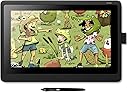
🎨 Elevate your art game — create like the pros, feel the difference!
The Wacom Cintiq 16 DTK1660 is a professional-grade interactive creative display featuring a 15.6-inch 1920x1080 Full HD screen, 8192 levels of pen pressure sensitivity, and tilt recognition for precise, natural drawing. Designed to enhance productivity with adjustable legs to minimize parallax, it connects easily via HDMI to Windows 10 devices, making it the ultimate tool for digital artists and designers aiming to bring their ideas vividly to life.


| ASIN | B07L77GTTY |
| Batteries Included | No |
| Batteries Required | No |
| Battery cell composition | Lithium Ion |
| Best Sellers Rank | #365,406 in Electronics ( See Top 100 in Electronics ) #368 in Graphic Tablets |
| Brand | Wacom |
| Compatible Devices | Laptop, Desktop |
| Connector Type | HDMI |
| Customer Reviews | 4.6 4.6 out of 5 stars (3,018) |
| Date First Available | 14 December 2018 |
| Display Technology | LCD |
| Does it contain liquid? | No |
| Generic Name | Wacom Cintiq 16 Interactive Display (Dtk1660K0A1) |
| Hardware Interface | HDMI |
| Has Auto Focus | No |
| Horizontal resolution | 1920 |
| Item Dimensions LxWxH | 42.2 x 28.4 x 2.5 Centimeters |
| Item Weight | 1 kg 900 g |
| Item model number | DTK1660K0A |
| Manufacturer | WACOM |
| Model | DTK1660K0A |
| Model Name | Mesa digitalizadora Wacom Mesa digitalizadora CINT |
| Model Year | 2019 |
| Mounting Hardware | Digital Pen |
| Number of items | 1 |
| Operating System | Windows 10 Professional |
| Power Source | AC |
| Product Dimensions | 42.16 x 28.45 x 2.54 cm; 1.9 kg |
| Programmable Buttons | No |
| Screen Resolution | 1920x1080 |
| Special Features | Easy to use |
| Standing screen display size | 15.6 Inches |
| Wattage | 27 Watts |
F**A
Produto chegou antes do prazo, muito bem embalado. Ele é de fácil instalação e seu uso se torna fácil a medida que se vai praticando. De certo é um ótimo up grade para quem já está habituado com a Intuos. Vale o investimento! A única coisa que não me agradou foi o fato da inclinação da tela ser baixa e isso causa um erro cansaço muscular, é necessário o uso de suporte para ficar confortável.
M**C
Recently I bought an Intuos Pro M, after buying a cheap competitor which was worthless. . ( I have an older Wacom tablet and wanted to upgrade ) . I have using tablets for decades and always accepted the limitations. But the Pro Pen 2 really blew me away. So I decided to buy a drawing display. I was looking for something in the 22 inch range.. but 1920 x 1080 seemed too much of a tradeoff.. I think we are at a point in display technology where higher resolution will become very affordable for companies to incorporate into lower end consumer products. ( much like when flat screen technology and HD first started to become cheap ).... I opted for portability. I really like the Wacom One, but I didn't want to give up the Pro Pen 2.. which is really a major decision point ( unless android is something you must have ). The Cintiq 16 is perfect.. Light. Drawing area is a standard laptop screen size... the overall dimensions put it at the size of a 17 inch laptop... ( I stopped getting 17 inch laptops because it was not fun lugging around.. and bag selection is not great ). For the Cintiq 16 I will suffer with the size to drag it around. Setup was easy.. real easy with Windows 10.. I already had the Intuos Pro setup... so my desktop didn't need anything... my laptop wanted a newer driver.. I don't like the cable setup. My laptop does not have an HDMI port.. it is all USB-C... so I had to use a USB hub that Lenovo makes... it had everything on it.. but I had an issue with it seeing the Cintiq as a generic pnp monitor.. ( which I didn't notice utnil the Wacom driver wouldn't let me change display settings. ).. Turns out the fix was easy... I had to do a complete power down of the laptop.. so the hub would reset.. ( took me a while to find this solution.. very common with usb hubs ). But it worked. The cable though.. I wish there were an option to just get a USB-C cable. I would even buy it as an add on... The display on the Cintiq and color is not professional grade, but it is good enough. I have my laptop and desktop displays if I really need to tweak a drawing. The HD on a 16 inch looks great. Lag? I use Corel Painter.. My desktop is high end.. no problem... Laptop is not a gaming system, but it is also not a low end system.. It has an NVIDIA GPU... So no lag either... Could I stream videos and use Painter and not have pen lag... probably not. ( with my Intous Pro I do get lag if I get crazy with having a youtube video up while trying to draw.. with the Cintiq I have had videos up and it didn't lag. might be that Intuos has multi touch ). one other minor thing I noticed.. The Cintiq looks better if it is an extended display and not duplicated. not sure if it is my desktop system and drivers for my graphics cards.. maybe I need to tweak something.. but it is a cleaner and sharper screen if it is on its own and not duplicated. Drawing Experience - The pro pen 2 and this screen are incredible. The feel is great.. I really adjusted my pressure curves.. and it is like drawing with a feather. It was not fun and took a while in Painter, but I really played with the curves for the brushes. Even if you just buy this and use this as a drawing tablet and use your monitor... it is worth it. It is a much smoother experience than the intous .. and for me I get more range out of the pen sensitivity. This does not have multi-touch.. which I like using for navigating the drawing and zooming... This is where I use the Intous Pro.. it makes a nice remote with the express keys .. and the touch ring.. . but I have my multi touch functionality with the Intous pro. and since it is bluetooth I don't have another cord. Not sure if someday the Wacom drivers will complain about this setup.. but for now it is nice. This a solid product. I think real professional artists might find the color range limiting, but not the drawing experience. Part of the premium price is the pro pen 2, and it is worth it.
H**N
This is an amazing quality product. I have used a WACOM pen tablet for years for my photo art in Photoshop and Painter. This is my first display tablet. I had purchased a HUION Kamvas GT221 which was a much bigger screen, but could not get the screen colour balanced or even close to the appearance of my other main screen. I quickly returned it and bought this tablet.My Cintiq 16 displays colours,contrast and brightness the same as my IMac. The only set up issue was needing to reboot my computer to get the pen and tablet talking with the rest of the computer. Easy set up but worry if one of the wires get faulty the whole cable set up has to be replaced because all 3 cables are fused into a main connector that easily plugs into the tablet.However I have never had that issue with other Wacom pen tablets so this might be a needless worry. The pen feels like the other WACOM pens, there are no batteries to recharge or replace (unlike HUION ). The tenxure on the screen is natural feel. There is no lag between pen curser and my drawing action. I like that this is not a touch screen as I find even with a glove its easy to set off touch screens and buttons on the side of the screen - which was the problem with the HUION touch screen. I loved the HUION and is more affordable but the quality just wasn't what I could work with compared to WACOM. Cintiq 16. If space is an issue for you, then you might want the smaller WACOM but it is a touch screen. Download the driver from the Wacom website. Then plug in your tablet. It easily recognizes it....then reboot to get the pen working as well. I also had to buy and HDMI adapter to thunderbolt drive as IMAC doesn't have HDMI connections. A The stand is extra....GRRR - however it is a quality product as well, but adds to the cost and certainly makes alternatives like HUION very very attractive...but it is what it is for now. WACOM costs...but you do get what you pay for. I like the amount of real estate for the actual image on the display. (A larger model - 22 inch - would be great...but it comes at a significant higher price....maybe next time!). Buy what you can afford. Amazon usually has an outstanding return policy that gives you time to see it it works for you.
C**.
Tão boa quanto imaginei! A facilidade de desenhar comparada a intuos pro é infinitamente maior, estava a meses tentando aprender a desenhar na intuos e avancei muito pouco, então decidi trocar pela cintiq, melhor investimento. Desliza um pouco mais que um papel, é obvio, e é preciso saber utilizar os softwares, mas a sensação do desenhar é a mesma, pois os olhos e a mãos estão em sincronia. Concordo que a loja precisa melhorar a embalagem, pois o papel rasga, assim sujando e amassando a caixa da tablet, podendo ocorrer algum dano.
C**L
I bought this as a gift for my spouse as she is the artist. I am truly impressed by the result and quality. From my perspective the art she produces is accurate and the representation of medium (drawing, paint, pastel etc) are very accurate. She tried different types of art with the tablet and they all look "real". From her perspective her comments were that the feel is very nice and natural with the tablet. She says the feeling is like drawing on a paper pad so its easy to get started and very intuitive. The mat glass finish makes it comfortable to work on for hours and does not tire the eyes as much as staring at a screen or other kind of tablet. Perfect score as far as we are concerned. I even recommend taking this model above the PRO (more expensive) models. The quality is so high I don't see what the pro models might bring that this one does not.
Trustpilot
3 weeks ago
3 days ago