Buy anything from 5,000+ international stores. One checkout price. No surprise fees. Join 2M+ shoppers on Desertcart.
Desertcart purchases this item on your behalf and handles shipping, customs, and support to Colombia.
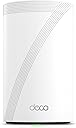
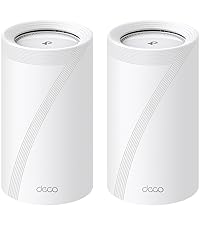
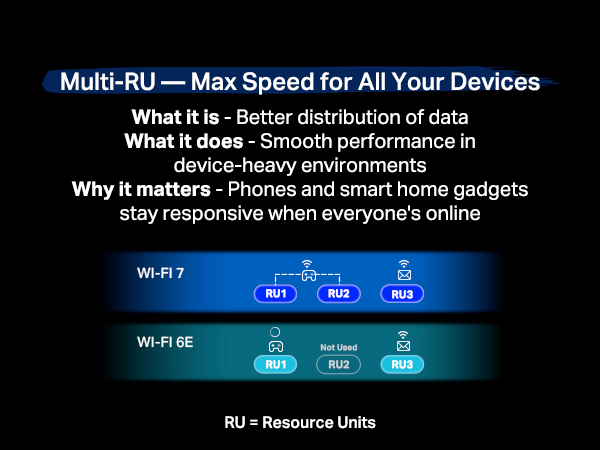
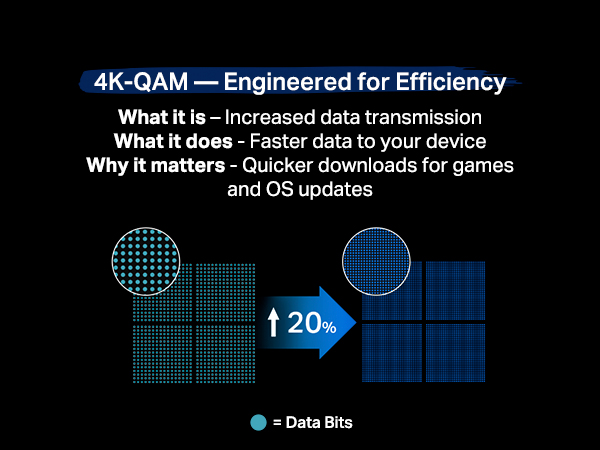
Upgrade your home Wi-Fi experience with the Deco BE10000 Whole-Home Mesh Router. This versatile device can extend the range of your existing mesh network or serve as a standalone router. It covers up to 3,000 sq. ft. with ultra-fast Wi-Fi 7, ensuring your entire home is blanketed under one optimized network. Say goodbye to frustrating dead zones and sluggish connections! †△ Perfect for 4K/8K streaming, lag-free gaming, and lightning-fast downloads, you'll revel in speeds of up to 10 Gbps combined across the 6GHz, 5GHz, and 2.4GHz bands. What's more, it effortlessly handles up to 200 connected devices, making it ideal for even the most demanding smart home setups. Additionally, the Deco BE10000 boosts multi-gig internet and wired connectivity options, featuring four 2.5 Gbps ports and one USB 3.0 port for unparalleled flexibility and blazing-fast data transfers. Setting up and managing your network is effortless with the TP-Link Deco app. Quickly establish your network, customize settings, and monitor network traffic metrics. Most importantly, keep your network and all connected devices safe with TP-Link's premium network security service, HomeShield. Experience the future of home networking with Deco BE10000 – where speed, coverage, and security converge in one unbeatable package. Review: En verdad el Deco BE63 distribuye una velocidad igual a la contratada por tu proveedor de servicios de Internet, es un equipo increíble, la instalación muy fácil. Review: راس الشاحن ليس ثلاثي !!


| ASIN | B0CN8WD86H |
| Best Sellers Rank | #6,566 in Computers ( See Top 100 in Computers ) #22 in Whole Home & Mesh Wi-Fi Systems |
| Customer reviews | 4.1 4.1 out of 5 stars (241) |
| Item model number | Deco BE63(1-Pack) |
| Label | TP-Link |
| Manufacturer | TP-Link |
| Product Dimensions | 10.74 x 10.74 x 17.6 cm; 752.96 g |
C**O
En verdad el Deco BE63 distribuye una velocidad igual a la contratada por tu proveedor de servicios de Internet, es un equipo increíble, la instalación muy fácil.
م**ي
راس الشاحن ليس ثلاثي !!
M**E
I’ll admit I’m a big fan of TP Link products in general having many of their smart products, from routers, to smart plugs, and even security cameras. I’ve owned this brand of Wi-Fi router in the past so I felt pretty confident in spending a bit and upgrading to their Wi-Fi 7 router. Now to be fair and perfectly honest, upgrading to a Wi-Fi 7 router at this point in time is way early to the game and for the large majority of people quite frankly unnecessary. I like to stay a little bit ahead of the curve so I thought I’d bite the bullet. On any given day, I have probably 70+ devices connected to the router. And out of that many only about three can even connect to the newest 6 GHz band on this router to take advantage of the fullest speed possible. And this is why I would suggest that most people hold off on buying Wi-Fi 7 at the moment, at least until smart devices catch up and can access the 6 GHz band. Even my Apple TV 4K cannot access the newest band! Now onto this router specifically, so far, I really love it! I’m using just a single router to cover an entire 3000 square-foot house and it’s doing a fantastic job without need to buy other mesh routers and increase the spend tremendously! I honestly can’t believe how small this thing is compared to most huge routers that can provide this same level of speed! As is typical with TP Link routers, the Wi-Fi speeds are as fast as I expected! The set up was super fast and easy using their Deco app. In fact, I can manage almost everything I need to within the app. This includes changing the DNS settings to either Cloudflare or Google. With prior routers from TPLink I was having to go to a website to manage deeper settings on the router, but not so with this one, and that makes things quite a bit easier. Another thing that makes this router very useful for me is the 2.4GHz IOT Band that is specifically set up for those devices. So basically, I set up all of my smart plugs, cameras, and everything else on that band to maintain better privacy. I really like that they included this feature on these routers! I have AT&T fiber with 1000Mbps service and as you can see with the included picture, I’m actually getting a nice chunk over that! But keep in mind I was right next to the router in getting this result. As you move further from the router, the speeds will move down in tandem. Overall, I’m very happy with the router and hope it will provide many years of service!
T**A
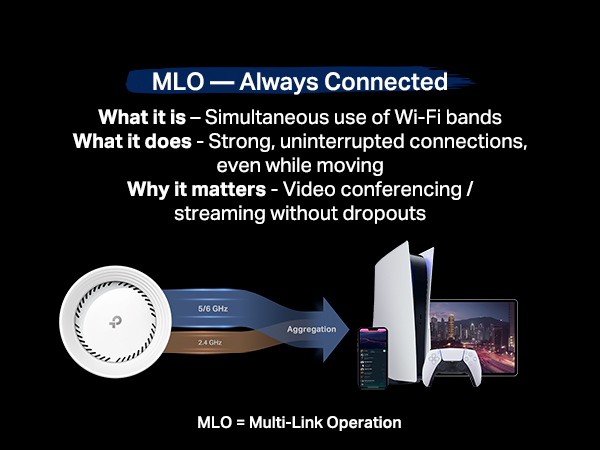
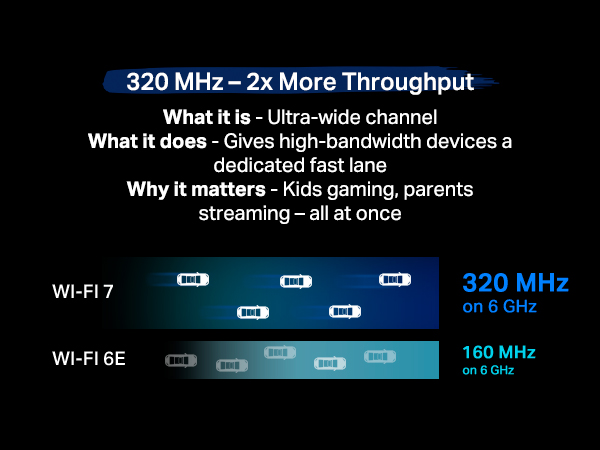
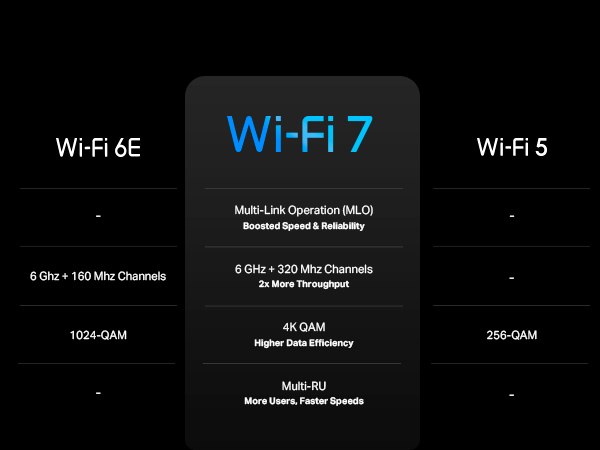
Excellent WiFi-7 router! My house is not large enough to have the need for mesh network, but using this BE63 device as a single router would give sufficient coverage for a typical small to mid size single story house. Connections on all bands (2.4GHz, 5GHz, 6GHz) are all solid and the best part is you can set them all apart with each having it's own network ID. This will give different devices in your home, such as IoTs, PC/laptops, mobile devices, their own bandwidth/lanes to avoid crashing into each other. Also, if you have WiFi 7 capable device(s), you will love its MLO feature as it tie together your 5GHz & 6GHz into one network ID in order to boost your connection range, latency speed, and overall stability, so you would experience a lot less frequent network drops and at the same time faster speed, depending on how far that device is away from the router. Overall, there's nothing but love for this TP-Link Deco 7 Pro (model BE63) and yes I've already returned my carrier's WiFi 7 router; it (really) sucks. Although WiFi 7 routers are still on the pricey side, given the current available choices (referring to the TRUE WiFi 7 routers with 320MHz & MLO feature) and after hours of homework, I personally believe this TP-Link model is the best overall bang for the buck unit. If you can wait, wait! If you cannot, get this one!
T**.
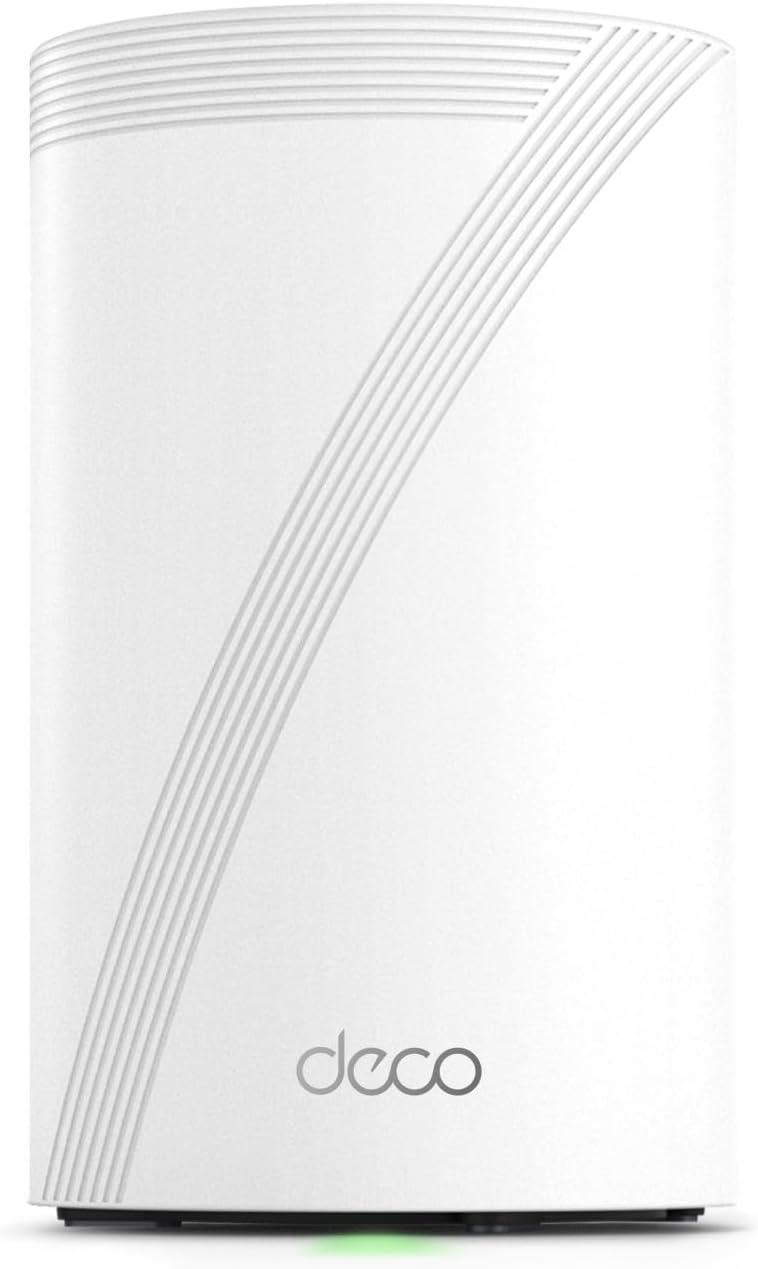
My CR1000A Verizon router broke. I upgraded from G3100 for speed reasons but G3100 was so stable. Not a week after my friend 's CR1000A broke, mine did too. I was frustrated without Internet. Most routers are so ugly and distasteful with so many antenna looking like a UFO about to take off. All my furniture were white so I didn't have a whole lot of options. My initial choice was Google Nest but it was so basic even though it looks good. So I opted for this good rated one. It's half the size of my Verizon router. I love that white cylinderical look. The LED indicator of green saying connection to internet and red saying disconnected is just so helpful. Now, I'm happy with the purchase for my use. I have a small place so mesh is not necessary. In fact, I might return it if I needed mesh. My friend has Google Nest and it runs smoothly. Deco was causing issues because mesh was on. I read forums and found that it's a known issue so I went into all my devices and turned off mesh mode. It was trying to find the best signal for me and if I'm moving away from the router/node, it was dropping connection. I cannot say if this issue is no longer there if there's another node. For me, as only using a single node, it was necessary for me to turn off mesh mode individually in all my wifi devices. If you are having problems with this as a single node, try turning off mesh mode and 'fast roaming'. If you have hard wire switches throughout your house, make sure you power cycle them. I was scratching my head trying to troubleshoot why my wired speed were 1/3 of what it should be. Power cycling the switches fixed it. Wireless speed is amazing. There's no drop in speed. It's exactly the speed I subscribed from my ISP. Another upside to this router is that it has 2.5gbps LAN ports. My house is wired in CAT 6 and 7 so I can take advantage of this except I'll need to upgrade my switches, NAS and computer NIC, lol. For the premium price I paid, it should have been 10 gbps LAN because even the Verizon CR1000A has 10 gbps LAN. I don't get why 10 gbps LAN tp-link routers are above $500. Unbelievable. Wait a few years I guess. With Verizon, I used to have to use a desktop web browser to manage my network which I didn't know was so outdated. I can now do all of that from Deco app on my phone. It's so intuitive and didn't need a whole lot of learning or prior knowledge. I love this Deco app. I can see all my clients, separate IoT network for my wifi light switches, reserve DHCP address, block, isolate clients, etc. all on my phone. That's so convenient. I tried chat support with Deco support. I had a pleasant experience. Didn't have to wait too long. The support guy made sense and knew what he was saying. Bottom line: It looks good and it works great once the mesh mode is turned off in single-node configuration. It's $100 more expensive than what I wanted to spend on but I didn't have a lot of options for white routers that looks great, works great, and fast.
Trustpilot
1 month ago
3 weeks ago