Buy anything from 5,000+ international stores. One checkout price. No surprise fees. Join 2M+ shoppers on Desertcart.
Desertcart purchases this item on your behalf and handles shipping, customs, and support to Colombia.
⚡ Dock, connect, and conquer your workspace like a pro!
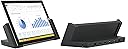
The Microsoft Docking Station for Surface Pro 3 is a sleek, black docking hub designed to transform your tablet into a powerful desktop setup. Featuring five USB ports (three USB 3.0 and two USB 2.0), a Mini DisplayPort supporting ultra-high-definition resolutions up to 3840 x 2600, and a Gigabit Ethernet port, it offers seamless connectivity for multiple peripherals and stable wired networking. Compatible primarily with Surface Pro 3 and adaptable for newer Surface Pro models, this dock streamlines your workflow by eliminating cable clutter and enabling quick transitions between mobile and desktop modes.


| ASIN | B00N3J8NRW |
| Brand | Microsoft |
| Color | black |
| Compatible Devices | Microsoft Surface Pro 3, Microsoft Surface Pro 4 |
| Customer Reviews | 4.4 out of 5 stars 796 Reviews |
| Global Trade Identification Number | 00885370774047 |
| Hardware Interface | USB 2.0, USB 3.0 |
| Item Weight | 1.4 Pounds |
| Manufacturer | Microsoft |
| Number of Ports | 3 |
| Total USB Ports | 2 |
| Total Usb Ports | 2 |
| UPC | 885370774139 885370843385 885370774047 |
| Unit Count | 1.0 Count |
| Warranty Description | Limited Warranty |
J**H
Much better than USB3.0 docking stations
There isn't much to say about this dock other than it just works and works well. Since getting the dock I've been using my i7 SP3 as my main workstation in the office and it works pretty damn well. I had previously tried using a few of those USB3.0 Displaylink docks and this is much better. You get much better cable management when you have a large number of devices and it provides a DP1.2 port directly from the Intel GPU for higher resolution displays. I use this with the following setups and have not had any issues. Office: Acer 27" 2560*1440 via Dock miniDP 2x Dell 22" 1680*1050 via Dock USB3 w/Displaylink Adapter KB/Mouse via Dock USB2 ports Gig-e port on 802.1x Corporate Lan via Dock (Some of the USB adapters I've used did not always work properly with 802.1x) Plugable USB 3.0 HUB via Dock USB3 for other accessories ANC9 Noise Cancelling Headphones via Dock Audio Jack Home : Seiki 39" 4K via Dock MiniDP KB/Mouse via Dock USB2 Gig-e via Dock This setup leaves the ports on the SP3 itself free for rapid undocking or connecting flash drives. For the kind of work I do this dock is excellent since it allows me to quickly undock to go to meetings without having to plug and unplug a number of cables. In Short : If you're only looking to use a single external monitor with 1 or 2 external devices this probably won't be worth the money to you, but if you need to quickly dock to a number of external peripherals without any fuss this is well worth the money.
P**H
this is very helpful, it just sits in there ...
this is very helpful, it just sits in there and you close it, no troubles. it will even work with a type cover on it, just be careful that it stays outside! only issue is the ethernet adapter, it'll go in and out until you update the driver. ** Edit: I've had this product for quite a while now, and I wanted to update my feedback. This dock has stood up very well in the time that I have had it. I bought this dock so I could use my Surface Pro 3 in my office at home as my desktop pc. this dock has been very useful, it makes it very easy to switch between using it as a tablet, and using it to work form home. It had Multiple USB 3.0 ports, an Ethernet port, and a mini Display port. I highly recommend this product to anybody that has a Surface Pro 3, It makes using your surface significantly easier. I am so glad that I don't have to deal with plugging and un-plugging everything on my desk every time I use this.
J**E
An updated review
ORIGINAL (12/23/14): Would have loved this product if the Mini DisplayPort actually worked, because that is the main reason I bought this. Microsoft seems to have made a lot of these with faulty miniDPs so I wouldn't recommend buying this until the issue is fixed. I will probably change my rating once I get a properly functioning unit. UPDATE (1/3/15): I have received the replacement dock and my initial issue with the faulty Mini DisplayPort has been resolved. My dock is connected a 27" HD display via a generic mDP-to-HDMI cable and it looks great. I have a Logitech unifying USB adapter connected to one of the USB ports and both my wireless keyboard and mouse function seamlessly. The dock itself functions great (charges SP3, outputs audio and visual to monitor, transmits wireless signals via the adapter) and was everything I was looking for in a docking station for my Surface Pro 3. However, I still have a few things I dislike/am concerned about in the general setup that I think are important considerations for anyone looking into buying this product: - Windows 8.1 does not have a way to adapt between different DPI settings when the monitor is HD and much larger than the Surface Pro 3 (which is pretty small to begin with). You must either have very large icons and text on your monitor and normal icons/text on your Surface Pro, or normal icons/text on your monitor and tiny icons/text on your Surface Pro. The only negotiation I have found between the two is to lower the Surface Pro's resolution when using the monitor (there is a script on the web that you can use to do this automatically upon docking the SP3. I can try and post the link to it if anyone is interested.) - Because of the issue stated above, I am not sure if Windows 10 will correct the issue or make it worse. I may update this review when Windows 10 is released as a follow up. - I am concerned that although the dock is functioning now, many people seem to experience a sort of "sudden death" in their dock's ability to output via the mDP port. If this happens I will update this review further. If the DPI settings aren't going to be a huge factor for you, this is a solid docking station. Just be wary that there are issues with mDP port failures with these which may be a manufacturing flaw.
R**T
A must-have accessory for your Surface Pro 3 tablet!
The Surface Pro 3 has been quite a revolutionary tablet -- and now it is replacing desktop computers as well. Gone are the days when you had your desktop, then your tablet, now your tablet is your desktop, and vice versa, and this docking station is a must-have accessory for anyone who is lucky enough to have a Surface Pro 3! The docking station is pretty unique in that it is designed so you can make use of ALL the ports on the Surface, plus the screen when docked. You can extend your desktop from your main monitor onto the Surface Pro 3 screen to open up more screen real estate. I find myself using the Surface screen to keep my email and weather on while I do my main work on my big monitor. The dock gives you access to 5 additional USB ports -- 2 USB 3.0, 2 USB 2.0. Plus you still have access to the on-board USB 3.0 port on the Surface itself. You won't find yourself short of ports for all your gadgets! You also get a 1GB LAN connector and headphone jack. There are also two pretty cool nifty little features that I really like. First, on the left side of the dock there is a magnetic area that holds your Surface pen. I love this, as I seem to constantly be laying my pen down somewhere and forgetting where I put it! Second, on the right hand side is a small white LED light on the top of the docking station. This lights up when the tablet is docked successfully. It's sort of a "Everything is OK! Be productive!" indicator. One thing you will want to make sure you buy if you don't have laying around is a miniDisplay port adapter. You'll need it to connect up your monitor -- which, btw, the docking station supports up to two external monitors, so you can truly have a real desktop replacement setup! Overall, I can't say enough good things about this docking station. It's very easy to use, very sturdily built, and is really a must-have accessory for anyone who wants to take advantage of the full power of their Surface Pro 3 tablet!
P**C
Now I have a tablet/laptop/desktop all in one!
I have had my Surface Pro3 for a few months now. Initially, I bought it to replace a desktop AND a tablet because I wanted to streamline the number of devices I use. I was not using the machine at my desk very often, so even though I had a cumbersome set-up to connect it to the monitor at my desk, it was not a big deal. But not that my work situation has changed, I will be spending a lot more time at my desk, I want to be able to just plonk my Surface down and start working and not have to worry about all the different connections. This docking station is perfect - power supply, monitor and USB hub are all connected to the docking station. When I need to work at my desk, all I have to do it detach my Surface from the type cover and attach it to the docking station. Initial set-up took a few minutes and there is no need to do anything else! It does exactly what it is supposed to, got it at a reasonable price at Amazon and I am ready to go!
S**N
Usb extension vs docking station
Great, smooth docking station. Everything worked out the box. Rating 3 stars due to the fact that most users get a docking station to use the Surface as a desktop and the lack of easy dual monitor setup is a big draw back. You can use the display port on the tablet for your second monitor but then you are plugging and unplugging for use cancelling the big benefit of a docking station. I did get it set up using the mini display port and a USB display for the second monitor but it's just extra stuff to buy for what is a high end tablet and docking station that is said to replace your laptop. You could send pull off the same setup with a cheaper multi usb extension and 2 usb monitors. Thanks
J**R
Excellent Device - Very Well Made
Excellent hardware. Designed very well & looks very nice & professional. It has worked seamlessly with my Surface Pro 3. It's ready to start working basically right away! I love that it has multiple ports on it for ease use. I will note, it took me some time to decide whether I wanted this or not because it is expensive. If you are mostly using this as a tablet & rarely (If ever) using it as a laptop, I wouldn't get it. I had to justify spending this kind of money. Since I frequently plug in an external monitor, a few USB devices, & a Ethernet cable, I felt like this is a good enough reason. I would definitely tell others to get this device.
N**K
Works...occasionally
I don't know if the seller gave me a bad product or if the dock is just bad, but I've been having problems with this dock after owning it for a few months. Details Below: The Good: Dock charges the surface pro 3 and takes up a very small amount of space. The Bad: The dock (when it was working) allows you to have multiple screens and headphones plugged in. Dock your surface, and thats it. The Ugly: I've only had the dock for a few months, but the dock is already having serious problems. For those of you curious, the dock has 1 mini-display port and the surface has another one. You can therefore have 2 screens ( 1 plugged into the dock and 1 into the surface pro 3). When you dock the surface and close the locking mechanism, the screen attached to the dock should work. This is true about 50% of the time. I therefore have to unlock, lock, unlock, lock about 10 or so times before the dock works. I didn't have a huge issue with the problem above, but I'm writing this review because a new problem has occurred. The headphones jack on the dock completely stopped working. Yes, you heard that right....the dock no longer registers headphones as plugged in. This basically turns the dock into a glorified charging station. I don't know if the seller gave me a defective product, but I'll be returning it and asking for a new one.
Trustpilot
1 month ago
2 weeks ago