Buy anything from 5,000+ international stores. One checkout price. No surprise fees. Join 2M+ shoppers on Desertcart.
Desertcart purchases this item on your behalf and handles shipping, customs, and support to Colombia.
๐ Power your HP Envy X360 like a proโstay charged, stay ahead!
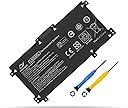
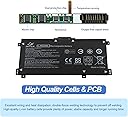
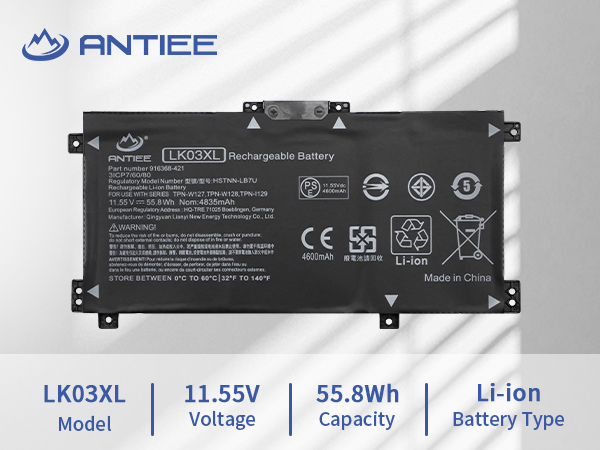
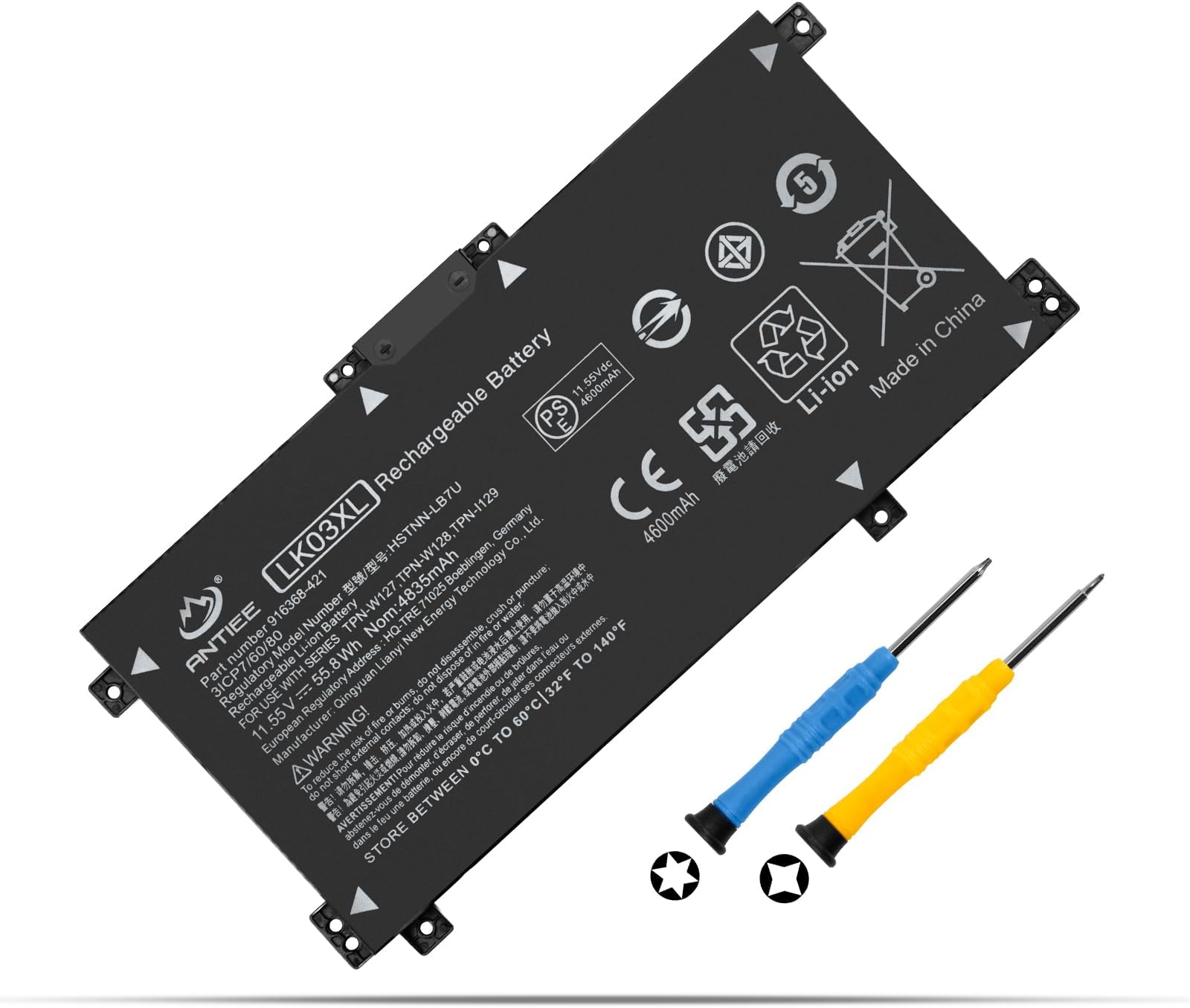
The LK03XL battery is a high-capacity 55.8Wh Li-ion replacement designed specifically for HP Envy X360 15 and 17 series laptops. Operating at 11.55V and featuring smart chip technology with premium circuit boards, it guarantees reliable, long-lasting power. Compatible with numerous HP model numbers, it comes brand new with a 12-month warranty and round-the-clock customer support, making it the go-to choice for professionals seeking dependable laptop performance.


| ASIN | B072PRS9B3 |
| Antenna Location | Laptop |
| Battery Capacity | 4835 Milliamp Hours |
| Battery Cell Composition | NiMH |
| Battery Cell Type | NiMH |
| Battery Weight | 320 Grams |
| Best Sellers Rank | #70,375 in Electronics ( See Top 100 in Electronics ) #873 in Laptop Batteries |
| Brand | ANTIEE |
| Compatible Phone Models | Fit for HP Envy X360 Convertible 15-BP 15M-BP 15T-BP 15-BQ 15M-BQ 15Z-BQ 15-CN 15M-CN 15T-CN 15-CP 15M-CP 15Z-CP: 15-bp0xx 15-bp1xx 15m-bp0xx 15m-bp1xx 15t-bp100 15-bq0xx 15m-bq0xx 15-bq1xx 15m-bq1xx 15-bq100 15-bq200 15m-bq100 15z-bq100 15-cn0xxx 15-cn1xxx 15m-cn0xxx 15m-cn1xxx 15t-cn000 15t-cn100 15-cp0xxx 15m-cp0xxx 15z-cp000 15z-cp0xxx, 15-bp112dx 15m-bp011dx 15m-bp012dx 15m-bp111dx 15m-bq121dโฆ |
| Customer Reviews | 4.1 out of 5 stars 671 Reviews |
| Item Dimensions | 10.63 x 4.72 x 1.18 inches |
| Item Weight | 300 Grams |
| Manufacturer | Dongguan jiataiyuan electronics Co., Ltd |
| Model Name | lk03xl |
| Model Number | LK03XL |
| Number of Batteries | 1 Lithium Ion batteries required. (included) |
| Recommended Uses For Product | Laptop |
| Reusability | Rechargeable |
| Unit Count | 1 Count |
| Voltage | 11.55 Volts |
| Warranty Description | 1 Year |
F**H
Typical Lack of Support From HP
My original HP battery failed, swelling to the point of almost splitting the laptop apart. The laptop had a large bulge in the middle, with the track-pad no longer working properly. Something had to be done, so I took the laptop apart to replaced that battery with this one, which seems to be working just fine. The original battery had swollen to over an inch thick. Would have purchased an official HP battery, but HP wouldn't sell me one. They discontinued the batteries well before the battery in my laptop failed, ending any possibility of that. Guess they want customers to buy new computers when the batteries fail, even if the existing computers aren't that old. Now I get the irritating little "HP recommends using HP batteries only" message each time I start the computer (pretty cheeky considering their battery is what screwed up the computer in the first place). Tried updating the BIOS (as some suggested), but that didn't get rid of the message. I'm sure HP could easily get rid of it, but they'd rather repeatedly rub salt in the wound. Anyway, back to this battery. Installation was simple enough. Have to remove a bunch of small phillips screws underneath, most hidden under the adhesive rubber strips. Three are tiny security screws, so will require a mini/precision screwdriver set. The one screw in the very front is tilted, so make sure to tilt the screwdriver with it. And don't forget the screw hidden under the CD/DVD drive door. At that point, use a plastic tool to split the case apart to remove the bottom. Tiny plastic tabs inside will snap off, but they don't seem to be that important (certainly not holding the computer together). Once the case is apart, the battery is held in place with four screws (the four corner tabs). After removing those screws, pull the old battery straight up to remove and replace it with the new battery (pressing the electrical contacts firming in place). Reassemble everything in reverse order, plug in the laptop, and fire it up. You'll quickly get a BIOS message wanting you to hit "enter" to restart the computer, which is okay (will not be seen again). The next message you'll see (after that & every restart) is the "HP recommends" message. Hit "enter" to continue into Windows. The new battery may be almost completely dead when installed, but should start charging right away (could take an hour or more). I'd recommend not turning the computer off until the new battery has finished that initial full charge. No need to tempt fate by interfering. After that, the battery should perform normally (as mine has for several months now).
R**S
Had to find HP service manual
Videos were helpful, but the service manual had all the info. I found it by searching for my model on Google. After replacement, the new battery had 41% and on first bootup, got a checksum warning, but pressed on and the laptop finished booting up normally. I can't comment on battery life because I just installed it. Points: This replacement comes with a tiny cross point and a tiny torx drivers. I ruined the tork on the middle angled screw because I was not careful with getting the angle right. The screw was unharmed and I finished with my own bit set. The rubber strips across the bottom have to be removed to get at more cross point screws. On reassembly, the rubber strips had stretched and I had to cut off about 1/8" so that they would fit in their channels. Before prying off the back with a spluger, you must pop out the DVD drive -- it overlaps a screw hole. The service manual said to remove a screw, but there was no screw. The case bottom had a hole but there was no screw-hole in the body of the laptop, at least on my model. Still, you have to pop out the DVD with a bent paperclip. Once you have removed the bottom, close the DVD to protect it. And don't forget to pop it back out before snapping the bottom back on My original battery had a metal shield glued to the bottom (visible side) but the replacement battery did not. I could not get the metal off the original battery to transfer it. I hope it does not matter. Prying the back off was nerve racking. I did not have an actual spluger and a credit card did not have enough strength, so I used the can-opener/slotted screwdriver on my Swiss Army knife. I inserted it about 1/4" between the plastic part, slid it until it hit an obstacle and then twisted. The catches easily popped free. Try to keep the screws organized, there are differences. Have tweezers ready to remove and replace the screws. One oddity on my model, the replacement battery had an extra screw tab. Just look at the old battery and use that as a guide to where to put the screws. Since HP no longer makes this battery, you have to use this one or some other non-oem battery. HP's website admits its battery lasts about one year, so their failure to keep them available is ******. While my HP battery lasted 3 years in light use, it got quite bulgy and begged for a replacement. One general tip you may not have heard of: Put the laptop bottom up on a big dishtowel. As you take out the screws, lay them on the towel near where they will go back.
C**G
3 months and it doesn't hold a charge!!!!!
Ordered on october 3rd 2025. ABSOLUTELY DO NOT PURCHASE THIS PRODUCT. I have had this battery for only 3 months and it dies within minutes. I charge it to 100% unplug it and within 15 minutes it is dead. It's a complete piece of JUNK.
M**.
Decent Replacement
Chose this to replace a swollen battery. The laptop now complains on boot that it's not a genuine HP battery which is annoying but not a big deal. Battery life seems a bit less than the original but also not a big deal to me. It's been working fine, good value for a replacement.
I**L
Worked for HP Envy17
Worked great, exchanged battery on laptop and worked instantly. I highly recommend and came with the tools. Cant beat that.
M**P
Excellent replacement battery
Great value, Replace the original three years ago, which is about how long any laptop battery tends to last. Just replaced it today and marked it as my favorites. I will probably get longer life out of this one as I have been educated on battery life management woo hoo! Super easy to install And a perfect fit!
C**C
Like most aftermarket batteries, it only lasts so long
If you need a battery for your HP laptop for the fact HP no longer makes them - surprise, they want you to buy a new computer! - this is a decent buy for a short period as you search for a new laptop (or find some other plan). My experience mirrored many other reviewers. It only took a little over two months for this battery to outright fail. It would now and then tell me I had 95% battery left while plugged in, though I was informed by a tech friend that this is very normal for aftermarket batteries; HP struggles to get accurate information from a non-HP battery. No worries, nothing to be concerned about. But then out of the blue after more than 2 months, my computer shut off. It went into hibernation mode (while plugged in nonetheless), then telling me I had 0% battery. Going into battery settings after that, it bounced back to 100% with no problems for the remainder of the day. The next day, it suddenly went from 100% to "no battery is detected" and nothing I do changes that status. I can't unplug the computer lest it shut off entirely. The battery is dead. So yes, the battery did initially work. Reading other reviews and using common sense, buyers should not be surprised at the end result of the battery failing. Very likely, those who left good reviews in the weeks after purchasing the battery experienced the same inevitable result after a few months but didn't come back to leave a new review. But if your HP battery is dangerously swollen as mine was and needs to be removed and replaced while you work things out, this isn't a bad buy. None of the included screwdrivers were the right size to install it (shrug), but again, you get what you pay for. Good product, but only for a limited time. Perhaps buy two so when one fails, you have an extra. The price isn't bad for this and you will have a little peace of mind if it suddenly fails.
C**E
Reliable and Great Customer Service
This is the second time I have bought a battery from Antiee. The first time was last year so the battery lasted about a year which honestly impressed me given that it wasn't OEM. Really frustrating that HP doesn't make replacement laptop batteries for a laptop barely 2 years old and over $1000 when I first bought it. When my battery arrived this time it was defective and didn't work right. Similar to some other reviews it didn't register right with my laptop so the second I unplugged it, my laptop would turn off. I went to return it and Antiee took care of it right away, sending me a new one within a few days. Very impressed with their customer service and the desire to make it right. I will be buying this battery again should I need a new one!
P**I
ottimo
al momento tutto ok
L**O
Perfect
Fitted & working well. As good as the Original.
O**R
Good battery so far
Perfect time, working fine so far. I had to replace the original battery as its cells degraded over time on a HP Envy x360 laptop.
S**L
zoals beschreven
super met de mini schrevedraaiers erbij. snel geplaatsd
R**.
Werkt voor ~6 maanden goed
In juli 2023 aangeschaft en geplaatst in mijn laptop, werkt Prima, al haal ik niet de vermelde gebruiksduur mee. Maar na ~6 maanden laad de laptop de accu niet meer op en blijft op 28% staan. Diep ontladen en bij laden geeft geen soelaas. Ik heb gemeten aan de laptop, laadstroom is aanwezig.
Trustpilot
1 month ago
2 weeks ago