๐ Elevate your home networkโditch dead zones and stream like a pro!
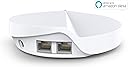
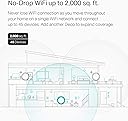
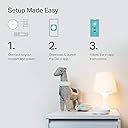
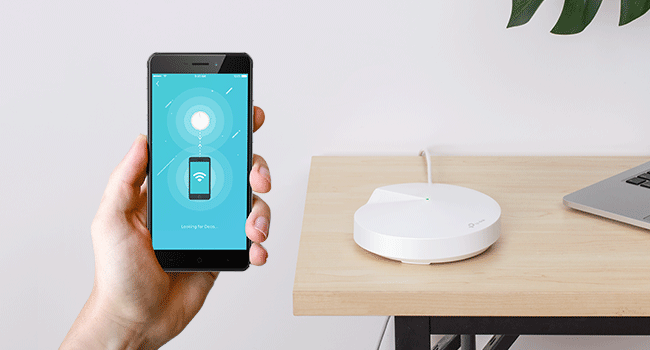
The TP-Link Deco M5 Mesh WiFi System delivers whole-home coverage up to 3,800 sq.ft. with seamless roaming on a single network. Designed for busy households, it supports over 60 devices simultaneously and features dual Gigabit Ethernet ports per unit for wired backhaul. Setup is effortless via the Deco app, while built-in TP-Link HomeCare offers advanced security and parental controls. Ideal for professionals seeking reliable, high-speed WiFi that keeps every device connected and protected.


| ASIN | B0797D6853 |
| Antenna Location | Home |
| Antenna Type | Internal |
| Best Sellers Rank | #1,020 in Computers & Accessories ( See Top 100 in Computers & Accessories ) #41 in Whole Home & Mesh Wi-Fi Systems |
| Brand | TP-Link |
| Built-In Media | 2x Deco units, Ethernet Cable, Quick Installation Guide |
| Color | 2 Pack |
| Compatible Devices | Personal Computer |
| Connectivity Protocol | ethernet, wi-fi |
| Connectivity Range | 3800 square_feet |
| Connectivity Technology | Wi-Fi |
| Control Method | App |
| Controller Type | amazon_alexa, vera |
| Coverage | 3800 square feet |
| Customer Reviews | 4.6 out of 5 stars 6,544 Reviews |
| Data Transfer Rate | 1300 megabits_per_second |
| Frequency | 5 |
| Frequency Band Class | Dual-Band |
| Item Dimensions L x W x H | 4.7"L x 4.7"W x 1.5"H |
| Item Weight | 16 ounces |
| LAN Port Bandwidth | 1000 Mbps |
| Manufacturer | TP-Link |
| Maximum Upstream Data Transfer Rate | 400 megabits_per_second |
| Mfr Part Number | Deco M5 2-Pack |
| Model Name | DECO M5 |
| Model Number | Deco M5 2-Pack |
| Number of Antennas | 3 |
| Number of Items | 2 |
| Number of Packs | 2 |
| Number of Ports | 2 |
| Operating System | Linux |
| Other Special Features of the Product | Access Point Mode |
| Security Protocol | WPA2-PSK |
| Special Feature | Access Point Mode |
| UPC | 845973080846 |
| Unit Count | 2 Count |
| Voltage | 12 volts |
| Warranty Description | 2-year warranty |
| Wi-Fi Generation | Wi-Fi 5 |
| Wireless Communication Standard | 802.11ax |
| Wireless Compability | 802.11ax |
M**N
What a difference
Deco M5 2 pack I have used many different brand of routers in the past. Most recently I had a TP Link AC 1750 which served me well for over 3 years, but recently the 5 GHz channel would drop out and I had trouble keeping a connection to a streaming device 30 feet from the router with a direct line of sight on either the 5 or 2.4 GHz. After lots of research and probably a bit of overthinking I purchased the Deco M5 based on independent reviews, YouTube videos, my past experience with TP Link products and lastly the killer price for these units. I downloaded the Deco app and set about to install the units. The 1st unit gave me the "red light" kiss of death, so I set it aside and the other unit installed flawlessly using the app in a couple of minutes. I reset the first unit and it too installed within a couple of minutes. I was alerted to a firmware update which took another 4-5 minutes and within 20 stress free minutes I was up and running. At this point I was alerted a few of my smart devices wanted to connect to the network. Now is where I had anguished over getting a 1 SSID mesh network; The 25+ smart devices many of them 2.4GHz only. (Note you are able to turn off either the 5GHz or 2.4GHz channels in the app). I did have to reset the smart devices but it was painless and they all connected with no problem without having to turn off anything. So within an hour or so I was complete with a super stable and much faster WiFi network. I spent some time familiarizing myself with the features and settings in the app, customizing some settings and that was it. I will say that with my prior routers I would tinker and fine tune settings always trying to get that network a little better and with the firmware update find that the Deco app has all I need to be able to be happy. For the IT geeks there will be some things missing for most it will not. If you want to move to a super simple, and I do mean simple setup (at least for me and I am hard to please) I would highly recommend the Deco M5 system. For the price you can't afford not too.
C**E
Most affordable mesh system
I love the Deco M5. It is one of the best, most versatile units. For the price, you canโt beat it. I use it to create coverage across my entire property. The app makes it easy to set up a mesh system for your whole property. The good thing is you can buy as many units as you want and keep connecting them. Being mesh technology, the speed does not degrade with added units. The size and footprint make it for almost anywhere and you canโt beat even buy a wall mount that hangs it from the outlet. Also these feature wireless or wired backhaul and have a dedicated wireless backhaul channel. So you can extend your network as far as you want with Ethernet cable from unit to unit or simply connect each one wirelessly. Simply the best, mesh WiFi system you can get at an affordable price.
J**S
Just Works!
I live in L shaped 2800 sqft concrete block house with low-e windows which blocks most wifi signals. My cable modem in on one side of the house, my family room with the big screen on the other side and the wifi signal there was always spotty. I had an existing cat 5 line from one side of the house to the other which was fine for most things but for phones and tablets it didnt do much. Extenders use a different SSID and werent reliable. I bought a pair of m5's on sale for not much more than the extender cost and set them up using the ethernet for the backhaul. Now I get full 5ghz signal everywhere in the house and I have no drop outs and all on the same SSID. I can max out my comcast 100mbit internet everywhere in the house. The setup was easy, a lot easier than my old netgear router. Highly recommended. A few things I wish were different: -each m5 puck has 2 ethernet jacks, so if you are replacing a traditional 4 port router you may need to spend $20 on ethernet switch. I have the Tplink 5 port gigabit switch and it works fine. TPLink mentioned that there are problems with Dlink -the setup is uses a phone app. I wish they had a web based one, it would make it much easier to troubleshoot if I have a problem with my internet connection. -there are no usage monitoring . I have a datacap (damm you comcast) and my old netgear router had a feature to shut off the WAN acess and notify me when I got close to the cap (so I dont have to give a lot more $ to comcast). With the ability to stream 4k everywhere in the house now I have to be careful as it is now a lot easier to eat up data.
A**.
Good product but with shortcomings over long distances.
I thought the product was good and easy to set up from the app. The only downside is that the long-distance signal strength is not very powerful.
M**.
Like everybody, my needs have changed over time
As an IT professional, I have tried hundreds of combinations of routers and switches and wireless AP's. Like everybody, my needs have changed over time. The kids are old enough now to be using the internet, the house is getting smarter all the time, and even my television comes in over the web now. After exhaustive research and feature and price comparison, I decided to move on to the Deco m5. I was using a cisco asa firewall and cisco 3900 series switch with a netgear router in AP mode before, but it lacked the ability to easily implement parental controls. I get annoyed with the kids for staying up late playing on the internet after we go to sleep. I un-boxed the deco m5, very nicely packaged by the way, to find everything in order and ready for install. I powered down my firewall, called the ISP to have the IP address released, (I work for the ISP, so that was convenient) and got the router plugged into the internet connection. I am fiber to the house, so I don't have a modem. I had already installed the TP link app on my galaxy s6, so I was ready to get started. (Everybody else was at work/school so no complaining about the lack of internet while I did all this. YEA!!!!) The app found the deco with no issues and ran through the VERY basic setup process. Everything immediately came up and worked. I have 80 meg service and speedtest.net was reporting 82.7 download consistently over wireless. I started playing with the app, and under the advanced tab is an option to check for updates. I clicked it and it did indeed find one. 5 minutes or so later, the led indicator on the router went green again. This is where things went a little sideways for a few minutes. I spent the next 10 minutes losing and gaining wifi on my phone, and had to force stop the app a couple of times. Everything else in the house seemed fine, it was just my phone. I have six echos/dots in the house, and they all came right back up after the swap out. The echos/dots are usually the problem children to get connected after a power outage, so I was suprised. My wink hub didn't even seem to be affected. everything was functioning normally except the stupid phone. A quick restart on the phone seems to have fixed it. I did have 2 of my 5 wink relays lose connectivity, but I think they may have already been disconnected. A quick restart fixed them both. I plugged the second port into my cisco switch and all my wired devices reported for duty. Next step was to walk to the far corners of the house and run speed tests with my phone, which was still giving me pause because of its recent bad behavior. My home is 1400 square feet, and about 4 years old, with tech shield in the attic. (the aluminum foil looking coating on the inside of the roof decking to block the heat) wifi seemed to be great everywhere with speeds at maximum in every corner. (I bought the single Deco m5 unit) The router is actually in the garage in the corner for now, so it will probably cover significantly more ground once located in the center of the house. Next step was to setup parental controls. Yeah, this is the good part, talk back to me one more time you obnoxious little turd. Setup the profiles and went hunting MAC addresses. The only downfall to the process was finding all the mac addresses. Nothing has a logical name in the table you are looking at, everything just says "android" or "amazon". I started with "amazon", and that is when it hit me. I opened up my alexa app and went to settings, and then to devices. At the bottom of each device's settings page is the device's mac address. I found my trusty pencil and an envelope from some junk mail, and my list was soon made. You can change the name of the devices in the table on the Deco to recognizable names. I then went to the android devices and PC's. That was a little more time consuming, but not too bad. Next, assigning who the device belonged too. You do that at the bottom of the device settings page, just make sure you have already built that person's profile. When you set up the profile you give them a movie like rating system, and can disable or enable various types of websites or specific websites. Next option is setting time limits for daily usage, and last is setting hours to shut them out completely. Kids got pg-13, adults get "adult". Now that that's done, time to explore. I knew it was "alexa" enabled, so that was next. Honestly, don't waste your time. Alexa can do very little besides run a speed test and change the led's status. I was hoping to pause the kids internet just by telling alexa, but that is a no go for now anyway. It also cannot control access to wired devices with parental controls, so if you want to disable the kids smart tv's, make sure they are connected wireless. I probably should have given 4 stars due to the setup issue with the phone app, but everything is just working too good now. the parental controls shine, and the wireless connection seems to be rock solid. Only major negative I will give it, you cannot change it's lan IP address yet, but I have read that this feature is in the works in a future update. If you have anything set static on your current network like I do, you may have to change some IP's in a few devices. (Cameras, network servers, stuff like that) I only have a few devices like that, so I can handle it, especially for the price I paid for this. Overall, if you are on the fence, this is a great little mesh system. I wish it was POE powered and wall mountable, that would have made it perfect, but I guess it can sit on top of the fridge and do its thing. I'll update if anything changes, but I don't suspect I will have any trouble. Oh, and for anybody who is wondering, it does look like you can manage it remotely, as I can log in and change settings right now while I am at work. That could be handy for pausing the internet to make sure the kids do their homework before I get home from work, or to make sure they are doing their chores on time. I wonder if that will work with the old lady too???
A**S
Great replacement for WiFi extender
**Be aware, this will replace your router.** Over a year ago I bought a cheap WiFi extender to expand the WiFi signal to my Ring bell, which it did... barely. It also created an entirely new WiFi network, which would have to be manually connected to, so my wife and I would constantly be manually switching our phones from one SSID to another. Then finally a week ago a friend mentioned they were getting a mesh system to expand their WiFi range and I was very intrigued. After looking into it more, I cannot believe I hadn't heard of this sooner; it's exactly what I've been needing, and it has even improved our download speeds, since apparently my old router was very out of date and was severely limiting my network. I went from ~70Mbps maximum on WiFi to ~450Mbps just from switching! This has really opened my eyes to just how bad I had allowed my LAN to become. Not only am I enjoying faster speeds, but now I can seamlessly jump from one mesh to another while staying connected to the same SSID. I haven't played around with too many of the advanced settings in the app but it looks like at the very least some key features are available, including port forwarding, MAC cloning, QoS, address reservation, and guest network. Will take some getting used to managing thee settings in a mobile app and not a web portal, but overall I'm really happy with this system. Pros: -Fast speeds -Easy setup -The app is awesome and will not only notify you whenever a new device joins the network, but will provide stats on D/U speeds for each connected device -The app includes a speed tester -Range seems really good (easily covers 2-story 1200-sq-ft home, including Ring bell outside with one on each floor, at opposite ends of the house) -Radio frequencies seem to be auto-negotiated with devices (devices will smartly use 2.4Ghz or 5.0Ghz as needed) -System is modular; you can add as many mesh nodes as you want Cons: -Wish they had more than 2 ethernet ports, since one is dedicated to the modem on one of them
D**A
Seems to Work Great!
We ordered two of these routers for both our homes. Both places have sunporches attached to the home, and the connectivity was sometimes spotty. The routers have made a difference in being able to have Wi-Fi connection on our sunporch, even thru a brick wall! They were easy to install and connect to our home Wi-Fi. So far, they have been very reliable and a good value for the money.
G**S
Attractive, Easy To Install Routers Boost Coverage Dramatically
Coverage in my 4600 sf Ranch-style home had been very spotty with one Verizon FIOS router, so I decided to go with a Mesh system. These are attractive, unobtrusive compact units that fit anywhere and are an easy setup. On a Verizon FIOS router, like mine, you do need to learn how to turn off the wifi by communicating directly with the router itself. Otherwise, there will be a conflict with the new mesh routers. So, this may be a problem for some novices unless you have help. I used four routers in my large home to get the best results. Well, coverage was excellent! Every square inch was covered by wifi, plus a three-car garage and around the pool. In most areas, speeds were very close to wired connections, while a few areas furthest from the main router were about a 50% loss In speed, but still adequate and far better than it was with just one router. You can begin installing the first unit anywhere you have a wired connection off the router, then branch out from there. Itโs very flexible. You can also connect to the various routers with ethernet, as well as wifi. You can create a new SSID and password for the new Network, one that is likely easier to remember than the original install. I even created a guest network too. Very easy! You really canโt lose with the system. The price is reasonable, even for a large home! I love it.
W**L
ู ู ุชุงุฒ
ู ู ุชุงุฒ
S**C
solo spina Inglese
Buongiorno, รจ arrivata con il trasformatore con solo la spina Inglese senza un adattatore e onestamente ho provato a cercare nelle info del prodotto, ma non trovo la specifica.
C**H
Excellent product
I already have 3 Deco M5 units and wanted another unit to extend the range. Product delivered quickly and was as described. Having read other reviews regarding the power lead I was expecting there to be an issue with this. The unit was supplied with a 2 pin power adapter, but the vendor had included a 2 pin to 3 pin plug in the box. Therefore no need to purchase a new power lead. Very impressed with this. Connected without a problem and works well. Would recommend.
J**L
Tp link mesh routers work well !!
good quality, had olders ones, bought these as an upgrade
D**O
Boa performance.
Excelente produto! Atendeu plenamente. Eu jรก tinha outros Deco M9 e esse dispositivo se integrou bem ร rede.
Trustpilot
1 week ago
1 month ago