Buy anything from 5,000+ international stores. One checkout price. No surprise fees. Join 2M+ shoppers on Desertcart.
Desertcart purchases this item on your behalf and handles shipping, customs, and support to Colombia.
🎯 Elevate your game with precision, power, and wireless freedom!
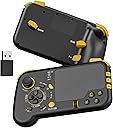
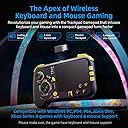
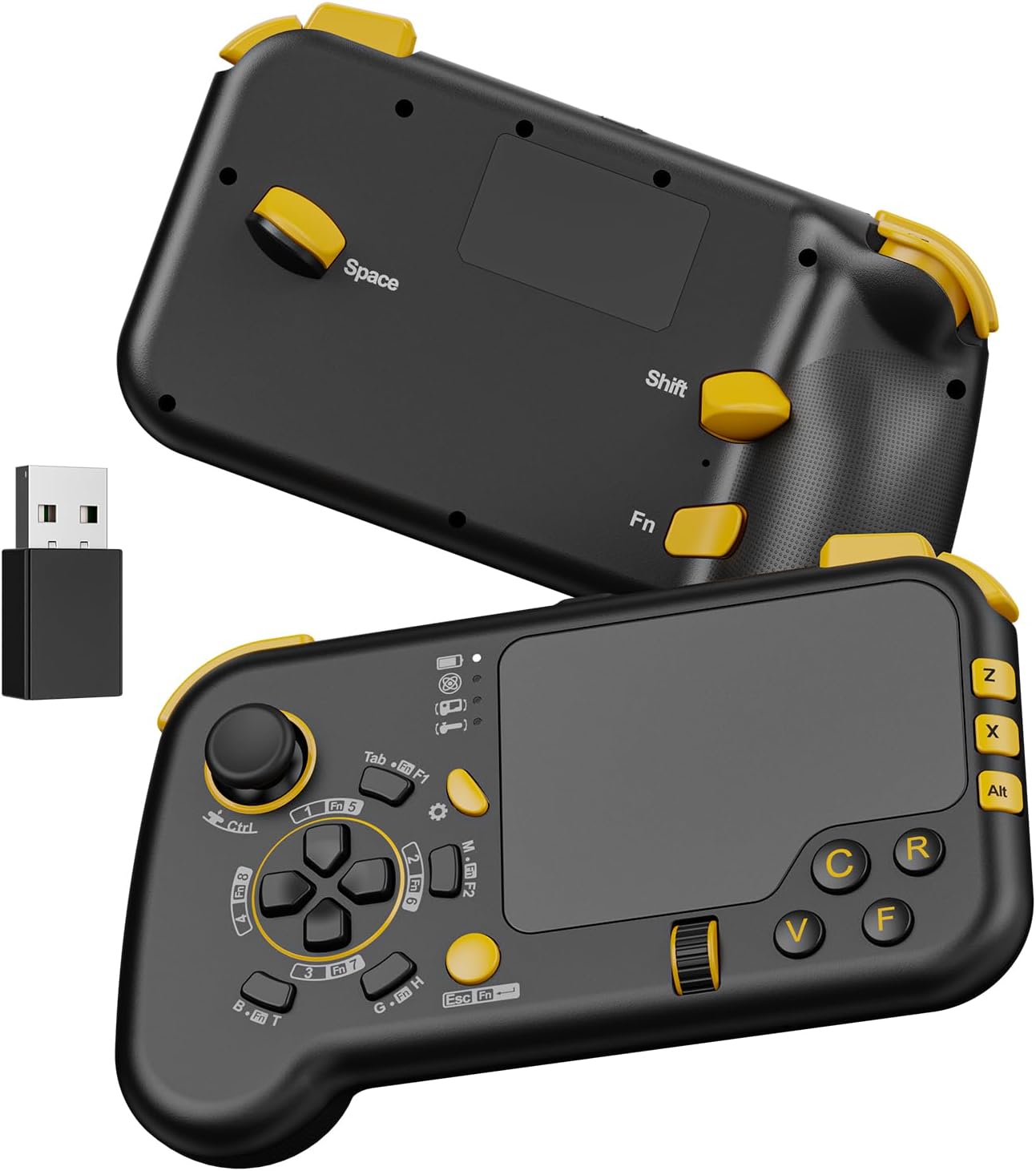
The IFYOO GTP01 is a cutting-edge 2.4GHz wireless gaming touchpad that merges keyboard, mouse, and gamepad functions into a compact controller. Compatible with Xbox Series X|S, Xbox One, PS4, PS5, Steam, and Windows PCs, it features a highly precise trackpad with adjustable speed, a powerful 3-axis gyroscope for gyro aiming, and an ergonomic design with micro-switch buttons and ALPS joystick. Plug & play with no drivers required, it’s engineered for gamers seeking precision and flexibility on multiple platforms.


| ASIN | B0CLQ6WV4P |
| Are Batteries Required | Yes |
| Best Sellers Rank | #449 in Computer Keyboard & Mouse Combos |
| Brand | IFYOO |
| Color | Black2 |
| Compatible Devices | PC Computer Notebook Laptop, Windows 11 10 8 7, Steam Deck, PS5, PS4, Xbox Series X|S, Xbox One |
| Compatible Operating System Family | Windows |
| Connectivity Technology | 2.4GHz Wireless |
| Customer Reviews | 3.8 out of 5 stars 231 Reviews |
| Hand Orientation | Left |
| Item Weight | 0.37 Kilograms |
| Keyboard Description | Indoor |
| Keyboard Layout | QWERTY |
| Manufacturer | IFYOO |
| Mfr Part Number | IFYOO-GTP01P-Black2 |
| Minimum Required Operating System Version | Windows 7 |
| Model Number | IFYOO-GTP01P-Black2 |
| Number of Batteries | 1 Lithium Ion batteries required. (included) |
| Number of Keys | 21 |
| Operating System | Windows 10, Windows 7 |
| Other Special Features of the Product | Wireless |
| Power Source | Battery Powered |
| Special Feature | Wireless |
| Unit Count | 1.0 Count |
| Warranty Description | 1 year warranty |
D**D
Great for Elder Scrolls and Splinter Cell.
PERFECT for playing your PC on a TV without needing a desk. The gyro has no input lag, BUT the touchpad does. (It feels like playing a game on a 60HZ monitor with V-Sync enabled) This controller is not for everyone. Pros: [Great for old games] It works really well with older games that do not have X-input support like Splinter Cell (the first one) and Elder Scrolls: Oblivion. It has a GYROSCOPE for perfect aim in FPS games! It's plug and play and requires no driver downloads. It can comfortably be held in one hand while you hold a mouse in the other, if your play style requires it. Cons: Since it's plug and play, like any keyboard, you cannot remap the D-Pad to W,S,A,D when the game doesn't allow you to map number keys to anything. (Like Warcraft 3: Reforged). WORKAROUND: You 'could' buy a keyboard remapper dongle if you're really dead set on using this the way you want to. There's no Bluetooth support, which probably would have introduced input-lag if it were included anyway. Since it's emulating a keyboard, the joystick doesn't have an analog output. If you're playing Splinter Cell, you can still control your speed with the mouse wheel. Verdict: It's great for certain kinds of games (older ones especially) , you just have to make sure you're able to map things to the keys you want. It would be nice if there were version that supports remapping certain buttons and such. Touchpad gestures would be nice too. If you want the perfect controller, you're going to have to wait for Steam Controller 2.0 or something else.
J**S
4 out 5 because of size
Basically it a it's like playing on a laptop with the comfort of it being in a controller. Buttons are in good location and covers all keys you will need. Works good on old games and games lacking controller support. Aiming is fantastic but you got to adjust settings in game for sensitivity to get it just right. I'm using it on wired connections and have no input lag, wireless is a little spotty but I have a lot of interference in my area so this is possibly the issue and why I use wired over wireless everything. I will say it's not heavy and I think that makes it feel cheap but it not and the buttons are very solid. Now modern games for example bf6 after some tweaking to aim speed and sensitivity this is the best way to play it if you looking for the best of both worlds experience being able to flick with my thumb is op. This is probably not for everyone if you are someone that struggles with mnk games in general then this is not going to make it easier. Practice with it on a single player game before getting mad and saying it's no good. My only issue is size I feel the touch pad could be smaller and buttons closer together not trigger button or shoulder the are in the right places
C**F
Know What you're Getting it For!!!
I Use this for Apex Legends & Warzone. Once you understand Coefficiency and DPI, meaning the difference you'll have to calibrate for travel and speed with the thumb instead of your whole arm, this is an absolute game changer that literally puts you in such an advantage! I cannot touch a controller or regular keyboard and mouse anymore. The MOST Important part to consider and understand is that each game will have a complete different configuration/keybinds that you yourself will have to figure out, but once you figure it out & dial it in, DON'T Change it! Just memorize & get used to it Until you realize that you have the speed and precision of a mouse, Gyro With ANY Keybind you want, tons of different Touchpad & Gyro Speeds, all within basically a controller. For the first few hours that I held it, I thought that it felt terrible and I would never get used to it or it would Never get comfortable. After about 8 hours of use All together, it felt so bad to try & pick up a controller or a regular mouse and keyboard afterwards! I'm serious though, you'd have to give it that amount of time for muscle memory to Kick in and your hands to get comfortable holding something so lightweight and small! The wired version without gyro is fine but it is on a complete different level with the wireless pro version. And the gyros still works fine even while using it plugged in. I noticed no latency on console or PC wired or using the wireless dongle! And I'm hypersensitive to Latency so I'm not just saying that to say it. Sure this machine could use some improvements or alterations, but it's still a straight up gift as it is in my opinion! It just takes time to get used to it that's It. Trust me, it's Gonna Feel FOREIGN FEELING FOR A WHILE UNTIL YOU REALLY GET DIALED IN. BLESSINGS.
T**Y
Maybe I'm doing something wrong.
Bought this to try on helldivers 2. It does some of the stuff. But doesn't even register right or left mouse buttons. Like. I can run and crouch and switch weapons and throw grenades and emote and mellee. But the left mouse button just activates the gyro for looking around and right click does nothing. Maybe I'm doing soemthing wrong? Any help is appreciated. Playing on ps5
D**O
Great Idea, Middling Build Quality, Poor QA
I would love to give this controller a full 5 star review. I really would, but the right mouse button trigger stopped working after like a week, so... it's got to go back. I'll take a chance on a second one though. It does a lot of things right. Onto the actual review, point by point. PROS: *Surprisingly ergonomic. Feels good in the hand. It really is a bridge between keyboard & controller. *Works right out of the gate. Plug and play, literally. It has it's own dongle, broadcasting on a 2.4Ghz band, which is better for game latency than Bluetooth. I've also never had it drop connection, which compared to my other experience with the PS5 controller is a HUGE pro. *It has lots of buttons. That's why you're buying it. They're mostly in the right places for easy access. *The mousepad works like a dream. I was dubious until i tried it. Pretty sure this is why people still pay through the nose for used Steam Controllers. *It has Gyro. It's setup to activate by toggle, by default. It works just as well as the one in my PS5 controller, maybe better. I found myself using it in conjunction with the mouse. I just naturally started using it, never would have thought. It just allows for more fine tuned movement at times, and can help expand the range of the trackpad without having to move your thumb. *Battery life is great for what it is. Found myself plugging it in every 3 days or so, for a few hours. This is seamless BTW. It uses a standard USBC charger, which you probably have by you for your phone anyways. Never felt tethered. CONS: *It's made of light material, and it feels cheap. Certainly has nothing on the build quality of other major controllers, or most keyboards. It just doesn't feel like its worth 60 dollars. Knock that down to 40$ and it will feel like a better deal. Plus, i mean... my right mouse trigger broke. If any part of the controller should be durable, it's that. *Some of the keys have awkward resistances. Some keys/triggers press too easily, others too hard. It's part personal preference, but getting those perfect is what really stops this from being a hardcore FPS controller. *The controller is setup so that the spacebar is on the back. When it's in your hand, it's nested nicely behind your right index or middle finger. When you put the controller down, its the first thing to be depressed, and it triggers really easily. There's no good way to put the controller down without pressing that button. *Manual said the controller should be turning itself off after 20m of inactivity. I've had it happen in far less than that. I've pretty routinely stopped to read something on screen, taken too long, and the controller shut itself off. Not a deal breaker, as it starts back up instantly. Annoying though. *There's no software to modify controller inputs, which is the #1 most demanded feature (and with good reason). I would like to add a #2 though, and that's to have better feedback for changing settings in the controller itself. I feel like I've gone back in time 30 years, to a time when you had to read a manual to figure out how to set the time/date on a wristwatch. This is exactly what it feels like to change the mouse-sensitivity or Gyro settings. There are 4 feedback lights on the controller, which should be pretty cut & dry. On/Off lights. One for power, one for wireless connection, one for gyro. etc. That's how every other device on the planet works. Instead, the controller simultaneously uses these lights as sensitivity levels, turning the light combinations into a code that you have to consult the manual to interpret. *As an addendum to the above point, not only are the feedback lights fantastically inscrutable, there's no good way to tell how much power the controller has left at any time. With almost any other controller there would at least be a software indication, but because this controller registers as an actual keyboard... There's nothing. In my time using the controller, i didn't see so much as a blinking light. You want to charge 60$ for a controller? Make a battery icon with charge levels. It's pretty basic. -------------------- Final Thoughts: I'll be returning this one and getting a replacement model. I like it enough to give it another shot. Maybe i just got a dud. It happens even with the most expensive devices. This is the second iteration of the same controller by this company. The first being a wired version (don't get that). I look forward to their 3rd, because they are really onto something here. I'm a little surprised that no other company has run with something similar. I mean, if the Chinese can do it... I would like to see another major company pick this up. Make it heavier, more durable, maybe embed some form of display underneath the trackpad. It's certainly big enough. Give it a shot.
J**K
It actually works…
I’m flabbergasted tbh bc I really didn’t expect too much. I bought a few different peripherals from more, shall we say, established brands, and of the three I tested(strictly for my own edification) this one works the best right out of the box. It’s the most intuitive for all the basic stuff you’d use in a shooter. Plus, it has a function button for all the keyboard shortcuts. It’s amazing that I could plug it into an Xbox series X and be able to play any first person game I want. I’m playing avowed and it might be my preferred way of playing now. I specifically got it for cyberpunk and you do have to dial in the sensitivity a bit but that’s to be expected with any change in input. I’m frankly shocked that it works so well. I think it was $60 when I got it and while the build quality can feel a little flimsy, and I question how long the clicker on the mousepad will last, but as long as the rest of it keeps working you can play pretty much whatever you want, fps/rpg-wise.
W**E
Great Concept, Easy Setup and Intuitive Usage but Trackpad Is Crude and Overall Feels a Bit Cheep
BUTTONS ARE STATIC, this is just a partial keyboard that is in a shape that is easy to hold in your hand. overall this is a really cool concept and easy to setup, configure (in game as buttons are static keyboard buttons). It's a very clever idea but I would like to see how they envision Pro version. I would hope at a minimum it would have a better trackpad, support for gestures / non-tactile click (tap click) / multi touch. Multiple points of connectivity, including Bluetooth.
B**Y
Maybe read this first, Know what your getting into
It Does the job. Here's my 2 cents on pros and cons Pros: Acts like a keyboard Aside from steam controller which is impossible to find this is the only joypad with mouse track pad on market Feels awkward at first but give it time and you'll get use to the weird buttons Useful for only MMORPG games. Playing call of duty etc, Will take some time to get adjusted but doable. Never had to move up my chair just to reach for mouse for simple click Works with most my steam games that doesn't have gamepad support - Meaning you can adjust mapping in steam but few keys are missing. EX starcraft, gw2, lost village, etc. This controller covers 20+ Keys Cons: Buttons all over the place Acts like a keyboard and only keyboard. PC will not register it as gamepad (which fits my needs though) No intrusive instructions While plugged into PC and if you decide to plug it out, It will stop working. So only use it to charge or you have to reset whole thing. I just charge it on mobile adapter Confusing set up - There are work around for key mapping which I will post on bottom VERY CHEAP FEEL Definitely not worth the price - Resold on amazon btw Have to do research just to start playing with it Anywho, There's more cons then pros but it's dependent on your needs. I knocked off a star because I had to put in work, TO GET IT TO WORK lol. Very useful if your playing GW2, FFOnline, MMORPG etc. Feels clunky if you try other games. Overall, to have this function the way you want. Just google MS powertoys. Which is a MICROSOFT software. From their own official site. So no need to ask if its trustworthy. Then look for keyboard settings. You can switch the keys around. EX = you can switch C to V and just toggle it off when your don't want to use it. Anyway if your a couch potato, who loves mmorpgs or need a lot of button fuctions. This is definitely for you.
サ**イ
これはなかなか良いもの
5時間ほどゲーミングumpcで使用しての感想となります。 まず、使い勝手はかなり良いです。マウスポインタの移動は吸い付くようについてきて、ボタンの押し心地や感度も良かったです。 ただ、充電しながら使用をすると無線での交信回数に制限がかかるのか、マウスポインタは思うように動かなくなり、ボタンも認識されにくくなります。 次に内容物についてですが、コントローラー本体と無線レシーバーとUSB-AtoCケーブル、日本語説明書が入っています。 最後に、パッド非対応でマウスとキーボード操作のみのゲームをコントローラーで遊びたいという方にはおすすめかと思います。また、機能自体はマウス+キーボード一部キーのため、マウス代わりに使いたい方にもおすすめかもしれません。
G**S
Steamdeck usage
I bought this as a controller for playing pc keyboard games on the steamdeck but.... For it to work it needs to be in the dock wired. it does work for me if needed but if your sat at a distance then this won't work for you im afraid. Just a note I really don't know if there is a way to set it up wireless on steamdeck im sure there is but im not technically minded enough for that.
A**O
great for the exercise bike!
I set up my gaming laptop on a music stand behind my exercise bike and use this as a controller for COD it works perfect!
L**N
Not bad but not great either
I found it interesting and quite fun, needs time to get used to using it and set up.
あ**ぐ
要件は満たしてるがボタンが柔らか過ぎ
持っただけで背面ボタン押してしまったり、持ち上げる時にLRボタン押してしまいます。タッチパッドによる左クリックが出来ないがタッチパッドの押し込み(コレは硬い)で代用出来そう。しかし押し込むとカーソル位置はズレる。あと物理的ON←→OFFスイッチが欲しい。 設定を詰めていけばめちゃくちゃ良いコントローラーになると思いますので期待を込めて★4で。
Trustpilot
2 months ago
2 weeks ago