Buy anything from 5,000+ international stores. One checkout price. No surprise fees. Join 2M+ shoppers on Desertcart.
Desertcart purchases this item on your behalf and handles shipping, customs, and support to Colombia.
🚀 Elevate your multi-computer setup with seamless 4K switching!
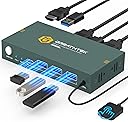
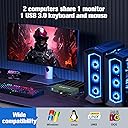
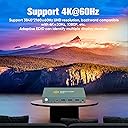
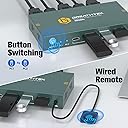
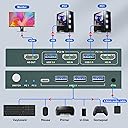
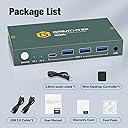
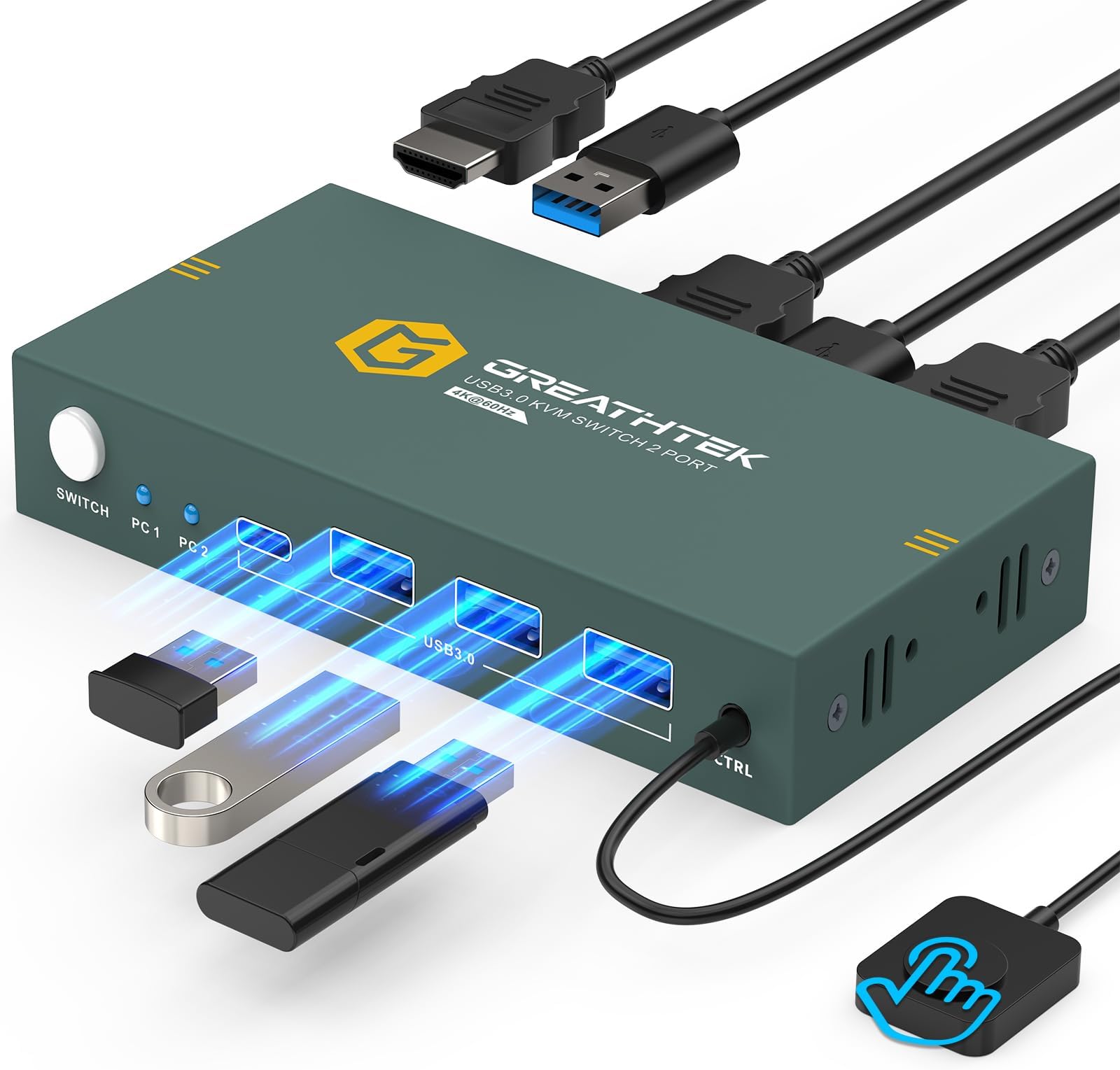
The GREATHTEK USB3.0 KVM Switch 2 Port HDMI enables professionals to control two computers using a single 4K@60Hz monitor and shared USB 3.0 peripherals. Featuring dual switching methods (button and remote), three high-speed USB 3.0 ports, adaptive EDID for stable image transmission, and a durable aluminum build, this plug-and-play device streamlines multi-PC workflows with reliable performance and crisp visuals.


| ASIN | B0CFVBK4XQ |
| Actuator Type | Push Button |
| Best Sellers Rank | #19 in KVM Switches |
| Brand | GREATHTEK |
| Brand Name | GREATHTEK |
| Circuit Type | 2-way |
| Color | Deep Blue |
| Compatible Devices | PC, Laptop, PS4, Windows 7/8/10/Vista/xp, Linux, Mac |
| Connectivity Protocol | Usb |
| Connector Type | Usb 3.0, Hdmi |
| Contact Material | Copper |
| Contact Type | Normally Open |
| Control Method | Remote |
| Control Type | source selection, peripheral sharing |
| Controller Type | Push Button |
| Current Rating | 4 Amps |
| Customer Reviews | 4.3 out of 5 stars 544 Reviews |
| International Protection Rating | IP00 |
| Item Dimensions | 1 x 1 x 1 inches |
| Manufacturer | GREATHTEK |
| Material Type | Copper |
| Model | S7232H-A |
| Mounting Type | Surface Mount |
| Number of Items | 1 |
| Number of Positions | 3 |
| Operation Mode | Automatic |
| Part Number | S7232H-01 |
| Smart Home Compatibility | Not Smart Home Compatible |
| Specification Met | Plug and Play, Hdmi 2.0, Hdcp2.2 |
| Switch Type | Push Button |
| Terminal | Physical |
| Unit Count | 1.0 Count |
V**K
A
Great product out of the box, and it continues to impress! I've been waiting a bit to write this review in order to give the product a thorough workout. I can now confidently say that this is the best KVM switch I've tried so far and is definitely a keeper. I've tried a few others, but the main issues I experienced with those were that they inconsistently seemed to stop working, or perhaps more accurately, stopped recognizing the "active" system, requiring me to execute a "switch" to the 2nd computer, even if that system was not currently powered on, and then a switch back to get the keyboard to be recognized by the active system once again. In other words, at random moments, I'd suddenly find that the keyboard stopped working. Switching away from, then back to the active system fixed the problem each time, but it was definitely an annoyance at best, and depending on what was going on / what I was doing at the time, a major hassle. I have NOT experienced that problem with this switch in several months of use ... not once, not ever. A related, though less frequent problem with some of the other KVMs ... on boot up, the monitor would not be recognized. It would feel like the computer was booting up, but the monitor would just sit there blank, the power light pulsing as it does when it's "asleep" and there is no input. Once again, cycling the "switch" would fix the problem, but I shouldn't have to do that! And once again, THIS KVM switch has not misbehaved in this fashion. In contract to those "others" ... this KVM switch includes a remote button which is a SUPER nice feature and allows me to stash the box out of sight and off my desktop. A small, unobtrusive button is all that needs to be visible and easily accessible. This is a big plus towards much neater cable management. Additionally, the "shared" USB ports have proven to be surprisingly useful. At first, I didn't expect these to come into play very much since both systems are on the local network and it's not a big deal to transfer files, etc. between them. I didn't think I'd be using the USB ports very much. But once I got this KVM, I discovered that the ports have actually been quite useful. There are times when I'm working on something that I would like to use on my other 'puter, but if it isn't booted up at the moment, I'd have to either start it up, or make a mental note to complete the transfer at a later time. No longer. Just save to a plugged in removable drive / USB stick, and access it on the other system whenever it's convenient. I've also been using this feature a lot to access media files, or portable programs that I don't necessarily want or need to have installed on both systems. The shared USB ports are fast and reliable. All in all, I've been very happy with my purchase and have recommended it to others who are in similar -- i.e., multi-computer setup -- situations. I'm delighted to have found a product that "Just Works" as it is supposed to, without minor, but annoying hiccups. And I've found that having the ability to share USB resources is actually a lot more useful than I thought it would be. Build quality is very good, and I do like the size, the metal case instead of plastic, and the clearness of indicator lights and controls. Again, a great product and one I'm happy to recommend wholeheartedly.
A**A
It was a gift for my brother.
I gave this KVM switch to my brother because I always saw him struggling with two computers on his desk, constantly switching the monitor, keyboard, and mouse cables. I wanted to give him something that would truly simplify his daily routine, and honestly, it was a great choice. Since he started using it, everything has become much more practical. Now he can share a single monitor between his two computers without sacrificing image quality, as the 4K at 60Hz resolution looks crisp and smooth. Switching between computers is quick and easy, with just the press of a button, which saves time and prevents wear and tear on the cables. I also really liked that it has several USB 3.0 ports, allowing him to connect his keyboard, mouse, and other devices without any problems, keeping everything organized and clutter-free on his desk. Installation was very simple, practically plug and play, with no complicated configurations. Overall, it was a very well-received and much-appreciated gift. I was happy to see that it's one of those useful gifts that doesn't just sit on a shelf, but actually improves daily life. I would definitely give a gift like this again.
T**Z
excellent product
This 2-port USB 3.0 HDMI KVM switch I bought for my son is a practical solution for anyone who needs to control two computers with a single keyboard, mouse, and monitor. It stands out for its easy installation, fast transfer speeds, and quick switching between devices with the touch of a button. Its design helps keep the desk organized and free of excess cables. It's ideal for office or home office use, offering good functionality and convenience to optimize workspace.
D**N
Simplifies monitor sharing
2 monitors, 2 towers, complicated situation simplified. My office has a dedicated tower for our camera system that i wanted to link to one of my monitors but have the ability to use one monitor for both towers without a 20 second menu button exercise to switch back to double monitor for my desktop pc. Now im 5 seconds max with a blackout screen during switch which keeps curious eyes from seeing anything during the transition. Wired Switch PRO: Grey wired remote switch button is a nice convenience if you want the box hidden in a place that makes the small white on-box switch button hard to get to. CON: it would be better flow if the CTRL connector for the wired button switch was in the back of the box, not the front. This would allow a more seamless flow of wires behind the desk. Monitor Resolution: PRO: works with adapters for older computers that dont have HDMI. Due to my older tower not having HDMI i had to do an adapter and was worried it would impact the effectiveness or screen quality. So far it works great but i do notice its a downgrade in screen clarity for my tower using the adapter, but not enough to be an issue. OVERALL EASY TO USE BUT I added simplicity during the plug in process by labeling the hdmi plugs on each end so when staring at 3 identical plugs there was less confusion on where each needed to go. Product overall review: PROS: includes USB 3.0 CONS: My only real complaint with the listing is the lack of clarity in their description that you need to prepare the HDMI cables means they are NOT included, which is not wording that registers well when scanning through 10 product item listings trying to choose between very similar options.
J**G
Works great.
The KVM switch works great. First I was skeptical because it was so small. 10 years ago I used to have a big switch with thick VGA cables. The HDMI cables and USB connections for keyboard, mouse and power (power supplied by the computers) were so easy to connect. Works great.
C**N
This works
All the peripheral connections work. I have little stickers on the unit to remind me which goes to what. One thing I was able to do that is always problematic for Logitech keyboard owners is get the keyboard to work. I have a Microsoft mouse and a Logitech keyboard and I couldn't get the keyboard for the second computer to work until I did the following: On the side with the three USB ports, I'm not using the "C" connection, but my Microsoft mouse is plugged into the first USB, my keyboard (Logitech) is plugged into the second USB and my Logitech dongle (I have a K800 keyboard) is plugged into the third USB. Now the keyboard works off both computers. I did have to use my own USB plugs on the computer side of the switch because there's a longer distance between my computers and the switch and the ones that come with the switch are not very long. But if your setup is where both computers are very close to the switch that is not a problem. Probably most of us have various regular USB to USB cables from old devices that they aren't using any more and can use those instead of what comes in the box. The plug-in button device changer works perfectly every time and it is very fast to change to the other computer. Just a couple of seconds.
W**L
Works, with some caveats.
Hdmi works perfect for sharing monitor, my problem is with the usb. the front usb is only for power and i think data for controlling the computers input but you cannot use it for keyboard/mouse, is only for power, so the only ones available are the one on the back that means 3, so if you use 2 for the keyboard/mouse only one is left plus the usb c. Now i try to connect the usb on front to power directly to the wall charger, in that case you cannot share the usb on the back. i do not know is that the way it is or i get a faulty device. Also i try the usb c for power, that also is not working.
L**B
Great KVM Switch with the Right Setup.
For those having issues, let me start with a primer on how to setup your devices to ensure this or any USB switch works properly for you. First, ensure that Wake on USB is enabled. This may be a default setting in your bios, so nothing more for you to do, but what it does is, allow a USB device to wake the computer. Next, if you have a Dell pc or laptop, ensure that USB Power Share is enabled. What this does is that it ensures that the switch is powered through USB when switched on that device even if that device is powered off, hibernating or in sleep mode. For Dell PCs these Power Share USB ports will be distinguished by a lightning bolt or battery symbol. If your pc or laptop is another make refer to online documentation to determine if the USB ports are powered when the device is asleep, hibernating, or off. In most cases, these features will only be available on USB 3 ports. The second one is really the most important one. You absolutely need one USB port on each device that can provide power to switch. If you do not have that, on one or more devices, this switch will not work as you would expect and you will need to manually wake your devices. The wake on USB just ensures that your pc, when turned off, will wake when you move the mouse or touch the keyboard. In many cases, this may not work with USB 2 ports if those ports cannot supply power to the switch in sleep or hibernate modes. You will know if you have the correct port selected if, when your device is off, asleep or hibernating, the light on the switch is on when switched to that device. If it is off, that USB port has no power when the device is in a low power mode or off. That said, my biggest complaint is that there is a slight delay when switching. Eventually I will get used to it. The wire length fir the included wires was perfect, the remote control, once properly connected worked great, and overall once I got the issues resolved with USB power on both systems, it worked as expected. It's a small box, so it looks small. A little weight to the box would be nice because the wires manipulate the box so it doesn't sit flat. I don't yet see flickering, but I had flickering with my set-up before the switch was introduced. The monitor light level is fine, the box light level is OK. I general, barring any other issues, I would purchase this switch again.
B**A
works well for me
good device. thanks
A**R
Ca fonctionne pas !!!!
J'ai essayer se modèle et un autre ça fonctionne pas !!!!!
J**K
Excellent
Excellent i have to say, i Connected 1 PC and 1 MAC mini and it works flawlessly😁. Highly recommended.👍
R**D
No remote control port/control and black screen flashes when using the device
There is no control port/button on the design which is super inconvenient as now I have to have the box with easy access and see all the cables to use the button on the device. The screen also flashes black whenever doing anything with a higher refresh rate such as gaming or 4K videos. Not great for the purpose I bought it for really.
A**R
Video and USB not working (update: working now)
Not working at all except the switching of the sources. Returning. Update (17/08): Changed cables to HDMI 2.1 and it's now working wonderfully. Buyers pls note on your cables.
Trustpilot
2 weeks ago
1 week ago