Desertcart purchases this item on your behalf and handles shipping, customs, and support to Colombia.
✒️ Write your workflow in style with the ultimate pocket pen mouse!
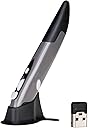
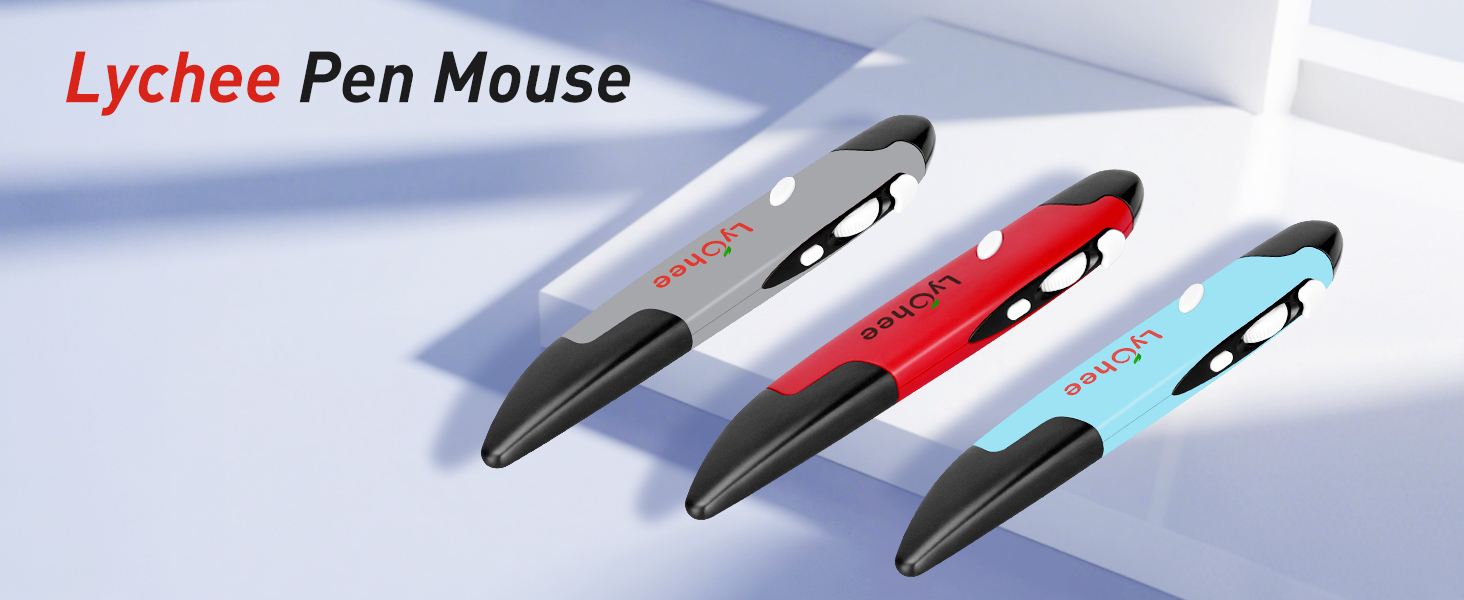
The lychee Wireless Optical Pocket Pen Mouse is a compact, ergonomic input device designed for professionals on the move. Featuring adjustable DPI settings (800/1200/1600) for precise control, a 33-foot wireless range via 2.4GHz USB receiver, and a natural pen-like grip, it offers comfort and versatility across multiple platforms including Windows, Mac, and Android. Its ultra-portable size and plug-and-play setup make it perfect for meetings, classes, and creative workspaces.


| ASIN | B077GM4W11 |
| Additional Features | Wireless |
| Antenna Location | Laptop |
| Best Sellers Rank | #538 in Computer Mice |
| Brand | lychee |
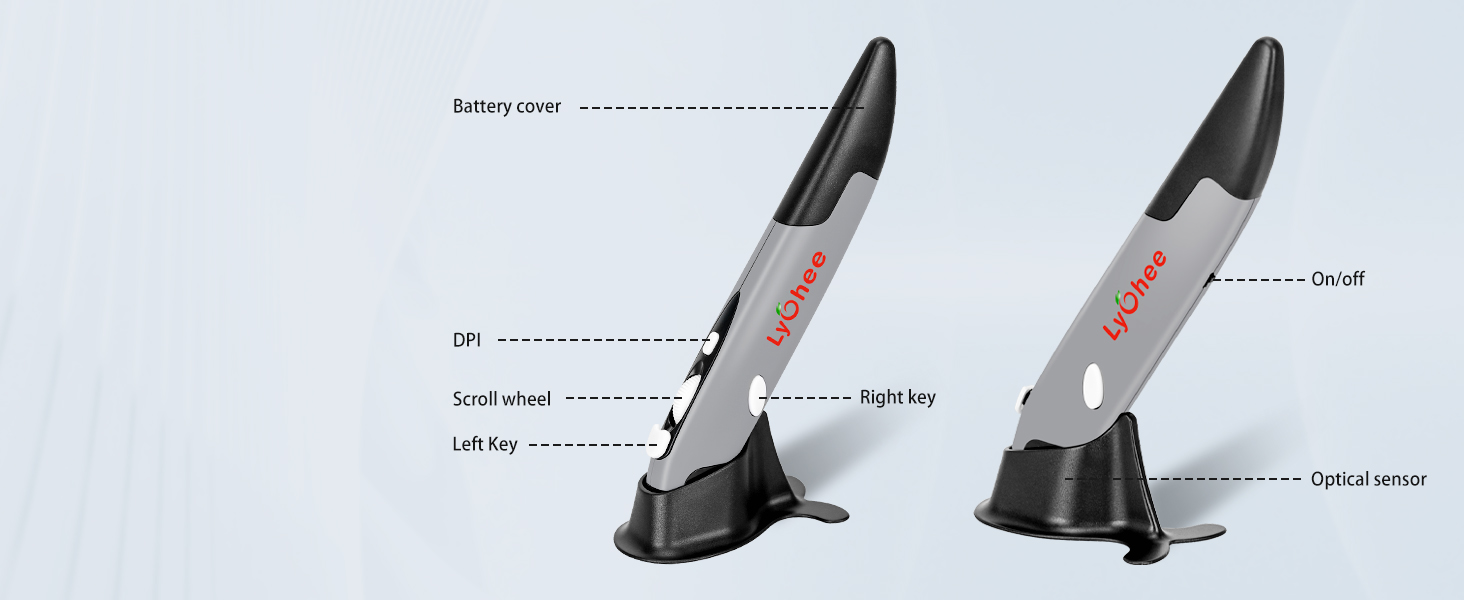
| Button Quantity | 4 |
| Color | Grey |
| Compatible Devices | Laptop, Personal Computer, Tablet |
| Connectivity Technology | USB, Wireless |
| Customer Reviews | 3.8 out of 5 stars 1,222 Reviews |
| Enclosure Material | Plastic |
| Hand Orientation | Ambidextrous |
| Hardware Platform | Laptop, PC, Tablet |
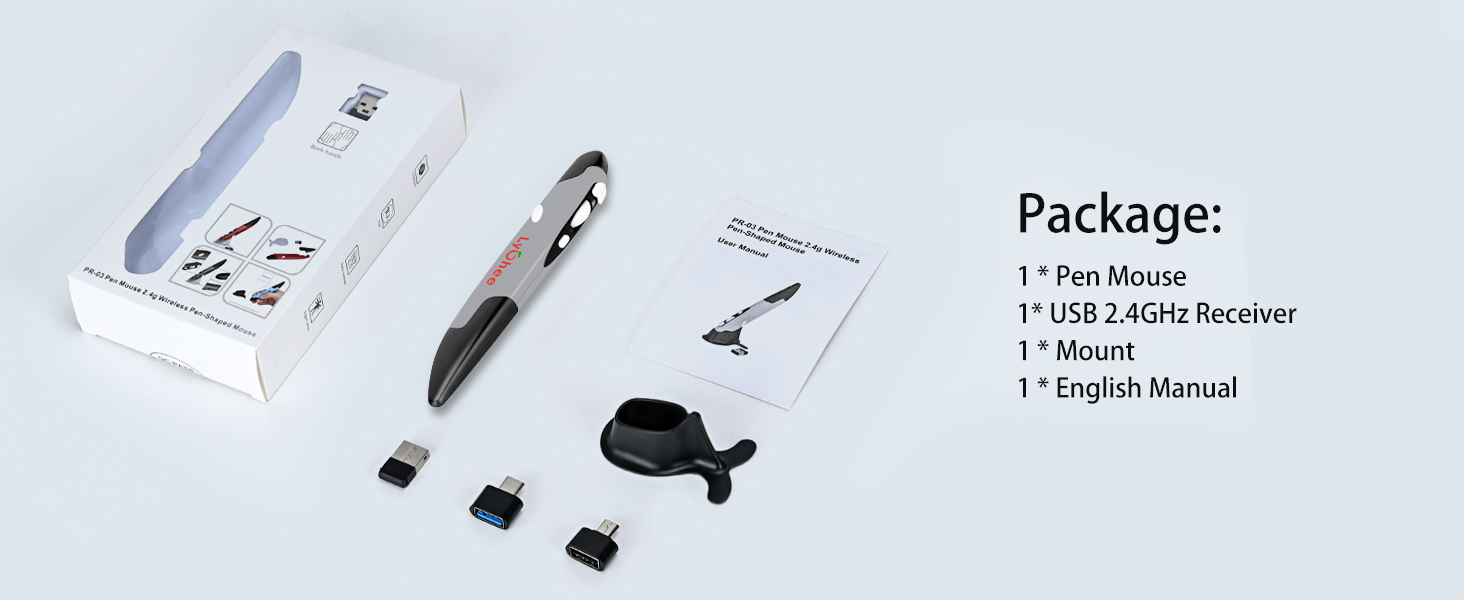
| Included Components | 1 * Pen Mouse, 1 * USB 2.4GHz Receiver, 1 * Mount, 1 * English Manual |
| Item Dimensions L x W | 1"L x 0.6"W |
| Item Weight | 29 g |
| Manufacturer | Lycheers |
| Mfr Part Number | 06-082-001 |
| Minimum Required Operating System Version | Windows 10 |
| Model Number | PR-A18 |
| Mouse Maximum Sensitivity | 1600 dots_per_inch |
| Movement Detection | Optical |
| Movement Detection Technology | Optical |
| Number of Batteries | 1 AAA batteries required. |
| Number of Buttons | 4 |
| Operating System | Windows 10 |
| Power Source | Battery Powered |
| Range | 33.0 feet |
| Special Feature | Wireless |
| Style Name | Modern |
| Unit Count | 1 Count |
J**T
Very Handy Little Pen Mouse
My son loves it! It does what it should. No complaints!
T**T
great alternative to a regular mouse
This mouse has been great for me. I was having issue with tennis elbow. This keeps my hand in a more neutral position. I bought my coworker one. She loves her also. It also makes more sense for our line of work as it requires drawing. It is much easier to draw with this than a regular mouse. Right clicking was a little difficult but not terrible. I tried using it without the stand and with the stand. I personally like to use it with the stand. However, like others have mentioned I have knocked it over a couple of times. I also tend to pick it up like a pen. One thing I wish it would do is have the roller also click like most mouse. I hope the manufacturer see this and incorporates that along with other suggestions mentioned by other reviewers.
A**R
Better than Expected
This was exactly what I was looking for. Didn't know what to expect because it was so cheap. While it is cheaply made, the quality fits the price, not sure what else you'd expect...it still works well. I really enjoy using it over the traditional desk mouse.
X**A
Failed twice.
Difficult to initially set up: no on/off position indication on switch. No diagram to show which way to insert battery. Had to guess. Guessing did not help when initially not working. First one I ordered only worked for a few minutes. Did not work the next day. Button positions felt uncomfortable/unnatural. Seems like the left-click button (top front) was too high. I felt I had to bend my finger way back to use the scroll wheel - did not feel natural. The right-click button (left side) did not feel comfortable to press. Second one I ordered worked for a whole day. Easier set up. I just plugged in the USB adapter, started working. I got a little more comfortable using the buttons. But on the second day I used it, did not work. Was getting very warm. Put in new battery, worked for a few minutes, but got warm again. My guess is that something inside was shorting out the battery. I might have liked it had I used it for a couple of days. But it did not last that long. I do not recommend getting this.
E**O
Not for drawing
Picked this up as a space-saving option for making quick sketches or notes so that I don't have to find a space for full-scale graphic tablet. Unfortunately, it didn't quite work for me. Sensor is fine, and as a pointer the mouse is easy to use. Accuracy of drawing is slightly higher than with a regular mouse and you can even write somewhat legibly (though still much worse than with a stylus). However, this is where positive sides end. My little and ring fingers started getting uncomfortable after some time due to the size of the pen mouse compared to a regular pen. Pressing LMB (forward button) causes slight twitch that is enough to turn a click into short drag and drop. Pressing RMB (on the left side) requires a lot of force and inevitably moves the mouse unless you lift it up. Wheel has no click, and I didn't even realise how much I depended on mouse buttons 3-5. This might be fine as a pointer for certain people, but not for everyone, and if you want to draw, you are probably better off with a drawing tablet.
C**Y
Easy to use and makes life easier!!! Also, find a case for it!!!
I liked how easy it is to set up and use out of the box. I have had mine now for 6 months or so. It's precision and comfort is what I like. I particularly like using it to scroll. It makes me more nimble navigating through webpages and multi-screen documents and is not as painful with long use as a mouse. What I do not like about it is 1) it falls easily. That probably cannot be helped but I still do not like it. 2) it needs a carrying case. I have been using the case my scan marker came in and it works fine. I used to lose pieces of fittings in my bag and always worry about breaking the stand when I carry it in my bag. 3) the top button, referred to as the DPI (could be my ignorance) does not seem to work. Overall, I love the item though.
T**Y
Go ahead and skip this if you're looking for quality
I purchased this after seeing an embroidery digitizer use it in a video online. One of the well-known digitizing software companies even recommends it on its site. While the reviews online seem to vary, I figured at this price it was worth a shot. It arrived quickly. The packaging is okay, though if it had been included in a box with something heavy, I would have concerns about it being protected well enough. The instructions it came with were insufficient at best. They basically say to insert a battery, plug in the dongle to your computer, and the pen will automatically connect as it was paired at the factory. There are no markings on the inside of the pen or in the instructions to tell you which direction to insert the battery. Despite our technical knowledge, neither my husband nor I were able to get this pen to connect to any computer in our household. The wireless mouse I purchased the same day worked just fine though, so that leads me to believe it was a problem with the pen. Holding the pen felt unnatural to me. It's oddly shaped, probably for ergonomics, but it fails in this way. Perhaps others have had better luck, but this is going back and I'll have to do further research on a digital pen.
C**R
No more pain!!
Honestly I'm surprised with how well it works for the price. When I ordered this I was expecting it to perform poorly.... seeing that his was using a cheap sensor. Man was I shocked! This mouse is pretty accurate! It is comfortable to hold, and I have not fatigue using it for hours on end. I even tried gaming with it, which was a awesome experience. I also have more desk space now! Since this mouse doesn't require a mouse pad to track! Also the mouse buttons are not annoying loud, like on mouse "gaming mice". Pros: - Comfortable over long periods of time - Tracks well enough for gaming - Quite clicks - No mouse-pad required Cons: - Mouse acceleration will need to be enabled (it helps when constantly lifting the mouse while gaming) - Right click button on the left side is a little hard to press - No middle click What I would like to see in the future: - Upgraded sensor... like a pix-art sensor - Lighter to press right click - Rubber grips - Higher Pulling rate - Middle click - Include AAA Battery
M**A
Funzionale
Configurazione automatica senza alcun problema. Estremamente pratica e di semplice utilizzo. Ottima la rotellina di scorrimento. Un vero mouse dall'utilizzo intuitivo. Molto preciso.
D**I
Botão on colado com cuspe
Não durou 15 dias e já quebrou
Q**U
great product with lots of room of potential
it is ALMOST exactly what I need. if the manufacturer is watching here are some suggestions. 1. tip of the pen can improved so it angle to follow the most likely angle of the pen. 2. the top "left click" button is work very well. the downward press lock the pend in place making it very accurate. 3. the right click button can be placed adjacent to the left click one. the thumb angle require a bit of effort to click, 4. mouth wheel is too ridge, a tiny bit of looser would be good. 5. if the accuracy of the mouse movement can be improved, this can almost double up as a real pen. right now tuning the pencil down to the lowest sensitivity can make it almost double as a pen. but not quite. 6. the shape can be made slightly more ergonomic to suit hand
N**D
bad experience
The mouse worked for 2 days only , then it stopped working even changing the batteries it still not working after waiting for two weeks till I received the product, sadly it is not working the mouse is very light which is difficult to control it while writing the structure of the mouse is not that good to be able to write in a proper way
S**K
Not good and its of no use.. stopped working in 3 month
Waste. Don't buy
Trustpilot
2 weeks ago
2 weeks ago