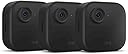
🔒 Stay ahead of threats with Blink Outdoor 4 — security that’s smart, sleek, and built to last.
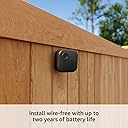
The Blink Outdoor 4 is a 4th generation wireless smart security camera system featuring three 1080p HD cameras with infrared night vision and two-way audio. Designed for easy DIY installation, it boasts an industry-leading two-year battery life powered by AA lithium batteries. Dual wireless signals ensure reliable connectivity between cameras and the Sync Module 2, which supports local USB storage and optional cloud backup with a subscription. Enhanced motion detection with person alerts, Alexa compatibility, and a user-friendly app make it ideal for remote home or rental property monitoring.
| Field of view | 143° diagonal |
| Camera resolution | 1080p HD video |
| Photo resolution | View captured images in 640 x 360 |
| Camera frame rate | Up to 30 fps |
| Size | 2.8 x 2.8 x 1.6 inches (70 x 70 x 41 mm) |
| Unit weight | 5.0 oz (141 g) |
| Power | Outdoor 4 battery: 2 AA 1.5V lithium metal batteries (non-rechargeable) Sync Module 2 power: 100-220V AC to 5V DC converter included. Battery life of up to two years, based on default settings. Battery life will vary based on device settings, use, and environmental factors. |
| Wifi connectivity | High-speed internet connection (such as broadband, fiber, or DSL). Wi-Fi network: 2.4 GHz 802.11b/g/n. |
| Sync module compatibility | Camera compatible with all Blink Sync Modules. |
| Available colors | Black |
| Minimum smartphone requirements | iOS 17 Android 10 Fire OS 8 only |
| Blink app | Blink Home Monitor |
| Included in the box | Includes three Outdoor 4 cameras, one Sync Module 2, six AA lithium metal batteries, three mounting kits, one USB cable, and one power adapter. |
| Audio | 2-way audio |
| Warranty and service | 1-year limited warranty. Purchase and use of Blink cameras is subject to the terms found here. |
| Support | Visit the Blink Support page for more information. |
| Generation | 4th generation – 2023 release |
| Operating temperature | -4 to 113° F |
| Software security updates | Learn more about these software security updates and get information specific to your device. |
| Cloud video storage | To keep videos beyond your trial, subscribe to a Blink Subscription Plan, which stores videos in the cloud for up to 60 days. See Blink Subscription Plans for more information about your plan’s retention period. To keep important videos beyond this period, download them to your mobile device. Free trial is not applicable for accounts with an existing Blink Plus subscription. Your free trial begins as soon as you activate your Blink product. |
T**T
Very Good System & Price. Read My Detailed Review
Overall, I’m very happy with the Blink camera system (and I’m not paying for the subscription). One of the reasons I decided to buy into this system was because I didn’t need a subscription for: 1) Live view option, which means, see the live video from the cameras any time I want via the app, from anywhere. 2) Save videos that were triggered by motion to a USB flash drive (memory stick) inside my house (not cloud only and not stored in the camera itself). Keep in mind, most of my comments here will be related to using the system without a subscription, but I’ll comment on the differences where possible. Also, my comments may be a little more technical than most people would like, but for anyone interested, I’m being as detailed as possible :-) These comments are relevant as of Feb 2024 (the date I wrote this review). Viewing/Storing Your Videos: During the trial subscription period when I could view my motion-triggered saved videos in the cloud, I noticed the videos load/play quicker than if you’re accessing the videos stored on the USB flash drive in the Sync Module 2. Anyway, not a big deal, but it’s a difference. You need to provide a USB flash drive to plug in to the Sync Module, but those are very cheap these days and a 128GB drive will give you TONS of storage for videos since the file size of the videos is not very big. Also, with the cloud subscription there’s a thumbnail for each video saved, which can be helpful in finding important videos if you’re trying to find one with people in it, rather than a video triggered by a dog. Without a subscription, there’s no thumbnail on the saved videos which you view in your app, and it takes several seconds for them to load/play in your app, but it’s bearable. The nice thing is, if you don’t have a subscription, the videos save to your flash drive/memory stick in the Sync Module 2 immediately after the recording is finished. If you have a subscription, the videos only download to your Sync Module’s USB flash drive once per day, at night (as I understand it). Sync Module 2 & Wireless Signals to Wi-Fi & Cameras: The Sync Module is required for the cameras, but you get one of those if you buy a package, like I did. I bought the bundle that included two Outdoor 4 cameras, one video doorbell and the Sync Module 2. It’s important to know the Sync Module and the cameras have TWO wireless signals. One that needs to connect to your home (or business) 2.4GHz Wi-Fi network and one that is only for use by the Sync Module and cameras and that signal is a ‘Low-Frequency Radio’ (LFR) signal. It does not have 5GHz, but you don’t want that anyway because the 5GHz signal is weaker than 2.4GHz signal. The Sync Module is where you connect a USB flash drive (memory stick) to save your videos if you’re not paying for a subscription (and also for once-daily backups of your videos if you ARE paying for a subscription). PLACEMENT OF THE SYNC MODULE IS IMPORTANT! Remember, it has TWO signals. It needs to be placed in an area that has a good signal to your home/business Wi-Fi AND so that it also has a good signal to all your cameras (if you have them spread out in different areas around your home or outside your home). To give you some perspective, my house is a single-story ranch style house (around 1,700 sq ft) and I have a camera outside on each wall (each wall is brick). I was able to place the Sync Module and my Wi-Fi access point in the center of my house. Even in this central location, I have one camera (the video doorbell, about 38’ away from sync module and Wi-Fi access point) that has only 2 to 3 bars (out of 4) for the Wi-Fi connection but usually 4 bars for the Sync Module connection. Long story short, make sure you place the sync module, your Wi-Fi access point and the cameras so they all connect to each other with as strong a signal as possible for best performance/reliability. It worked out well for my house, especially since I have flexibility on where I can place my sync module and home Wi-Fi access point and the technical knowledge and tools to move it wherever I needed it. Outdoor 4 Camera: The image quality/exposure for these cameras is very good. The nighttime IR (infrared) view is very good also (it will appear like black and white footage). The coverage of the IR light when it’s dark is also very good and has better coverage than I would have expected. I have motion-triggered flood lights outside my house anyway, so if my lights are triggered, the camera may not use IR because it sees enough light (at that point it will record normal video in color just like it does during daylight). I bought 25 ft long third-party USB-C cords with a power supply to use as the power source for my Outdoor 4 cameras so I never have to replace batteries and so I can view live video from the cameras as much as I want and also have the infrared light set to High without impacting battery life, because there are no batteries to worry about :-). I don’t know if it’s different WITH a subscription, but the longest period you can record when the camera is triggered by motion is 60 seconds. For the video doorbell the max record time per motion trigger is 30 seconds, just so you know. Regarding the power, I drilled a hole in the bricks of my house (in the mortar actually) to feed power to my Outdoor 4 cameras. One camera is directly under a soffit, so there’s no danger of rain getting in there where the power cord connects (but the cord I bought is weather sealed anyway, not a normal USB-C cord). The other camera is mounted under a third-party security camera cover to keep the sun from beating down on it all summer (it’s on a south wall) and to keep rain off it, just in case…because again, I decided to power this one by a cord that plugs into the back of the camera instead of using the batteries). The included mount is very nice and flexible. If you mount an Outdoor 4 camera under a white security camera cover like I did, you may need to paint the underside of that cover with flat black paint because at night (in my case) the infrared light reflected off the underside of the cover/shield I’m using over my outdoor 4 camera and that made the video made difficult to see clearly. Daylight videos were unaffected, it was just at night in low light when the IR light was active for video recording that was a problem with that aftermarket cover I bought. Doorbell Camera: For the video doorbell the max record time per motion trigger is 30 seconds. Why, I don’t know. Technical limitations? The Outdoor 4 cameras can record 60 seconds of motion triggered video. The wireless signals for the doorbell camera seem to be a little weaker than the outdoor 4 cameras. One big disappointment is that the video doorbell camera can NOT be powered by your existing doorbell power wire. My old Skybell brand video doorbell CAN be powered by the doorbell wires, so it’s a bummer that Blink can’t do the same. You can connect your existing doorbell wires to trigger your indoor doorbell, so that’s good…but like I said, you can’t use that wire to power the video doorbell. I confirmed this with Blink tech support. I hope they have a new version in the future that is able to be powered solely by the doorbell power wires, but for now, I have to keep batteries in it. The video doorbell device has a weaker infrared (IR) light than the Outdoor 4 cameras and lesser quality video than the Outdoor 4 cameras, but overall, it’s good (especially during daylight hours). The included mount is very nice and easy to install. Motion Triggering of Videos + Privacy: The settings/customization for when motion triggers video recording is very good. You have the option to block out as much of the scene as you need to to prevent unwanted triggering of video recordings, such an area of the scene where tree limbs often blow around or something like that. For privacy, you have the option to block out 2 custom size areas in the scene you select for privacy reasons so that area in the video is grayed out. The selected privacy area does not trigger when motion happens in that privacy section and also, when other sections in the scene that you allow to be seen trigger video, the video that's recorded has a gray box in the privacy section (all you see is a gray box). That's pretty powerful and useful, if you need it. Regarding motion triggered video recording in general, I've noticed the cameras can accidentally trigger (record) when it's really misty/foggy outside. If there's a lot of mist in the air floating by the motion sensor, it can trigger a recording. Just something to keep in mind because you may need to adjust the motion sensitivity and/or 'disarm' the cameras for a while until the mist clears because you may be getting lots of unwanted/accidental recordings. I have mine adjusted to the point where the cameras almost never accidentally record unless it's very misty outside, which isn't too often where I am. Audio Quality: The microphones on the Outdoor 4 and video doorbell camera pick up sound very well. I can clearly hear anyone speaking. The closer they are, the better of course, but it's very good. The speaker volume for the cameras is very good as well. It's plenty loud and if anyone is nearby when you activate the camera and start speaking, they'll hear it clearly :-) Blink App for Phone: The app you can download on your phone for managing the cameras/sync module is very nice and has plenty of options to configure/customize the cameras (motion settings, video quality, audio settings, check status, etc). The app is where you view your videos, but of course if you’re storing videos on the flash drive connected to the sync module, you can remove that flash drive and plug it in to your computer to see the video files there or make copies of the files for long-term storage…but of course you can also use the app to save a video file to your phone if you want to keep a copy of share it with someone, like the cops :-). I wish they had an app for Windows so I could view the cameras live and see saved videos on the sync module’s flash drive right from my computer, but at this point there’s no PC app. I think there used to be one?...but if there was, there isn’t one now (Feb 2024). Price: I compared the price of this system and what it can do with other systems like Ring, Nest and Skybell and at this time, the price difference is significant, in my opinion. The Blink system (and what it offers even without a subscription) is better than the other systems I checked out.
M**E
Definite Upgrade from the Blink Outdoor 3!
We have been using the Blink Outdoor 3 on the outside of our garage for a few years now. Our driveway faces a different street than our front door and I hated not being able to see out that way when kids were outside playing or during bus pickup and drop off during the school year. The system as a whole has its issues. It will only work as good as your internet, for one. That corner of our house is almost like a dead zone for electronics. It’s impossible to get WiFi in the garage and the laundry room on that side is notorious for dropping Bluetooth. But that’s not something I can change other than maybe getting a mesh system and I don’t really care enough to try. Because of this (and that I use it for live view a lot for bus pickup in the mornings), our outdoor camera has been the most loathed. You can only live view for 5 minutes at the most. After that, the camera will disconnect and try to reconnect for an ungodly amount of time—usually when the kids are getting on the bus—and by the time I get it back, the kids (and bus) are gone. Then I get endless warning messages about high usage on my device (I change batteries every 2-3 months because of how we use that particular camera), which is super annoying. I live in Minnesota and it gets pretty darn cold in the winter. The cameras will not work in subzero temperatures. I believe that has to do more with the lithium batteries than the camera, but be advised that if it gets cold enough, you’re out-of-luck and will likely have to change all your batteries out after. I bought the 3 outdoor camera deal (plus a Blink Mini) during Oct’s Prime Day so we could replace the one on the garage and add an additional two on the back and other side of the house. It actually came with a Sync Module 2, which I wasn’t aware of and was a pleasant surprise. My first Blink system was purchased before Amazon bought the company, so we have been using the original Sync Module. Because of that reason, we are grandfathered in and never have to pay a monthly fee for storage. For what it’s worth, this is the ONLY reason we stick with Blink despite wanting to potentially try other camera brands. All that said, the Outdoor 4 is a vast improvement. The camera angle is wider and clearer and I appreciate the durable coating on the outside. I still have it attached in outdoor plastic housing, but it’s good to know I wouldn’t have to. It is quite a bit thicker than the 3, so if you have that gen and bought plastic housing before the 4 was offered, you’ll have to upgrade it. Most housing offered now will work with both 3 and 4, but anything made specifically for the 3 will be too thin for the 4 (if that makes sense). We all LOVE the fact that we get person warnings instead of just a general notification (i.e. “a person is at your garage”). I have no idea if that’s a camera upgrade, a Sync Module 2 upgrade, or a software upgrade, but it helps a TON. With 3 outdoor cameras and a doorbell, it’s nice to not have to check the recording right away if it’s not a person that sets it off. I am looking forward to the new Sync Module being released as it improves WiFi range for the Outdoor 4 and comes with scheduling capabilities. Right now, you can only add a schedule for your system as a whole. It would be nice to be able to add a schedule for each camera independently.
V**S
Good product
Love this system it works great. Motion detection,camera and sound quality are good. App is Easy to set up and understand . Overall good value .
M**.
Regret these and I tried way more than most People will
I kept dealing with the annoyances, frustrations and stupidity of these products until the simplest, stupid thing pushed it over the top. Now, for whatever reason, the Blink app chooses to reorder my three synch modules and defaults to the one that has no linked cameras. I go to delete that module and it won't let me delete my own products I own without entering the serial number. WHY THE HELL DO YOU NEED THAT TO ALLOW ME TO DELETE MY OWN STUFF!!! so, here's my full on review of the indoor cameras, outdoor cameras, base synch module, XR extended range module, professed versus actual battery life, and stupid limitations on use of lithium batteries and not to allow a small solar panel to actively charge RECHARGEABLE batteries in the devices just to keep you dependent. 8 outdoor, 4 indoor, one doorbell setup. If nimh rechargeable batteries work why do they annoy you with the low battery icon when you out in freshly charged batteries? Hoping you get sick of thinking the batteries are close to dead and keep wasting your money on disposable lithium ion batteries. It would be incredibly simple to program a firmware update to ONLY SHOW LOW BATTERY WHEN ITS A REAL LOW BATTERY. doorbell version is good but laggy to report. Yes I have high speed and no the interior cameras that are hard wired dont have that lag. Battery life as advertised is a stone cold joke. If you want to get reports and recordings on any normal setting and interval you are going to spend a small fortune on batteries. If you want them to mostly be a visual deterrent, buy dummy cameras and save yourself the money and annoyance. Base synch module delivers nowhere near the advertised range. The XR synch module is MILDLY better but laggy at a distance. Again here, unless you totally want to compromise and lower your settings to lower definition, not as advertised and not worth it. I bought small USB-C solar panels and mounted near each camera. Any reason, other than keeping you dependent and buying batteries, they can't just do a firmware update that allows recharging of RECHARGEABLE batteries while the panel is plugged in? No, of course you can buy an extended battery pack TO USE MORE DISPOSABLE lithium ion batteries. Overall, glitchy, expensive to maintain, deliberately annoying software programming, and I promise you I have tried and tried over an extended period of time to really make these work and want them to work. I dont know what im replacing them with yet but im over it. If I can't even control my own app, the app chooses how to arrange MY STUFF, and this company has the audacity to make me jump through wholly unnecessary stupid hoops to simply delete a device I own on my own account in my own app ill take my business elsewhere.
P**B
They work pretty well.
There are some things to love and hate with this. The first thing to hate is the subscription fee. Locking certain features behind pay walls is something I hate so much. If you let the subscription expire you will no longer get alerts that their is a car or person detected just motion. Although that wont matter much as racoons and cats are "vehicle detected". You can use an on board memory to eliminate the subscription fee which is notably slower to upload and retrieve the video. The other thing to hate here is the range of the XR+ isn't that much greater than the wifi and if there is a building between the camera and the base it wont work either way and what they don't tell you is only 2 devices can be connected with extended range at a time. The last thing to hate is that there is a plethora of settings to customize the experience. I will almost guarantee you will want to fiddle with these settings per location to get the best experience. The motion detection is a little spotty on the outer edges of the camera. If something is right in the middle it does really well. I also have phantom alerts from one of the cameras. I am not sure what keeps tripping it but it is limited to just one of the 8 I purchased. I have relocated it twice and still seems to be alerting at nothing. I did have to trim bushes and trees to keep the false alerts down on the other cameras. Picture quality and sound quality is very nice. and the battery life has been acceptable. If you set the sensitivity settings higher it will drain the battery so this is a give an take. It was easy to set up and get connected. My tip for connectivity is to get everything as close to your router as possible be before installing in their permanent locations. This will allow you to know it was all working before you start. If your cameras have a function to speak through the camera they will not be able to hear you which makes that function useless. If I hadn't have gotten such a great promotional price on these I probably would have returned them but for what I paid there is no better system I could locate and I am so glad I didn't let me first impressions dictate my over all experience they have really grown on me. I want to give them 5 starts but the learning to love it curve just wont let me do it.
E**T
First impression is great! Seems to work well for our life!
We ordered this pack of 3 Blink Outdoor 4 cameras, and also an original Blink Doorbell. Four days in, and so far our first impressions are really wonderful. Due to previous experiences with WiFi cameras, my husband and I were expecting a long and drawn out setup process. I set up the doorbell and sync module on the Blink app first, and I was impressed with how quickly and easily it set up. With the three cameras, one was going to be easier to install (it didn’t involve a ladder, the other two would) so we tried it first. Yet again, set up and installation were so easy we were surprised and decided to put up the other 2 as well. All together, set up of the camera doorbell, sync module and 3 outdoor cameras took right about an hour. We were throughly impressed! We spent another little bit quickly syncing it to our Alexa devices and learning the features there. Camera quality for the these seems to be good so far. The videos it captures are clear even at night. I have one I’ve left at stock settings for motion sensitivity and such, and the other two get considerably less traffic and seemed to miss things occasionally so I bumped them up a bit. But they aren’t going off for no reason and do seem to pick things up much better. I love the notifications, they’re timely and the cameras always record when they should. I really really appreciate how the app strings together video from all the camera that captured footage during an event. It’s seamless. I plan on purchasing a set of AA lithium rechargeable batteries so I have an extra set for the cams and doorbell, as I do anticipate to need them for the doorbell and one camera as it’s high traffic but I do want to see the traffic. Additionally I like the various features of the app like arming and disarming all cameras, or being able to turn motion off just one or two. I will update this review in a couple of months with how things are going, but so far we are impressed!
S**L
Excellent wireless home security cameras with easy installation and setup!
I have been using Blink cameras since 2018 with the original Blink XT model (which are still in use at my house and working fine) so I can say that the Blink wireless cameras are built well and made to last! The Blink Outdoor 4 is no exception, these have a great build quality and better specs than the older Blink models like better image processing and wider field of view which is great for being able to better capture blind spots.. The main things I love about these cameras is the ease of install (it only takes two screws to mount the bracket) and the long battery life (the Energizer Lithium AA batteries usually last about 2 years for general use) so once I mount the cameras I don’t have to mess around with them for a while. When it does finally come time to change the batteries, I simply pop the camera off the mount and the back plate easily removes without any tools, making it easy to replace the batteries and get the camera reinstalled. The wider field of view on the new Outdoor 4 cameras is very helpful for capturing more of my property so there are less blind spots. The image quality is good especially for a fully wireless camera (just don’t expect it to be as good as a wired super high resolution camera). Night vision on the cameras works pretty well and helps me see what is going on around my property even when it’s pitch black outside. Setup of the cameras in the Blink app is easy by simply scanning the QR code and adding each camera. From there, the camera settings can be configured for various motion zones based on your needs, clip length, quality, night vision, etc. If you pay for the subscription fee you also get access to saved clips, cloud storage, person detection, extended live view, and clips as well as some other features as well. The clips feature is nice because it combines clips that are triggered by the same sequence of events and puts all of the related video clips into one continuous clip that makes viewing it easier. Overall, I’m a big fan of the Blink security cameras. I have them all around my house for peace of mind and just generally checking on my property. I usually take advantage of the sales they have throughout the year whether it’s on Prime Day or Black Friday as they have good prices on bundles with multiple cameras. The Blink Outdoor 4 cameras work great and can mount virtually anywhere within wifi range of the Blink control module. These are a great addition for anyone who wants to add wireless security cameras to a property, I highly recommend them!
G**I
Reliable, clear, and truly "set it and forget it" security
The Context: I’ve been using the Blink Outdoor 4 system to keep an eye on the property, and it has been an incredibly straightforward experience from day one. I was looking for a balance between high-quality video and low maintenance, and this system delivers on both fronts. The Performance: Picture Quality: The 1080p HD video is crisp and clear. During the day, the color accuracy and detail are excellent, making it easy to identify faces or license plates. Even at night, the infrared vision provides a very usable image with good contrast. Battery Life: The two-year battery life claim is one of the biggest selling points, and so far, it has lived up to the hype. It’s a huge relief not to have to climb a ladder every few weeks to charge a battery. Even with frequent motion triggers, the power management is very efficient. Installation & Setup: The setup process is remarkably simple. Since they are wireless, you can mount them almost anywhere with just a couple of screws. Syncing them to the module and the app took only a few minutes, making this a great option for someone who wants a security system without a complicated hardwired install. App Performance: The app is intuitive and sends motion alerts quickly. The two-way audio feature is clear enough to communicate with anyone at the door, and the customizable motion zones help prevent false alerts from passing cars or swaying trees. Pros: Excellent Battery Longevity: Genuinely wireless with long-term power. Simple DIY Install: No professional wiring required. High Clarity: Great 1080p performance in both day and night modes. Cons: Subscription for Storage: To get the most out of the cloud features and recording history, you'll likely want the subscription plan, though local storage options are available with the Sync Module 2. The Verdict: If you want a dependable outdoor security camera that doesn't require constant attention, the Blink Outdoor 4 is a top-tier choice. Its combination of clear video, ease of installation, and long battery life makes it one of the most user-friendly systems on the market.
Trustpilot
2 weeks ago
2 weeks ago