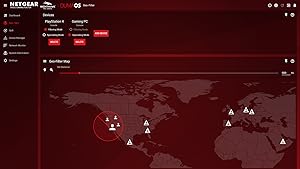
🎮 Dominate your game with zero lag and lightning speed!
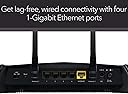
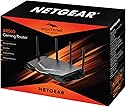
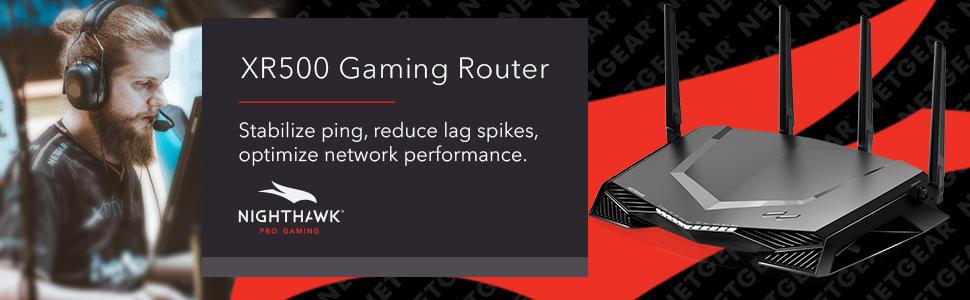
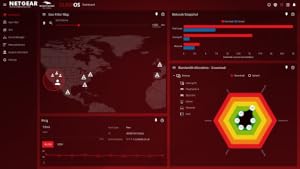
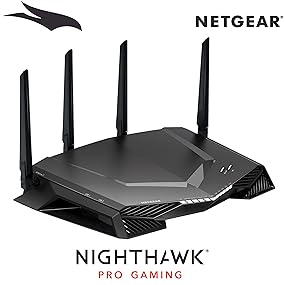
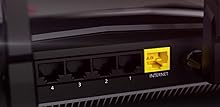
The NETGEAR Nighthawk Pro Gaming XR500 is a dual-band AC2600 WiFi router designed for serious gamers and professionals. Featuring a 1.7 GHz dual-core processor, four gigabit Ethernet ports, and advanced QoS with Geo Filter technology, it minimizes ping and lag spikes for a seamless online experience. Its real-time gaming dashboard lets you monitor network performance and prioritize traffic, ensuring you stay connected and competitive. Ideal for home or small office setups, it supports WiFi 5 (802.11ac) and includes VPN protection against DDoS attacks.


| ASIN | B078GWJ44Z |
| Antenna Location | Gaming |
| Antenna Type | Fixed |
| Best Sellers Rank | #50,398 in Computers & Accessories ( See Top 100 in Computers & Accessories ) #1,238 in Computer Routers |
| Brand | NETGEAR |
| Built-In Media | XR500 Nighthawk Pro Gaming Router (XR500)^4 detachable antennas^Ethernet cable^Quick start guide^Power adapter |
| Color | Black |
| Compatible Devices | Phone, Tablet, WiFi-Enabled Devices, Media Streaming Devices, Computer, PC, Mac, Gaming Consoles |
| Connectivity Protocol | ethernet, wi-fi |
| Connectivity Technology | Ethernet, Wi-Fi |
| Control Method | Voice |
| Controller Type | amazon_alexa, vera |
| Coverage | Home/Small Office |
| Customer Reviews | 4.4 out of 5 stars 4,593 Reviews |
| Data Transfer Rate | 2600 megabits_per_second |
| Frequency | 5 GHz |
| Frequency Band Class | Dual-Band |
| Global Trade Identification Number | 00606449131185 |
| Item Dimensions L x W x H | 2.2"L x 12.7"W x 9.6"H |
| Item Type Name | NETGEAR Nighthawk Pro Gaming Wi-Fi Router (XR500), AC2600 Dual-Band Quad Stream Gigabit, Gaming Dashboard, Geo Filter, Quality of Service (QoS), Gaming VPN Client (XR500-100NAS) |
| Item Weight | 3.7 pounds |
| LAN Port Bandwidth | 1000 Mbps |
| Manufacturer | NETGEAR |
| Maximum Upstream Data Transfer Rate | 800 megabits_per_second |
| Mfr Part Number | XR500-100NAS |
| Model Name | XR500-100NAS |
| Model Number | XR500-100NAS |
| Number of Antennas | 4 |
| Number of Items | 1 |
| Number of Ports | 7 |
| Operating System | RouterOS |
| Other Special Features of the Product | WPS |
| Router Firewall Security Level | High |
| Router Network Type | wired/wireless |
| Security Protocol | WPA-PSK;WPA2-PSK |
| Special Feature | WPS |
| UPC | 606449131185 |
| Unit Count | 1 Count |
| Voltage | 220 volts |
| Warranty Description | 1-year warranty |
| Wi-Fi Generation | Wi-Fi 5 |
| Wireless Communication Standard | 802.11ac |
| Wireless Compability | 802.11ac |
M**T
Incredible power, incredible features and incredible support. This is a gaming router done right, look no further!
I've been a long time fan and customer of Netduma ever since they brought out their first router. To give you an idea of who Netduma are and what they represent, it's very simple: They are gamers developing for gamers. If you want a team that's passionate and dedicated to bringing you the best technology to help enhance your gaming experience then look no further. The proof that they deliver on their promises of helping reduce lag and improve network performance is supported by their recent partnership with Netgear. When I heard of their partnership and the fact the Netduma's new and improved DumaOS would be powering the already powerful and renown Nighthawk, it was an instant purchase for me. For gamers wanting a router that has both sheer power combined with ease of use, look no further. This is the router for you. The sheer size and design of this router instantly caught my eye, this thing is a beast! The product came with everything needed to get started quickly and setting up the router prior to installation was a breeze. Setting up the router and connecting all my devices was honestly the easiest thing I have ever done. Simply follow the instructions (there's maybe 3 steps!) and you're good to go. The router re-directed me instantly to the setup page, updated itself to the latest firmware and walked me through every step. To point it bluntly, the setup is idiot proof. Now the Nighthawk has always been an incredible product for any gamer but with it now being powered by DumaOS, this router is a step above anything I've seen. To say the router's user interface is user-friendly would be an understatement. It is a huge step up from Netduma's previous design and allows even the most novice computer users to tailor the router to their own needs. The router provides a quick and informative tour of all the features you can use, navigating you every step of the way. The new dashboard can be entirely customised, allowing users to place their most important features only a click away. I run a fairly heavy system which includes multiple consoles, multiple desktops/laptops and a whole host of wireless devices. So far everything has been working flawlessly and with the inclusion of 5GHz wireless connectivity I've noticed improved speeds for those connected devices. I've tested my connect speeds (wired and wireless) multiple times and since purchasing the XR500 Nighthawk I've noticed improved speeds and reduced ping. This is on top of an already consistent and high quality connection that I had previously. Even for non-gamers, this router can be an excellent choice for anyone wanting to keep tabs on their network. The Device Manager allows you to effortlessly see what products are connected, how they're connected and whether they're currently online. See something you don't like? You can easily block the device and remove it altogether. This can be great for families wanting to restrict Internet usage at late night hours and with the parental control settings, connections for devices can be tailored specifically so that they are unable to get online during certain hours. You really get the sense that this router is designed to work for you and handle any task you throw at it. If there's one thing that I can say, it's that the best part of this router is knowing I have the Netduma support watching my back. Going back to my previous comment, these are gamers first who know exactly what we want from a gaming router. For any technical problem or concern they have always been there to listen and provide assistance wherever possible. There's nothing more frustrating than having technology breakdown and not work. Netduma have an incredible support system, an active forum and from first hand experience, will always be there to help you resolve any issues you have. No more sending emails in a vague hope of getting a reply and dealing with strangers. The team is friendly, passionate and actively prepared in getting any issues resolved asap. The community is supportive and will always help users encountering issues. When you have a Netduma product, you're part of the Netduma family where only the best connections and experiences are found. I can't recommend this product enough!
M**C
This network engineer is very impressed
I’m a network engineer and I wanted to replace my enterprise gear at home with something simple to manage, yet powerful. I’m getting old and I’d rather not troubleshoot network problems at home. Not that it happens often, but it’s been a nightmare when the wife calls saying that the Internet isn’t working. Time to downgrade. Enter the Netgear XR500. The XR500 ticks off the boxes I was looking for: -It does not need to be rebooted for silly wireless issues. It’s rock-solid stable. -Never needs a reboot to change a setting. -The WiFi range goes well into my yard, past my neighbors home and into the street. How?? It blows away a multiple AP setup it replaced. -My iPhone X is speed testing at 91/5.5 on a 100/5 Internet connection. My computers test at 110+/5.5. -AirPlay runs flawessly to my Apple TV 4K. -Initial setup is simple. My dog could have done it. -VPN is simple to configure and has detailed instructions accompanying the menu options. -Dynamic DNS is insanely easy to turn on. It even configured an account for me. While there are very few drawbacks: -Remote admin can only be secured to one IP or a range. I can’t input a list of IP’s I’d like to have access from. -There’s no mobile app for DumaOS. The web view works pretty well on mobile though, so I’d say that 75% makes up for it. (UPDATE 10/27/18: The Nigthawk app works great with this router; I highly recommend it.) -I could not get the Internet to work in “manual setup” mode. The router would proxy any DNS address to itself: 192.168.1.1. There might be a bug that caused the proxy not to turn off, or maybe there’s a setting I simply couldn’t locate. When I used the automatic setup, Internet started working in one click. Overall I’m very happy with my XR500 and I’m excited to have my home network all under one box again. My “issues” with the router are all “fussy network engineer-problems” that most users would *never ever* encounter. Since my number one concern was stability, I would go as far to say that there is no other home-class router on the market that could satisfy me. I’m a demanding user and the XR500 delivers in spades. In the network world, this thing is the equivalent to an indestructible tank. Congratulations to the Netgear and DumaOS teams who developed this product. You absolutely outdid yourselves. UPDATE 10/27/18: I'm still absolutely loving this router, and I can't recommend it enough. I recently updated my XR500 to the latest firmware, and believe it or not, it didn't require a reboot! This thing NEVER needs to reboot. You may be able to tell that I'm the kind of techie that gets excited about servers with up-times measured in decades. The XR500 definitely gives off that feel! I hadn't thought about it until today, but we never have network problems at home anymore. Not even one- The last time the Internet stopped working, it was because the power was out during a storm. This device is amazing, and I have ZERO regrets in my purchase decision.
G**A
A Gaming REVELATION!
If you’re a gamer, get this router! I can’t express enough my gratitude for this thing. The combination of the best hardware in the business (Netgear) and the best software (DumaOS) make this router a blessing for online gaming. Seriously, a BLESSING. I've been playing (mostly) CoD on Xbox Live for over 10 years. Once I moved to a fiber connection (Verizon Fios), I started having issues. I'm sure some of you know what I'm talking about. Rubber bullets seemingly doing no damage, straight up hit detection issues, everyone else having the jump on you, and opponents with seemingly instant reaction time who melt you instantly. I chalked it up to the game giving an advantage to higher ping times to "balance things out" and figured low pings like myself get hosed. This actually made me skip out on the last 3 CoD games until WW2 (well, that and the jetpacks). Anyway, I bought WW2 and again was having the same problems noted above where i struggled just to break even. I almost gave up but instead decided to do more research. That's where I learned about Netduma and this thing called bufferbloat. I always tested my ping times on speedtest.net and got super low pings. What I didn't realize was that, due to my dated ISP-provided router, my pings would spike constantly sometimes to over 1000ms. I took a chance on the XR500 to see if it could make a different. My online experience with this router was nothing short of a REVELATION! I won't list all of the settings since most of them are on by default, but basically I prioritized gaming traffic and set the QoS sliders to where I’ll get an “A” for bufferbloat when doing a speed test on DSLReports.com. Prior to the XR, my bufferbloat was always a “C”. I’m not well-versed in the technicalities, but to me bufferbloat just means LARGE spikes in ping times which were totally killing my gaming experience. I've had 2 gaming session since making the changes and the difference is absolutely amazing. Before, I would get 1 game out of 15 per night where it felt like it was running like it should. Now, I'll get 14 out of 15 games that run like it should and when it doesn't, it's just a laggy lobby. All this and I haven't even messed with the GEO Filter settings yet! This router and software has essentially renewed my excitement for online gaming. I realize it's a small sample size right now, but I'm very confident these improvements are permanent. Thanks Netduma and Netgear! As far as the router itself, here’s some things I noticed right away that I really like: - Wifi coverage blows away my old router (I’m actually getting WAY more peak upload than what I used to get too) - It looks AMAZING - Most of the appropriate gaming options are already set up out of the box (save for the GEO Filter) - The router user interface is extremely simple and intuitive. - You can have both the 2.4ghz and 5ghz bands with the same network name and the router will automatically choose which one is best for each device that gets connected. One less thing to worry about. Could not be more pleased with my purchase!
J**Y
Beastmode Achievement Unlocked
After over a decade of loyalty to Cisco based routing products, I made the switch to Netgear when purchasing this router in February of 2018. I don't write reviews. Ever. For this router, I felt the need to write a review because if you are looking for a router with consistent updates, and a community that fervently communicates needs and upgrades to Netgear, with Netgear actually listening, look no longer, this is the product for you. I know how much time I took researching routers myself, so hopefully this will help you too. 1. Setup—a breeze for those who know the ins and outs of networking. An app is available to those who are less network savvy. If you don’t know what you are doing, there’s always help and forums where you can find out how to get to where you need to be. 2. Features—I found many of the same tools that I had from my Linksys E3000 available with this router. And then there’s what my last router did not have. DumaOS takes what is already a killer router and just puts it way over the top. Everything is customizable. If I want to shut down a ton of IPs so I can game with a consistent ping of 12-15, I can do it with a mouse click. With testing, I’ve seen a ping as low as 8. Part of this magic is the DumaOS multi-node connections module that is based on geographic proximity. The pic I’ve provided with this review shows a ping of 18, and that is with about 35 IPs running, including 2 Nest cams and a DCAU setup for mesh backhaul with 2 additional APs. The internal processor of this router makes this possible. I could go deeper into everything I have connected but you would be easily bored and stop reading this review. Again, DumaOS is the heart and soul of this router. I almost wish there was an option for purchasing an ultra version of DumaOS. It’s not a perfect world, but it’s really the best out there for maintaining a rock solid connection. 3. Reliability—I haven’t once needed to restart the router for any reason related to the router, only from activities by my ISP (Xfinity). And I’ve only done that three times over 9 months. The connection to all my devices is rock solid, does not drop out—at all. I’ve been able to run my other two Linksys routers with the same mesh config I was using with my E3000 with no issues. 4. Range—I can’t really review this aspect as I have a mesh set up. 5. Ports—has all the ports I need. It’s worth noting that I do not have an NAS attached to the router. I’m not really a believer of NAS due to the I/O load it puts on a LAN. I would barely even use the NAS if I had one, so it doesn’t make much sense in my application to use one. I would caution against using one if you are looking to use this for gaming. 6. Price—the old adage “you get what you pay for” applies here. This isn’t a router for those looking for a “best bang for the buck” type of application. If you buy this router, you know why you are buying it. It delivers for every penny spent on it. 7. Looks—every router looks like a UFO these days. Can’t say much here, it just looks cool, period. 8. Remember—a router is only as good as its ISP. So keep that in mind. If you have problems currently and think this router may fix them, rethink your approach. If you really want to step up your game, this is the router for you. Netgear and DumaOS have made me believers. Maybe they will make you one too.
C**N
Fantastic, except for Geo Filter
Firstly, I have great cable internet from Cox. BUT, I was inexplicably having lag and connectivity issues when playing games like Rainbow Six Siege on our PS4's. I opened support tickets with Ubisoft (the game developer), who found no issues. I contacted Cox; they sent techs to my house...ran speed tests, and speeds were great; they found no issues. It was incredibly frustrating, but then I finally discovered the cause of my issue....something called "buffer bloat", and poor traffic management. The cheap Cox router didn't have any QoS settings or anything that would help me prioritize traffic, so other devices in my house (like my daughter's phone, iPad, etc.) were cutting in line, basically. Despite having great speeds and bandwidth, the Cox router does a poor job of handling the traffic. I've been using the XR500 router now for a little over a week or so as of this writing, and my lag/connectivity issues have been completely resolved...100%. It is far superior to what I was provided by my ISP. Okay, now for a gripe. I probably could have gotten a cheaper router to handle these issues, BUT I invested more money into getting this one, because of the heavily-vaunted "Geo Filter" feature. When playing Tom Clancy's Rainbow Six Siege, Ubisoft's matchmaking takes me, a player relatively close to the Eastern US datacenter, with really low-ping (good), against players in Guatemala and way down deep in South America with pings over 10-times my own (bad). Granted, that's an issue with Ubisoft. That said though, this feature was advertised to keep me away from these issues, and "Tom Clancy's Rainbow Six Siege" is in the router profiles for Geo-Filter. Well, sadly, this feature doesn't work for me. I followed the procedure for allowing teammates, etc. via the Geo-Filter settings, and at first the game chat worked fine, but in the middle of the match, it just randomly stopped working, and I couldn't communicate over the mic with teammates, so I had to turn this feature off. First off, I don't see why I need to "allow" players who are INSIDE the range and ping values I set (one of which is in my house...LOL), via the Geo Filter settings...but even when I do, the game chat is buggy. I should only have to explicitly allow people OUTSIDE my geo-filter range and ping settings, if needed. More work needs to be done to shore-up this feature if it's going to be so heavily advertised. Granted, I'm not even sure they can really control who ends up in my game, based on the game-developer's server setups (so my expectations may not be realistic)...but the way this feature is advertised, it promises to do that...and I'm a bit disappointed in just this one area. Overall, the router is quite powerful and resolved a lot of issues for me, and I'm glad I got it. Now if they come out with a firmware update to strengthen the "geo filter" feature, I'll be ecstatic....like off-the-wall ecstatic.
T**Z
Better than I thought
UPDATE: Just wanted to say after some software updates you can now finally use almost any VPN service with this router. A flaw, however, is you will be limited to about 20Mbps on anything you decide to VPN due to hardware/software limitations. Basically, Netgear doesn't want to run the CPU too hard to allow it to go faster. I am using it anyway but I am very selective on which devices I VPN. I do not VPN any video game consoles or streaming TV's etc. Anytime I want to download something faster (IE: Large file) I have to go in and remove my PC( or whatever device) from the list of devices VPN is running too. I would have to use the desktop VPN application to get full speed. It is a mild annoyance but will admit I don't have to do it often. Still a good purchase in my opinion. My reason for purchase was partly really outdated equipment in my house and partly because when I do play online games I want to be sure my connection is never the issue. First off I'm loving the DumaOS. The BufferBloat tool is great and I love the ability to set a range for players in online matches if games. This mostly matter is FPS games I would say but since I bought it I will say I have had very few laggy lobbies. Obviously, I can still connect to someone else that has some kind of awful connection but that's rare. The range on this is an A+ also in my books. I had a wifi extender plugged in on one side of my house before this router to get better signal farther away but that is now unplugged and full bars everywhere even out in the yard. I do not have a large house by any means but full bars everywhere is amazing. This thing is very expensive if you don't see yourself using the DumaOS and customizing a lot of features I would strongly recommend just buy something cheaper. I have this router paired with my Docsis 3.1 Modem and I expect this equipment to last me a long while to come. This router has a load more features than I care to mention, but one of my disappointments currently is for VPN clients your restricted to only using a company called HideMyAss. I tried it out and requested a refund on it next day. The service is slow. I know using VPN is slower than just being connected but I went from 130+ Mbps to 20Mbps... Just doesn't seem right. Apparently, DumaOS people are working on an update to use any VPN service but no idea when that's going live.
M**L
Updated firmware, bricked the router, Netgear doesn't care
A few days ago I updated the firmware on my Netgear Nighthawk XR500 wireless router... something I do periodically to gain access to new features, to address security issues, and to fix bugs. More accurately, I "attempted to update" the firmware, as the attempt bricked the router. I am a technology expert, and a man of principal... so I spent the next 5+ hours attempting to fix the issue. Attempts to "factory reset" the router failed. It then took three hours to find the "magic sequence" which made it possible to manually flash the firmware with images I downloaded from the Netgear website. I tried multiple images... the latest, the oldest, the "one in the middle"... all attempts to recover the router failed. I verified that the power supply was delivering the promised 12V at 3.5A... all good. I then called Netgear support and was (eventually) connected to a person with a heavy accent... a "script reader". I described the situation I was in... and she asked me "Did someone from Netgear instruct you to update the firmware?". Wow... so this is somehow my fault because I felt it prudent to apply security updates? I see it as a civic duty to apply security updates... akin to getting innoculations. My insistance that Netgear killed my perfectly good router fell on deaf ears, and that if I needed support I'd need to purchase a contract for support. After several minutes it was clear that I would get nowhere with this person, so I asked to speak to a supervisor. I was told that no one was available, but that if I liked she'd have the supervisor call me back. I got the callback this morning (which went to voicemail)... two days after the router died. Too little, too late... as I'd already ordered a replacement, an ASUS AX5400. As most of us are still working remotely, having internet access isn't a nicety... it is a necessity, so I really couldn't wait for a callback which might never come. Moreover I had little hope that speaking with the "supervisor" would achieve anything, other than further raising my blood pressure. So I will not be returning the call. I initiated this update from the Netgear app on my iPad... not as sketchy as it might sound as this is equivalent to doing so when managing router properties via the web-based UI. Just before initiating the update, the app covered the screen with an advert urging me to sign up for their paid support service... which I declined. Then the app proceeded to brick the router. Coincidence? I somehow doubt it. I was quite happy with the Nighthawk... with its very cool, capable DumaOS operating system. I won't be purchasing another product from Netgear, ever again. Do I expect a better experience with an ASUS product... or for that matter from any other vendor (other than Apple)? Probably not. But I *know* Netgear sucks, so I'm done with them. I'm considering lodging a complaint with the BBB. In closing, I'm very unhappy with the situation we find ourselves in with respect to companies like this. They killed my router, not me, yet there isn't a damn thing I can do about it. Well, other than take my business elsewhere... to another company which likely will be no better.
U**O
Damn this things strong on signal
First important note for ps4 users: The geo filter WILL try to filter your connection on ps4 black ops 4. It is important to note that if you are playing blackout in a premade party and one member is out of the geo range “you” set in the router, you will get a lobby error! Note this is not an issue, the router is simply acting upon “your” settings in the geo filter and refusing the connection, so alter the setting or just disable geo when on ps4. Again though, its not an issue its just doing what you tell it. We live in a townhouse that has more wireless interference then an entire military base and this thing just PLOWS right through all of it. We also have about 30+ devices connecting at any given time of day and have always had issues with lag spikes in games too. Not anymore. The range over 5ghz is also beastly. I usually use high end asus routers but this thing even if it didnt have dumaos just mopped ASUS in the rear. Never thought Id buy a netgear again but glad we did. Never had a better router. This is high end by far!! We did heavy research and considered both the asus and the tp link competition to this, overall the other 2 seem to have alot of issues if you dig enough into the bad reviews. Dropped connections are not something Im going to deal with again and the only rare complaints about it on this one, the xr500 HAVE been fixed by a simple firmware update. And I confirm thats true, I have had ZERO wifi drops with this even when my wife and two dauhters , and their bfs are over and everything in the house is on and going haywire. Not to mention the throughput speed to all of the devices is top notch, i can even go outside to the mailbox and still get the max isp speed if i disable qos on 5ghz ( I wouldnt disable QoS except for anything but testing functionality though) . Being able to select which devices get priority for games, and even which game to optimize for network play is just bonus. The real time graphs in duma os are insanely .... idk.. addictive to look at as well! You can totally freak your family out with it with the data it shows too. “Hey! I see you on amazon!” “Wtf how?” Router secret graphs .... bwahha Final note. This is for any router really but you should “not” I repeat, not, use the feature that combines 5 and 2.4 ghz signals into one name. I think they adde this just to be on par with features but it can slow your wifi down if something happens and the router puts something on the 2.4. Better to work through the problem and fix it then let the router move you to the crappy slower band.
C**.
Ercelente
Instalación muy fácil, viene en varios idiomas, mi casa es de dos pisos y la señal llega a toda la casa. Puedes seleccionar equipos para darle prioridad y dar todo el ancho de banda a ese equipo, puedes seleccionar los servidores al que te quieras conectar ( para juegos COD WZ)
C**R
Strong 2.4Ghz signal and Duma os is best
I have a dead zone in my duplex house which my old dlink 605L can only show 1point and cannot have stable connection. Signal strength of this in 2.4 Ghz is penetrating there also which great. I can able to login to office and work without any noticable issue any where from home. 5 Ghz is just passing 1 wall. whereas 2.4 Ghz is passing 2 to 3 walls in between. Another thing about this router is Duma Os which is awesome if u r monitoring and managing home network frequenty. DHCP settings works as charm as I have some IOT devices where I need static ip address to be assigned. Overall its good router and value for money if ur house is having lot of dead zone and u r serious about ur home network.
S**E
I no longer have to game after 11pm because of bufferbloat and lag!
******** Quick Rating ******** Pros: - Does help to keep pings consistent for the most part. - For basic use, it's easy to set up; but more advanced users will appreciate some of the under the hood settings. - Fixed my bufferbloat issues. - UI in the admin panel is practical on desktop, but useless on mobile. - Bandwidth control on a per-device level is really nice. - Looks amazing. - Encrypted guest access. Cons: - Can cause some games to simply not connect if servers are outside of the geofenced area. - No mobile admin UI; Netgear app is very limited and doesn't make use of any of the features this router has to offer. - Ironically, I'm not getting the best pings I've ever had with this router, but the connection is stable. - Weak content filtering. ***************************** Let me start by saying that I've tried several high-end routers before settling on this one. We have several gamers in the home, but also have a lot of streaming and high-volume data transfers happening throughout the day, so the network and internet at home take a beating. Previously, I was constantly having bufferbloat issues no matter what I did - this made it impossible to game unless it was after 11pm and forget about live streaming during the day - it didn't happen. My internet is a 150/10 cable connection and it's usually always stable. The XR500 has several features that I really wanted to take advantage of: - Geo-filtering connections while gaming online. - Granular control over bandwidth used by each device. - Bufferbloat protection. - Guest networks with encrypted connections (it's shocking that other high-end routers don't offer this...). All of these needs were met, although there were a few caveats. Most games do fine with the geofilter - I set mine to 2000km as it gets a good part of the east coast from where I am. Certain games like Rocket league (which have previously been notorious for me when it comes to lag) will often kick me out when looking for a server because the host or another player was outside of the geofilter. I would say this can happen maybe 3 out of 10 times when looking for a host. But when it does connect, the pings are STABLE - not the lowest I've ever seen - but stable! Using this with my Xbox One has been very simple. When gaming on a PC, the geofence works a little differently because it can't auto-detect games as easily. When you add a PC, it basically gives you an option to select a geo filter by game (some like battlefield, COD, Overwatch are listed, but others like CS:GO and DOTA 2 are listed as "Source engine). You have to select one of those and it will set a distance for the geo filter for you. But you will automatically be put into "spectating mode" when selecting a PC, which means it's not using geo filtering. The idea is that PC games are good enough when deciding which server to connect to, while consoles aren't... at least that's what I've been reading about this feature. That said, I only use geofiltering on my console. This router does have features like secure remote management, VPN, content filtering, guest access, and many other features you'd expect on a router of this calibre. I will note that content filtering isn't nearly as good as it is on the Netgear R7000 I was using previously, which worked via opendns to filter categories of websites and not only keywords. Regarding guest mode, this is as good as it gets. You can set up both a 2.4GHz (b/g/n) and 5GHz 802.11 (a/n/ac) guest SSID and can set whether each guest can see another on the network. Guest access can also be encrypted. Overall, I'm happy with this router. My connection is as stable as it's ever been and my son no longer yells at me because of lag ;) I wish that a mobile admin UI would be available, but this router is great as a set-and-forget unit.
A**R
Consistent A+ bufferbloat.
This has been a nice upgrade from the both the Netduma R1 (which I stopped using because it was a little glitchy and the wifi wasn’t great for a medium to large house) and the Netgear r7000 (which was “ok” but did not have the features of the DumaOS). I did extensive testing today when I got it and I can’t believe how well the Anti Bufferbloat works. Internet in my area is not the greatest - Average ping times on PSN (Cod / Fornite) were always around 85 - and with this - around 52. For those that don’t know, that doesn’t sound like much, but for those that game - it’s life or death. Testing bufferbloat on dslreprts I continuously get A+ rating with everything set at 75% and set to “only when needed”, which is nice because it doesn’t screw up the internet speeds for everything else. With my other router, the tests were never consistent, but with this I must have ran the test 40 times and all were A+. I was shocked as I always just though it was my crappy ISP why the results were never consistent. I literarily just got my first Solo win on Fornite on the second game I played after getting everything with this new router configured. Played all night and connection felt great. I got more kills just tonight then I did all last week. Luck?.. I don’t think so. So far so good.
B**Z
Router Netgear
La verdad es un excelente router lo malo es que segun en su titulo pone Netgear Nighthawk Pro Gaming WiFi Router (XR500) con Corsair K55 RGB Gaming Keyboard Bundle pero no me llego el teclado Corsair K55 RGB asi que tenganlo en cuenta ya quise hacer mi devolucion pero pierdes dinero asi que eso es algo que deben mejorar los de amazon deben darte lo que dice el titulo de la venta.
Trustpilot
1 day ago
2 days ago