

💾 Unlock the past with a plug—your vintage files deserve a modern comeback!
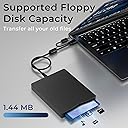
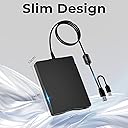
The MthsTec USB Floppy Drive is a portable, durable external 3.5" floppy disk reader supporting 1.44 MB disks. Featuring USB 2.0 and Type-C interfaces, it offers fast data transfer and broad compatibility with Windows XP to 11 and MacOS. Its plug-and-play design requires no additional drivers, making it an essential tool for professionals needing quick access to legacy data in a sleek, lightweight form factor.


| ASIN | B0C9M6GSMJ |
| Best Sellers Rank | #7 in Floppy & Tape Drives |
| Brand | MthsTec |
| Color | Black |
| Customer Reviews | 4.1 4.1 out of 5 stars (342) |
| Date First Available | June 28, 2023 |
| Flash Memory Size | 8 GB |
| Hard Drive | 1.44 MB 3.5-inch Floppy Disk Drive |
| Hard Drive Interface | ATA-5 |
| Hard Drive Rotational Speed | 7200.00 |
| Hardware Platform | Mac |
| Item Dimensions LxWxH | 8.07 x 5.7 x 1.06 inches |
| Item Weight | 11.7 ounces |
| Item model number | 190726885743 |
| Manufacturer | MthsTec |
| Product Dimensions | 8.07 x 5.7 x 1.06 inches |
| Series | USB Floppy Drive |
B**D
Opening up old memories
The floppy disk drive came in mint condition and worked with the 3.5 floppy disks I used at school. The floppy drive allowed me access my old school work.
K**N
Reviewing floppys for important data
Wish I had found this months sooner. Great for reviewing old floppys
S**P
Good
It was only recognized by the USB 3.0 (Win 10). But it read my old floppies like a charm. Works great.
G**8
Freezes sometimes
Mixed feelings about this one. MOST of the time it transfers the files from 3.5" floppy to the Mac without any issues. However about 1 out of every 4 uses, the drive freezes up and can only be restarted by unplugging and then plugging back in. this just slows down the process and causes aggravation.
R**M
New case/plug with old recycled e-waste drives. Do not buy.
This is a recycled product. The floppy drives are recycled e-waste that has been repackaged with a USB adapter board and new case. This would explain why so many reviews are split between "works, works sometimes, never works". The interior drive had its manufacturer markings covered over with a sticker and the drive itself was scratched and dented and barely functional. Good luck getting one that actually works. I'm all for upcycling and reuse, but they need to be tested and stated in the product title as recycled, otherwise it is fraud to sell these as "New".
T**R
It works, but you may have to do a few things to get it working
Yes, this drive works and I'm glad to have bought it. The instructions scared me because the highest windows operating system it stated it would work for is Windows XP. I use Windows 10. With most newer plug and plays, I see a pop-up stating something like it is installing a driver. That did not happen. My File Explorer did not show it connected on the list under My PC, but it showed when viewing devices and settings. I got it to work by opening File Explorer and typing A: in the available field. A little more work that we are used to having to do, but the price was right, and I figured it out.
B**B
Very good experience!
What I wanted was for a simple way to get data from about 25 3.5" 1.44MB diskettes onto a more modern format such as hard disk or SSD. I no longer had any PC's with a native floppy disk drive. Looking around for a way to connect a 1.44MB floppy drive to a modern Win10 or Win11 PC resulted in devices such as this one I purchased. However the reviews were less than spectacular for these types of products with about 10% to15% 1 star reviews. My experience with this particular 3.5" floppy drive to USB was great. Plugging it into either the USB-A or the USB-C connector into the PC resulted with it being identified in a few seconds as drive A: without requiring any drivers or any configuration on my part. Every one of my floppy disks was read into the PC with no errors (floppies were stored in a cool dry environment for 25 years). Reviews of some of these products indicated that they required to be unplugged every time the diskette was changed but I think those comments while correct are not necessary. After copying a floppy, ejecting it, and inserting a new floppy does NOT cause the PC to re-read the file directory info from the diskette. It was necessary to just click on the A: drive icon to cause the PC to read the directory of the floppy. Then it could be copied to the hard disk without unplugging and plugging it back in. The experience was as good as could be expected!
R**3
Easy to use, worked great
Works great. Was able to read and copy a 25 year old diskette.
J**Z
La compré sólo como precaución por los discos viejos que tengo, para ver qué contienen. Funcionó bien, aunque no quedé muy convencido de la calidad
Trustpilot
3 weeks ago
1 week ago