


Buy anything from 5,000+ international stores. One checkout price. No surprise fees. Join 2M+ shoppers on Desertcart.
Desertcart purchases this item on your behalf and handles shipping, customs, and support to Colombia.
🛡️ Protect your screen, your eyes, and your secrets—privacy made magnetic.
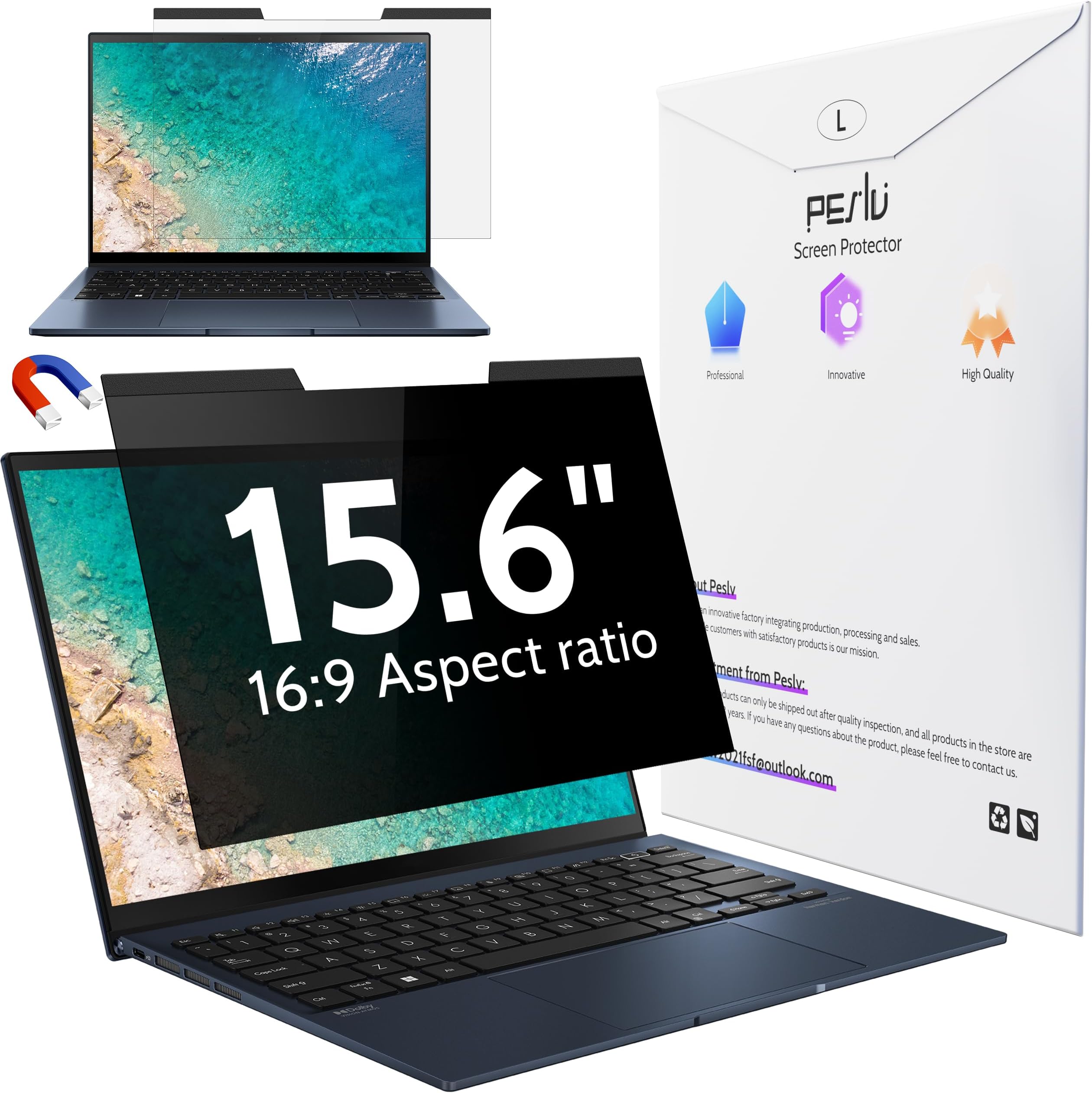
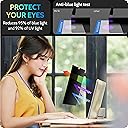
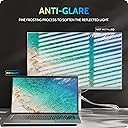
The Peslv Magnetic Laptop Privacy Screen fits 15.6-inch 16:9 laptops from top brands like Lenovo, HP, Dell, and Asus. Featuring a durable 9H hardness surface, it blocks 95% of blue light and 92% UV rays while providing a matte anti-glare finish. Its magnetic design allows quick, bubble-free installation and removal, with a privacy filter that restricts side viewing angles beyond 30°, ensuring your data stays confidential in public. The package includes cleaning kits, adhesive magnets, and a storage clip for on-the-go convenience.



| ASIN | B0BZYHK7KR |
| Best Sellers Rank | #4 in Monitor Anti-Glare & Privacy Filters |
| Brand | Peslv |
| Brand Name | Peslv |
| Clarity | 0.99 |
| Color | Black Privacy for Laptop |
| Compatible Devices | Laptop |
| Compatible Phone Models | 15.6" laptop screen - 16:9 aspect ratio |
| Customer Reviews | 4.0 out of 5 stars 2,520 Reviews |
| Finish Type | Matte & Glossy |
| Included Components | 15.6 inch magnetic laptop privacy screen filter *1, LARGE SIZE NANOFIBER CLEANING CLOTH *1, SCREEN CLEANING KIT *1, SINGLE SIDED ADHESIVE MAGNET *4, WASHABLE DOUBLE-SIDED ADHESIVE PATCH KIT *1 |
| Item Dimensions L x W | 13.6"L x 7.6"W |
| Item Hardness | 9H |
| Manufacturer | Peslv |
| Material | Polyethylene Terephthalate |
| Model Name | pes-cxfk15.6 16 9 |
| Model Number | pes-cxfk15.6 16 9 |
| Number of Items | 1 |
| Part Number | pes-cxfk15.6 16 9 |
| Product Dimensions | 13.6"L x 7.6"W |
| Screen Size | 15.6 Inches |
| Screen Surface Description | Matte & Glossy |
| Special Features | 9 H Surface Hardness, Anti Glare, Anti-Fingerprint, Anti-Spy, Blue Light Block |
| Unit Count | 1.0 Count |
| Warranty Description | 3 |
| Water Resistance Level | Waterproof |
J**R
Seems pretty great for the price!
Just installed and will say I am pretty impressed with the amount of anti glare these screen protectors have while still maintaining a fairly clear and quality image. My laptop has a pretty high quality screen and the glass is really nice indoors but I find myself ducking and moving my head to see things on my screen with the glare from windows or bright lights. I primarily use this laptop to tune my car and on a sunny day, I cant see anything lol While I havent tested it in the sun, the glare is immensely reduced testing with my kitchen lights. I included a picture of the screen with font so you could see the clarity. It does give a slight haze but I'd rate the clarity 9/10 if i had to put a number on it. My ownly gripe would be that the screen protector is cut to the exact size (+1-2mm) of the display itself, not the glass so lining it up is a little tricky and I could see it being difficult for some. I'd prefer if it was +5mm oversized so it'd give some room for error but I get why they kept it so exact for various laptop fitment. The screen protector edges are also ever so slightly rough like like cutting blade was a little dull, lavong the edges with ever so slight air pockets but its really not a big deal, especially once the screen is installed. The install was fairly painless but I have quite a bit of practice installing screen protectors owning a phone repair store in the past. Just make sure the screen is lined up and you clean the screen of all debris. Then use the stickers to remove any stragglers from either the glass or even use the stickers on the sticky side of the screen protector. Overall I'm excited to see how it holds up and works in the sun. If you dont see me edit this in the next few weeks, then it's safe to say I'm happy with the quality and function. I'm interested to see if they keyboard leaves marks on the screen or not but if it does I will update! For the price, these really seem like a great deal!
J**N
Duller finish but less glare
I originally wanted to protect the screen on my new lenovo thinkpad with a glass protector but they're all glossy and I wanted to keep the anti-glare finish. After some research I decided on this one. The material was thicker and stiffer than I expected, not a film but more like a sheet of hard plastic. This improves protection so I'm pleased. The sizing fit my 14" 16:10 screen perfectly, about 1 mm gap at most between edges. The finish is more matte/dull than the original anti-glare, and further reduces glare. This comes at a cost of slightly reduced text crispness. Pick one: crisp text and glossy/reflective, or softer text and low reflectivity. Screen colour remains rich and beautiful. The product claims to reduce blue light but I don't notice a difference in colour, which is perfect for me. I've attached several photos of the screen taken in a sunny indoor location with the protector attached. You can see some glare on the left side but overall it's pretty minimal for the amount of sun it's receiving. Application Directions and provided stickers for alignment were adequate. Perfect application is always a pain but it's straight-forward. I messed up the first one. I cleaned the screen thoroughly, first with a little dish soap and warm water using a microfibre cloth, then the alcohol pad. I couldn't see any dust so I started applying the screen. Of course about 2/3 of the way through there were several dust bubbles so I aborted and started with a new sheet. The second screen went on almost perfectly. Because the material is stiff it's difficult to maneuver at the end and the application sticker popped off and the last 1/8th of the screen came down before I could squeegee the bubbles. It sticks well so I couldn't lift it back up without risking damaging the finish. I managed to get all but one small bubble out which stubbornly refused to move to the edge of the screen using the squeegee. The next day I worked on it by gently rubbing in circles with my clean dry fingers and it seems to have disappeared. I did this with the screen on for a while to warm up, this might've helped. Be very careful doing this, don't apply much pressure and support the back of the screen with your hand to prevent flex. My advice for application is to place a thin piece of clean plastic (e.g. guitar pick) on the screen edge on opposite side of where you begin to apply the screen. That way if it drops suddenly, there is something to prevent it from closing too early, leaving trapped bubbles. Overall highly recommended if you want extra protection. Remember, there are drawbacks to all screen protectors, and application is finicky so be prepared to use more than one protector to get it right.
K**O
This screen cover is great!
Allows me to work with privacy while I commute on the train... great value!!! The stickers that come with it to secure the bottom don't last long, but I just used a few little strips of Scotch gift tape and it hasn't been an issue since
M**L
Beware of Magnet Privacy Film Screens!
BEWARE! I installed the small magnets (the adhesive is weak and the magnets which are not very strong and didn't hold the film in place well anyway) and went on my trip the next day. While on the plane I tried to boot up, and the laptop seem to not respond. I thought the battery was dead so when I got to the hotel I charged it up. Tried to boot up again and nothing. After a full week on the road with no laptop, I came home and gave it to our IT department. After an hour of trouble shooting, they removed the film and the magnets came off the laptop screen (weak adhesive) along with the privacy film...the screen came on! They took one small magnet and touched the laptop screen border and the screen went dark. The magnets used for the film I thought was a great feature but actually messed up the screen and caused it to go dark. So frustrating!!!
R**T
Seems great so far, 3 screens for a low price - but I'm not sure if its really blocking blue light?
First, this is for the Blue Light Screen Protector Bought it for my Macbook Pro M4 2024 14" I was feeling intimidated to install it and let it sit around for a few weeks. Lol. Finally did it yesterday. The instructions in the booklet were confusing and had grammatical errors (they should hire me, a Native English speaker) However, I just saw there is a video available here on the Amazon site under the product. Anyway I kind of figured out a way, having done screen protector installations on my iphone before. Pretty easy. Got a few bubbles the first time, but then I just lifted it up and used my fingers to push down on the edge touching the screen while the edge advanced right to left, to the edge of the screen, if that makes sense? I hope it does. So far it looks great! My only wonder is "Is it really blocking blue light?" and if so, is it really blocking 99% as it claims? I'm trying to find out a way to verify it. If anyone has verified it objectively please let me know. Oh and it seems to be a great value for the money. You get 3 screens and this is a pretty inexpensive price. I did not order the privacy option, so I cannot comment on that. The quality seems good.
K**N
Reliable Privacy and Easy Installation for Everyday Laptop Use
The PESLV Magnetic Laptop Privacy Screen (13.3-inch, 16:9) fits my DELL XPS 13 9310. is an excellent solution for protecting your on-screen information in public places, classrooms, or shared workspaces. The magnetic design makes installation simple—no adhesives, no residue, and easy removal whenever you need a transparent display. It effectively narrows the viewing angle, so only the person directly in front of the screen can see your work, helping maintain privacy. The anti-glare surface also reduces reflections, making long working sessions more comfortable. Overall, it’s a practical and durable privacy filter that enhances both security and usability for your laptop.
H**H
Works, but requires modification.
The magnets that come with the privacy screen are very small which makes them very difficult to put on and would not stay on the glass surface surrounding my monitor. The magnet on the privacy screen was strong enough to pull off the small magnets from my monitor. I ordered wider magnets from another vendor which work flawlessly. The privacy screen also will not lay flat on the monitor, making the areas where it lifts up blurry.
Y**V
Anti-glare promise is a lie
I work with a laptop outside a lot. Bought this for the anti-glare feature. Their advertising is a lie. This does absolutely NOTHING to reduce glare. So much nothing that I suspect I got the wrong product or something. If the anti-glare worked this would be a 5/5: - The installation process was simple - Getting rid of bubbles was easy - The 3-pack I got actually arrived with 3 sets of wet wipes, microfiber cloth and dust removal stickers - Doesn't get smudgy with fingerprints - Touch sensitivity works - Colors are still vivid and text is crisp (which ironically confirms that this product does not do anti glare) - A bit of a dust magnet but easy to clean The 2/5 is for false advertisement. If you don't need anti-glare - this is a GREAT value for money.
B**.
For a privacy filter its not nearly private enough
two reflective and has a very low privacy level (very wide viewing angle)
T**E
Good and sad!
I have 3 devices so I decided to order from this supplier - good price! The product is very nice as what we need 👍 but I have received only 2 pcs 😩 instead of 3 pcs as indicated in the description. 🥲
B**M
Tamaño exacto, buen producto
Le quedó muy bien a la pantalla de mi PC, es mate como se indica, trae aditamentos e instrucciones para que puedas instalarlo sin inconvenientes.
F**S
Clean screen perfect before applying.
Good quality. My eyes don't hurt as much now when I'm on my laptop. 3 pieces so cut one into pieces for my phone. A little tricky to apply but doable. Very important to clean screen perfect before application.
T**E
Great protection!
Arrived safe & sound, great screen protector with accessories to help apply and remove any bubbles. Very happy with the purchase, highly recommended. :)
Trustpilot
1 month ago
3 weeks ago