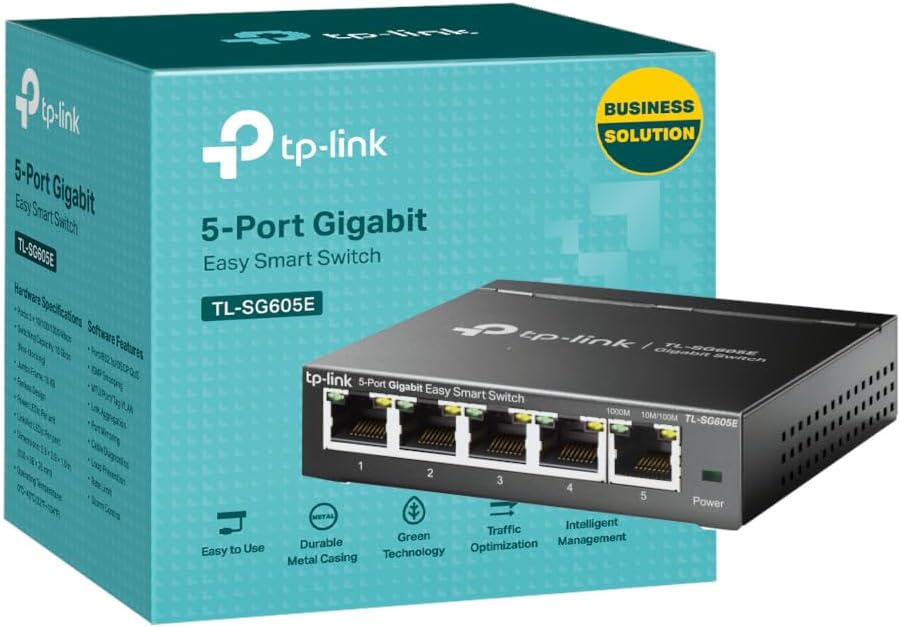
I needed a small switch to extend one port from a TP-Link Wi-Fi extender to several devices; a 3D Printer, a laptop [used for gaming and not always plugged in here] and an existing switch that handles other devices. I bought this switch as I often use TP-Link products when setting up, adding to or upgrading network systems - something I have done as a hobbyist and semi-professionally for some years. Furthermore, I tell family, friends and some business contacts to use TP-Link as they are reliable and well priced. Sorry! I need to make a bit of a long post. It is relevant! I include some work around info for larger networks / experienced users. I will list some points about this switch; All in all, this is a very good, well priced and easy to use switch. Likes - Very sturdy metal boxing, very good speeds when properly set up, easy to use web based configuration tool, well priced and small footprint - less space used is good. The switch also works 'out of the box' on smaller networks [see below]. Dislikes - It is hard to dislike this switch, but I will say that the bigger, more complex your network, the more likely you are to need to do some configuration work [see below]. I have to praise TP-Link customer services. The first switch I initially bought was defective. This was confirmed by me doing some tests at the request of TP-Link customer services - all of which were very well documented / pointed out by TP-Link customer services and, for me, easy to follow. After a couple of days and a few e-mails, we concluded that the initial switch was defective. I was advised to get a replacement from the retailer as this would be quicker - the new switch arrived the next day. When I got the new replacement switch [via Amazon returns] it worked much better than the previous one. When I set up the switch between my router and one laptop, it worked 'out of the box' - this is excellent for smaller networks! My home network is a bit more complex though as it has router > power-line, Wi-Fi and standard network cabling [won't bore you with ratings etc]. My network has power-line adapters, two Wi-Fi extenders and a few switches. ** For smaller networks - you need read no further, as the switch will likely work for you 'out of the box'. ** This next part I include for those with larger networks and show two fairly easy work-rounds that got the switch working as needed, and excellently at that. I say fairly easy, but both are not for beginners [unless you want to learn as you go] and I recommend you at least have an entry level in networking to proceed or get help from someone with such experience. When set up from router > Wi-Fi extender [wireless] > this switch [wired] > laptop [wired] problems happened. I must stress that the replacement switch worked much better from the get-go than the returned one. The main issues were; Note: Wi-Fi extender > switch uses [physical] port one [1] of switch - this works best. Note: Remember to save changes as you go. 1; Possible conflict relating to DCHP on router and on switch with solution: - Go into router configuration and find the switch [connected devices] and make a note of its given IP address - this may be useful later - Disable DCHP in the switch and set a static IP address [can be one you took note of] for the switch to use - via the switch web based configuration tool. - In the router web based configuration tool [will vary per router] set the chosen static IP for the switch, so the switch always uses that IP address. - Turn off all network switches / extenders and router, then restart all network equipment - starting with router and progressing in order, allowing time as needed for each device to start up. This ensures router and switch do not conflict. [experienced users may disagree with this approach- but it works]. 2; Possible shut down of in use [physical] port by switch 'Loop Prevention Setting' with solution; Note: This was preventing some websites from loading and preventing any speed test sites from proper operation - they would get to a couple of percent marks, then 'hang'. Also, some games would 'hang' before this was altered. - In switch web based configuration tool, DISABLE 'Loop Prevention'. [I can hear some of the professionals screaming already]. I'm not even going to try to explain loop prevention and why it should or should not be used - web browsing is your friend [or fiend]. All I will say is that on my network, in the configuration needed there were problems as noted already, and it seemed like a loop was effectively closing a port [physical - to laptop] down then the port was re-opened some minutes later. By setting loop prevention to disabled, all the issues went away, and my network is working very well now. My education [and some work experiences] was largely in computing, but I did not specialise in networking. I include these steps only as an indication of how I got my network to perform as expected. Your results may vary. Change settings at your own risk. Get in a professional if needed.