We remain fully operational. Our teams are working around the clock to ensure your deliveries continue safely.

DOWNLOAD THE APP


Copyright © 2025 Desertcart Holdings Limited
DOWNLOAD THE APP


Buy anything from 5,000+ international stores. One checkout price. No surprise fees. Join 2M+ shoppers on Desertcart.
Desertcart purchases this item on your behalf and handles shipping, customs, and support to Colombia.
🎮 Stay wired, stay winning — the ultimate VR link cable for pros who refuse to pause.
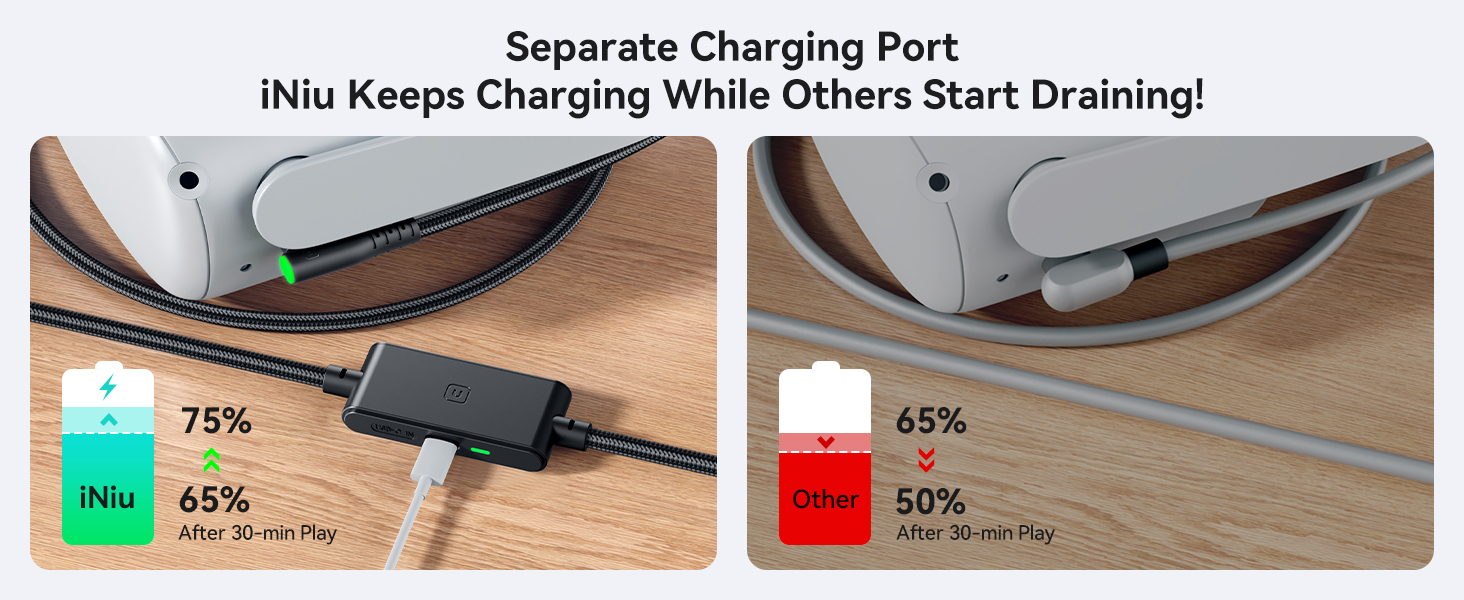
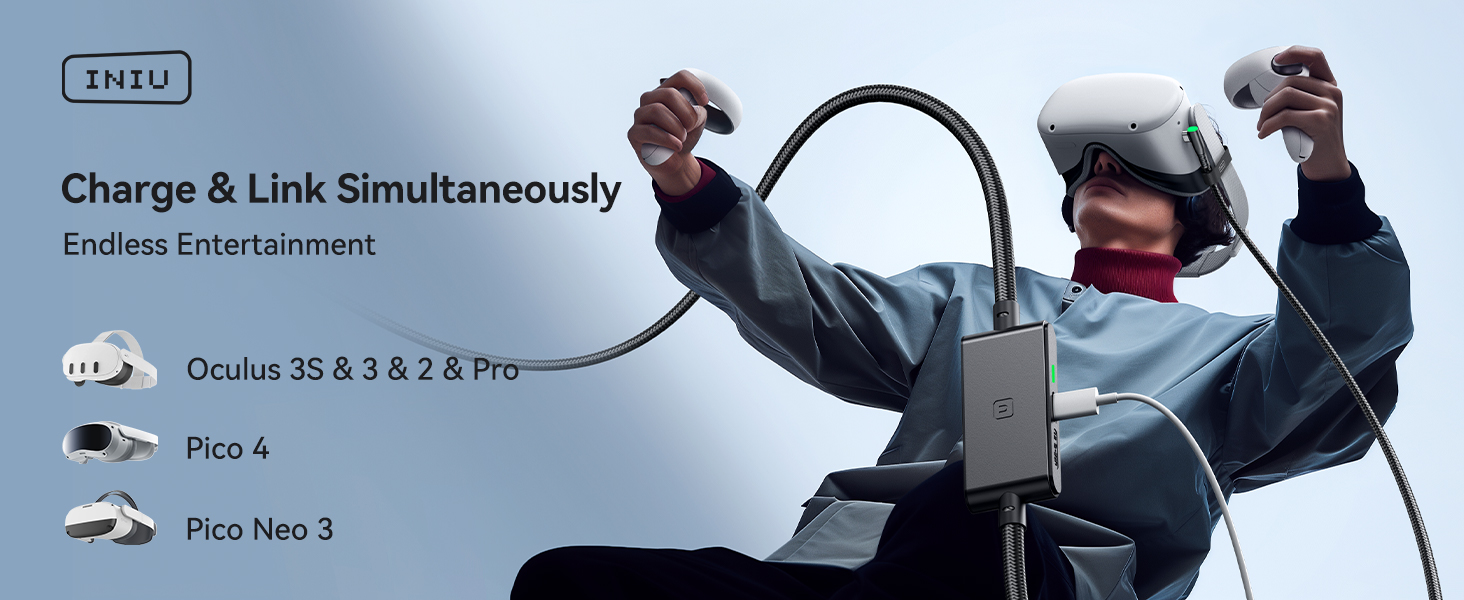
The INIU Link Cable is a 16-foot USB 3.0 Type-C VR cable designed specifically for Oculus Quest 3/2/Pro and compatible PC VR systems. Featuring a separate USB-C charging port with 3A fast charging, SmartProtect2.0 chip for safe power management, and a durable FLYWEAVE outer coat, it ensures uninterrupted gameplay with high-speed 2.5Gbps data transfer. Tested for over 45,000 bends and backed by a 3-year warranty, this cable delivers reliable, long-range connectivity and power for immersive VR experiences.





| ASIN | B0BRQMFDQ3 |
| Best Sellers Rank | #1 in Serial Cables |
| Brand Name | INIU |
| Cable Type | USB |
| Color | Black |
| Compatible Devices | Meta Quest 3s, Quest 3, Oculus Quest 2, Quest 1, Quest Pro;Pico 4, Pico 4 Pro, Pico 4 Enterprise;PC VR Steam VR |
| Compatible Phone Models | Meta Quest 3s, Quest 3, Oculus Quest 2, Quest 1, Quest Pro;Pico 4, Pico 4 Pro, Pico 4 Enterprise;PC VR Steam VR |
| Connectivity Technology | USB |
| Connector Gender | Male-to-Male |
| Connector Type | USB Type C |
| Customer Reviews | 4.2 4.2 out of 5 stars (3,427) |
| Data Transfer Rate | 2.5 Gigabits Per Second |
| Included Components | INIU 16FT/5m USB 3.0 link cable*1, Quick Start Guide*1, user manual*1 |
| Indoor Outdoor Usage | Indoor |
| Item Shape | Round |
| Item Weight | 0.25 Kilograms |
| Manufacturer | Shenzhen Topstar Industry Co.,Ltd. |
| Maximum Current | 3.1 Amps |
| Maximum Voltage | 9 Volts (DC) |
| Model | DI-401 |
| Model Name | DI401 |
| Number of Items | 1 |
| Number of Pins | 9 |
| Other Special Features of the Product | 16ft Long Cable, Data Transfer, Fast Charging, High Speed |
| Outer Material | Plastic |
| Part Number | DI401 |
| Recommended Uses For Product | Accessories for Oculus Quest 3s 3 2 vr Headset |
| Specification Met | UL |
| Unit Count | 1.0 Count |
| Warranty Description | 3 Year Product Care |
| Wattage | 18 watts |
P**R
Great cable
Never had any issues with my headset (quest 2) when using this. The usb connection for power is really nice and I like the feel of the cable. Very worth the price
B**S
A must have
Perfect for PC VR. Long enough to move around freely and the connection stays stable. Charges while playing, which is a huge plus. Build quality feels solid and doesn’t kink up. Great alternative to more expensive cables.
P**H
Great cable!!
Great cable! no issues with my quest 3. Just make sure you get a charger that supports the power needed. Much better price than the factory option. Very nice quality cable. Highly recommended.
K**E
Great cable, lasted a year.
Update 10/20/2025 It unfortunately gave out. It still lets me hook into steam vr. But will not charge any more. This was after the other one was replaced. A year was a good run. I’ll get another, maybe from another brand. I might get another one of these, who knows. The external quality of the cable is amazing. I think there’s something wrong with the power splitter box on the base of the cable. Sometimes the light is green, sometimes it just gets hot and the light stays off. Should you get it? Yea! Their support is great. It just might not be for me. (Updated review) This is an update on my previous review: I absolutely love this cable and it’s wonderful. It’s built really well and it charges my headset nicely. Customer service reached out to me very fast when I asked for support. They replaced the cable at no additional cost and I am a happy customer. I would 100% recommend getting this cable over other cables. and that’s why I’ve changed my review from three stars to five stars. (Previous review) This feels like an amazingly built cable. Love it! However, the charging is awful. The first night it charged my headset while playing and did great. Then the next day the charge was a little lack luster. Then the next I got the slow charge warning. After all of this it says it’s charging but at a trickle even when the headset is off. I might be returning this cable sadly. The build is top notch, but I needed it to perform and charge.
A**E
I want to love it
So I got this to hook up to my desktop and it works and it doesn't. Let me explain, if you know what you're doing. You can get it to work every single time. Sometimes it acknowledges it and sometimes it doesn't. I find plugging it in and out and then plugging it back in works. You just have to finagle with it. But overall it's nice, when it does work I get good quality gaming out of it. I also have the Asus rog, so I use the 45 w charger to charge the headset on this line. And it works really good
J**L
VERY GOOD. LEARN HOW BY READING.
5 star so far! Just got it today. I used it at first with a 45 watt anker charger and the orignal 3 foot occulus charging cable, but kept saying water in port like the other reviewer here "Works fine, but a minor problem. When using this, my session gets interrupted for my headset to say "not charging due to loose debris in the charger port", only for charging to have been unaffected." SO TO FIX IT, I used an anker 20 watt usb c charger and the official charging cable that came with occulus. YOU MUST PLUG IN A USB CORD INTO THE PORT, without it , it will not charge right! Now I don't have any water in port warnings.. TLDR : PLUG LONG CALBE INTO HEADSET AND PC. THEN GET 20 WATT USB CHARGE WITH TYPE C , THEN PLUG IN OFFICIAL OR HIGH QUALITY USB C TO USB C CABLE INTO PORT ON THIS CABLE FROM THE CHARGER. I can play horizon center and still charge!!!! VERY GOOD. Fans spins up and is running great!
K**X
Works great!
I purchased this cable after two other third-party cables failed to maintain a connection between my Quest 3 and my PC. Interestingly, this one only works if I flip the angled USB-C end 180 degrees so that it points backward. I'm not sure why this is the case, but when it is plugged in normally, with the angle facing the strap, it constantly disconnects. Aside from that, the build quality is nice; it’s just a shame that it still experiences occasional disconnects. 2/3/25 UPDATE* The customer support team from the company reached out to me and sent a new cable free of charge, which I greatly appreciate. However, the issue remains that it does not fix the ongoing design flaw where the cable only provides USB 3.0 speeds when plugged in backward. It works when plugged in this way, but experiences occasional disconnects. After this, they issued me a full refund. Either way, I do appreciate the company reaching out to make it right. 3/4/25 UPDATE* Customer support has graciously sent me their new and upgraded cable which has been working perfectly! I am blown away by their customer support and satisfaction. I am definitely going to continue doing business with this company as they have gone above and beyond to make sure everything is resolved and I am happy. I 100% recommend this company just on customer support alone, and their new cable has been working perfectly. Thank you again!
C**S
Be aware of some quirks with this cable with the Meta Quest 3--connector orientation!
I'll cover the good first: the cable does work with the Meta Quest 3, and I was able to use it with the Meta Horizon Link software to play games. The cable additionally is able to keep my Quest 3 charged using a standard 45W USB C wall charger and another USB C to USB C cable. I primarily play Beat Saber, so having this cable allows for better, low latency game play, as opposed to using a wireless solution. However-- I did notice a small issue with this cable in particular. In order to connect to the Quest 3 with USB 3.0+ speeds, I must connect the cable in the opposite, 180 degree rotation (e.g. such that the cable points forwards while wearing the Quest 3 headset). While I didn't expect this to be ideal, this actually ended up working better for my particular headset, since the head strap I use blocks the right-angle connector from facing backwards. I'm not sure if this is a defect in particular with this specific cable, but it seems like other USB 3.0 cables I have do not have this issue. Note that the Meta Horizon Link software will let you know if your USB connection is running at USB 2.0 speeds instead of USB 3.0 speeds.
D**N
The cable works as intended. A plugged-in Samsung goes from 3h charge time without extra power, then down to 37min with the original charger plugged into the power slot. Note that the original charger, plugged in directly to the phone, activates "Super fast charge" (25min), whereas the extended cable only activates "Fast charge" (37min). While this is definitely better than a basic USB cable and does not alter my review, it's worth knowing you don't get a 1:1 power output ratio. I don't have a VR headset (yet - which prompted my need fo this cable) and I may update this review when I test this cable out with that.
K**I
خرب علي بسرعه
A**K
Öncelikle ürün mükemmel, muhtemelen rakipsiz. Sorunu doğrudan çözmek istiyorsanız alın. Biraz da deneyimimi ekleyeyim: Oradan buradan bakınıp fikir edindiniz, 3 boyutu deneyimleyeyim derken iyisi olsun diye Quest 3'ü onca fiyat farkına rağmen aldınız ama bilmiyordunuz ki bu deneyimin doğru düzgün olabilmesi için hala bir iyi bir kafa bandı ve data yanında şarj aktarımı da sağlayabilen ve hiç de ucuza çözemeyeceğiniz iki masraf daha yapmak zorunda kalasınız. Kısacası, ürünle gelen kablo veya bu üründe olduğu gibi bilgisayara bağlı kullanım esnasında şarjın da düşmemesini sağlayabilecek ek besleme yöntemi bulunmayan bir kablo kullanırsanız deneyiminiz can sıkıcı hale geliyor. Sürekli gözünüz şarj seviyesinde ve ona göre kullanıp bekliyorsunuz. Hayatınıza bir eğlence katmak isterken bir anksiyete kaynağı eklemiş oluyorsunuz. Meta'nın orjinal gelişmiş versiyon kafa bandını da aldım ama o da yeterli değil. Alnınızdan taşıma desteği verecek bir ürün bulmanız lazım. Quest 3 aldıysanız ve doğru düzgün kullanayım diyorsanız ürünün 1/3 ü kadar daha harcama yapmak durumundasınız. Veya şunu yapın: Keyfinizi maksimize etmeye çalışmayın, ürünü şarjı gittiği sürelerde kullanın ve o büyük merakınızın zaman içerisinde yokolup olmadığına bakın. İlginiz kaybolabilir, bu durumda gereksiz masraf yapmamış olursunuz. Ayrıca bu ürünü sağlığınızı gözeterek kullanmak istiyorsanız (muhakkak biraz araştırıp bilgi edinin, özellikle gözleriniz için) bu şekilde kısa süreli kullanımlar yapmak doğru da olacaktır.
D**O
I know that QUEST 3 battery is super bad, but with this I played for like 3 hours and it only dropped 1%. I even tried to set graphics and stuff to high and only 1% was dropped. It works amazing, the quality of the cable is really good too. I totally recommend this. You need to connect the cable in the next order for it to work: 1. Turn on the Quest. 2. Connect the USB cable to the 3.0 port. 3. Then, connect the TYPE-C to the Quest. 4. Finally, use the original charger (Idk if it works with others) and connect it to the little rectangle thing on the long cable. The port is on the side and it will display a white light when connected. 5. ENJOY. Sé que la bateria del Quest 3 es super mala, pero con este cable jugué como por 3 horas y nomás bajó 1% de bateria. Incluso intenté subir los gráficos al máximo y solo 1% bajó. Funciona perfectamente, la calidad del cable es increible tambié. Super recomiendo este cable. Para que funcione necesitan conectarlo en el siguiente orden: 1. Prende el Quest. 2. Conecta el cable con USB a un puerto 3.0 en tu PC. 3. Después, conecta la entrada TIPO-C al Quest. 4. Finalmente, utiliza el cargador original (no sé si funciona con otros) y conéctalo al pequeño rectángulo que esta en el cable largo. El puerto está a un lado y va a prender una lucesita cuando se conecte. 5. DISFRUTAA YYEAAA
L**S
If you're looking for a high-quality link cable that keeps your Meta Quest 2/3/3S charged while playing, the INIU 16FT Link Cable is an excellent choice. Unlike many other cables, this one features a separate charging port that connects to your Quest’s original charger and cable while also linking to your PC. This ensures that your VR headset maintains its battery charge, allowing you to play almost indefinitely without worrying about power drain. Performance & Charging Capability The INIU Link Cable delivers high-speed USB 3.0 data transfer, providing a stable, low-latency connection for smooth PC VR gaming. The biggest advantage is its dual connection design—by plugging into both your PC for data transfer and your Quest’s charger for power, the headset receives enough energy to prevent battery drain, even during extended play sessions. This is a huge upgrade over many other link cables that slowly deplete the headset's battery over time. Comfort & Mobility At 16 feet (5 meters), this cable is long enough to give you some freedom to move around without feeling too restricted. The cable is durable yet flexible, preventing tangles and making it comfortable to use for a long time, even for action-heavy VR games. Keep in mind that the cable is a little heavier than other options, but I was not able to feel any difference or discomfort while using my Quest 3S . Value & Recommendation For the price, the INIU Link Cable offers a fantastic balance of performance, charging capability, and comfort. If you want a reliable link cable that allows you to play for hours without battery anxiety, this is one of the best options available. ✅ Pros: ✔ Prevents battery drain – Play almost indefinitely ✔ Dual connection – Supports both data transfer & power ✔ Long 16ft cable – Provides movement freedom ✔ Fast & stable USB 3.0 performance ✔ Durable and flexible design ❌ Cons: ➖ Requires an extra outlet for the Quest charger ➖ Slightly bulkier than standard link cables due to the extra charging connection Final Verdict The INIU 16FT Link Cable is an excellent choice for anyone looking to play PC VR games without worrying about battery life. Its separate charging port design is a game-changer, making it a far superior option to regular cables that slowly drain the battery. If you want uninterrupted, long VR gaming sessions, this is the cable to get!
Trustpilot
3 weeks ago
1 month ago