Buy anything from 5,000+ international stores. One checkout price. No surprise fees. Join 2M+ shoppers on Desertcart.
Desertcart purchases this item on your behalf and handles shipping, customs, and support to Colombia.
🎉 Elevate Your Game with Philips Evnia!
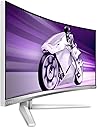
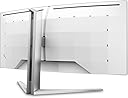
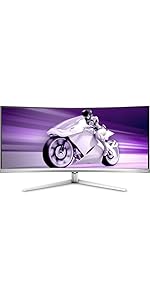
The Philips Evnia 34M2C7600MV is a 34-inch curved gaming monitor that boasts a stunning WQHD resolution of 3440 x 1440 pixels. With a rapid 165Hz refresh rate and a mere 2.5ms GTG response time, it ensures ultra-smooth gameplay. The monitor features DisplayHDR 1400 for vibrant colors and contrast, along with versatile connectivity options including HDMI 2.1 and USB-C. Enhanced with DTS Sound, this monitor is designed for an immersive gaming experience.


| ASIN | B0BKB2YVMC |
| Adaptive Sync | FreeSync Premium Pro |
| Aspect Ratio | 21:9 |
| Aspect ratio | 21:9 |
| Best Sellers Rank | 368,186 in Computers & Accessories ( See Top 100 in Computers & Accessories ) 5,582 in Monitors |
| Brand | Philips |
| Brand Name | Philips |
| Colour | White |
| Compatible Devices | Laptops, desktops, gaming consoles, or multimedia devices with HDMI, DisplayPort, USB-C, or USB interfaces |
| Contrast Ratio | 1000000:1 |
| Country of Origin | China |
| Customer Reviews | 3.5 out of 5 stars 9 Reviews |
| Display Technology | VA |
| Display Type | WQHD |
| EU Spare Part Availability Duration | 3 Years |
| Global Trade Identification Number | 08712581795887 |
| Hardware Connectivity | DisplayPort, HDMI, USB, USB Type C |
| Has Color Screen | Yes |
| Image Brightness | m2 |
| Image contrast ratio | 1000000:1 |
| Is Electric | Yes |
| Item Dimensions D x W x H | 28.2D x 93W x 52.5H centimetres |
| Item Type Name | Monitor |
| Item Weight | 10.35 Kilograms |
| Manufacturer | MMD - PHILIPS GAMING MONITORS |
| Maximum Display Resolution | 3440 x 1440 Pixels |
| Model Name | 34M2C7600MV/00 |
| Model Number | 34M2C7600MV |
| Mounting Type | Wall Mount |
| Native Resolution | 3440x1440 |
| Network Connectivity Technology | HDMI |
| Picture Quality Enhancement Technology | Mini LED & HDR |
| Pixel Pitch | 0.23 |
| Power Consumption Size | 90 Watts |
| Product Features | Curved |
| Product Warranty | 1 Year |
| Refresh Rate | 165 Hz |
| Resolution | QHD Ultra Wide 1440p |
| Response Time | 2.5 Milliseconds |
| Screen Finish Type | curved |
| Screen Size | 34 Inches |
| Screen size | 34 Inches |
| Screen surface description | curved |
| Shape | Curved |
| Specific Uses For Product | 2022-10-24T11:41:02Z |
| Total HDMI Port | 2 |
| Total USB 3.0 Ports | 4 |
| Total USB Ports | 6 |
| Total Video Out Ports | 2 |
| Viewing Angle | 178 Degrees |
| Voltage | 230 Volts |
| Warranty Type | Limited warranty |
Z**G
Not a gaming monitor
It's not a gaming monitor - the ghosting is ruining any FPS games, and is annoying even in titles like BG3. In Star Citizen when you move your ship all the stars will dissapear, turning to black - that's how bad the ghosting is. It's not certified for G-Sync - and it flickers badly when refresh rate changes. It makes annoying high pitch sound almost constantly. SDR does not use local dimming and looks rather poor. HDR on the other hand is awesome. And that's the only positive.
I**8
Perfect visuals for gaming
Crystal clear HDR performance. Very high contrast with local dimming. Perfect visuals for gaming
L**H
Had to return, was unsafe
I had it for a really short amount of time and then one day realized I could smell burning plastic. Turns out it was coming from the vents in the back of the tv. I guess it overheated but the room it was kept it was not hot and there was plenty of space around the monitor. Pretty scary. Thankfully, it was in warranty so I returned it. Before that, I was enjoying the monitor, though there was some issues in 3D programs I use for work.
A**.
Para quem quer versatilidade
Comprei este monitor com o objetivo de usar para trabalhar em jogar. Como a maior parte do tempo eu passo trabalhando, OLED não seria uma opção confortável para mim. Para o meu caso, este monitor prometia a versatilidade que eu precisava, principalmente por ter o KVM. Porém, o KVM não funciona tão bem como eu esperava. Se o computador ficar ocioso e desligar a tela, você não consegue reativá-lo com o teclado e mouse, pois o monitor também desliga. E não adianta deixa habilitada a função de fornecer energia na USB enquanto o monitor está desligado. Eu também esperava que eu pudesse comfigurar atalhos usando o software Precision Center para alternar facilmente entre os computadores, mas não. É necessário acessar o menu do monitor (OSD) para trocar o input. E aí vem o pior problema do KVM: Se o computador para o qual você quer mudar a tela estiver em standby ou em descanso de tela, já era. Você simplesmente não consegue mudar a tela para ele por que sem o sinal de video o monitor volta para o computador anterior. O problema é que o KVM deveria mudar o input do USB ao mesmo tempo que a tela, mas isso não acontece. Muito frustrante, acabei usando um switch USB para teclado e mouse. Para jogos ele é bom. Mas não se deixe levar muito pelo Local Dimming. Além de só estar disponível em HDR, ele causa muito flickering. Vou tentar colocar um vídeo mostrando o flickering do Local Diming. O VRR sem o Local Dimming ligado funciona bem, flicka em alguns momentos mas não incomoda tanto. A não ser que você queira joga FC (FIFA). Eu não consegui jogar com VRR ativo. Por algum motivo flica muito no FC com o VRR ativo. Eu não sou muito sensivel ao rastro de imagem, então isso não me incomoda, mas prestando bem atenção eu percebo que tem um pouco sim. O fornecimento de energia via USB-C é bem legal. Além de energia para o notebook, ele serve para dados e para a imagem. Usar um único cabo no notebook para fornecimento de enerfia, transmissão de imagem, e dados pelo HUB USB do monitor é bem legal. Se eu quiser levar o note para outro lugar, é apenas um cabo que preciso remover, literalmente! Ponto forte nesse quesito. Qualidade de imagem, e brilho são excelentes. Só vou dar 4 estrelas por que o KVM deixa muito a desejar, o software também, e o Local Dimming que melhora muito o contraste, mas infelizmente faz a tela ficar piscando.
S**Y
Philips Evnia 34M2C7600MV
Philips Evnia 34M2C7600MV Ich hab mich für den Mini LED Evnia entschieden weil ich den Monitor 8 Stunden zum arbeiten nutze und nur wenige Stunden aufs Gaming fallen. Eigentlich wollte ich die OLED Variante aber ich hab da noch kein Vertrauen das bei 8 Stunden täglicher Nutzung auch wirklich nichts einbrennt. Was mir hier gefällt ist die Mini LED Technik die eine HDR1400 Zertifizierung durch das lokal dimming ermöglicht ( Im SDR Modus ist das lokal Dimming übrigens abgeschaltet). Das Va Panel kombiniert mit dem HDR1400, Gaming oder Film Modus macht wirklich schöne Kontraste. An OLED kommt es zwar nicht ran aber das Bild hat einen guten schwarzwert. Anschlüße hat er meiner Meinung ausreichend. HDMI 2.1, Display Port 1.4 und einige USB Anschlüße. Boxen sind auch vorhanden und die genügen mir auch vollkommen für den täglichen gebrauch. AMD Freesync Pro ist auch an board und ich konnte mit meiner GForce RTX3060 Mobile, G-Sync konfigurieren und es funktioniert auch. Das ist mein erster Bildschirm mit R1500 Krümmung und ich möchte das nicht mehr missen. Das Design von dem Bildschirm gefällt mir auch sehr gut und als Ambilight Fan, musste ich natürlich den Evnia mit Ambiglow haben. Meiner Meinung kommt Abiglow aber nicht an das Ambilight vom Fernseher ran. Es scheint mir langsamer zu reagieren und es ist auch nicht so hell. Beim HDR Modus scheint es auch die Farbwechsel zu ignorieren und leuchtet Hauptsächlich blau. Im Video könnt ihr das Ambiglow im SDR Modus sehen was ganz gut funktioniert. Im HDR Modus muss ich wohl noch etwas rumprobieren. Ich kann nicht glauben das es normal ist das die Farben ignoriert werden. Das Thema Gaming... Wieso baut man in eine Gaming Marke ein VA Panel ein ? Das VA Panel ist auch noch langsam. Ich kann deutliches ghosting erkennen. Dazu gibt es aber ausführliche Testvideos auf einer bekannten Video Plattform. Da ich aber eh nur Storygames und keine Shooter Spiele und den Bildschirm Hauptsächlich zum arbeiten oder Film schauen benutze bin ich vollkommen zufrieden.
M**K
Nicht für schnelle Spiele geeignet
Das Panel ist leider viel zu langsam für schnelle Spiele. Selbst im Officebetrieb erzeugt die Maus Schlieren mit heftigem blacktrailing. Der Overdrive ist leider ebenfalls unbrauchbar.
Trustpilot
2 days ago
1 week ago