Buy anything from 5,000+ international stores. One checkout price. No surprise fees. Join 2M+ shoppers on Desertcart.
Desertcart purchases this item on your behalf and handles shipping, customs, and support to Colombia.
🔑 Unlock next-level security with effortless style and ironclad protection.
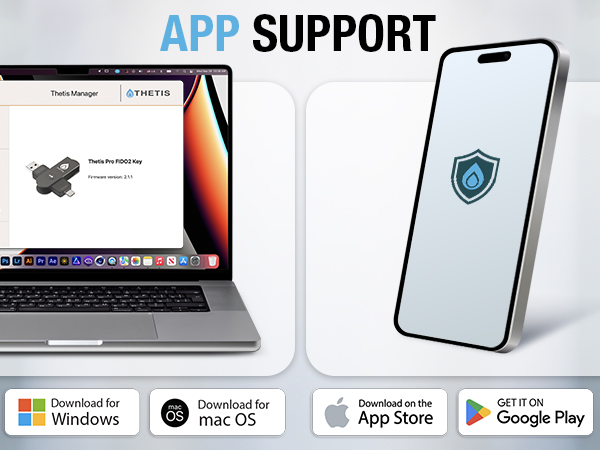
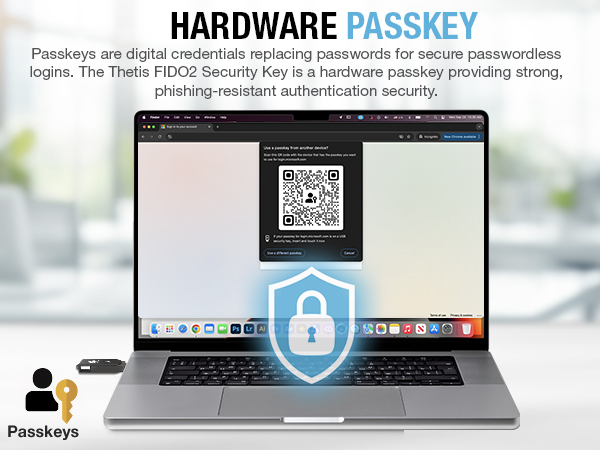
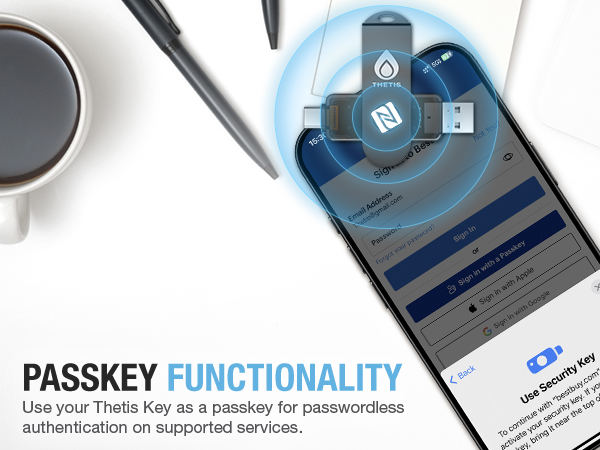
The Thetis PRO FIDO2 Security Key is a compact, dual USB-A and USB-C hardware authenticator featuring FIDO2 protocol and NFC support for multi-layered two-factor authentication. Built with a durable 360° rotating metal cover, it offers tamper, water, and crush resistance. Compatible with Windows, MacOS, Linux, and Chrome OS, it supports securing over 50 accounts and apps, providing a seamless, battery-free security solution for professionals seeking robust, portable protection.


| ASIN | B0BJP64YTT |
| Additional Features | Dual USB Connector, NFC Ready |
| Best Sellers Rank | #216 in USB Flash Drives |
| Brand | Thetis |
| Color | Black |
| Compatible Devices | Windows, MacOS or Linux |
| Compatible Phone Models | Windows, Mac OS X, Linux (Debian Based or Red Hat Based) and Chrome OS |
| Connectivity Technology | USB |
| Customer Reviews | 4.2 out of 5 stars 1,315 Reviews |
| Flash Memory Type | USB |
| Hardware Connectivity Technology | USB Type A, USB Type C |
| Hardware Interface | USB |
| Item Dimensions D x W x H | 2.9"D x 0.72"W x 0.5"H |
| Item Type Name | Thetis PRO FIDO2 Security Key |
| Item Weight | 1 Ounces |
| Manufacturer | Thetis |
| Mfr Part Number | MB000493 |
| Model Name | Thetis PRO FIDO2 Key (flip-x) |
| Model Number | MB000493 |
| Read Speed | 480 Bytes Per Second |
| Special Feature | Dual USB Connector, NFC Ready |
| UPC | 196852715633 |
| Unit Count | 1.0 Count |
| Warranty Description | Standard Express Warranty |
| Write Speed | 480 Bytes Per Second |
R**M
Easy To Set Up - Works Great!
This security key is very easy to use. I used it to set up Passkey security on my Gmail account on my Windows 11 PC. To do that, here are the steps I used: 1. I went to the Thetis web site listed in the instruction manual and downloaded the Thetis Key Manager. 2. I then started the Thetis Key Manager in Administrator Mode. It tells you to insert the key in a USB port. You have the choice of USB-C or A. 3. You're then presented with a list of options, some based on different Thetis devices. For my test I selected FIDO. 4. You then are instructed to set a PIN. It doesn't tell you the minimum number of characters to use. I first used 4 and it failed. I then used 8 characters and it succeeded. You can then close the app as you're done with it unless you want to change the PIN. 5. The key has 50 slots, according to the product page, which means you can secure up to 50 apps or sites with the key. The instruction manual says it has 200. At any rate, it's a lot. 6. In my test, I wanted to secure my Gmail account with the key. To do this, I went into my account and clicked Manage Your Google Account...Security...Passkeys and Security Keys. 7. You're then prompted to enter your Gmail password. 8. From there, you then click Create A Passkey twice on 2 screens. 9. It then prompts you to plug in your key and press the button when prompted. 10. Your passkey is then registered for Gmail on your security key. I've listed the steps in detail but in reality it's pretty simple and fast. From then on, any time I need to log into my Gmail account I'm prompted to plug in the key. The process works well. The device itself is well constructed so it seems it is built to last. The included instructions are sufficient to get you started. It comes with a little pouch and keychain you can use to carry it around. It would seem prudent to get a second one as a backup in case you lose or break one. All in all I'm very happy with this security key. The price is very reasonable compared to other security keys on the market. It's easy to use and works well.
H**O
I completely love this - highly recommend
I needed to get something on the budget and this more than served its purpose. Affordable and also allows you ease of access whether you use a regular usb port or usb-c So I am able to transition pretty easily between my PC and phone and that is magnificent. No worries about having an adapter ever. Even if budget wasn't an issue, I think I would still buy more of these in the future. It comes with a little keychain bag to protect it a bit from some water, dust and scratches. Makes it easy to carry with you. And overall I like this size because it is not as easy to lose. The ONLY step up for me at this point would be the yubikeys that allow you access to their authenticator app but considering those are expensive and it is really important to have a backup - this was a no brainer as I was easily able to get 2. This is pretty smooth. I have had no compatibility issues so far in apps I have used them in. The only thing is to be wary of using it on windows. It won't work until you authenticate it into your sign in. To do that, you go to windows settings -> account -> sign in options -> security key -> manage and it'll ask for your key. It should then ask for your current windows pin or password if you're using one. Then it should request to press the light of the key and that's about it. Once you set it up, it should work anywhere on said PC. From time to time it will ask permission and request your password again before setting up the key into new accounts as a security measure. But caution: do not reinstall windows or do a drastic windows recovery before a date it was setup on because otherwise it might delete your key data, which then won't allow it to be recognized and you might not be able to sign in if you have no other alternative. This is why I prioritize my 2nd key through mobile sign in whenever I can to prevent that. If you intend on doing a reset or getting a new PC, make sure to remove the PC key as your only form of sign in (accounts let you have more than one). Once you do your reinstall or change computers you can redo the setup otherwise you might end up making a horrible mistake Overall this is incredible value and will be recommending this to others. I realize I've been to lenient on product reviews I feel like this is what an actual 5/5 stars is imo and I am surprised that it even has 4 stars over as of this time of writing
S**T
More than i could have asked!
Dual USB-A and USB-C plus NFC in one key — that's the win. Metal build, crush resistant, keychain ready, works across Windows, macOS, Linux, and Android. 50 passkey slots beats YubiKey's entry tier at a lower price. One catch: NFC is mobile only, not supported on desktop. Verdict: Buy it!!!
M**M
Works really well for all devices, software is kind of buggy but works great.
The Thetis Pro FIDO2 Security Key is a great tool for anyone serious about protecting their online accounts. It’s built tough with a solid metal design that can take a beating, and its compact size makes it easy to carry on a keychain. The NFC functionality is a huge plus, especially for mobile devices—it’s super easy to tap and authenticate without having to plug anything in. Setup was quick and worked flawlessly with everything I threw at it—Google, Microsoft accounts, GitHub, and more. It supports FIDO2, so passwordless logins are an option for services that allow it. Plus, it’s backward-compatible with older FIDO U2F protocols, which is great if you’re juggling newer and older devices. Performance-wise, it’s fast and reliable. I didn’t experience any lag, and the lack of wireless features like Bluetooth is actually a bonus for me. It feels more secure knowing everything is wired or NFC only—no sneaky wireless vulnerabilities to worry about. If I had to nitpick, it’s not perfect for iOS users unless the apps or browsers you’re using specifically support NFC FIDO2 keys. Also, there’s no biometric authentication, which some might miss, but it’s not a dealbreaker for me. Overall, the Thetis Pro gets the job done and then some. It’s affordable, secure, and has all the modern features you’d expect. If you’re looking for a security key to up your two-factor game, this one’s worth the buy!
M**S
Don't waste your time.
Just purchased and find it is a pain in the ass. 1. I had to wait an hour before I could try to set up key on my iphone only to have iphone tell me I need 2 of these so one is useless. 2. I went to try and set up windows computer but security key just keeps asking to reset security key. I tried a couple of youtube videos but they are only about 1 minute and end with plug your key in to windows and follow the prompts. But no where can I find a detailed how to. So passwords are a pain but here's the real pain: to log in to my computer I use a windows hello pin. Fine.. Then when I am in and I want to say log in to amazon I have to first put in a windows hello pin in order to have the user name field fil out then another windows hellp pin prompt for the password and depending on the website I then need to wait for a text security pin that I then have to enter in order to access the site. I thought getting a physical key would make this simpler but it seems the hype is more the the use value. Oh I didi manage to set one website to use the key but it 1. wants me to "touch the key" - which means press the button then 2. put in the pin #. I surrender.
A**N
Not bad
I work in the cybersecurity field and just wanted an inexpensive FIDO key to develop some software against, and strictly as a FIDO2 key this does pretty well. It goes well above the standard feature set required by the FIDO2 alliance for FIDO 2.1, and even has a decent number of resident identity slots (50 total) as well as double the minimum required largeBlob size, which depending on your use case might be useful for something like certificate chains. Sadly, it doesn't support Ed25519 keys (though the spec doesn't require that) as the only algorithm it appears to support is EDSA. Not a huge loss, but something worth noting if you do require that. Here's all of the information I've gathered about it: - versions = ["U2F_V2", "FIDO_2_0", "FIDO_2_1", "FIDO_2_1_PRE"] - extensions = ["credBlob", "credProtect", "hmac-secret", "largeBlobKey", "minPinLength"] - aaguid(16) = A3975549B191FD67B8FB017E2917FDB3 - options = [("rk", true), ("up", true), ("plat", false), ("alwaysUv", false), ("credMgmt", true), ("authnrCfg", true), ("clientPin", true), ("largeBlobs", true), ("pinUvAuthToken", true), ("setMinPINLength", true), ("makeCredUvNotRqd", true), ("credentialMgmtPreview", true)] - max_msg_size = 1536 - pin_uv_auth_protocols = [2, 1] - max_credential_count_in_list = 8 - max_credential_id_length = 96 - transports = ["usb", "nfc"] - algorithms = [("alg", "-7"), ("type", "public-key")] - max_serialized_large_blob_array = 2048 - force_pin_change = false - min_pin_length = 4 - firmware_version = 256 - max_cred_blob_length = 32 - max_rpids_for_set_min_pin_length = 6 - preferred_platform_uv_attempts = 0 - uv_modality = 0 - certifications = "" - remaining_discoverable_credentials = 50 I'd prefer about a 3.5 star review as this does reasonably well overall, I'm just not entirely convinced with the build quality. It does appear that the outer clip is aluminum which I checked by scratching off some of the paint, but the key still doesn't feel very rugged. I feel as though if it were dropped, the clip would spring open just enough that the middle would pop out. I would feel more comfortable with it if the USB-A end was just the fingers as the metal USB sheath could be prone to bending and thus making it hard to insert. And the inner casing, which is all plastic, has a visible seam, which may make this susceptible to water damage.
B**K
Literally regained minutes of my life each year
BLUF: Strong, reliable security key that works exactly as promised — and has already saved me literal minutes of typing my username and password each day… which is great, because I immediately forgot my password after setting it up. --- The Thetis Pro FIDO2 key has been rock‑solid across every device I’ve thrown at it. NFC taps in instantly, and the dual USB‑A/USB‑C ports make it easy to bounce between my laptop, desktop, and phone without adapters. Setup on Windows, Gmail, and GitHub was quick and painless. The running joke in my house is that this thing has boosted my productivity by saving me a few precious minutes of typing every day. The not‑so‑funny part is that I genuinely forgot my password right after setting it up — but that’s kind of the whole point. The key just handles it. If you want simple, dependable two‑factor authentication without juggling codes or authenticator apps, this one delivers exactly what it promises.
H**E
Top-Notch Security - Worth the Investment!
I recently purchased the Thetis Pro FIDO2 Security Key, and I’m really impressed with its performance and build quality. The setup process was quick and easy with clear online instructions, and it worked flawlessly across Windows, MacOS, Google, Microsoft accounts, GitHub, and more. The versatility of the dual USB ports (Type A & Type C) makes it compatible with both my Apple devices and older devices with no USB ports thanks to its NFC functionality. This is a huge plus for anyone with devices lacking USB A or C connections. While iOS and Android devices have some limitations, the mobile app and downloadable software for desktops make the key even more convenient to use. The security it provides through two-factor authentication and 50 passkey slots is fantastic. It’s sturdy with a solid metal design and comes with a nice carrying case, making it feel much more durable than other FIDO2 options. Although it’s not the cheapest option, the price is reasonable for the quality you get. The lack of wireless features like Bluetooth makes it feel more secure, ensuring there are no concerns about wireless vulnerabilities. If you’re serious about protecting your online accounts and want a reliable, long-term solution, this is a great investment. Highly recommended!
M**I
Key FIDO2 e TOTP perfetta
Ottimo, funziona perfettamente, collaudate positivamente tutte le funzioni.
G**N
Works like a charm
Very easy to figure out how this works.
K**R
It's good
It's working as expected ! Portability and functionality are great
G**A
Qualité robuste bonne clé fido était au Totp pas compatible Linux
J'en avais déjà acheté une et j'en suis super satisfait j'avais donné celle que j'avais acheté avant à un ami pour passer à la version biométrique mais la version biométrique est très fragile dans sa conception et me plaisait pas donc pour éviter de tomber en panne avec mes comptes j'en ai racheté une et celle-ci est vraiment top
C**S
Excelente
Gostei muito, a unica desvantagem é que continuamos tendo que digitar a senha, eu achava que so a chave ja seria o bastante e eu nao iria precisar digitar mais a senha. Porem é uma seguranca grande ter a chave de seguranca FIDO é uma protecao a mais.
Trustpilot
3 weeks ago
2 weeks ago