Buy anything from 5,000+ international stores. One checkout price. No surprise fees. Join 2M+ shoppers on Desertcart.
Desertcart purchases this item on your behalf and handles shipping, customs, and support to Colombia.
🚀 Elevate your WiFi game — never miss a beat or a byte!
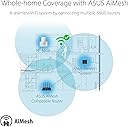
The ASUS RP-AX58 AX3000 Dual Band WiFi 6 Range Extender leverages the latest 802.11ax standard to deliver ultra-fast speeds up to 3000 Mbps and extends your wireless coverage up to 2200 sq.ft. With seamless AiMesh compatibility, easy mobile app setup, and flexible backhaul options, it ensures a stable, secure, and future-ready home network that keeps all your devices connected effortlessly.


| ASIN | B0BP7X1SRS |
| Best Sellers Rank | 7,300 in Computers & Accessories ( See Top 100 in Computers & Accessories ) 35 in Whole Home & Mesh Wi-Fi Systems |
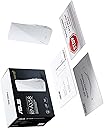
| Box Contents | RP-AX58, guide |
| Brand | ASUS |
| Brand Name | ASUS |
| Colour | white |
| Compatible Devices | WiFi router, smartphone, tablet, laptop, smart TV |
| Connector Type | RJ45 |
| Country of Origin | China |
| Customer Reviews | 4.0 out of 5 stars 194 Reviews |
| Data Transfer Rate | 3000 Megabits Per Second |
| Data transfer rate | 3000 Megabits Per Second |
| EU Spare Part Availability Duration | 3 Years |
| Frequency | 5 GHz |
| Frequency Band Class | Dual-Band |
| Frequency Bands Supported | 2.4 GHz, 5 GHz |
| Frequency band class | Dual-Band |
| Item Weight | 0.23 Kilograms |
| Manufacturer | ASUS |
| Manufacturer Part Number | RP-AX58 |
| Model Number | 90IG07C0-MU0C10 |
| Product Warranty | 1 Year Manufacturer |
| Range | 2200 square_feet |
| Smart Home Compatibility | Smart Home Compatible |
| Special Features | Remote Access |
| Special feature | Remote Access |
| Unit Count | 1.0 count |
| Wireless Compability | 2.4 GHz Radio Frequency, 5 GHz Radio Frequency, 802.11ax |
| Wireless communication standard | 2.4 GHz Radio Frequency , 5 GHz Radio Frequency , 802.11ax |
A**N
Simple to set up and works very well
Very simple to set up if you already have an ASUS router and the app for that router. When you plug in the ASUS RP-AX58 AX3000 Range Extender/AIMesh you just wait until it finds your compatible router, follow the instructions and installation is done in three minutes. I have a security camera which has been problematic because of the distance from the router upstairs at the opposite end of the property but within minutes the camera had switched to the RP-AX58 AX3000 because the WiFi signal is a lot stronger near it. Video from that camera is now better quality and faster to load thanks to a better/faster signal from the WiFi system. I have also found that my PodPoint EV charger has swapped over to the new RP-AX58 AX 3000 as well. An easy thing to set up and great results in respect of WiFi quality from my ASUS system.
W**Y
Brilliant Mesh Expansion Node
Update 10th Nov-this mesh extender is end of life now, no more software updates coming - if this worries you then you need the replacement rp-be58 which I can confirm is also excellent. Set up was an absolute breeze, plugged it in near the router, opened the Asus router app, select AI Mesh and add node......... Found it right away and configured it exactly the same as the main router, including all the wireless settings I'd changed from the default in my ROG GT-AX6000 like using 160mhz on the 5ghz frequency. I now get 400mb on the drive at the bottom of the garden which is short but still impressive for a unit with no external aerials. This was my main reason for purchasing this router, as the drive security camera was glitching using just the main router, unlike the prior device but that's a different story...... Older 2.4ghz devices seem to transmit more power than the current crop of devices. My main router is at the front of the house and this AX58 is at the rear, coverage in my 4 bedroom house is ubiquitous, maximum signal strength everywhere on both bands. Roaming between the front of the house and the rear gives a seamless transition from one access point to the other. If needed you can bind a wireless device to a specific access point only using the Asus Router app - say to lock the drive camera to the this at the back of the house. You have the choice of wired or wireless backhaul to the main router, using wireless obviously halves the available bandwidth for the expansion node but even so this is what most people will use and I'm no exception. Mine quickly set itself up to use the 5ghz channel with ease, and is more than capable of maxing out my 108mb Vodafone connection. Wired backhaul would be better sure but moot at my speed. NB: you'll see a review below saying that the network port doesn't function as a lan port if you're using wireless backhaul - this was fixed in the second firmware update; and at the time of writing it's on it's third firmware update. So I'm a bit grumpy that I had to buy it to get the same coverage as my 8 year old Asus router, but it's rock solid, seamless and serves my purpose perfectly.
G**S
Great security, very easy setup and stability issues seem to have been fixed by firmware updates
I am struggling to know how to judge the AirMesh extender and partly because I have only twice, in quite a few weeks of use, actually seen any devices connect to it. The extender is active and working (judging by the Asus router app stats and the light on the extender), but doesn't seem to be connecting to devices. This could be because devices don't need to connect to it - the router signal could be strong enough. Except the main router signal is not strong enough, for example for, garden use. Yet the extender doesn't takeover the connection except very rarely. The initial weeks of use resulted in instability both in terms of the extender and also in terms of the router. The router would, every few days, refuse router settings connections from the Asus app and from a web settings connection. This meant that I had to restart the router which would then be okay again for a few days. During this time, the extender was also unable to connect to the router. This behaviour started when I connected the extender so I am concluding that it was caused by the extender. This was a big issue that almost prompted me to return the extender. Two firmware updates later - two for the router and two for the extender - and the problem seems to have disappeared. The extender's connection to the router is also more solid with less disconnects and more "white light" strong signal 5GHz connections. I wish that there was a way of forcing the extender to stay in 5GHz mode rather than falling back to 2.4GHz mode. There may be a way but I can't find it. To be fair, since the firmware updates, this hasn't been much of a problem. The ethernet port on the extender is useful but I have only used it for testing purposes. It works and would allow me to force a Mac/PC to use a stronger signal connection if I needed to do this. The manual is brief but helpful, setup is very easy (with an Asus router using the app) and the light indicators on the extender are informative even if you need the manual to tell you what each colour and flash means. There were no security or default password concerns during setup. Asus may have changed the setup process but the current setup process is very secure, very intuitive and vert easy (when connecting to an Asus router). I would recommend the extender. The ease of setup and the new found stability (with firmware updates) means that it is probably the best WiFi/mesh style extender I have used. Certainly for compatible Asus routers, the extender integrates seamlessly as part of the network and operates transparently in the background. Maybe though a bit too transparently given that I have only seen it receive device connections on a couple of occasions! I like and trust Asus products because of the excellent firmware update support and the tendency not to abandon products. The appearance of two firmware updates for this extender and for my much older router in such a short period of time adds, for me, to the value of this extender.
N**N
Seamless WiFi Extension with ASUS RP-AX58 AX3000
If you're looking to amplify your WiFi coverage and ensure a reliable connection throughout your space, the ASUS RP-AX58 AX3000 Dual Band WiFi 6 Range Extender is an absolute game-changer. Let me share my experience with this exceptional device: 📶 Flawless Connectivity: The WiFi 6 technology of the ASUS RP-AX58 AX3000 delivers lightning-fast and stable connectivity, even in the farthest corners of my home. Say goodbye to dead zones and signal drops with this powerful range extender. 🔄 AiMesh Compatibility: Setting up an AiMesh network with this extender was a breeze. It seamlessly integrates with my existing ASUS router, creating a unified, meshed network that ensures uniform coverage and hassle-free roaming between access points. 🚀 Speed and Performance: With a blazing speed of up to 3000Mbps, I can stream 4K videos, engage in online gaming, and handle multiple devices simultaneously without any lag or buffering. The performance boost is truly remarkable. 🔒 Enhanced Security: The ASUS RP-AX58 AX3000 prioritizes security with advanced encryption protocols, keeping my network and personal data safe from cyber threats and unauthorized access. Peace of mind is guaranteed with this level of protection. 🔧 User-Friendly Setup: The setup process was straightforward, thanks to the intuitive ASUS app that guided me through the configuration steps. Within minutes, I had a robust WiFi network covering every corner of my home. 📈 Future-Proof Technology: Being WiFi 6 enabled, this range extender ensures that my network is equipped to handle the latest devices and technologies. It's a forward-looking investment that caters to the evolving connectivity needs of modern households. 🌟 Final Verdict: The ASUS RP-AX58 AX3000 Dual Band WiFi 6 Range Extender is a must-have for anyone seeking to expand their WiFi coverage with cutting-edge technology and seamless integration. Say goodbye to connectivity issues and embrace a truly connected home experience with ASUS.
C**L
Constant disconnects with multiple models. Bricked after 6 months
Bought two of these to start an AiMesh setup in my house. They worked well for about a week before one of them started to constantly disconnect and show a red light. It was sent back. The second one was relatively stable until a few weeks ago and then started to also randomly disconnect. It ended up with a constant red light, and would not reconnect to the main AiMesh router at all. After a reset, it eventually reconnected after 3 failed attempts. Do yourself a favour and either pick a different company's mesh WiFi setup or a different model. There appears to be serious reliability issues with these
T**D
Eliminated dead spots for my IoT devices in furthest corners of my home
I live in a ground floor flat in a Victorian property of a 3 storey conversion. There are a dozen or so WiFi networks in the area. My 500MB FTTP connection enters at the front of the property, and connects via ethernet to my ASUS RT-AX86U Pro router which is also located at the front corner of the property. I run the ASUS WRT-Merlin firmware on my router, have the main network SSID which is on both 2.4GHz & 5 GHz, and then have an additional 2.4GHz SSID for IoT devices and an additional 5GHz SSID for my work laptop. The router alone was sufficient for good WiFi coverage throughout the flat for laptops / iPads / iPhones etc. However I have a number of WIZ GU10 light bulbs which presumably have tiny antennas, and those located at the rear of the property would often struggle to reliably maintain a connection with the network. I installed the ASUS RP-AX58 in a floor level plug socket in a room at the rear of the flat. It's probably 10m from the router, and in terms of line of sight from the router is behind the kitchen and 2 solid brick internal walls. Set up was a breeze using the ASUS Router app. I obviously opted to set it up as a Mesh node to avoid the wider network performance issues that can come from simple Extenders. Really pleased with the results. All my tech now reports max bars of WiFi signal throughout the flat. The IoT devices are working flawlessly. Speed tests always showed >=500MB speeds at the front of the property for upload and download speeds (and still do), and they show ~300MB now at the rear of the property whereas before they tended to be closer to ~200MB. The signal also extends to the furthest point in my garden albeit strength and speeds are dropping off, this is probably ~30m from my router and ~15m from the RP-AX58. But like I say, the main reason for purchasing this was IoT device stability and that has been flawless since I added the RP-AX58 to my network setup. ASUS make some of the best home networking equipment around, and this device is no exception.
C**K
Painful setup but good once working
I have two of these. They are good once they are setup but setting them up is a pain. For the first one, I had to connect my laptop to the ethernet port and manually update the firmware. The second one was a little easier, but still had to do some manual setup with an ethernet cable. Once they are working, they seem stable.
A**R
Perfect boosters
Work extremely well! Very quick setting up as nodes and boosts signal well. Bought one for downstairs and one for upstairs and get solid signal all around! Definitely recommend!
A**I
منتج متوسط ومعقد حتى يتوصل وتعرف التطبيق المناسب له
اخذته على اساس انه بيفرق في البنق ، الفرق بسيط الافضل تاخذ تبي لنك ac2660 ارساله بعيد
M**.
إعداده معقد جدا
بعد يومين من محاولة إعداده وعدم تعرفه على شبكة 5ghz انتهيت منه ولكن النتيجة يظهر لي تعذر الاتصال بالشبكة
Trustpilot
1 day ago
2 weeks ago