


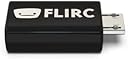
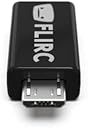
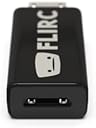
FLIRC USB Fire TV Edition
Product ID: 501010704
Details
- BrandFlirc
- ColorBlack
- Max Number of Supported Devices1
- Special FeatureUniversal
🌐Cross-platform pairing (Win/Mac/Linux)
📡10m IR remote signal range
🔌USB plug & play simplicity
Desertcart purchases this item on your behalf and handles shipping, customs, and support to Colombia.
🔥 Unlock your ultimate home theater control with one tiny USB magic wand!
The FLIRC USB Fire TV Edition is a universal IR receiver that lets you pair virtually any remote to your Fire TV or compatible devices. Featuring cross-platform software for easy setup on Windows, OSX, and Linux, it plugs directly into your Fire TV’s USB power port. With a 10-meter IR range and exceptional signal reception, it transforms your existing remotes into powerful media controllers, eliminating the need for multiple remotes and enhancing your smart home entertainment experience.
| ASIN | B0BN39CVFD |
| Additional Features | Universal |
| Best Sellers Rank | #7,078 in USB Cables |
| Brand | Flirc |
| Button Quantity | 3 |
| Color | Black |
| Compatible Devices | Fire TV, Harmony Remotes, Devices supported by Harmony Remotes, Windows systems, OSX systems, Linux systems Compatible Devices Fire TV, Harmony Remotes, Devices supported by Harmony Remotes, Windows systems, OSX systems, Linux systems See more |
| Connectivity Technology | USB |
| Controller Type | Button Control |
| Customer Reviews | 4.2 out of 5 stars 2,016 Reviews |
| Global Trade Identification Number | 00090281227739 |
| Manufacturer | Flirc Inc. |
| Max Number of Supported Devices | 1 |
| Maximum Number of Supported Devices | 1 |
| Maximum Range | 10 Meters |
| Mfr Part Number | FL-22773 |
| Model Name | FLIRC USB |
| Model Number | FL-22773 |
| Special Feature | Universal |
| UPC | 090281227739 |
| Warranty Description | 1 year manufacturer warranty |
R**G
Nvidia Shield 2017 + Harmony Hub using simple remote
This little usb device is easy to set up--but there are no instructions. The instructions that are on the web are scattered and bits and pieces are all you get. I got it to work...finally...and it works great! I use the harmony hub using the simple remote. I do not use the iphone version as a remote control using bluetooth. If I did I would not need this USB device since the Shield has bluetooth. Since I don't use the iphone as a remote--the 16gb version of the Shielld and a Harmony Remote will not work without this FLIRC as it is no IR. I think the 500gb N. shield has IR built in...but am not sure. These steps may not work for you; particularly if you have a different harmony remote than I do...and I am going off memory. I also use mac OSX. I plugged the FLIRC in my imac USB port. I downloaded the Flirc software. Once installed, the software auto checked for firmware updates. There was an update. the Flirc updated. Once updated. I pulled the FLIRC out of the imac USB port. I plugged in my harmony hub and used myharmony,com. You need to add the FLIRC as a device. DO NOT ADD the Nvidia Shield as a device on the harmony for IR on the 16gb machine. It will do you no good. You have to pretend that the FLIRC is the N. Shield basically for the set up to the harmony if you are using IR. Add device on the harmony. Manufacture: FLIRC Model #: Kodi It should appear as a device now. You have to now set up an activity for the FLIRC. (Remember, pretend this is the N. Shield in your mind) Click Add activity I clicked "additional watch tv"-- I then changed it to watch Nvidia in the next screen. On the hub and simple remote--this does not really matter what you call it except for identification purposes. You can call it whatever you want. Click your set ups that you want...just make sure you select the FLIRC as one of you choices. I clicked the TV; receiver; and FLIRC. Make sure you click the TV as how to show the video. The rest is how ever your set up is. (HDMI 1; 2 ;3 etc.) On the simple remote you have to set up the 3 buttons to power on activities. Click "buttons" from the main menu of the remote in myharmony and click which button you want for the Nvidia. Again- this is for the harmony hub using the simple remote. Sync the remote. Plug the harmony hub back in as if you are using it on your TV as normal. Take a laptop so you are near the harmony hub and your Shield. Plug the FLIRC into your laptops' USB port. Open the FLIRC Software. You should see a remote on the screen. Grab your harmony simple remote. Once the FLIRC software is open--with the FLIRC in the laptops USB port--use your mouse to click the top left under "controllers". Find Nvidia Shield and select it. You should now see the Shields remote on the screen. Click go or start ( I cannot remember) and you will see a green light highlighting what the SHIELD REMOTE DOES. For example it will highlight the top of the arrow keys as "up" etc. when these are highlighted--you click on your HARMONY remote where you want it. I did up; down; side RT; side LT and center just like the Shield remote; For " Back" I clicked on the harmony what I use for the back key; and I clicked on the harmony "menu" key when it got to the home key on the Shield. (But you can program the keys whatever your preference. Once it is done that is it. You can save the settings onto your desktop if you want. Unplug the FLIRC from the laptop USB port and plug it into the Nvidia shield's USB port. Use your harmony simple remote. NOTE: I had to use a usb extender on the N. Shield from the back to the front.; but some people report that it works fine without one. Why an extender?: If the IR signal is not "read" the remote won't work and the USB port is in the back of the Shield. I tested it and everything works great. Hope this helps. It was a hassle setting it up as I did not know what I was doing. I pieced together items from the internet and got it figured out.
D**A
Absolutely Amazing, BUY IT NOW!!
WOW, this is awesome!!! I am so glad that this product exists because there is nothing out there that compares and this made my home theater setup SO MUCH BETTER!!! I have an nvidia shield and a Sony 4K TV. I use a Sony Universal remote to control my TV, Soundbar, Home theater System, Bluray Player, and the shield. It's GREAT being able to control everything with 1 remote, but there is one problem that has caused issues for me for a long time... There's no equivalent button in my TV remote for the "Home" Button for the shield (android TV) which goes through CEC. In an effort to try to get a "home" button functionality out of my IR universal remote, I bought this little device. It took about 30 seconds to program this thing and as soon as I plugged it in it started working. First off... the reception is AMAZING!!! I have this mounted directly behind the center of my 55" TV, and somehow it picks up the IR signal from my remote literally no matter where I point the remote... Even if I point it at the wall behind me. It picks up the signal every time no matter what (which is really really nice). Also, it goes home every time I push the button, and this has fixed other issues I have had, for instance, CEC control not working after switching inputs, or the shield going to sleep and not waking up through CEC and I would have to find the shield remote and press the button to wake it up... Small glitches, but annoying nonetheless. But with the FLIRC, one press of that home button and everything wakes up, turns on, goes home, and starts working. It's sort of an "oh crap" button and it hasn't failed me yet. Sorry for the long winded review, but really. A+ Guys... I thought at first that $25 was pricey for what this is, but after living with it for a month I am 100% sure it was worth every single penny!!! It works as advertised, the quality is outstanding, and it's so versatile. It works amazing with my shield. But if I decide to get a FireTV, it will work with that. If I plug in a windows PC to my TV, it will work with that, too!! BUY THIS if you have a high tech home theater... It will come in handy in ways you can't even imagine!!
M**T
Great device- getting it to work in Arch Linux is complicated...
Let me state right up front that I am a Linux user... so what I am writing pertains to Linux, not any other OS... and also to the Raspberry Pi, which is what it's attached to. This is a bit of a PITA to install in Arch Linux or any of it's offshoots like Manjaro, which is what I use. I have a generation 1 Flirc (the clear one) for my bedroom Raspberry Pi and it works great. I needed to get another Flirc because the cheapo 19" tv I bought recently for the screen porch has CEC- but the CEC does not work in Kodi with the RPi for some reason. Since it's a PITA to have to use a mouse to control the tv in Kodi I bought one of these. Ok, first thing I learned is that a gen 2 Flirc does *not* work with gen 1 software. I had the gen 1 software and it didn't recognize the Flirc. Wouldn't connect. No, there are no instructions of any kind with the device. Other reviewers are correct about that. The Flirc repository has .rpm files for other distros and Debian .deb files you can download if you're using a Debian based distro. I am using an Arch based distro. The software for this device is in the Arch AUR. That's how I installed it the first time. Unfortunately the package maintainer has not kept up with the changes and the package is way out of date and won't install. Without the software, you can't program the remote... :-/ After much digging, some simple editing of the SRCINFO and PKGBUILD with mousepad solved the problem. I had to change the source to the *current* file in the repo and change the package version and the md5sums in both files. Then I ran "makepkg" and it gave me a file I was able to install with the Arch package manager. *Note* that you have to uninstall the gen 1 software first, as they conflict. So once I programmed it, I had no issues. It works fine, just like my old one. And yes it does require "line of sight". I attached mine to a usb extension cable and it's plugged into one the usb ports on the RPi. So I'm still giving it 5 stars because- at least with Arch- the software problem is not the fault of the Flirc developers- it's the fault of the package maintainers of the AUR software. All in all it's a great device.
W**N
Solves a known problem well, but seemingly abandoned years ago and lacking polish
What it does: You plug in a USB power connector to the female side, and you plug the male side into your Fire TV Stick. At this point, the FLIRC device appears as a USB HID device to the Fire TV Stick, and the app-configured Fire TV buttons are sent to the Fire TV device when you press buttons on the remote. How you set it up: You connect a normal Micro USB cable into your computer. At this point, your computer should recognize it as a HID device. When you launch the FLIRC software, you select Controllers -> Fire TV, which configures the FLIRC device to map the basic Fire TV remote buttons. Hit Go and the FLIRC device will read IR commands from ANY remote. You can pick any unused remote that you have around and it'll probably just work. Or in my case, I told my Harmony remote to add a TiVo device, and I selected that device when I went through the button learning process. Once done, plug the FLIRC device inline to your Fire TV stick. That's it! Your remote should control your Fire TV stick, including buttons that you won't get via HDMI-CEC, such as the Info button, or even the Play button. The good: - The IR receiver is pretty good. Better than the one that I had built from parts for my old DVR. - It's easy to program The bad: - The product software seems like it was abandoned a half-dozen years ago. Either that, or the developers aren't into having a polished, bug-free product. - When launching the Windows app, it said that there's a Firmware upgrade available from v4.9.6 -> v4.10.1. When I agreed to update the firmware, it went through a process, rebooted the device, and said that the firmware update was successful. But it's still at 4.9.6. Every time I re-launch the Flirc software, I'm bugged to update from 4.9.6 to 4.10.1 - Doing a web search, I saw an article saying that the firmware update may fail on Windows because of something with the boot loader. So I figure I'd try Linux. Ha. - The Linux downloads are on an HTTPS page, but link to HTTP for the packages. - There's a suggestion to pipe a curl to an HTTP host to sudo bash, which is terrifying from a security perspective. The HTTPS certificate for the server expired in 2022. - After running the script, APT is reconfigured, but no software is actually installed. Manually installing flirc via apt doesn't actually install anything. - After finally finding a Linux machine that seemed to be compatible, the suggested packages to install did not map up with what was available. I had to manually make a symlink to make it appear like libreadline 7 was installed. - After all of this, the firmware update process went exactly the same as it did on Windows. That is, it said it was successful, but after it was done it remained at 4.9.6 - Given that you can manually update the firmware with the Flirc and flirt_util utilities, I figured that that'd be an option. Except for one problem: Where does one download a firmware? Apparently the firmwares and release notes are hard-coded into the GUI application itself, and I've found no reference for where you can just download a firmware. Having said all of this, the product works. And I can control my Fire TV Stick from my IR remote just fine. But the whole experience left so much to be desired. Tip: When choosing a micro USB cable, make sure that you have one that actually does USB data and not just power. For me, it took until the 3rd cable that I tried before I got one that allowed the FLIRC to be recognized. I blame cheap USB-powered device makers that save a couple of cents by skimping out on two conductors. During my troubleshooting phase, I saw some posts suggesting that you need a USB OTG cable to use this device. But at least with a Fire TV Stick, no, there's no special cable required for programming it, and there's no cable required at all to use it.
D**.
Don't Waste Your Time
Read tons of review before purchasing this; lots of people said this new 2nd generation one was a POS, but others suggested that simply updating the firmware would fix the issues. Shortly after purchasing, FLIRC emailed me direclty and told me to do the same, which I thought was a nice gesture (though I realize it's truly just an attempt for them to save their arses). So I did just that - pulled it straight from the box and put it in my laptop. I visited the website and downloaded the software, then grabbed my remote and programmed the remote with no issues (seemingly). I then plugged the FLIRC into the back of my Fire TV and NONE of the buttons on my remote did anything. Tried reprogramming - same result. What's even weirder is that during the programming stage, when I got to the "select" button, when I pressed select on my remote it would say that the pairing was successful and move on to the next button to be programmed, BUT it also opened a new Internet Explorer browser... Even weirder than that, I NEVER use IE for anything. So why the this dongle would somehow translate me pressing the select button on my TV remote into "open up Internet Explorer" makes me question whether or not this thing even has the capability to work properly regardless of the firmware version. If the remote is currently in programming mode, it should ONLY be trying to receive IR signals from your remote. It should NOT be trying to receive signals while sending signals at the same time. Not to mention the $23 price tag is pretty damn hefty. Instead, I just bought a Harmony smart remote with a hub for $70. Makes no sense. Returning tomorrow.
R**T
Just what I needed
I have been using Tivo DVRs since 2014. The remote control is fabulous, and DVR navigation of both Live and recorded cable Tv is great especially when using the peanut shaped remote. Tivo DVRs do have a limited number of streaming apps, and I supplement the Tivo’s streaming apps with my Samsung TV’s streaming apps, and although the Tivo remote control is not a full fledged universal remote, it has the capability to be programmed to control several of the Samsung TV functions like the TV power button, the input or source button, mute button, and the volume buttons, but it cannot be used to navigate any of the apps or menus on the Samsun TV. So, to navigate those additional Samsung TV functions, I have to use an additional, separate remote which is not a big issue, but its just not very convenient. While searching for a solution, I came across the FLIRC device. Since the Tivo remote can operate in radio frequency or in infrared modes, I decided to find out if I could operate the Tivo via the RF mode of the remote control, and when needed, I could operate the Samsung TV with Tivo remote in IR mode. Since the FLIRC already has a template for a PC keyboard, I decided to see if I could remotely control my Samsung TV via a wireless USB keyboard, and sure enough the PC keyboard was able to navigate the Samsung perfectly which gave me some confidence that programming the FLIRC to allow the TIVO remote to emulate a PC keyboard would allow me the functionality I was looking for. I purchased the FLIRC device on Amazon along with a USB extension cable to mount the FLIRC in front of my Samsung TV so that the IR signals would not be obstructed. Once I received this tiny little device, I downloaded the FLIRC app onto my laptop and then plugged in the FLIRC into an open USB port on my laptop, and I quickly programmed it to accept IR signals from my Tivo remote. This inexpensive little device is working perfectly, and I couldn’t be happier with this purchase.
A**R
Works great with Amazon FIre Stick Gen 1 but not Gen 2
This is a great idea and when it works, its great. I have used this in serval devices including Roku, Chromecast, RPi, and Fire Sticks. It is a little touchy with the Roku and Chromecast but works well enough. For the First TV Gen 1, it works great. Very response and all buttons map. For the newer Gen 2, however, not so much. The button all appear to work at first until you get to a screen where the OK button does not response. For example, entering the pin number of parental controls. Others have mentioned in a post of the manufacturers forum that it has something to do with thrid-party apps. The devs have not been very responsive to that post - must guess is they are busy with their new remote control. So, if you want to use it with the newer Fire Stick you might have trouble. But for most other things, its great. The desktop software to program it is simple to use. Actually, its a little TOO simple IMHO, I wouldnt mind a little more detail in the UI about what has been programmed and with what commands. A minor thing Also, when programming, stick we "common" IR commands when teaching it if you are using programmable remotes with a big Ir database. I find that, for example, using the Panasonic TV IR commands are the most reliable. But using something less mainstream tend to not work with it.
B**E
Outstanding - here's how it works if you're confused
Love this little gadget. Yes, it's a little higher than a barebones USB IR component, but the software and firmware is where this thing shines. You can use the app on your PC to configure the IR dongle, and it saves the configuration onto the dongle itself. Here's my scenario as an example: I have an Android TV box, and a cheap $10 universal remote I'm fond of. Now, the cheap remote works fine for my Roku TV and my Soundbar, but doesn't have proper support for Android TV. No problem - I configure my remote with any old code that will use the buttons I need, in this case, I went for a Sony DVD player. Now I use the Flirc software to tell the dongle "Hey, interpret this button I'm pressing on the remote, as this instead" So to explain - the FLIRC, when it's plugged into your device (like an Android TV box) - interprets IR commands from your remote. This is the same thing a cheaper USB IR receiver could do. But where the FLIRC shines is that thanks to it's programmable firmware and software, it can be configured to essentially TRANSLATE these commands in real time. It doesn't matter that my remote doesn't have codes for the Android TV box, it has codes for a Sony DVD player, and the FLIRC can interpret and translate those commands and pass them along to the Android TV device as if I were using the original remote.
B**G
Miraculeux ! Une utilisation particulière...
Mon iMac 27 pouces 5k avait perdu la possibilité d'être commandé à distance par la télécommande fourni avec l'ancienne génération. Donc pas de commande du multimédia à distance. Je disposais donc d'un télécommande apple neuve qui ne servait plus. Grace au FLIRC, j'ai pu retrouvé cette fonctionnalité et commande dorénavant ma musique depuis mon canapé. Il y a bien sur plein d'autres utilisations. Dans mon cas, après une rapide configuration, j'ai pu profiter à nouveau de cette très joli petite télécommande apple en aluminium. Merci FLIRC
K**K
コンパクトで便利
素晴らしい😀👍 首を長くして待った甲斐がありました
T**.
Best Device for Universal Remote Control – Works with Google TV & Kodi!
Hands down one of the best devices I have ever used. The FLIRC USB allows me to use any remote I want with my Google TV box, and it even works perfectly with Kodi. Programming it is straightforward and easy – even someone who isn't tech savvy will have no trouble getting it set up. You will not regret this purchase! I personally own two of them – one for my computer setup connected to my TV, and one for my Google TV box. With both set up, I can use a single remote to control all the features across all my devices. It's a total game changer for home entertainment. Highly recommend!
A**E
works well
Great little device - very easy to setup, works well on a NUC media player
T**R
Excellent Addition to my PI Media Centre
Won't bore you with a long review... Have a Pi Kodi / Media Centre setup and needed to add a remote to the situation so I bought this. Extremley easy to set up using any random remore control you have lying around the house in my case I used a old Android TV remote that is about ten years old because it had all the play, pause, rewind extra buttons on it. To set the FLIRC up you just plug it into your PC and it will ask you to program your remote by picking a on screen option and pressing the corresponding button on your remote control of choice... it genuinely could not be easier. Setup on PI was also very quick and straight forward and it just works perfectly. Really cannot fault this... fair price for a well made decent product that is easy to set up and use. 5 stars baby!!
Trustpilot
3 days ago
1 week ago