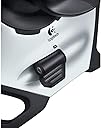
🕹️ Take control, or watch others fly past you!
The Logitech G Extreme 3D Pro USB Joystick is a Windows-compatible flight controller featuring 12 programmable buttons, an 8-way hat switch, and a twist-handle rudder for precise directional input. Designed for gamers seeking an entry-level yet highly customizable joystick, it offers rapid-fire triggers and an ergonomic grip for extended play. Ideal for beginners and casual flight sim enthusiasts, it delivers reliable performance with a stable weighted base and USB-A connectivity.


| ASIN | B00009OY9U |
| Additional Features | 12 programmable buttons, 3-year limited hardware warranty, 8-way hat switch, Contoured grip, Rapid-fire trigger, Stable weighted base |
| Best Sellers Rank | #7,914 in Video Games ( See Top 100 in Video Games ) #53 in PC Game Joysticks |
| Brand | Logitech G |
| Brand Name | Logitech G |
| Button Quantity | 12 |
| Color | Black |
| Compatible Devices | PC, Windows |
| Connectivity Technology | USB A |
| Controller Type | Joystick |
| Customer Reviews | 4.4 out of 5 stars 13,163 Reviews |
| External Testing Certification | ANATEL |
| Global Trade Identification Number | 00097855018113 |
| Hardware Platform | pc |
| Item Dimensions | 8.27 x 8.86 x 9.06 inches |
| Item Dimensions D x W x H | 7.9"D x 8.86"W x 7.9"H |
| Item Weight | 2.2 pounds |
| Manufacturer | Logitech |
| Manufacturer Part Number | 963290-0403 |
| Model Name | 963290-0403 |
| Model Number | 963290-0403 |
| Package Quantity | 1 |
| Power Source | Corded Electric |
| UPC | 097855018113 |
| Warranty Description | 1 Year Limited Hardware Warranty |
E**3
Excelent beginners joystick.
For starters, it's cheap, functional, and durable enough, but don't expect it to be a HOTAS. I would say that anyone who is interested in using a joystick for a game like war thunder should buy this stick. To understand what I'm trying to say please realize that this is coming from someone who bought this stick for the explicit reason of starting out on a joystick. It has almost been a year since I bought it, and I want to discuss using joysticks versus the mouse before I discuss this one model. Anyone who is buying a joystick for the first time needs to understand the very different world they are entering when they do so. I don't want anyone being deceived; it is much more difficult to use a joystick than a mouse. The joystick does give you more authority over the aircraft than mouse and keyboard, which can be an obvious advantage. However, the mouse and keyboard allows you to focus on simply pointing the aircraft where you want to go and employing the weapons while the computer optimizes the control inputs. With the joystick you are the one that eases the aircraft into and out of the turn; you set the banking of the aircraft. This is not as easy as it seems at first. When you first start, your brain will want to think that all you have to do to bank the aircraft ten degrees is to hold the stick at a ten degree angle. The next thing you know the aircraft is upside down because you forgot to return the stick to neutral. Like I said, it’s a very different experience and it requires a bit of a learning curve. In fact, most people stick to flying with the mouse and keyboard because of the difficulty of transitioning, and the time it can take to start getting kills with the joystick (I still do better with the mouse than the joystick). Now, in regards to this particular product, Logitech has a reputation with me of making virtually indestructible computer peripherals. Okay, so they’re made of flimsy plastics. But they have still survived many drops and some rough handling from yours truly. Additionally I would say that the price is right for something you might buy, use a couple of times, and then never touch again. And the product gives you everything you need in order to have full authority over your aircraft. This way you can at least make an informed decision whether or not you want to use a joystick; then you can upgrade to a more expensive HOTAS system if you so choose. Durability is apparently a hit or miss proposition. I have seen many reviews saying that the neutral position will shift over time. I have not seen this. The only problem that I have seen so far is that the hat switch was unusable on Microsoft Flight. This scared me at first, but when I got the joystick to work on War Thunder (not the easiest thing to do), the hat switch worked fine. The only real gripes I have with the Extreme 3D Pro are that it isn’t a HOTAS nor will it ever be one, and that the stick is a little rough when switching roll or pitch direction. This last complaint is commonly mentioned in the reviews of every joystick I looked at below 100 dollars. This is only a problem when making very intricate maneuvers such as when dog fighting. In fact it only started to become a problem for me when I was trying to fly in War Thunder’s realistic mode, and it became a substantial issue when I tried simulator mode. CONCLUSION: this is not a stick for the simulator enthusiast. This is a starter stick, something you can buy without guilt if you decide you don’t enjoy flying with a joystick. And for those who do enjoy flying with joysticks, it is something that can be used until they can get a more complex system. This is after all nothing but a joystick with throttle axis and a few buttons. Those who like joysticks will eventually want more buttons and a better throttle, but those cost money and money causes guilt if you’re not among the joystick enthusiasts.
J**K
Solid Beginners Stick!
I recently got into DCS and needed a stick to begin my journey. I didn't want to fully invest into a proper setup yet as I wanted to test the waters and see if I will even like the game. I was recommended the Extreme 3D Pro from various forums as it's both cheap and offer a decent amount of programmable buttons for the price point. The stick itself is well built for the most part. There is a bit of play with the twist rudder control but it doesn't hinder the real world use of the stick from my experience. I was surprised by how well balanced the stick was in relation to the base. I've had no issues with it sliding or lifting during my DCS sessions. A nice addition to the stick is the throttle slider control. It's small but it works well. The trigger is surprisingly satisfying to click. It's a bit shallow but it has a springy click to it. As for the usage during DCS, I found it very good for the Flaming Cliffs modules. With modifiers I was able to assign multiple key binds onto the same button which made game play much more fluid. Having to use the HAT button sucked for looking around the cockpit in my opinion. Having a head tracker is definitely preferable. One issue I came across was that the twist rudder was interrupting my flight by engaging the rudders when I didn't intend to. I fixed this by adding a significant dead zone to the rudder axis using the "Axis Tune" tab on the controls section. With this in mind I also did the same with my pitch and roll axis by adding a curve to reduce some of the sensitivity. Overall I highly recommend this stick for beginners. It will do the job until you decide to move onto something better.
J**S
An excellent joystick for the novice and (slightly) more experienced simmer
If I'm remembering correctly, I've owned three Logitech Extreme3D Pro input devices over the many years they've been produced by Logitech, and recently purchased a fourth for a novice armchair pilot I'm introducing to the flight sim world. I have used the Extreme3D Pro primarily for flight simming, but I have also used it to reasonable effect for motorcycle and car simulators; I have found the Extreme3D Pro to shine brightest when used to control a flight simulator. While there are much, much more impressive input devices on the market today, the Extreme3D Pro is an excellent, no-nonsense device for the novice and experienced flight simmer. The Extreme3D Pro provides pitch, roll, yaw, and throttle in one device, and supports 12 programmable functions plus a programmable 8 position "hat" switch. The base is large relative to the height and throw of the stick, and is stable with all but the most agressive stick inputs (i.e., the base stays put as long as you don't bang the stick to the stops). The buttons on the stick are well-placed, making it easy for the novice to learn to use to good effect. The throttle is a small rotating paddle on the base behind the stick. I have found the throw of the throttle lever to be large enough to provide a good feel for adjusting throttle settings with default gains in the sims I've used with the Extreme3D Pro. Likewise, the rotation of the stick for yaw control in flight sims (that's how I've used it over the years) is natural, with good feel given default gains in the sims I've use with the Extreme3D Pro. Logitech placed 6 of the 12 buttons on the base. Those 6 buttons could have been laid out better to accommodate the natural left-hand placement on the base while using the throttle paddle. Speaking of hand placement, there might be a version of the Extreme3D Pro for South Paws, but I haven't seen one; the stick is definately meant for use by the right hand. The buttons often have functions defined by default settings in the most popular (flight) sims available today, so there is little or no need to customize the allocation of functions to buttons other than personal preference. Logitech has a rather crude, though effective, application that enables the user to program functions for the buttons, but the experienced and expert simmer will likely want to customize the allocations within their flight sim instead, saving system resources for the simulator to eek out every frame per second you can. I use the Logitech app to calibrate the joystick, but I use the simulator's function allocator to customize what the input device is controlling and how (e.g., function allocation, command repeat and rate, gain, dead-zone, non-linearity). I have not had an Extreme3D Pro fail the same way twice (yet). The construction is rugged, and the buttons have never failed on me. As the stick gets on in age, though, you might notice a persistent drifting in the calibration of the stick, or a "stuttering" in the throttle. When I've taken apart such miss-behaving sticks that are out of warrantee (it's always started to happen out of warrantee), I've found a lot of gunk in and around the sensors for the stick. Cleaning that up usually solved the problem. However, since the Extreme3D Pro is so inexpensive to purchase, and since they last so long with light to moderate use (i.e., not repeatedly slamming the stick or throttle from one stop to another during aggressive inputs...not that I have much experience with that ;-), by the time you get any kind of anomalies in the device you'll probably be in the mood for a replacement or an upgrade. All in all, I've been very satisfied with the Logitech Extreme3D Pro, particularly when used for flight simming. It makes a great first joystick or as a replacement for a low- to mid-range joystick.
S**E
Awesome joystick, possibly the best!
Love this joystick. I've owned 3 of these over the years. As cringe-worthy as it sounds, I do fly as an occupation and picked up my first joystick as I was preparing for a job interview and needed to brush up on my instrument scan(flying steam gauges). Being a poor regional pilot(prior to the regionals paying a livable wage), it was a hard purchase to justify, but thinking of it as an investment in my future if I were to get the job, I bought the joystick! Paired with FlightGear, a free simulator that I had downloaded, I got flying! I think initially I tried flying a C172, but not being a computer wiz, I had issues trying to configure the sim and the P-factor was just too much to overcome. I remember flying some corporate jet around, trying to regain the fundamental skills that ended up by the wayside due to a life of glass screens and automation. Finally, the day of reckoning was upon me and I had my interview. Fortunately enough for me, the joystick and my free simulator proved a worthy investment as I was able to fumble my way through a few approaches on steam gauges in a plane that I had never flown! Despite receiving good feedback on my sim eval, I did not receive the job offer. Luckily things were moving in the industry and I was offered a job at another carrier, who also made me do a sim eval on steam gauges, so into storage went my joystick! Fast forward a few years to 2020; I was at yet another carrier(which I planned to stay at for life), and the pandemic was upon us. I stopped flying in March and around the summer, I had recurrent training coming up. I tried requesting a couple of trips but with flying so thin, I ended up sitting at home. With my trusty joystick being in storage, I was forced to order another one. Again, paired with my free sim, and this time, a downloaded version of the plane that I flew at work, I was able to regain some proficiency with my flows and flying skills. I went to recurrent training having not flown in months, and was able to fly as if I had only been off for a few weeks or so! Again, saved by my trusty joystick! Fast forward again to 2021; the pandemic had forced a furlough and a divorce upon me. Fortunately enough, I was able to secure a job while furloughed from my airline which kept me fairly sharp, but when I got recalled by my company, I couldn't remember the first thing about flying my old plane. Luckily, I had remembered the setup that had saved my ass in the past; my trusty joystick and free simulator! I searched everywhere for my joystick, only to learn that it was one of the many casualties in the ugly war of separation. Inevitably, I ended up getting another one, hopefully my last one. I spent hours getting reacquainted with my old airplane, going through flows, flying between normal city pairings, running checklists, you name it. Again, the joystick saved my ass. Just a few days ago I got signed off and am finally requalified! Bottom line, if you fly planes, or just fly planes on the computer, this joystick will be a great asset to you! Without this joystick, I may not have had the opportunities that I've been presented(job wise), and definitely would lack proficiency during times of worldly events. Take it from the guy who had to buy the same joystick 3 times. Its something you can count on!
J**R
Great little joystick for the money.
Great little basic joystick for what it is. Bought it for my son‘s first Robotics team, and I used it during an entire season with no issues whatsoever.
C**H
Good starting joystick
This is a good joystick to start with. I got it to start off my aviation setup. It has plenty of buttons on it, and it has a throttle and rudder control. I use it with MSFS2020 and it works perfectly. However, the stick does have a little wiggle in it without going back into position when I use the rudder control to the left. It is easily set up, you can just plug it in and it works, even with Windows 11. It feels pretty good no matter what hand I use. The design fits in with my gaming setup. Overall, this is a really good product.
S**S
Some what worked....
The quality is decent, feels to be made well and functions alright for being mostly plastic. That being said, the response from the stick is off and you will have to spend allot of time to correct this, It did well in some single player games with the response time being noticeable but workable. For online games it will put you in a huge disadvantage unless you take time to fix it. I did get this flight stick to work for war thunder almost instantly down side is it would not let me set up the keys with out going though some loops. I ended up going back to mouse and keyboard due to these issue's. This thing is ok if you have a budget and don't use it all the time or if you want to mess around to see if you want to spring for a real unit. If you are wanting to play a flight sim or a multiplayer game save up for something nicer that is a bit more user friendly.
M**K
.
First Impressions. I will try to make this brief, But also effective. Logitech is well known for their PC Gaming products and always give you quality, I have never bought a bad or cheaply made Logitech item. So, Lets start with the look. Silver and Black looks great, However the Button Numbers should have been a brighter color. It is a very dull gray making them very hard to see. If you can't see them why are they even there then. Everything else is very appealing. This joystick has many functions and abilities. It has a Profiler Program so that you can further customize it, Allowing you do adjust sensitivity, Add mouse and keyboard commands to a button, You can also setup a macro for the buttons within the Profiler. This profiler also helps to keep the joystick calibrated and should always be running when playing a game, So in a sense this is NOT PLUG & PLAY. Many people complained about calibration issues and I believe they do not have this Profiler Installed or Running during their gameplay. This joystick is Right Handed, If you are Left Handed you will need a different joystick, I'm unaware if this model comes in both. There is 3 Axis's on this, Tilt Front/Back, Tilt Left/Right, and the Twist(Left and Right). The "Controller Joystick" you see on the top is not like one you would find on your average PS or Xbox controller, It has 8 buttons that when you move it in a direction it will click on one of the 8. This might sound bad, But it acts nearly the same as your average controller joystick, While also adding the option of giving you 8 more customizable buttons. So you can consider this 20 buttons rather than 12 depending how you utilize that 8 directional joystick. The feel is great, It has an internal spring along with a rubber type spring externally. The internal spring will take the pressure of all movement and the outer rubber one will help during heavy movement, Decreasing wear and tear on the internal spring, Assuring a long life for the product. Every button performs as it should, And always responds quickly. There is never a stick or hard to press situation, This goes for the joystick as well. There are 2 trigger buttons, Your conventional trigger and the one on your thumb, Which can be triggered with a squeeze on the joystick or movement of your thumb. The Conventional or Front Side Trigger could have been made better, The plastic feels cheap and loose. I expected more from Logitech in this regard, This is the only thing I think could have been done better. However that does not hinder your gameplay in anyway. The THRUST Lever is especially useful, In certain games this will allow you to maintain a certain altitude, In others it will allow minor adjustments to Thrust/Altitude. In BF4 this will allow minor adjustments, Helping you maintain altitude while at the same time providing a softer landing. My conclusion for this review and a summary is that, This is a Quality made and Effective Product. It will support the Oldest to the Newest Games and has ALL The functionality that you would expect from it plus more. It will last at least 1 year with HEAVY gameplay. It will not become outdated anytime soon, Meaning it could last for 4 years. Hope this has helped someone, If you were looking for a Joystick look no further.
A**G
Good for the price
Seems to be fairly well made and happy with it so far for playing ED. Excellent value as it was bought at a discounted price.
A**E
Ottimo
Funziona bene sia con Flight Simulator X che con X-Plane 11
M**I
Damit knallst du mit dem Attack Helicopter Comanche jeden Panzer ab
Mein oller 20 jähriger Extreme 3D Pro Joystick hatte schon einige Macken und es war Zeit für eine Erneuerung. Mein neuer Extreme 3D Pro Joystick läuft wie am Schnürchen ohne Fisimatenten und Sperenzchen. Kaum zu glauben, dass so ein komplexes Teil zu diesem Preis zu bekommen ist, auch weil ich meinen Extreme 3D Pro Joystick in Einzelteile zerlegt habe, neu gelötet und wieder zusammen geschraubt habe.
J**K
Excelente
Un excelente joystick en su nivel de precio. Muy buen controlador de vuelo para principiantes. Buena estabilidad, buen agarre, firmeza adecuada en sus movimientos y se siente bastante resistente. Con 12 botones de buena retroalimentación, tres ejes y acelerador. USB, totalmente Plug and play en Windows 10, una gran diferencia contra un gamepad o el teclado. En FSX, la aplicación lo reconoce de inmediato. No es un HOTAS pero es un excelente control para empezar. En general un buen producto y definitivamente una excelente relación calidad precio. El único detalle es que está diseñado ergonómicamente para diestros. No lo recomendaría para una persona zurda. Lo compré de importación y llegó sin problema y 2 días antes de lo esperado. Muy satisfecho.
M**A
fiyatına göre iyi
tek sıkıntım 'yaw' eksenin biraz gevşek olmasıydı, deadzone koyunca o da çözüldü
Trustpilot
1 month ago
4 days ago