Buy anything from 5,000+ international stores. One checkout price. No surprise fees. Join 2M+ shoppers on Desertcart.
Desertcart purchases this item on your behalf and handles shipping, customs, and support to Colombia.
⚡ Power your WiFi like a pro—fast, reliable, and effortlessly smart!
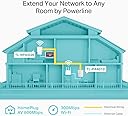
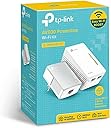
The TP-Link Powerline WiFi Extender TL-WPA4220 KIT leverages your home's electrical wiring to deliver up to 600Mbps wired and 300Mbps wireless speeds, extending internet access to hard-to-reach areas. Featuring plug & play setup, push-button encryption, and smart power-saving technology, it ensures reliable HD streaming, lag-free gaming, and seamless connectivity across multiple devices. Compatible with all HomePlug AV & AV2 adapters, this kit is the perfect solution for professionals and millennials seeking a hassle-free, energy-efficient network boost.


| ASIN | B00HSQAIQU |
| Best Sellers Rank | #15 in Powerline Network Adapters |
| Brand | TP-Link |
| Built-In Media | Network cable, powerline adapter, QIG |
| Color | White |
| Compatible Devices | Compatible with all HomePlug AV & AV2 standard powerline adapters |
| Customer Reviews | 4.1 out of 5 stars 8,134 Reviews |
| Data Link Protocol | Ethernet |
| Data Transfer Rate | 300 Megabits Per Second |
| Hardware Interface | Ethernet |
| Item Dimensions L x W x H | 7.21"L x 5.36"W x 3.35"H |
| Item Weight | 204 Grams |
| Manufacturer | TP-LINK USA |
| Mfr Part Number | TL-WPA4220KIT |
| Model Number | TL-WPA4220 KIT |
| Product Dimensions | 7.21"L x 5.36"W x 3.35"H |
| UPC | 172304354124 132018352489 803982830449 845973032579 |
| Unit Count | 1.0 Count |
| Warranty Description | 2-year |
S**H
Little different set up
My 2 piece kit came in a hurry and installed without incident just as fast. I am detailing the set up I have because I can’t be the only person with odd internet issues. My IP is a local (rural) telecommunications cooperative that provides phone, TV programming, dvr, and internet--dsl. For the most part they are great but one oddity is that it does not seem to play well with wireless routers. For some reason neither I nor technicians who were nice enough to come by and take a look have been able to install any new upgraded router on this internet, and not for want of trying. Of course I am sure if I subscribed to “managed Wi-Fi” at $10/month they would find a way to install their router—but how much management should one person’s internet really need? Since it is the only reliable internet available in the area, I have to work with it. Aside from that, due to a playful rescue kitten and electrical gremlins I am currently without both an Ethernet cable running under the floor and a wireless router until an old-school router that will install arrives and I am able to repair the cable. I found repairing the cable much like herding the kitten, so that hasn’t happened yet. That leaves me with one Ethernet cable on this side of the house currently serving a set box/dvr, said cable refusing to have its signal split by any means I have found and one old router that is dead. Therefore no Wi-Fi and miles of cat 5e cable running from one side of the house to the other in order to get internet to a laptop. But where to install the new router when it arrives with no Ethernet cable where I need it? Enter the TP-Link AV 600 kit. I had no reason to think this thing was going to work in a 100 plus year old house miles from anywhere on a system that doesn’t welcome newcomers and no router, but hey, let’s give it a try, right? So my set up is this: one Ethernet cable running from the modem (really Ethernet switch I think) across the house through the wall and into the TP-link adapter; extender plugged in to a different electrical outlet in the same room; ethernet cable from extender to set box/dvr. No working router anywhere in the set up. Holy Cow! Within three minutes of unboxing, I had working television and screaming Wi-Fi without so much as a wireless router anywhere on the place! It is a miracle! My laptop, smart phone and tablet immediately signed on to the new TP-Link Wi-Fi and grandma is once again online! You will find your device user name and password printed on the extender in very tiny print. Order a magnifying glass when you order your TP-Link—you are going to need it. Wi-Fi speed may be slightly less than it was with a wireless router but it is entirely usable and it is, after all, running through my house wiring sans miles of cable! When the new/old router arrives I will attempt to install it in the remaining Ethernet outlet on the extender, downstream from the TV set box. I will use its signal to reconnect to a smart TV, Roku, wireless printer, security cams, etc. I do not intend to clone anything. If the router signal is degraded I will simply sign all those devices to the TP-Link Wi-Fi and call it good. In that case, I will check to see the router isn’t DOA and put it away for emergency situations should the TP-Link fail. Being in the middle of nowhere with no Wi-Fi is not to be recommended. I did download the TP-Link utility and turn off power save mode in hopes that will preclude any signal dropping that other reviewers have complained about. When you sign on to the utility you will probably use admin/admin for user id and password, so don’t over-think the thing. I noticed that there is even usable Wi-Fi upstairs in this old barn of a house and there has been no interruption of signal for the TV set box or Wi-Fi since installation a day ago. Neither unit is running hot at this point. So far it has been pretty impressive. I will give the TP-Link a little time to fail and then I may order more extenders for better coverage across a two story house with pretty good square footage. For now installation was so easy as to be ridiculous and performance is really good. I am delighted. If there are further developments I will update this review, but my impression is that this is an item to try under any circumstances, and a really cost-effective way to circumvent logistical limitations. Feb 2020: Thought I had an ethernet problem but further troubleshooting found something else. Still all good.
L**!
Great product! Helpful instructions for those who are struggling...
As a professional computer technician, I needed this to satisfy an issue for one of my customers whose wireless signal was just too weak to reach the other end of their home and outside to a workshop. This solved the problem with very little effort. I read many reviews and troubleshooting tips beforehand which helped but here's how I did it and it was fairly simple. First thing, I changed the Linksys wireless router's default IP from 192.168.1.1 to 192.168.2.1 and change the DHCP scope to start at 192.168.2.10. I did this because the TP-Link device uses the same default IP of 192.168.1.1 that most routers use so you should change your router first to avoid conflicts. Second, I plugged the small unit into the wall, attached a network cable to it and plugged it into the router. Then I pressed the "Pair" button on it and gave it a few seconds. Then I plugged the larger unit into another outlet in the same room and connected a laptop to it with a network cable. I did this to verify that network connectivity was working. Make sure you turn off wifi on your computer so you're actually using the hardwired ethernet connection. I ran speedtest.net and got the exact same speed as the desktop connected directly to the router. Then I moved the TP-Link device to the building outside that my customer uses his laptop and tablets in. Keep in mind the smaller TP-Link device remains next to the router and plugged in at all times as it is receiving the signal there and transmitting it to the larger TP-Link device. Now that I had the device outside in the workshop, I plugged it in and connected my laptop and the speed had dropped to around 5Mbps. It was about 58Mbps inside so there was a huge loss in speed once I got outside but who knows what the wiring situation was like and it was on a separate circuit in the breaker box and all so I expected that somewhat. Anyway, the device proved we still had connectivity, slower, but it worked so I knew we were in business. Now came the tricky part... I needed to get this thing to clone the router's wifi. This I struggled with. I pressed the WPS button on the router, then the Pairing button the the TP-Link and it never seemed to work. At first I thought it was working but it's easy to get confused because you're still connected to the actual router's wifi. After multiple attempts at cloning the wifi via WPS/Pairing, I went into the router's settings and disabled wifi so I would have an accurate picture and it turned out that the TP-Link had not cloned anything. It created it's own separate wifi network but I needed it to actually clone the existing wifi network which it was not doing. Everyone else reviewing this complained about how hard it was to use the software based tool to setup this thing but I didn't have any problems with it. Per the included instructions, I browsed to[...]#Utility and downloaded the Powerline Scan Utility. Installed it and logged in as admin/admin and presto, I was in. Once in the settings, I went into wireless settings and changed the default SSID to my existing wireless router's SSID and used the same WPA2-PSK password and now it was cloned! As a test, I kept the wifi disabled on the router and only connected to the TP-Link wifi and it worked. I ended up moving the TP-Link device into my customer's garage which worked out well because it was now on the same wiring as the house and the speed remained very high around 40Mbps and as a bonus, the wifi signal it generated was now closer to the workshop outside and it was getting a great signal and still getting speeds around 30Mbps. Then I enabled wifi on the router again and at first, the laptop was showing a weak signal as it was still connected to the TP-Link device way on the other side of the house in the garage but after a few seconds, the laptop realized it was now closer to the main wireless router and it automatically connected to it. So if you're using this for a hardwire connection only, it couldn't be any simpler. Just plug in the small unit first and press Pair on it once it's connected via ethernet to your router, then plug in the larger one wherever you need it and you're connected on both ends. If you need it to clone your wifi use the Powerline scan utility and it's a breeze. Hope this helps!
C**H
Some installation issues, but works as advertised
I already had an existing AV500 network with three nodes, but found myself in need of a fourth. I had one installed in the upstairs bedroom, connected to an old Linksys router running in AP mode (flashed with DD-WRT). It worked surprisingly well, supplying a nice strong signal throughout most of the upstairs. I had planned to do a similar thing in a dead zone on the corner of the downstairs, but did not have another spare router on hand. While browsing Amazon for a used router, I came across this device, which appeared to offer exactly what I needed in one convenient package. How it works: The Range Extender plugs into an existing AV500 network and broadcasts a WiFi signal using the powerline network. The starter kit comes with the range extender plus a nano AV500 to connect to your ISP router. The range extender can be purchased separately, if you already have a powerline network. A handy installation guide is provided, but it was here that I ran into the first problem. TP-Link offers a powerline utility that easily configures the range extender - but in Windows and MAC versions only. As it happens, all my devices (laptops included) run Linux, and as near as I can tell TP-Link does not provide an Debian version of the config utility. Fortunately, the manual does have a workaround for exactly that situation, but it requires temporarily reconfiguring your network devices in order to access the internal Web Server. The exact details of said reconfiguration are not provided, though. Fortunately, I am quite at home with ifconfig, so it wasn't a problem. A Linux beginner, though, might be stymied at this point. The second issue is that the extender is factory configured with IP address 192.168.1.1, which happens to conflict with the default gateway address on most routers - mine included. You might find yourself having to temporarily disable your ISP router to get the range extender's internal web server to respond. Not exactly a major issue, but something of a minor inconvenience. Again, not a problem if you are using the TP-Link config software, but again - no Linux version. There is another caveat that you should be on the lookout for. Unless all your AV500 devices are paired, the range extender will be unable to connect to the internet. This is actually mentioned in the installation sheet, but it's more of an afterthought. It should probably be emphasized a little more. That said, now that the device is successfully paired, I'm actually quite pleased with it's operation. The WiFi signal is surprisingly strong for such a small device. I had at first feared that the lack of an external antenna connector might mean a limited range, but that's fortunately not the case. The extender also comes with two handy RJ45 ports for wired Ethernet connections, a welcome feature for my Android media player which is located very near to the extender. Other good points - the device does support WPS if you want to clone your existing WiFi network. Sadly, my RT-N66U router is placed in a highly awkward spot for maximum coverage, so I decided to forgo WPS. Manual setup is a breeze, though, once you are able to connect to the web server. All in all - I'm quite happy with the device. I would like to see a Linux version of the config utility and/or some clearer instructions on how to configure the device without said utility, but otherwise I can heartily recommend the TP-Link range extender.
J**E
VERY nice unit that works GREAT!.....but I also purchased the RE210 Extender
I used "openspeedtest" software on my Ipad and laptop to check the download speeds of the 4220 wifi/ethernet powerline unit and found some interesting observations. The 4220 unit was cloned to match my routers name/pass to ease changing networks (this may be done automatically by your devices and some of you may want to have separate network names for control). I found that the powerline use of the electric wires really worked and I have both ethernet and wifi signals in my furthest room that my router alone had a really weak signal (plus this room could not use ethernet without stringing some wires). The ethernet had about 40Mbps and the wifi about 35Mbps. I was told by TPLink people that the wifi was really created by the 4220 powerline unit, and not necessarily by reading the router's wifi signal. WPS clone button on the router just reads the name and pass. So, the 4220 wifi is not an extension/expansion of the routers wifi but a signal that gets created by the 4220 unit. The ethernet, though, is coming thru the electric lines, and if you have rooms that need ethernet and are far away, and if your electric circuit is not separated, then this unit will work. For me, the speed in the room where the router was located was 80Mbps and 130Mbps ethernet. For my middle room (router was on the other end of the house, 1 story), I talked with TPLink people and decided to go with the RE210 Extender. This unit does not have powerline capability, but captures the wifi signal from the router (they say you should have about 40% signal or greater for best placement). The ethernet port now gets it's signal from the wifi. At least, that's what I understand. I got 60Mbps when sitting next to the RE210 and the area surrounding it had lower signals. Without the RE210, areas within my large middle family room had slower spots. Now, I could have purchased another 4220 but wanted to try something different, and at least be able to experiment. If you need wifi/ethernet in a far away room (note the RE210 has a signal strength indicator on the face to indicate good distances, and for me, it did not work in my furthest room ), and your router cannot reach, then the 4220 that uses the electric wires is great. If you just need a RE210 or any other TPlink extenders, any would do the trick. This one had 5G but my ISP didn't offer. One thing I also noticed when running the Win10 "wifi analyzer" to display my networks, I see 3 separate networks with the same cloned name. I'm guessing the computers/ipads finds the best signals, but if you move around the rooms while streaming, there could be a short transition between networks where there may be a signal drop. Also, I see that many people are captivated by device speed, however actual signal strength do vary in your home. Check your speeds from the ISP and the area right next to your router...you will not get any faster with any device, so don't overbuy any products.
S**T
This Product Not Recommend for Wi-Fi Extension
I bought three of these devices several months ago to extend my wireless router signal in a large apartment with concrete and steel construction. A Wi-Fi signal in this environment only travels about 20 feet then is seriously attenuated by the walls and floors. Many of my neighbors have the same problem and we were seeking a solution for all. These devices must be used with a TP-Link PA4010 power line module to extend an Ethernet signal to the device for rebroadcast as wireless. Although, the claimed speed of 300Mbs is never achieved, I do achieve speeds of better than 100Mbs to the remote WPA4220 devices. I use one WPA4220 device connected using the included Ethernet port to an 8-port Ethernet switch that provides broadband connections to my entertainment system (Fire-TV, Blu-Ray player, etc.) and this works fine. The Ethernet speed over the power line module is good enough for HD movie streaming. The wireless signal is also acceptable so long as no wireless device needs to be connected to another wired or wireless device. My wireless LAN operates in a “unified” mode with a common SSID and WPA key and I can see my wireless devices connecting to the nearest WPA4220 device as I walk around my apartment. But the WPA4220 devices go into an un-commanded wireless isolation mode every 12-36 hours and intra-LAN wireless connections are blocked. Smartphone, tablet and laptop connections to the internet continue to work correctly; and rebooting each WPA4220 device returns it to non-isolation operation for another 12-36 hours. I cannot determine why this happens and why the span is 12-36 hours, but hundreds of tests over several months confirm the anomaly. I contacted TP-Link support via email with detailed explanations of my issue and after the usual “is your router turned on” and “do you know your password” dummy questions I was able to convince them that there is an issue. I sent screen captures of the WPA4220 setup and statistics pages and screen captures of my attempts to ping devices on my LAN when the WPA4220 devices were working normally and when they were in wireless isolation mode; but alas the TP-Link corporate email systems repeatedly blocked my screen captures and we were never to able to move on to other than my text explanations. My apartment building has over 100 units and there are many wireless LANs and wireless devices in use here. My suspicion is that when an intruder attempts to connect to one of my WPA4220 devices, this puts the devices into wireless isolation mode un-commanded by an operator. Although the devices support wireless isolation as a setup option, mine are not so configured nor is my router. I recommend using these devices only if you are proficient with wireless LAN technology; the intricacies of setting up multiple devices in a unified LAN; and you DO NO need intra-LAN wireless operation to function. Update December 2015: I've tried to resolve the unwanted shift to wireless isolation mode with TP-Link tech support for several months and although they were responsive, they claimed to be unable to duplicate much less solve my problem. Yet the problem persists even with firmware updates. When I reboot the TP-Link WPA4220, all is well, Chromecast works from my iPad and iPhone and I can connect and control my Apple TV via wireless. I can also connect to the WPA4220 from an iPad and see the wireless packet counts incrementally increasing on the wireless statistics page inside the WPA web interface. But after a few hours all wireless device-to-device connections are blocked and the packet counts return to zero. Chromecaast no longer connects and I cannot connect to my Apple TV with an iPhone or iPad . I can no longer connect to the WPA4220 from an iPad. Wireless devices can still connect to the internet but not to each other. This is classic wireless isolation, but in my case it is unwanted. I remain convinced this is a TP-Link problem and do not recommend the product for wi-fi extension if you need wireless device-to-device connections.
R**T
Great Powerline Adapter, Crummy Wifi Access Point.
This review comes in two parts, because as part of one purpose, it does the job well for the price compared to other products. For the wifi, it goes a little downhill. Needing this to bring ethernet and wifi to the second story of my house from the wifi router in the downstairs living room, it has only partially fulfilled all of my needs, requiring me to use additional equipment to get everything I need accomplished. Powerline Adapter: As a powerline adapter, it works great. I had my computer and Xbox connected to the ethernet ports on the unit, with fast and reliable connection; good enough for multiplayer on Xbox live with no lag. Streaming HD on Netflix/Hulu/Vimeo/Youtube has been seamless and it quickly works up to full HD, if it doesn't immediately begin streaming at full quality. Its transfer rate has remained a solid 22mbit/sec, which is great, considering the electrical wiring in a 100+ year-old house. The 3 star rating is thanks to the wifi. The wifi is deplorable. Using the wifi access point function of the 4220 has plagued me with absurdly low transfer rates, continuously dropped connections, an excruciatingly limited coverage area, and the need to constantly refresh my wifi connection, sometimes as often as every few minutes. After several months of dealing with these issues, I decided to fix this problem by turning off the wifi and connecting a wifi router to it. For this, I used the TP-Link TL-WR841N router. I wasn't sure how well this would work, but it was worth the $20 gamble. So far, it's drastically improved the wifi situation on the 2nd floor of my house. The wifi and internet speed is now very consistent, fast, and I haven't had to do anything to keep my connection to the internet since I've made this augmentation. TL;DR: If you need wifi from a powerline adapter, I'd look elsewhere. If you're looking for a powerline adapter without wifi, I'd assume there are less expensive options as well, so still, I'd consider looking elsewhere.
D**E
Works as well as the product says it will, imagine that!
Purchased this startup kit plus an additional extender. For some reason, it was $10 cheaper buying them separately then buying in one complete kit. Guess they are different vendors, but anyway, I digress. So onto my review. Let me start my saying that I am NOT an IT person in any way, and I've very limited experience with WiFi, networking, and etc. SHORT VERSION: I needed something to boost the WiFI signal in the master bedroom as well as the basement in my house. These powerline adapters had the best reviews plus they included the WiFi extender. After about 30-minutes, I had everything set up using one common network name so I'm not even aware when, or if, the computer switches to the adapter wifi broadcast. The WiFI connections in my house seem to be more stable, and I was able to plug in the smart TV's and/or blue ray player right into the ethernet ports freeing up WiFi bandwidth for other devices if needed (I think - you see, I barely understand this stuff). Very happy, easy to use, and no issues whatsoever. Money well spent. I may pick up another extender for the other area of my house if needed. LONGER VERSION: I found the 1-page diagram showing how to link up the system confusing - it was too simple if that makes any sense. After staring at it for 10 minutes, I gave up and just plugged in the base adapter to the wall and router then ran upstairs to plug in the extender. The extender found the adapter right away without me doing anything and I was able to discover the 'new' network on my laptop. Same issue with the 2nd extender - it connected to the adapter right away on its own, no pairing needed. I did not want to have more than 1 network name, so tried using the WPS button on the router and adapter so the network settings would be copied over (I think that's how it is supposed to work). When this didn't work, a quick google search told me that the Verizon FIOS people in their infinite wisdom had decided not to active WPS options on their actiontec routers. So I had to manually set the SSID and password for both extenders to match my original wireless network. Contrary to what others might have reported, this was very easy! I went to TP link website, downloaded and installed software (Win 8) for the product. From there, the utility finds the extenders and you can set the wireless information as needed for each one. All in all, very easy - about 30 minutes total time to set this up and I am a novice. One surprise was the ethernet speed appeared to be a bit slow on one smart TV (the TV had a utility to test this), less than 5 Mbps (and wireless was about 13), so not sure if it's my powerlines or something else, but I was still able to stream netflix at HD with no issues. My service is 25 / 25 Mbps...
M**X
Works reasonably well to extend a wireless network
I bought this kit to replace a pair of aging noname AV200 powerline adapters mated with a cheap Wireless G AP. My issues started because I had to replace the DC power brick of the cheap Wireless AP as it failed, the new switching DC converter would create so much noise that the powerline connection would be too slow (like 1MBit download). This kit allowed me to get rid altogether of the cheap Wireless AP and its DC converter as it is integrated in the WPA4220. Note: this pair cannot communicate at all if I plug said DC converter so their tolerance to that kind of noise is even worse than my old noname AV200 pair but as I don't need to use it all it's not a big deal. [The interference created by the switching DC converters were very strong as I had to plug it on the "same" socket for wiring reasons, if I used a different socket interference was bad but not to the point to be disruptive]. I was able to join the pair in this kit to the existing noname AV200 powerline adapters first, then replace them entirely. [At a point I had all 4 plugged in and it seemed they could coexist decently but I can't vouch for the perf hit as I am not using them in that configuration anyway, I now only have the 2 AV500 plugged in] Only thing is for the AP adapter (the actual unit called WPA4220 of the two, the other is a 4010) , I had to connect directly to it via wire first, hit the 192.168.1.1 and force the IP to be something else, if I let it default it gets whatever my router would give as DHCP and causes loss of connectivity and other bizarre issues, I settled to have it in the high 200, my DHCP server is limited to give out up to 100 so no conflicts. The good part is that this pair is twice as fast as the one it replaced in direct connection (I used to be able to get 10Mbits web speedtest now I get 20Mbits, I have available around 40Mbits in the house from the ISP so not bad), the wireless N is much better than my previous wireless G to the point I get 99% out of the direct speed, I used to see a higher drop. [speedtest in my case hits an ISP external website, I have not tried raw speeds between local computers as I don't use them that way, I never transfer files or stream anything between locally connected devices so I cannot tell you what the device to device speed could be] One thing I noticed is that the Wireless module runs very hot .... I'm a little concerned it may fail due to that but for now I'll wait and see. The wireless parts works very well (in my setup I decided to use a different SID than my main wireless) it's 802.11n at 2.4GHz (no dual band). The whole reason for my original setup and for this kit is that my wireless signal is too weak and far to reach all the places it needs to so I managed to place the Powerline Wireless AP midway in the house while the router/cable modem is at one corner. In conclusion with the exception of setting the ip of the AP to a fixed one via direct wired connection once, and its running temperature I really have no other concern, obviously the heat issue is more of an issue but only time will tell, the unit has ventilation holes on the sides maybe I'll add a fan to it to force the air flow and keep it cooler. We shall see.
E**6
Consigliato
Visto l'ottimo risultato che mi hanno garantito in casa mia, ho riacquistato questi estensori wifi per i miei suoceri. Ottimo prodotto.Consigliato
O**R
Ev içinde internet dağılımı için en ideal çözüm
Evde yada ofiste diğer odalarda wifi sinyal sorununuz varsa temiz kesintisiz çalılan kurulumu basit harika bir ürün. Yıllardır kullanıyordum, şimdi yakınım için aldım. Marka ve kalite çok iyi, gönderi sorunsuz.
R**A
Easy to install - Solved my problem with having the ISP router far from TV\gaming console
I've had this device for 2-3 months now and i hadn't had any issues whatsoever. it works exactly as advertised. I started looking for something as my ISP was charging me to relocate the entry point of the router to my place which was on a room in the back far from where i would have my TV\Gaming Console\Laptop. SInce nowadays is all about streaming and pretty much all devices in your network are eating up your BW, i really like to have my TV\Gaming Console plugged directly using ethernet cable, to avoid any possible latency on the WiFi, you know how annoying it is if you are watching or playing something and you get all that lag or glitches due to poor connection. With this device you just need to make sure that the satellite port is on the same electric circuit as your master (which is going to be beside your ISP router) and voila, the rest is easy peacy, bear in mind that electric frequency is different from the one used for internet, so you won't have any interference in that regard, the satellite port\device can also boost your wifi signal, so, you don't only get 2 eth ports on it but also a wifi extender, you can set it up to either extend the wifi from your router (same SSID) or to create a different SSID and subnet for guests or other purposes. It took me about 10-15 mins tops to set up the whole thing. I'm pretty satisfied so far and if ever i would need to have more eth port, i could simply buy extra satellite ports and plug them in and that's it, problem solved.
A**H
Five Stars
Product works beautifully and I'm very satisfied with the speed and performance.
K**R
Fast Wi-Fi throughout the apartment
The easy-to-follow instructions meant that the adapter was installed and working in no time. Wi-Fi blind spots were eliminated with fast signal throughout the apartment.
Trustpilot
5 days ago
1 month ago