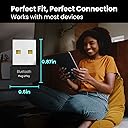
๐ Upgrade your workspace with wireless freedomโbecause wired is so last decade!
The EVEOBluetooth Adapter for PC is a compact USB dongle featuring Bluetooth 5 technology, delivering up to 3 Mbps data transfer speeds. Designed for effortless plug-and-play use on Windows 7, 8.1, 10, and 11, it enables seamless wireless connectivity for laptops, desktops, keyboards, headphones, printers, and speakers, modernizing your setup with reliable and fast performance.


| ASIN | B0957NZNC2 |
| Best Sellers Rank | #195 in Bluetooth Network Adapters |
| Brand | EVEO |
| Color | Black |
| Compatible Devices | Desktop, Headphone, Keyboard, Laptop, Printer |
| Compatible Operating System Family | Windows |
| Customer Reviews | 4.4 out of 5 stars 2,914 Reviews |
| Data Link Protocol | Bluetooth, Firmware Version: LMP 9.25805 |
| Data Transfer Rate | 3 Megabits Per Second |
| Hardware Interface | Bluetooth 5 |
| Item Dimensions L x W x H | 0.79"L x 0.5"W x 1.18"H |
| Item Type Name | Bluetooth Adapter |
| Item Weight | 0.01 Kilograms |
| Manufacturer | EVEO |
| Mfr Part Number | B0957NZNC2 |
| Minimum Required Operating System Version | Windows 10 |
| Product Dimensions | 0.79"L x 0.5"W x 1.18"H |
| Unit Count | 1.0 Count |
E**Z
Works well on Ubuntu Mate 22.04
I bought this so my wife could listen to videos on Bluetooth while I listened on my headphones. It was plug and play after I upgraded my laptop from Ubuntu Mate 20.04 to 22.04. I needed to upgrade anyway, so this was no big deal. I used Ubuntu Mate's software updater to upgrade. Everything came down from the 'Net, and the upgrade went smoothly. It took a while, as expected, otherwise, no strain, no pain. Disclosure: I left the adapter plugged in during the upgrade, so your results might (but probably won't) differ. If like me, you need sound on multiple output devices, do the following: 1. Install paprefs. I did the following: sudo apt-get install paprefs 2. Run paprefs and wait for the window to appear. 3. Select the Simultaneous Output tab. 4. Check the box to the left of "Add virtual output for simultaneous output on all local sound cards". 5. Close the window This should install a virtual audio device that plays to all available physical devices. You should be able to select it from the audio control panel. YMMV, as is always the case with Linux. PS -- just bought a second one for my desktop. It was plug and play on Ubuntu 22.04.
D**N
Easy installation and connection
This product was much needed so I could be versatile while working from my home office. My Desktop computer did not come with Bluetooth, so this device lets me connect various products through Bluetooth, such as my work headphones. The range of the Bluetooth signal is exceptional and allows me to float all over my house (3000 Sq-ft) without losing signal. The only Con that I have witnessed is sometimes, the connection will get interrupted and I will have to reconnect but this is a slight nuisance that I have witnessed with other models and brands. Ultimatly, I prefer this one as it is a bit bigger which helps when my children pull it out of the computer and I need to start a rescue mission to find it.
V**T
Works great!
For the price, I wasnโt sure it was going to work well. What a surprise! I plugged it into a USB port on my pc (Windows 11) and it immediately installed and put the Bluetooth icon on my taskbar. I easily paired it with my ear buds and can now listen to media on my desktop without disturbing the family. A terrific device!
E**3
Would not recommend unless you like to be frustrated, if so then buy it
Update: I am disappointed, I haven't updated this already, it must have slipped my mind. I am back because I am thinking of buying another, maybe two more. One for a friend and another for me as a backup, because this one is almost 2 years old and only cost $10, is it supposed to last this long costing so little? lol Everything below this update is true and was my experience, but there is more... Frustrated, I contacted the company, she was very sweet and understanding and immediately sent me another one. It works just fine. I can run 3-4 intense online games on my computer at the same time while streaming, and watching 3 other streamers at the same time, while on discord, streaming music. So the internet wifi is great. I have a superb router, so that may help but I am about 20 feet from my wireless router and there is no clear sight. The signal either goes through a two walls, a filing cabinet and a bed, if it is direct line, or bounces around all that to get to my adapter and I still have great internet with it Now the bluetooth I only have issue with if I go past around 6 devices. I have a bluetooth mouse, keyboard, and 4 x box controllers, and if I run all that or add anything else to the bluetooth, well it can start dropping stuff. So for this teeny tiny, $10 item, that is one helluva test and it works great. The first one I had was definitely bugged or flawed in some way. This is a small business, if I am not mistaken she said they basically make these at home. Well, they do a darn good job and like I said , they care and will take care of you right away if there is a problem. If you need a device like this give this one a shot. /edit Original post: My USB went out on my motherboard. So , I needed a replacement. I bought this thinking it would do okay. And it might for one device. I have delays with just my keyboard. Sound appears okay, but I rarely use it. The real frustration was trying to play some Kart games with the family. I bought and set up the game and then I decided to test it. The delays and loss of connection to my x-box pro controller was horrendous. I changed batteries, still bad, got a different controller, still unplayable. New batteries in that controller. I then realized that yes, the keyboard delays were not my new keyboard either. My motherboard bluetooth could connect all our controllers, my keyboard, and TV all at the same time without delay. Or Keyboard, headset, and controller with no issue. Maybe that is why is burned out, maybe it heated up, who knows, but I keep my CPU pretty cool, the mobo is 5 yrs old now, so maybe, but this is NOT a good replacement for that. Maybe for music, since you would not know if there was a delay except at the start. IF it can keep a constant signal that is. or the controllers it simply can not do it. Your commands will get stuck and be all over the place. Might be defective, but I bought it 10 weeks ago, when I noticed an issue with my motherboard , It went out, and I bought this, but it come back up for a few weeks, so I thought at first it was a bug, but now that it died, I plugged this thing in. Just terrible. You would not believe the typos I had to fix as the signal misses keystrokes or gets a delay and mixes up letters. So, again might be defective, but I have to review what I have and what I have is garbage. edit: I wanted to add that all devices being used are within 6 feet of the adapter with nothing in between. I went through the process of just trying to use one device at a time. The delay, sticking of commands, and total loss was consistent between all devices. It is less noticeable with sound device one your sound begins. My devices are also a little slow to connect, some of the time out when trying to connect, and I have to start over. Reading other reviews, I might just have a bad one, but I am not buying a new one to gamble on. I will try and connect with the vendor and see what they say, else I will buy a TP-Link which is probably what I should have done to begin with. The 5.1 vs 5.0 sold me, because if I wanted maximum compatability, just don;t know if there is really a difference.
L**R
Works great on Linux with one caveat
I purchased this device after thinking that my older, EVEO brand BT 4.0 adapter had failed because it was unable to see any BT devices that were not very near to it. However, when this BT 5.1 replacement arrived, I had the exact same problem with it. After some fiddling around, I discovered that if plug either of them into a USB2 hub that they both work perfectly and can see BT device all over my house (thousands of square feet), but if plugged into a USB3 hub or directly into a USB3 port on my PC, then they can only see BT devices within a few dozen feet. Crazy, I know, but it's true. Both the EVEO BT 4.0 and BT 5.1 dongles work great, including in Linux, but with this one important caveat. I am writing this review to hopefully save others from the hassle of figuring this out on their own and/or giving up thinking that the device is just bad or broken.
N**R
Great Dongle, Sniffing Range is great, overall great project.
Great Adapter, works great with any linux distro. Has great range for sniffing, no complaints. Would buy again 10/10
S**W
WOW! Insane magic!
I spent 3 hours on line and on the phone with the tech reps from my subscribed service (rather not name) trying to get Bluetooth working on my 6 year old laptop with Windows 10 preinstalled, as I had just purchased Bluetooth earbuds. No Bluetooth in my computer! They could not help. Out of frustration I searched and played and came across in a question and answer section this little gizmo called a Bluetooth Adapter. I am 76 years old and very technologically challenged but this sounded like it might be my fix. So I went to Amazon to look at adapters. At the exceptionally reasonable cost of this tiny piece of magic what did I have to lose? My adapter came today. I plugged it into one of my USB ports and within seconds received a prompt to install my device. My earbuds were recognized and listed and as soon as I clicked on my listed device I received the message "You are good to go!" Seriously?! So I checked my action station and voila, I had a Bluetooth Icon. Yay! No exaggeration folks, I was listening to music through my wireless earbuds within one minute of plugging in this adapter. There was no configuring or fanagling to do, no video or online instructions to have to watch or read; nothing else to do but plug it in and select it. Do I recommend this little gadget? You bet I do?!
A**R
Works Great Until It Quit
I have Bluetooth hearing aids and I am using desk top computer running Windows 10. In the past, I have been able to connect hearing aids to the computer by going through settings. This was a hit and miss method. Sometimes it worked but just as often, I was unable to make the connection. If I was connected and left the area where my computer set, I would have to remove the controlling hearing aid and leave it close to the computer to maintain connection. Otherwise, I would lose connection. Since installing the Bluetooth adapter, hearing aids pair up with computer immediately and stay connected until I shut the computer down. I highly recommend this product for it installs easily, just plug and play. Update: The unit quit working after two months. It started taking extra steps to get it to hook up to my hearing aids and now, it may or may not hook up and if it does hook up, it shuts off almost immediately.
Trustpilot
4 days ago
2 weeks ago