Buy anything from 5,000+ international stores. One checkout price. No surprise fees. Join 2M+ shoppers on Desertcart.
Desertcart purchases this item on your behalf and handles shipping, customs, and support to Colombia.
🤖 Code, Create, Conquer: The Ultimate STEM Robot for Tomorrow’s Innovators
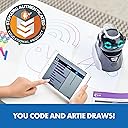
Artie Max is a Wi-Fi-enabled drawing robot designed for kids aged 8 and up to learn coding through creative expression. Supporting five programming languages including Python, JavaScript, and C++, it offers a secure, internet-free environment with password-protected Wi-Fi. Equipped with rechargeable battery, interchangeable color markers, and built-in tutorials, Artie Max makes STEM education engaging and accessible, empowering the next generation of coders and creators.


| ASIN | B0977QLC14 |
| Age Range Description | Kid |
| Animal Theme | robot |
| Are Batteries Required | No |
| Best Sellers Rank | 295,612 in Toys & Games ( See Top 100 in Toys & Games ) 2,622 in Educational Science Kits |
| Brand Name | Educational Insights |
| Collection Name | robots |
| Colour | Multicolor |
| Customer Package Type | [PF] Flat Free Package |
| Customer Reviews | 3.7 out of 5 stars 483 Reviews |
| Educational Objective | Coding Skills |
| Finish Type | Matte |
| Global Trade Identification Number | 00086002011268 |
| Included Components | Includes Wi-Fi enabled drawing robot, 32 page booklet, 3 colour markers, micro USB data cable, sticker sheet, 2200mAH Lithium Ion rechargeable battery non-replaceable |
| Inner Material | plastic |
| Is Assembly Required | No |
| Is Autographed | No |
| Item Dimensions | 15.5 x 19.3 x 21.1 centimetres |
| Item Dimensions L x W x H | 12.7L x 19.3W x 20.3H centimetres |
| Item Type Name | Artie Max The Coding Drawing Robot, STEM Toys for 8-12 Year Olds, Kids Learn Blockly, Snap!, JavaScript, Python & C++, Ages 8+ |
| Item Weight | 454 g |
| Manufacturer | Learning Resources |
| Manufacturer Part Number | 1126 |
| Material Type | Plastic |
| Maximum Age Recommendation | 168 |
| Minimum Age Recommendation | 96 |
| Model Name | ARTIE MAX |
| Model Number | 1126 |
| Number of Pieces | 1 |
| Number of Players | 1 |
| Operation Mode | Manual |
| Outer Material | Plastic |
| Play Activity Location | Tabletop |
| Power Source | Battery |
| Recommended Uses For Product | Educational and creative activities for children aged 8 and above |
| Size | 6.1 x 7.6 x 8.3 inches |
| Special Features | Interactive Audio |
| Style | Modern |
| Sub Brand | artie |
| Supported Battery Types | Rechargeable battery |
| Theme | Colourful,Robot |
| Toy Figure Type | Interactive Gaming Figure |
| UPC | 086002011268 |
| Unit Count | 8.0 count |
| character | Robot |
A**L
Educational
Perfect
A**R
Fun and sturdy little robot buddy
We have a lot of robot toys, and stem teaching things in the house, but this one is stand out the best of the bunch. First of all it's cute in a sort of Darth Vader crossed with Eva from Wall-e way. You can program it to use seven on board sounds, and you can change the colour of each segment of it's eye and mouth, so it can be quite expressive. It's a drawing robot and to be entirely honest it doesn't always draw the most accurately, but most of the time the kids just have it driving and moving around, even carrying stuff (like Moshie Monsters) in the clear pen compartment. So the drawing is more of a secondary function as far as we are concerned. For me where it's stand out is that aside from the default drag and drop language it has know and useful programming languages on board, like Python and Javascript and even C++ for people who want to get really technical.
A**A
Waste of money
This is a complete waste of time. Bought as a Xmas present. Have spent hours trying to update the software, and then calibrate the device as it won’t work properly. Needs turning off every few minutes as it loses connection with the tablet. The demo examples don’t even work. The instructions and guidance online aren’t helpful. The calibration page doesn’t even load ! Ridiculous amount of effort for an £80 present and still not working. Children immensely disappointed. The drawings are extremely basic anyway and the effort required to do any shape more than something v simple is probably beyond most children. This is going back tomorrow and I’m looking for something like the Lego coding robots. Worth noting most of the top reviews are from people who got it free !
D**A
Good way to introduce coding to youngsters
I was excited to review this product due to my own interest in coding. I'm currently completing a Degree in Digital and Technology Solutions, one recent module introduced us to the coding language of Python. In my experience the best way to learn a language is by making the projects engaging - Artie its a good example of how to engage children with learning a new language. In programming Artie you learn the basics of coding, with tasks getting progressively more in-depth as you step up to the next level. I was excited to see my program come to life in a drawing, a child would would feel pride in the fact that at they’ve programmed Artie to draw an image or a word & be able to show that drawing to family. As Technology becomes ever more advanced and a part of every day life, coding is a skill which will will be useful to learn for the future. This STEM toy is a great start to building skills and confidence.
N**R
From beginner to pro. A lot of fun for both children and adults.
This is a great toy to get children interested in coding. Coding always comes across as quite complicated but it can be very simple if the tasks you're trying to program are simple. Artie is great at showing you the basics and then slowly introducing more and more. The main purpose of this robot is drawing pictures and you're supposed to 'teach' it how to draw the pictures you want it to. We do this by coding and telling the robot where to go, when to stop, etc. It starts off simple where you're basically drawing things around to make it do simple actions. Not much 'coding' there per se but it shows the basic concept and get children understanding what coding is all about. We're giving instructions to a machine and, if done correctly, it will do exactly what we wanted it to. You have options from beginner (dragging blocks, etc) to advanced where you actually start working with 'real life' coding using Javascript and Python. A lot of the action is actually carried out on a smart phone or tablet but the robot itself is really well made and it is actually quite fun. Even as an adult, I had a go with the kids, and it was quite interesting to slowly learn and figure out what to do so Artie paints a picture you designed. An excellent learning toy that will come across as a really fun activity for kids to do alone or even together with drown-ups. Would recommend.
T**N
Did not work [update]
[UPDATE] Received tech support and Artie now appears to be functioning - I’ll get my son to test it and update this review shortly In fairness I have upped to 3 stars in the meantime Bricked device Emails offering advice that solved nothing Kept us trying to resolve issue until passed return date Need old password to reset password after reset... err what? I use 12 character passwords at work ... no problem... but suddenly I'm a Nube Bolt/wunderkind/ kano/littlebits/ c++/python ... all great This ..... plastic brick with little support...and expensive
A**R
Excellent learning robot
This is definitely more than a toy, it really is a learning toy. Artie looks pretty cute. He moves smoothly and lights up. You can quickly become attached to it! It's easy to connect to the dedicated app via WiFi. The app is intuitive and easy to use - kids get into it very quickly. You don't need to know coding to start playing with it - you can do some pretty basic stuff like getting it to move around without using complicated code. However, for the budding coder it's an excellent way to try things out and learn how different codes work, from the simpler Blockly and Snap! through to proper codes Java, Python and C++ for the real techies. He won't draw you a masterpiece - the accuracy of drawing is a little iffy, but it's great fun to play with and experiment. He's clever: the pen he holds doesn't have to draw a continuous line, you can program him to lift the pen, move around, and then draw some more.
O**O
Just not worth it…
I loved the concept and from various research, this robot seemed to cover everything I needed. I initially purchased a second user item from Amazon warehouse, but this suffered from a fault. You’d write valid code, the simulate function operated as expected and showed the true output, but when the robot was tasked with the very same program it would just fail 1/4 of the way through. The kids seemed to love the concept so I thought I’d fork out the few extra quid and go for new, expecting this to be a one off issue. However the new unit suffered from exactly the same issue as the last. A few other nagging issues were also experienced, for example random wireless fallout which essentially meant booting the robot every so often. A great concept, especially with the promise of support for more advanced languages, but I’ll definitely be sticking to the BBC microbit/accessories for the time being. A couple of stars given for the concept and hope that future updates will be rolled out to sort these issues.
M**✅
Tolle Sache um spielerisch an das Programmieren herangeführt zu werden
Wir haben schon einen Gefährten dieser Art und ist von Wonder Workshop somit waren die Grundprinzipien etwas vorhanden. Hier werden den Kids 5 Programmierspachen wenn sie wollen beigebracht. Wir haben die Programme erstmal auf den PC gezogen da ich ein Programmieren hier als sinnvoller erachte, es geht aber natürlich auch Handy oder Tablet. Gefordert wird aber WiFi (Wlan), es läuft nicht über das eigene Netztwerk sondern es wird eine direkte Verbindung vom Rechner zum Artie hergestellt, wenn dann ein Desktoprechner (normaler Stand PC) genutzt werden soll hat dieser in der Regel kein W-Lan Modul sondern dieses müsste dann über einen W-Lan USB Stick gelöst werden, ist nicht teuer zwischen 10-20€. Die Figur wird geladen über einen Micro USB Anschluss, man kann mich kleinlich halten aber mir gefällt es nicht warum man hier bei einem aktuellen Gerät kein USB-C Anschluss genommen, dies ist/wird Standard auf der ganzen Welt. Was ich ganz nett fand wenn man sich über die Homepage codewithartie,com registriert dann bekommt man noch einen Bonus Code aber besser noch, hier kann man sich die aktuellen Firmewaresoftware downloaden und ist somit immer auf dem neuesten Stand (es ist auch schon eine verfügbar). Alles was der Artie macht sind Figuren zeichnen/abfahren auf den Blättern die man ihm als Unterlage gibt, somit ist dieser auch auf kleinstem Raum undnauf dem Tisch nutzbar um auszuprobieren was man programmiert hat. Es gibt auch noch von der Firma eine kleinere Version den Artie3000 aber dieser hat dann nur einen Stift und ist etwas eingeschränkter. Ich hoffe das mein Sohnemann mit dem Spass den er zur Zeit daran hat ein wenig auch dann die Grundsätze des Programmierens versteht und ich vielleicht auch 🤷♂️😁 Es geht hierbei wirklich um die Basis zu verstehen und somit einen Einstieg zu bekommen. Ich kann den Artie Max ganz klar empfehlen für alle Kids aber auch Erwachsenen die das Programmieren erlernen möchten bzw. sich das Basiswissen aneignen wollen. Somit 5 Sterne
T**R
Idea intelligente ma con più di qualcosa da rivedere.
✅ IL PRODOTTO >> l'idea devo dire è piuttosto intelligente, dato che tramite il robot è possibile insegnare ai bambini le basi della programmazione e di conseguenza il linguaggio informatico. Stando alle indicazioni del produttore, il robot può essere utilizzato da bambini dagli otto anni a salire, anche se a mio avviso si tratta di una previsione un po' troppo ottimistica, proprio alla luce del fatto che l'utilizzo è leggermente più macchinoso rispetto a quanto non mi aspettassi. E proprio rispetto a questo aspetto, il primo problema sta proprio nella fase iniziale di configurazione, dove anche soltanto aggiornare il software del prodotto, richiede un po' di esperienza e soprattutto la conoscenza della lingua inglese, cosa da non dare per scontato in bambini di otto anni. ☑️ UTILIZZO >> il robot di suo è molto carino, e nel complesso realizzato con materiali di discreta qualità, anche se va riconosciuto che effettivamente si blocca piuttosto spesso e vi è la necessità di procedere a continui reset. Anche dopo aver fatto l'aggiornamento software, così come indicato dal produttore, devo constatare che effettivamente le cose non vanno molto bene, a partire dall’app mal tradotta, fino ad arrivare alle continue disconnessione che rendono inutilizzabile la gestione mediante browser. Poco convincente poi anche il connettore di ricarica, che nonostante si tratti di un prodotto recentissimo, ed invero dal prezzo tutt'altro che contenuto, si affida ancora alla tecnologia micro USB, assolutamente poco performante dal punto di vista dei tempi di ricarica ed ampiamente superata. Insomma come dicevo prima, si tratta di un vero peccato dato che l'idea di imparare a programmare giocando, è molto intelligente e già ampiamente rodata in moltissimi campi. Fermo restando che le criticità emerse sono prettamente software, quindi nulla vieta che con un futuro aggiornamento, magari più stabile e performante, possono essere superate le tante piccole problematiche emerse nella mia prova. Ultimo aspetto da segnalare, è l’incredibile l'assenza all'interno della confezione di un manuale d'uso in lingua italiana, che oltre ad essere molto gradito, avrebbe facilitato non di poco quanto meno le fasi iniziali di configurazione. 🛃 CONCLUSIONI >> come è noto, i Vine ricevono spesso prodotti in pre lancio, e quindi più che sull’esperienza d’uso, che come ho detto prima non è proprio positivissima, bisogna valutare anche le potenzialità dell'articolo superata una fase iniziale di “assestamento”, ovvero quando sarà rilasciata una versione software stabile e sufficientemente performante. E proprio sotto questo punto di vista, va detto che il marchio è molto noto nel settore dei giochi didattici, quindi non ho motivo di dubitare che ci saranno sicuramente delle correzioni software per rendere il robot fruibile in maniera seria. Siccome ho provato il robot per circa un mese, tempo evidentemente troppo breve per sperare in serie migliorie software, mi riservo pertanto di aggiornare la recensione quando sarà rilasciata una release definitiva. Al momento, anche valutando il potenziale, è difficile dare una valutazione complessiva superiore alle 3 stelle.
F**R
Funcionamiento errático tal como viene (sin actualizar) actualización problemática.
Hemos tenido dos etapas en la experiencia usando este robot, la primera, recién recibido, cuando lo intentaba actualizar, cosa que me resultó imposible, ni usadno varios ordenadores Mac ni con otros que pedí prestado con Windows, en ese estado, sin actualizar, el funcionamiento del robot erra bastante errático, su mayor problemas es que perdía la concesión WiFi cada vez que cambiábamos de entorno de programación, y a veces, también en mitad de un dibujo, lo que era bastante frustrante, tanto que se dejo de utilizar y quedo guardado en un rincón. Posteriormente, al cabo de unos tres meses, y aprovechando que me habían dejado un portátil con Windows para hacerle un “mantenimiento”, volví a probar si conseguía actualizarlo, y, eureka, lo pude hacer, y entonces, al volverlo a probar, todos los problemas con la conexión WiFi habían desaparecido, siendo el funcionamiento del robot muchísimo mas estable, con lo que ya si se puede disfrutar con el. La idea me parece muy buena, ya que permite introducir a los niños en el mundo de la programación, se puede empezar con el mas sencillo, el propio del robot, para continuar con lenguajes de programación visuales como Blockly o Snap!, y si se anima llegando a los lenguajes mas estándares tipo JavaScript, Python y C++, todo esto jugando y con la posibilidad de obtener multitud códigos de ejemplo si nos registramos en la Web del fabricante. Su funcionamiento ademas no requiere de la instalación de ningún programa, ya que se basa en el uso del navegador de internet, para acceder a la interface de manejo y programación del robot. Es aconsejable disponer de una cartulina de generosas dimensiones para poner encima las hojas donde hacer los dibujos, a ser posible hoja A3, para evitar el riego de manchar con los rotuladores la mesa de trabajo, ademas si usamos dicha cartulina se puede estar usando el robot sobre el suelo sin que las juntas de las baldosas imposibiliten su buen funcionamiento. El manual viene en ingles, pero se puede descargar la versión en castellano desde la pagina Web del fabricante. Cuando lo recibí tenia un precio de 132 €, algo caro, pero ahora a menos de 50 €, es un precio muy razonable para las características y posibilidades del producto
B**Y
Better than the ARtie 3000...not by much
We had purchased the artie3000 for my daughter for christmas. She was excited about it; fast forward to trying to make it work and update - we returned it to Amazon due to the lack of support we could find on the site. Obviously Artie Max is the more supported newer release robot. Update for firmware went well with Artie Max...but he's poorly calibrated. My daughter is kinda interested but is frustrated that the simulations do not reflect the actual result of the program. The idea is great; and the versatility utilizing programs is nice, but Artie cannot execute well enough to be worth the price tag. We'll keep it, but it's not a 5* product, too many bugs and needs another update.
F**T
Idea carina ma poco intuitivo
Questo robot (Artie Max) nasce con l’intento di trasformare il codice in disegni. Viene spedito in una scatola compatta e semplice. I materiali sono basici e non tutti gli assemblaggi mi hanno convito al 100%. Permette di imparare i 5 linguaggi di programmazione (Blockly, Snap!, JavaScript, Python e C++,) in L’idea è molto carina perché permette ai bambini di imparare giocando, anche se l’utilizzo è più complicato e macchinoso di quanto mi aspettassi. La configurazione non è così semplice, ci sono dei tutorial integrati e una guida facile da seguire ma non mi sembra intuitivo e ci sono inoltre dei bug. Nel complesso non mi ha convinto, a maggior ragione che viene proposto ad un prezzo superiore ai 100 euro.
Trustpilot
1 month ago
1 month ago