

Desertcart purchases this item on your behalf and handles shipping, customs, and support to Colombia.
🔒 Elevate your security game with smart, scalable, and effortless surveillance.
The REOLINK RLN8-410 is a professional-grade 8-channel PoE NVR designed exclusively for Reolink IP cameras, supporting up to 16MP resolution. It features a pre-installed 2TB HDD with 24/7 HD recording, expandable storage, and multi-display outputs (HDMI/VGA). With plug-and-play setup, smart AI detection integration, and free remote access apps, it offers a robust, scalable security solution tailored for modern homes and businesses.
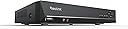


| ASIN | B01D2TQXJW |
| Audio Input | RCA |
| Best Sellers Rank | #4 in Surveillance Video Recorders |
| Brand | REOLINK |
| Compatible Devices | Not support Third-party camera, Only work with Reolink Camera |
| Connectivity Technology | Ethernet, HDMI, VGA |
| Customer Reviews | 4.3 out of 5 stars 2,162 Reviews |
| Hard Disk Size | 2 TB |
| Hard-Drive Size | 2 TB |
| Item Dimensions L x W x H | 10.24"L x 9.06"W x 1.61"H |
| Item Highlight | Only Work with REOLINK 16MP/12MP/8MP/5MP/4MP PoE IP Camera, 24/7 Recording to Pre-Installed 2TB Hard Drive |
| Item Weight | 6.3 pounds |
| Manufacturer | Reolink Digital |
| Media Format Digital Video | HDD |
| Memory Storage Capacity | 2 TB |
| Mfr Part Number | FBA_RLN8-410 |
| Model Number | RLN8-410 |
| Number of Channels | 8 |
| Number of Items | 1 |
| Product Dimensions | 10.24"L x 9.06"W x 1.61"H |
| Software Update Supported to Date | unknown |
| Total Usb Ports | 2 |
| UPC | 749110052362 |
| Unit Count | 1 Count |
| Video Input | IP Input |
| Warranty Description | 2-Year Litmied Warranty |
| Wattage | 25 watts |
Y**M
works well
just installed an 8 camera reolink system. i will be brief, and i write this as someone who has installed a lot of camera systems: 1. these are much less expensive than prior systems i've installed. for the function? it's a small fraction. 2. they are very easy to activate - but note, you do need to scan the QR code. I added them to the app first, then the nvr. 3. from time to time the nvr glitches: the picture on the camera stays in IR mode while in the app it is color. power cycling doesn't fix it, but going in and changing the camera from color mode to (I forget what) and back does. 4. the AI function of these things if flat out creepy, but very effective. highly recommended.
M**S
Great system and even better Custom Service support
This a great camera system. It is perfectly priced. Reolink has the best customer support I've ever seen in a company. If you have an issue they respond within hours. Not kidding. I emailed their tech support at 8:30 PM and they responded by 8:53 PM. After working through my issue, the problem was solved less than an hour later. Their customer service is the best. I have had this camera system now for over two years and I have had zero major issues with it. I think most of the issues that arise are small technical issues that usually happen when the system (firmware) is updated. You may have to reset some settings. However, I think you can save system settings and then reload them. The system has never failed. Cameras Reolink continues to improve the quality of their cameras. And once you have the system installed upgrading is as simple as unplugging the old camera and plugging in the new one. I have 4M cameras and 5M cameras and the 5M cameras produce a high-quality image. The 4M cameras are good but the 5M cameras are superior. I can only image how awesome a 4K camera would be. Motion detection is awesome. There are a ton of controls that allow the motion detection to be set up for your personal needs. Getting notified on your phone that someone is at your front door is worth every penny you might spend on the system. Mac App The client on my Mac is super slick. It is easy to navigate and configure. Reolink continues to push updates to keep the client updated and fix issues. The client continues to improve. With one of the latest updates you can now update the NVR firmware from your computer. Prior to this update you were required to copy it to a flash drive and update it directly on the NVR. iPhone app The app on my phone is also slick with a nice interface. The only issue I have sometimes is getting connected when trying to view a camera. Even on a super-fast WIFI network I will get connection errors and it may take several tries to finally get the camera to begin streaming. I should take a STAR off of the rating for this but there is so much more about this system that is great I am going to leave it at 5-STARS. This issue may even have something to do with my home WIFI. So, 5-STARS it is. If you are looking for a surveillance system get this one. It is a great system. It is easy to set up. It is easy to use. You won't break the bank getting it. You can always start with the NVR and a camera or two and add cameras at a later date. That is what I did. I ran extra CAT-5 cables when installing the first two cameras and then easily added three more cameras. I highly recommend Reolink.
C**S
Reliable NVR—Solid Performance After 2 Years
Reliable NVR—Solid Performance After 2 Years I’ve been running this NVR for about 2 years now, and it’s been a very solid system. It handles all 8 of my hardwired PoE cameras without any issues—no lag, no dropouts, just steady performance. My setup includes a doorbell camera, two wide-angle units, and five dome-style cameras, and everything runs through this without a problem. With the 2TB storage, I get around 9 days of recording before it starts overwriting, which is more than enough time in most cases to go back and find what I need. I have the unit installed in a media cabinet and running on a UPS, so even during power outages the system stays online. That’s been a big plus for reliability. For viewing, I’m using HDMI over Ethernet to send the feed to my main TV, so I can monitor everything from the living room. The app also makes it easy to check in from anywhere. Once the initial install was done, it’s been basically set-it-and-forget-it. It just runs. As part of my setup, I’m running a full Reolink ecosystem with both NVR-based cameras and cellular units all tied together in one app (see my other reviews), and everything integrates well. If you’re looking for a dependable NVR that can handle a full system and run long-term without headaches, this is a great choice. Set It. Run It. Trust It.
A**R
Plug and play, low power consumption, would reccomend
Great unit with low power consuption and great features. This unit is plug and play and really doesn't require much setup. It does not allow remote access out of the box but can be set to do so. One word of warning when setting this up. I went to set this up in an off grid cabin that only has a small old tv. I did not bring a computer. This was an issue because I needed to have remote access to my phone, but you can not enable remote access with the Reolink app. You can ONLY enable remote access over the with a computer or TV that has HDMI or USB. If you dont do this you can not see your cameras unless you are on site looking at a monitor connected directly ro the NVR. Lesson learned. Hopefully this review might save somebody from the hassle that we had driving back into town and back. This is actually a good thing for the sake of security, but I wish I had known. Not many people will likely set this up 50 miles from a comupter or modern TV so it is probably not a common issue. The unit has been running 24/7 for over 6 months now without a hiccup, so I am pleased with this purchase.
O**A
excellent
Yes, this works. I ordered a new computer because the one I had stopped working due to a lightning strike, but it works perfectly.
N**R
This NVR and its Desktop Client is a Cruel Joke--Stay Away
I have the N3MB01 hardware version of this NVR. DO NOT BUY THIS NVR with the N3MB01 hardware version. This seems to be an old version of the NVR. Or maybe just stay away from ALL Reolink NVRs. It's clear that Reolink either has never hired a UX (user experience) expert or has never hired one who know what they're doing. Maybe they hired a combined "UX/UI" (user interface) who are very rare, despite many people claiming they have both UX and UI expertise. The NVR's UI is arguably ok, but the UX is horrendous (Think of UI as the color of a door and its door handle, and UX is how the handle moves and how the door opens). Major problems with this NVR that have existed in the FOUR YEARS I've had this NVR, and Reolink is either incapable or unwilling to fix these major problems: 1. The desktop client crashes all the time, regardless of how powerful my computer. Or maybe it just crashes on MacOS. Either way, crashing so often unacceptable. 2. Another problem with the desktop client: Good luck trying to connect to the NVR, no matter how strong your internet connection. Even with a hard wired, 700+ Mbps connection, half the time I have to try a dozen to two dozen times to connect. 3. The desktop client and NVR is filled with contradictions. Want to upgrade the NVR's firmware via the desktop client? There's an option under Maintenance to do so with a button labeled "Check for Latest Version". Clicking on that button results in a message saying you have the most current NVR firmware. But click on the "Update" button below that, and you get a message saying that a firmware update is available. And btw, this update will ALWAYS fail. The only reliable option to update the firmware is to download the firmware to a USB-A stick (yes, USB-A) and connect the USB-A to the NVR. In 2026. 4. No ability to connect a keyboard directly to the NVR. Creating users and complex passwords and naming your cameras? Reolink could not have made this any more painful. Again, we're in the 21st century. 5. A plethora of different descriptions for viewing different video qualities. Menu on each camera feed says either "Low" or "Mid". Click on that, and you're provided with options for "Fluent" or "Balanced". Something tells me the only person who understands what these terms mean is the person who made up these descriptions. 6. With 7 or 8 cameras recording 24/7, 2TB is a joke. You'll get 3-4 days max of storage. Why an 8-camera NVR built by a company that sells high megapixel cameras was put on the market is beyond me.
G**G
Poor Product Longevity - Bad Customer Service
Worked perfect for a little over a year and just stopped working. The POE cameras all light up and continue to function but the DVR doesn't show any cameras and has stopped recording. Now this whole system I've put together is useless until I buy another one of "their" NVRs and maybe it lasts longer. There should be no reason for it to suddenly stop working. It is a fixed system that is connected to a voltage regulated power bank to ensure to voltage spikes or power loss occur. The system is kept on a fan cooled system to ensure it does not over heat. No expense was spared in this camera system. Customer Service will send me one email a day of basic troubleshooting but have yet to have any real help over a week in. If I could go back I'd pick a better system with quality customer service. UPDATE 8/4/25 I have to thank Sandy from customer service. She was so kind and helpful I very appreciative for her help and patience. Thank you for your help Sandy I appreciate it. You were very prompt and honest thanks again. Turns out the old NVRs can only run so much POE power and will eventually quit if there is too much draw. I had two of the Duo floodlight cameras on the system. The new NVRs now show how much POE power is being used. Hopefully this doesn’t happen again it looks as if they’ve recognized the issue and addressed it in the newest model time will tell.
M**N
Easy setup and storage upgrade.
I received this Reolink 8 channel NVR about a week ago. The setup couldn't be any easier. I had read an article about the benefits of not connecting the cameras directly to the NVR because you would lose some of the camera features. Plus the recordings are in 2 places now, the 256 GB SD card and the NVR. And the show up in app as individual cameras and under the NVR. If you view playback on the cameras directly the videos are chopped up into 2-5 minute clips. If you view the cameras under the NVR section the videos are chopped up into 1 hour clips. So if the clip you need to record to your phone is spread across 2 videos in stand alone playback you could go into the NVR playback choose the hour long playback then click on the folder icon with the down facing arrow and it allows you to crop the video how ever long you need it then you just hit save and it downloads a full resolution video you your phone that you can share. I also ordered a Western Digital Purple Surveillance 6 TB Hard Drive to replace the 2 TB it came with. I won't spell out the process here but there's a few YouTube videos on upgrading Reolink NVR storage and it couldn't be easier. Reolink has been a great experience so far coming from 3 different WiFi brands to now using POE is a huge improvement in quality and experience. Reolink customer service is great and they get back to you very quickly. The Android app is good but so far the best experience has been with the windows app or the NVR directly. From my experience and everything I've seen and read on cameras you get the best bang for your buck right here with Reolink. I didn't spent $1,500 on Ring cameras and smart lighting. I spent $1,200 on Eufy Cameras. I even had Wyze cameras. I spent over a $1,000 on network equipment to improve the connection to my WiFi cameras and pay for "unlimited" gigabit internet service and those WiFi cameras were nothing but problems. For a fraction of what I spent on those devices I could've had Reolink covering the whole house in crystal clear 4k video 24/7 and used no internet, no cloud storage, no monitoring, no video buffering or connection failures. I'm very pleased with Reolink and recommend them to anyone who is serious about their safety and security.
A**ー
初心者にもおすすめ
REOLINK製 防犯カメラとセットで購入しました。 操作画面は日本語対応ですが所々で日本語の表現がおかしいところが ありますが使用上、問題はないです。 添付のLANケーブルのカテゴリがわかりませんが今どきのものとは違いちょっと太いめケーブルです。 内蔵HDDの増設はできないので内蔵HDDを大容量のものに交換するか外付けHDDを増設する形になります。 コスパ的にはとても良く、防犯カメラシステム初心者でも使えていますので現状、満足です。
A**Y
Great experience with system so far
Great experience with system so far. Everything has been very plug and play. Even for remote access via my cell phone. No need to port forward. PROS -Tons of customizable options to meet your needs -Ease of use -Ease of remote viewing setup CONS -Expensive (but if it lasts more than 4 years, its worth the price)
A**R
Option sans disque dur apprécié
Acheté un deuxième sans disque dur car la foudre du dernier orage a fait brûlé la carte mère. J'ai pu récupérer l'ancien disque dur. Très satisfaite
R**C
Buen grabador
Me gusta el servicio de REOLINK. Lo recomiendo mucho. Si tienes algún problemas les escribes y siempre contestan. Se actualizan constantemente. Tengo años adquiriendo la marca REOLINK y sigo comprando por el buen servicio y calidad.
A**A
Will work just fine with any Reolink directly connected cameras to NVR or ...
Use it for couple of months - no issues at all. High Quality unit, set up takes 5 minutes. Will work just fine with any Reolink directly connected cameras to NVR or connected through your local network with POE or regular power supply. Fan is quite loud, box itself is cold all the time so it works good, but the noise will be a pain so place it somewhere you will not hear it.
Trustpilot
1 month ago
5 days ago