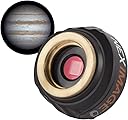


Neximage 10 Solar System Color Imager
Product ID: 33713059
Details
- BrandCelestron
- Compatible MountingsMicro Four
- Focal Length Description8 millimeters
- Lens TypeTelephoto
🌌10.7 MP Sensor
🔭Compatible with 1.25" telescopes
🖥️Advanced software included
🚀 Elevate Your Stargazing Game!
The Celestron NexImage 10 is a high-resolution 10.7 MP color camera designed for beginners in astroimaging. It features advanced ON Semiconductor technology for reduced noise, compatibility with most telescopes, and comes with sophisticated software for capturing and enhancing celestial images. Backed by a 2-Year warranty and expert support, it's the perfect gateway to exploring the universe.

| ASIN | B01LZ4XXAF |
| Aspect Ratio | 4:3 |
| Audio Recording | No |
| Best Sellers Rank | #2,171 in Camera & Photo Products ( See Top 100 in Camera & Photo Products ) #294 in Lab Handheld Digital Microscopes |
| Brand | Celestron |
| Built-In Media | NexImage 10 camera body, 1.25” nosepiece, software CD, USB cable, instruction manual |
| Camera Lens | Celestron NexImage 10MP Solar System Imager - Fixed focal length, f/2.8 aperture, 1.25” barrel, ON Semiconductor technology, no autofocus or image stabilization, designed for astroimaging |
| Color | Black |
| Compatible Camera Mount | Micro Four Thirds |
| Compatible Devices | Computers |
| Customer Reviews | 3.8 3.8 out of 5 stars (454) |
| Exposure Control Type | Automatic |
| File Format | JPEG, RAW |
| Focal Length Description | 8 millimeters |
| Focus Type | Auto Focus |
| Global Trade Identification Number | 00050234937085 |
| Has Self-Timer | No |
| Image stabilization | Optical |
| Iso Range | 100-25600 |
| Item Type Name | Celestron neximage 10mp - solar system imager clear detailed planetary images, black (93708). |
| Item Weight | 0.13 Pounds |
| Lens | Telephoto |
| Lens Design | Prime |
| Lens Mount | Micro Four Thirds |
| Light Sensitivity | ISO 100-25600 |
| Manufacturer | Celestron Acquisition LLC |
| Manufacturer Part Number | 93708 |
| Maximum Aperture | 2.8 Millimeters |
| Maximum Shutter Speed | 0.0000390625 seconds |
| Media Type | ProductImage |
| Minimum Shutter Speed | 1 Seconds |
| Model Name | NexImage 10MP - Solar System Imager |
| Self Timer Duration | 10 Seconds |
| Shooting Modes | Manual |
| UPC | 050234937085 |
| Unit Count | 1.0 Count |
| Video Capture Format | MP4 |
| Video Capture Resolution | 1080p |
| Viewfinder Type | Electronic |
| Warranty Description | 2 years |
| Water Resistance Level | Not Water Resistant |
J**N
I got it to work with windows 11!
My husband bought be this camera and we were not sure it would work on windows 11. After several hours of frustration, I finally got it to work. First, I did have to use the disk to install the drivers and software as windows 11 does not trust the iCap software. I got everything downloaded and the camera still was not recognized. This is what I did. Settings >privacy and security > camera > turn on camera access and turn on let apps access your camera, and make sure iCap is on. You can check to make sure it’s working my going to camera device settings and look under connected cameras and check to make sure it’s seen. I hope this helps!!
P**N
Avoid this product until Celestron improves the software integration with the imager
Summary: Avoid until Celestron improves the software. While I read the few Amazon reviews, most didn’t have a lot of detail, so I went to the Celestron website. The description sounded pretty good, and assumptions were made that the product would meet the quality that we expect from Celestron products. That was clearly an incorrect assumption. This product is not ‘ready for primetime'. While the specs look pretty impressive, the software for the Mac is at best subpar, even though the product description specifically indicates "Now Mac OS X compatible!” While technically true, (at last the software didn’t ‘beam up’ while on the Mac) this third party, un-integrated software is clearly an inferior product, Was not designed for the NexImage 10 camera, and comes no where near what is expected from Celestron. As such, I believe the advertising / claims imply something that is not true. It may work better with a PC, but for a Mac, this was a very disappointing purchase. First, the software, which is 3rd party freeware, is not well integrated with the imager. While I have no problem with freeware software (and have written a fair amount), this application suffers common maladies of freeware: Poor documentation a generic interface not optimized for the NexImage 10 imager far from plug and play - requires significant ‘tweaking’ to optimize the image does not seem to be well tested setup requires significant technical acumen to optimize the picture the ‘preview’ picture ‘is there’ but is not centered, and most of it may not show up on the screen depending upon the screen and resolution chosen. While third party freeware was one way for Celestron to get ‘something’ out there for Mac users, it was a very disappointing choice that dimenishes the value of the Celstron brand. I’ve developed a lot of software products in the past for well know companies. This type of software is not difficult to develop and integrate to the level Celestron users would hope for. Overall, I’m very disappointed, and am returning the product.
O**E
Trash The Disk, Use New Drivers And ICap Software For This Camera
I just received my NexImage 10 Cam and found this is super easy to use if you follow these steps. First and foremost don't use the disk with software on it, it needs to go in the trash. The software is just way to old. Go to the ICap site and download the newest Drivers and Software for this camera. Once that's done install the new drivers and a new copy of ICap, in that order. If you don't update your drivers first you may have issues having the camera recognized when you open ICap. You can also use other software like FireCap. So far my new Cam is up and running within minutes. Don't shy away from this camera, it's a good camera for newbies and experienced alike. And one other bit of information, make sure to use the USB3 port on your computer. My USB3 port(s) are marked with SS and the USB symbol. Its all very easy, just make sure that you don't use the disk in the box and DO use the NEW drivers and Software on the ICap site. My computer is an older laptop running Windows 10, I am guessing that Windows 11 would be just as easy. Sorry I don't know how to set this up on a Mac but I bet that the steps are the same or very close. My only issue with this camera is the old software included in the box. Clear skies....
P**E
tres bien
A**M
There were a lot of negative reviews for this. I had zero issues accessing the software or setting up the camera. Obviously to get results you will need to spend some time learning, but this is true of anything. I like the camera and the software
F**N
Celestron como siempre muy bien
A**L
Is a sleek camera for telescope, haven’t fully used (for deep space objects) as not set up scope for tracking, but super views of Moon and even quick shots of Jupiter &Saturn. Software for analysing multiple images could be better for Mac platform, which is disappointing. Would have hoped that Celestron could develop this, like they have with the SkyPortal apps. Given that the camera needs good software, only giving 4*...
A**.
Simple but awesome. Great value for money.
Trustpilot
1 week ago
1 month ago