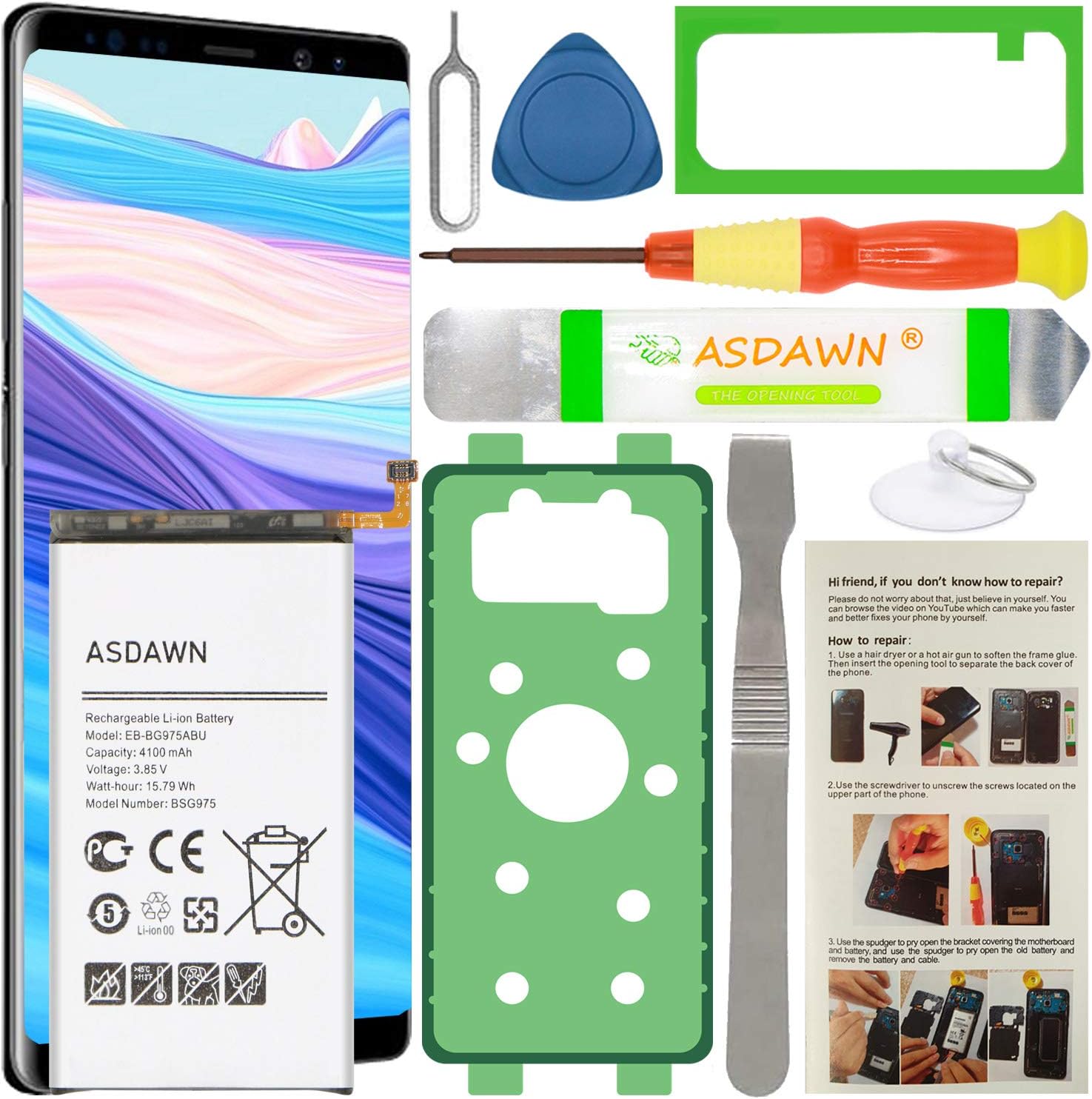
🔋 Power your Galaxy S10+ like a pro—because your phone deserves a second life!
The ASDAWN Galaxy S10+ Battery Replacement offers a high-capacity 4100mAh Li-ion cell engineered for up to 48 hours of usage. Designed exclusively for Samsung Galaxy S10+ models, it features advanced fast-charging technology and built-in safety microchips to prevent overcharging and overheating. The kit includes detailed installation instructions and professional support, ensuring a smooth DIY repair experience. Manufactured under strict quality controls, this battery restores your phone’s performance and extends its lifespan, making it a cost-effective alternative to buying new.


| ASIN | B08SV1KMSV |
| Antenna Location | Indoor/Outdoor |
| Battery Capacity | 15.75 Milliamp Hours |
| Battery Cell Type | Lithium Ion |
| Battery Weight | 10 Grams |
| Best Sellers Rank | #14,300 in Cell Phones & Accessories ( See Top 100 in Cell Phones & Accessories ) #24 in Cell Phone Replacement Batteries |
| Brand | ASDAWN |
| Compatible Phone Models | Samsung Galaxy S10 Plus SM-G975 |
| Customer Reviews | 4.2 4.2 out of 5 stars (1,279) |
| Item Dimensions | 0.59 x 3.69 x 7.59 inches |
| Manufacturer | ASDAWN |
| Model Name | EB-BG975ABU |
| Model Number | EB-BG975ABU |
| Number of Batteries | 1 Lithium Ion batteries required. (included) |
| Reusability | Yes |
| UPC | 783903983419 |
| Unit Count | 1.0 Count |
| Voltage | 3.85 Volts |
A**R
Not much available but it seems to work very well.
Everything worked out it's the disassembly that's a difficult part. You really should use over 90% isopropyl alcohol to soften up the glue on everything. I don't think I would have got it apart without using it. Also don't use that metal tool around the battery I punctured my battery during disassembly almost caught it on fire. I basically did a hail Mary soak the battery with 99% alcohol loosened up the adhesive and got it out of there before it caught fire. I will say the battery works perfectly so far. I still haven't went through the three full charge cycles but compared to the battery that was in it it's like a new phone. We'll have to see you long-term if it has some kind of trickery in it where you hit a certain point like 50% or 40% and then basically the battery is flat. But it's acting normal so far. I was to the point where I was constantly having to keep the phone on the charger and just having my phone in the pocket for an hour was losing 20% battery. I just use the adhesives with the kit which works but I don't think they'll be as watertight as the liquid drops but I don't plan on getting it in the water. My phone was already refurbished once so chances are the screen's already been off so it's probably not watertight already. It was either this or buy a new phone so basically for $25 if it worked it was going to be worth it. On a side note I already had a cheaper backup phone cloned in case this went wrong until I could get another one. I consider myself pretty good taking stuff apart and reassembling it was fairly difficult and the harnesses are very small. They all went back everything's working. You should also purchase a different screwdriver the one with a kit is not hardened enough and rounds out the screws I had to drill two screws out. That's kind of a nightmare. Dremeling flat spots trying to use a flat screwdriver on screws. All the factory screws have blue loctite on them so they don't come out that easy. I was basically pushing as hard as I could with that little screwdriver and with a pair of vice grips to turn it to try to keep them from stripping. Also I will bought this kit because it come with written battery instructions removal. I think it left out the part where you have to remove the speaker at the bottom so I almost damaged my phone trying to remove the battery before that point. This is a Note 20 ultra maybe the instructions are more generic. But the speaker at the bottom definitely had to come out to get the cables out of the way and you had a detach more cables at the bottom just one set. The battery seems excellent though so far.
J**Z
Update on this battery - Very good battery replacement.
Didn't want to replace my phone right away..found this aftermarket battery to replace the swollen battery on my Note 9. It works but don't feel confident that this would last long..feels like it drains faster than OEM. Anyway as long as this battery last me another year then it's all worth it before I upgrade my phone. - Update (2/4/2022) - So far this battery replacement has held up for 8 months now...haven't really noticed it slow down. Drains about the same as the original 4000 Mah Samsung battery. Like, I said in my previous review if this battery last me a year then it's all worth it since I will probably be going to get a new phone anyway. I will recycle my Note 9 when this battery dies. Will buy another one of this battery and donate it to people who need it the most. To those people who left bad reviews because they could not install them correctly without breaking the back glass. Well, maybe you should not be repairing your phone anyway. Take it to a professional to get the battery replaced. Stop whining about the back glass part that you broke when this is about 'a battery' review. Update (July 12, 2022) **** After 1 year, the battery is still holding charge. It can last between 5-8 hours depending on the usage of the phone. Good estimation of the battery health is probably around 80-85% of it's original capacity. I did not expect it to perform or last this long. I will be using the Note until Sept 2022 and get my new iPhone..yes..I'm leaving the Note. It's been a good 4 year run with the phone and was happy to be able to extend the life of it because of this battery.
S**S
Battery is OK after 1 day, but you'll want some better tools.
The Battery: You can't review the battery life after 1 day, accurately, because the problem with cheap batteries is more frequently the lifespan. They start out fine but after 6 months they have a noticeable decrease in capacity. That said, after about 16h, I charged my battery fully, let it drain until the phone died, by leaving a game open overnight, and I'm recharging now. Whereas before I could play that game for about an hour and go from 100 to 60 percent, and it would just drop faster from there, this lasted closer to 11 hours. Tips about the tools: The suction cup is pretty small, but eventually worked. I used a hot air soldering station, not a hair dryer. Try positioning it in the middle as close to the right edge as you can and see if you get a gap at all. The middle of the bottom is another option people recommend, but mine absolutely would not move at all. In theory, alcohol should help dissolve the glue slightly, but in my tests using a needle syringe to precisely deploy tiny drops, it didn't seem to help any noticeable amount, but keep it as a last resort, just don't get crazy with it. The opener (like a thick guitar pick) is great and worked well, however you really need a few more. Actual guitar picks would likely work just to hold the back from re-sealing as you work around the edges. For the top, near the camera, I had to VERY carefully use some additional plastic pry tools that were wedged. I could hear the adhesive slowly pulling apart, so I'd wait for that to stop before continuing. Check out iFixit for better pictures of where the adhesive is - there's a lot and it's strong. If I'd not had another set of phone tools with additional plastic tools, it would have taken me far longer. Metal tools are just asking to damage or short something, even though MOST contacts are covered. I also found that an old credit/membership card worked great to keep the bottom from re-attaching. I just carefully slid it up from the bottom - BE CAREFUL OF THE NFC AND WI-FI ANTENNAE. If you feel any resistance, stop and look under. My card caught them and would have damaged them if I'd persisted without repositioning on top of that piece. Have patience. And absolutely do not use metal tools to disconnect or pry the battery out. If you puncture the pack, you may quickly find yourself with a fireball. Keeping a fire-resistant container (like a glass baking dish) nearby, that you could quickly toss the phone into and take it outside is always good when working with lithium cells, as is a chemical fire extinguisher. You likely won't need either, but if you do, you'd certainly regret not having them more than not needing them. I also recommend charging the first few times in that fire-resistant container or a safe place, like a concrete garage floor, away from anything, just to make sure there are no immediate defects that could cause a fire. I did not need to use either glue strip, my phone held together, and going in a case helps bind it until it's really solid again from heating up due to use/charging. Don't forget to test BEFORE you glue the back on, but after you've carefully reconnected the fingerprint reader, in case you forgot a step or something isn't aligned correctly.
Trustpilot
4 days ago
1 month ago