🎶 Elevate every space with sound that moves you—control it all in the palm of your hand!
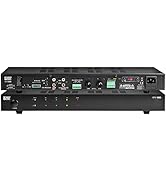
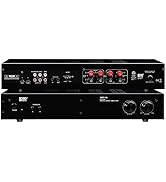
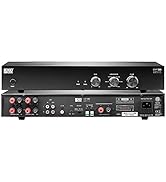
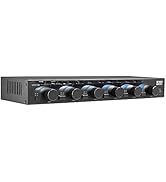
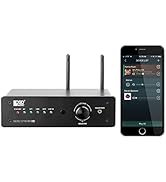
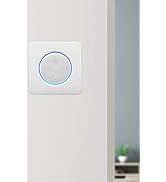
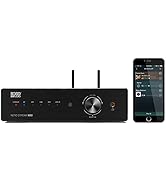
The OSD Audio Nero Max12 is a robust 6-zone, 12-channel amplifier delivering 80W per channel at 4 ohms, designed for custom multi-room audio setups. It supports independent multi-source playback with multiple input options, app-based control for iOS and Android, and smart home integration via RS232. Expandable up to 18 zones, it offers flexible control through both mobile app and optional in-wall keypads, making it ideal for whole-home or light commercial audio distribution.



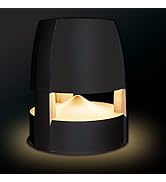
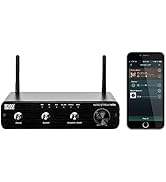
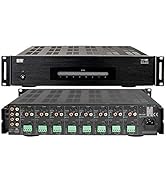

| Best Sellers Rank | #264,064 in Electronics ( See Top 100 in Electronics ) #1,474 in Audio Component Amplifiers |
| Customer Reviews | 3.7 out of 5 stars 31 Reviews |
A**W
Works great for my outdoor speaker setup
I've been pretty happy with this amp. I'm using it to control several outdoor speakers around my yard and pool area. Some tips for those of you that say the app doesn't work: - You're probably using a VPN, and the device can't be discovered when connected to a VPN even if you allow your VPN client to access local network resources. The app's logic seems to take your current IP address, which if connected to a VPN would be a non-routable IP address on your local network, and then attempt to scan for the device. So turn off your VPN, then scan for your Nero Max 12. Once you've discovered the IP Address, you can manually set it in the app settings and you can then re-connect to your VPN. This caught me up when I first got the Nero Max 12, but has never been a problem since I discovered the solution. In addition I was able to find a way to hook this into my Home Assistant setup and truly tie it in with the rest of my smart home. To do this, you can use the Home Assistant "Monoprice 6-zone amplifier" integration, and enter "socket://<nero IP address here>:8080" during the integration setup. This is a completely undocumented feature that took me some tinkering to come across. The only thing you cannot control with Home Assistant is the mixer, which is fine because it's not something that you always want to tinker with. So just use the phone app for the mixer configuration when you setup your speakers and use home assistant to control the zone power and volume for each zone channel. Another pro tip for people looking for a way to stream music across your multi-zone audio system. It's as simple as buying a device that can stream and connecting it to one of the Nero's source inputs. For me, I purchased the Audio Pro Link 2 (available on Amazon) and connected it to my Nero using the optical input source. This works flawlessly for me and have been very happy. You can also hook the Link 2 up to Google Assistant and then add it to one of your speaker groups if desired. Spotify sees it and streams to it perfectly and then it's just a matter of turning on the zone(s) I want to hear my music over outside. One other thing to note that is not documented anywhere in the manual that I came across when tinkering. There is a network configuration page where you can setup a static IP address for the device if desired. This seems to be for the rs232 controller that's baked into the amp. Simply goto http://<IP Address of Nero>, and the user & pass is 'admin'. I have no need for any of the advanced configuration there since I setup a DHCP reservation for the device on my home network so I have a consistent IP address for the device, but wanted to share the findings. One more thing to mention is that for me at least, there is no wifi antenna as depicted in the product images, just an ethernet port. That was not a big deal for me, because my Nero is racked in my home network rack and I directly connect the device to my network switch over ethernet. I didn't attempt to see if it has any wifi capabilities, but as mentioned in the previous paragraph, it appears you could potential setup a wifi connection using the advanced configuration page (I found this documented in the MAX12 connection and quick guide PDF). Finally, if you really want to geek out, you can connect to the device over telnet and send commands over command line. I did find all the commands documented in a manual (MAX12 connection and Quick Guide). Just run 'telnet <your nero IP address> 8080', and then you can start running direct RS-232 commands, which you can read about in the aforementioned manual. This could maybe be useful when building a custom automation via a script or some sort of a custom integration, and is basically how the Home Assistant integration works.
M**B
Terrible Product
I bought this unit to use one Sonos and be able to output to speakers in 4 different zones. The clearly app is absolutely awful, doesn’t perform the requested action more than half of the time, making the whole point of this system completely futile. This is getting sent back, what a huge mistake!
D**-
Great multiroom amp for the price with an App that can control it.
I read all the reviews on how hard this would be to set up and use the App. Setup was pretty straight forward. The product is ethernet wired only. There is no Wifi, so you will need to have it wired direct to your router. Don't get confused with Groups and Zones. The zones are the 6 zones that you have wired to the amp. The groups are only if you are running more than one ODS Nero Max 12. You will need to go into the App and into the connect / Info upon setup. Mine was able to find the Nero under Group 1 when I selected Auto Device IP. You will need to initially set the zone volume levels, treble and bass settings for each zone. You can do this when you name the zones. All zones sound pretty good. In each zone setting you can set the default source that you want to run on. I put all zones on source 6 and ran it off of a google chromecast connected to a HDMI extractor feeding an optical output. I connected the chromecast to my google home. Spotify sees it when connect. I can use my Google home to turn on and off the music. You will need to app to turn zones on and off. The system rocks with all zones playing.
F**D
Great amp, and does work with app connectivity
Lots of bad reviews on here mentioning the app doesn't work. First of all, I have 3 of these now, 2 of them are wireless and I use the app to control them. You have to connect them directly to an ethernet cable. If the app is not discovering the unit, you can use an IP scanner to find the amp, and put in the IP address manually. Every time you turn the unit on, you wait 20-30 seconds for it to come online on the app. The sound quality is great. While it could be more fluid, like the more modern streaming systems, it works every time if you set it up correctly. Also, you can actually call them on the phone, and a person answers and provides you direct support about anything. I was impressed.
C**O
Logré una buena compra
excelente tiempo de entrega bien embalado y cumplió con mis expectativas lo instaré en un Sport Bar.
P**Y
FIXED APP PROBLEMS!
HOW TO FIX APP CONNECTION PROBLEM: Go to the Nero HTML page on your local network and find the static time out. It is set to 10ms. That is WAY to short! Change it to at least 100ms! Or set it to zero for no timeouts. Problem fixed. Sound quality of the Nero is very good. It doesn't compare to a Marantz but it makes a Pyle sound like the name implies. Volume is good, it isn't going to make then entire house shake, but we have home filling sound that is very pleasing, sound in the garage, sound on the patio, we love it. There are a couple sticky points to setting up the Nero: First, the app MUST be the "OSD Control" app. There are multiple OSD apps on the app store but only one is called "OSD Control" it has a Red icon the others all have black icons and they will not connect to the Nero. Second: Make sure the amp is wired via cat5 cable to the router. Also, make sure the tiny switch next to the cat5 connector is set to "ethernet". Then go to the "OSD Control" app and click the gear icon->connect/info->device ip and select auto. The OSD control app then scans the local network for all connected Nero's. If, after opening the app, it tells you to "select a network on the phone then return to the app" then you have the wrong app, uninstall it go back to the app store and search for "osd control". This gave me a major headache until I figured out I was using the wrong app. You can verify the that the Nero is connected to the network simply by looking at the back of the amp and watching the green activity light on the ethernet cable connector, it should be very active. Mine connected to dhcp almost immediately. And the app had zero problems find the Nero. Third: There are 2 settings that need to be changed to make the OSD control app MUCH more responsive. Go to a laptop/desktop whatever and enter the IP address of the nero. This Brings up a website the allows you to manage all the settings of the amp. The default user/password is admin/admin. Then on the "Serial2Net Settings" page change Netmode to ether/serial from default. This disables wifi and made my amp much more responsive to the app. Then on the "Advance Settings" page there is an enable/disable for "auto client check" which is enabled by default. For some reason (on my network at least) the check fails a LOT. Changing this from enable to disable has also made the app more responsive. Between the two the OSD control app is fairly responsive and reliable. The app itself is okay. Naming zones and inputs is local to the app, they aren't saved on the Nero. One thing I really like is you can have multiple devices connected to the Nero at the same time. We connected a WiiM Pro to the first input and the sound is just amazing. The patio sounds like we have our own private band playing live music. The music is clear, warm and full, amazing.
D**A
App Control does NOT work! Waste of money
the OSD Nero App is pure trash and does not connect to the unit no matter what you do. The instructions are trash. The app has not been updated in 4 years on the app store. If you are planning to use the app to install and control this unit, DON'T. Amazon please update this listing to remove any mention of "App Control". Shame on you OSD.
K**R
Unit Works Great for my Application
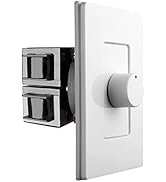
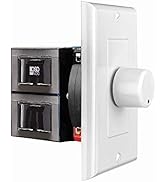
The unit itself works perfectly for my whole home music sound with 18 speakers, whole home paging, whole home door bell, and whole home drive way alarm. The directions were not that good for where i needed it to be. My whole home paging, whole home door bell, and whole home drive way alarm are all triggered by 12vdc and the direction dont state that the page trigger is that. It could have been simply contact closure as my last unit was. I had to literally guess and if i guess wrong may have fried the unit. Also, the documentation did tell you that its mutes all other sources while trigger is occuring. This was disired functionality so i was relieved when my testing proved out. Lastly, the app on iPhone is simply terrible - dont even try it -- but works perfectly fine on Andriod. Lucky for my i had an old Android tablet i was able to use. The install for the app on android has to be side loaded to install which caused a few additional steps to install. Hopefully they fix the app behavior on iphone. In terms of the wall controllers, they work as expected with provided remote control. The remote is cheap AF so i quickly programmed my universal logitech remote so it works for me now instead. I kept the original in its box for safe keeping. Bottom line i recommend the buy.
Trustpilot
1 week ago
3 weeks ago