Buy anything from 5,000+ international stores. One checkout price. No surprise fees. Join 2M+ shoppers on Desertcart.
Desertcart purchases this item on your behalf and handles shipping, customs, and support to Colombia.
⚡ Power your network through walls—fast, sleek, and effortless!
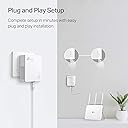
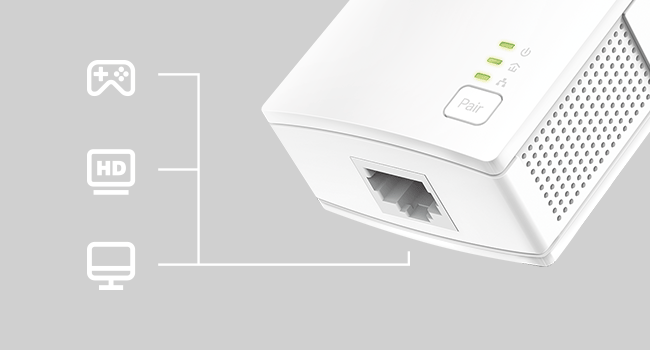
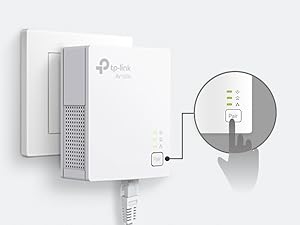
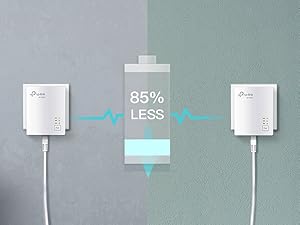
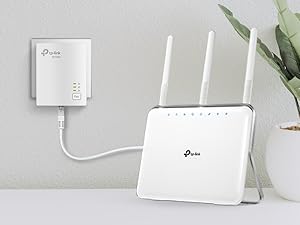
The TP-Link AV1000 Powerline Ethernet Adapter (TL-PA7017) transforms your home’s electrical wiring into a high-speed wired network, delivering up to 1000 Mbps over distances up to 750 feet. Its nano size and plug-and-play setup make it the perfect add-on unit for extending Ethernet connectivity to hard-to-reach rooms without drilling or messy cables. Featuring a gigabit Ethernet port and energy-saving mode, it ensures stable, secure connections for desktops, smart TVs, and gaming consoles while reducing power consumption by up to 85%. Compatible with all TP-Link powerline adapters and backed by a 2-year warranty, it’s the smart choice for professionals demanding reliable, fast internet everywhere.


| ASIN | B08RHZN4MG |
| Best Sellers Rank | #1 in Powerline Network Adapters |
| Brand | TP-Link |
| Built-In Media | 1× Ethernet Cable, Quick Installation Guide |
| Color | white |
| Compatible Devices | Desktop, Smart TV |
| Customer Reviews | 4.2 out of 5 stars 11,394 Reviews |
| Data Link Protocol | Ethernet |
| Data Transfer Rate | 1000 Megabits Per Second |
| Hardware Interface | Ethernet |
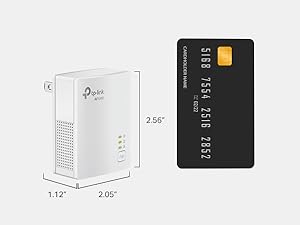
| Item Dimensions L x W x H | 2.56"L x 2.05"W x 1.12"H |
| Item Weight | 0.27 Kilograms |
| Manufacturer | TP-Link |
| Mfr Part Number | TL-PA7017 |
| Minimum Required Operating System Version | Android 10.0, Android 11.0, Android 12.0, Android 13.0, Mac OS 10.15 Catalina, Mac OS 11 Big Sur, Mac OS 12 Monterey, Mac OS 13 Ventura, Mac OS 14 Sonoma, Ubuntu 20.04 Focal Fossa, Ubuntu 22.04 Jammy Jellyfish, Windows 10, Windows 11 |
| Model Number | TL-PA7017 |
| Product Dimensions | 2.56"L x 2.05"W x 1.12"H |
| UPC | 845973010133 840460604727 |
| Unit Count | 1.0 Count |
| Warranty Description | 2 year manufacturer |
M**Y
Easy Setup and Reliable Connection—Great Alternative to Running Ethernet Cables
I bought the TP-Link AV1000 Powerline Adapter kit because I needed a stable wired connection in a room far from the router, and it solved the problem without running long cables through the house. Setup was truly plug-and-play—plug both units into wall outlets, connect the Ethernet cables, and it was up and running in minutes. The connection has been much more stable than Wi-Fi for work and video calls, with consistent speeds and no random dropouts. That said, performance does depend on your home’s electrical wiring, so speeds may vary a bit depending on the circuit. I also found it works best when plugged directly into the wall, not a power strip. Overall, it’s a practical, no-fuss solution if you need reliable internet in another room and don’t want to deal with drilling holes or running cables everywhere.
C**.
Great solution for relocating your WiFi router to a better spot
I've been using powerline ethernet adapters for 20 years to extend ethernet in our 2-story house. The office where our broadband comes in is upstairs in a far corner and not ideal for broadcasting WiFi to the rest of the house. I've turned off the broadband router's built-in WiFi and use the powerline adapters to extend the wired connection to a central area downstairs where I have a WiFi router running in access point mode. I highly recommend this setup to anyone who's unhappy with the coverage from their broadband provider's WiFi signal. Even if the location of the router is a good spot for a 3rd party WiFi router, you want to run your additional router in access point mode to keep it from creating a 2nd isolated network behind your broadband router. This results in a condition called "double NAT" which will cause most routers to generate an error message in their setup software. You may have odd connectivity issues and hard-wired devices on your network won't be able to communicate with devices on WiFi. Access point mode turns off all routing features of the router and it simply adds wireless connectivity to the existing wired network. You can also have multiple WiFi routers in access point mode at different locations and if you use identical WiFi network settings (same SSID, password, and authentication type), your mobile devices will seamlessly roam between them, connecting to whichever signal is strongest. This is my current configuration. I've had many powerline ethernet adapters from various brands over the years (Linksys, Trendnet, Netgear, and now TP-Link) with great results and have typically only replaced them when a new higher-speed model becomes available. This time the Netgears I'd been using since 2015 succumbed to old age and started intermittently dropping packets or failing altogether and needing to be power cycled. The leading brands for consumer networking gear tend to change over the years and I've been very happy with the various TP-Link products I've been using over the past 5 years or so. I have a number of their smart plugs, a couple of switches, and a WiFi router. I wasn't at all surprised that these powerline adapters worked flawlessly out of the box. I didn't even have to go through the pairing operation - they immediately connected when I plugged them in. I should be good for another 10 years or so. Keep in mind that both units do need to be on the same electrical circuit, so it's not guaranteed these devices will work for your specific use case. Negative reviews of these units tend to be from people who've discovered their home wiring configuration makes them unusable. It's also important that you plug them directly into the wall outlet and not into a surge protector. Surge protectors are designed to suppress electrical "noise", and the data the powerline adapters send to each other is literally electrical noise. If you need a surge protector plugged into that particular outlet, plug it into the back of the powerline adapter.
G**N
Works great!
Was having WiFi dropouts during work day and the software we use hates blips on connections. Video calls were also stalling constantly. Took me a whole 5 minutes to setup and so far everything is working great! Great value considering the cost to hardwiring. Only drawback is the size of the unit. Was difficult to plug another grounded cable into the same wall plate due to size.
K**L
Reliable Powerline Ethernet Solution – But Only If on the Same Circuit
The TP-Link AV1000 Powerline Ethernet Adapter KIT (TL-PA7017 KIT) is a solid option for extending wired internet without running long cables. I like the plug-and-play setup—you just connect one adapter to your router and the other to your device, and you’re online in seconds. The gigabit port gives fast speeds, perfect for streaming, gaming, or even powering network gear in places where WiFi isn’t stable. That said, the big catch is that it only works if both adapters are on the same electrical circuit. If they’re on separate breakers or panels, they won’t communicate. This limitation means it may not work in all homes or larger setups. ✅ Pros: Easy setup—plug, pair, and play Gigabit port for fast wired speeds Compact, unobtrusive design Energy-saving mode helps cut power use when idle ❌ Cons: Must be on the same electrical circuit to work Performance can vary depending on wiring quality Doesn’t replace running a dedicated Ethernet line in tricky cases 💡 Tips: Before buying multiple sets, test in your home to make sure the outlets are on the same circuit. Avoid plugging into power strips or surge protectors—plug directly into the wall for best performance. If you need coverage across multiple circuits, consider a mesh WiFi system instead. Bottom Line: If your outlets are on the same circuit, this kit delivers fast and stable Ethernet without the hassle of long cables. Just be mindful of the electrical wiring limitations.
B**N
Good for a wired solution
Keep in mind that any powerline adapter is ETHERNET ONLY. You cannot use a powerline adapter to extend your wifi or mesh. This is really good for somebody who really really needs a wired Ethernet connection but is too far from the router and doesn’t want to run a 100 plus foot cable onto the wall/floor and around things with a possible signal loss due to cable length. Disclaimer: Our ISP is coaxial only. We can’t get fiber at our house and cable is the next best option. My review is based on that type of connection. Here’s how it worked for me: I also ordered a couple of cat8 Ethernet cables (overkill maybe but I want the best speed and latency possible at any given time no compromises and the cat8’s were about 5 bucks each so why not go all in?) and this system. They also came with their own Ethernet cables I had no idea they would but the stock ones I’m not using. I was surprised to find that it actually worked on its own without any paring needed. At first I had the router end plugged into the far corner of the living room on its own outlet but that one was too far and the speed was pretty low. I moved it to a busier outlet that was a bit closer to my room from the living room and still managed to get it plugged in on its own and the speed jumped right back up. The other end goes to my console, and while my in-game performance was doing pretty well over wifi, there would be occasional spikes. This seems to have eliminated that but at first when i had it on the far outlet the latency seemed much much worse than wifi. In game latency at first setup jumped from 32 (over wifi) to over 70-80 with this system but then after a few days it came back down. I also do remote play sometimes so this helps a little on the sending end with stability. The consoles NATIVE speed test now shows around 28-36ms ping (I was getting that over wifi too) and about 40 or so in game. Interesting enough my in-game used to stay around 30 or so but those spikes seem to be gone so the extra 8-10 loss in my game doesn’t feel too big for the better stability that I now have. I thought this might just be a server issue but I use the same server as I did before and it’s just a little higher not noticeably. Keep in mind you HAVE to plug both adapters directly into an outlet no matter what for these to be effective. Absolutely no surge protectors or extension cords or none of that. Overall this works good for me, it fixed most of what I needed it to, and provides a wired Ethernet connection without being close to the router as I’m unable to anyway. Speeds remain the same as before though no change.
C**J
Utterly useless
"Extend your network where extenders and boosters cannot go!" OK. So I'm paraphrasing. What they don't tell you is that both units need to be on the same circuit...as in the same circuit breaker...as in the same ROOM! What good is that? I know it says on the same circuit in the depths of the description, but I naively assumed, since wifi in the same room with the router isn't exactly what I'd call a problem, that that meant on the same breaker box. i.e. the whole house circuit. I could understand it not working across breaker boxes...I know some people have more than one... but I mean, give me a break. The main title for the product should be "I am useless for the purpose you think you're buying me for." I set one up in my upstairs office wherein lies the router. Got all my nice little lights. Took the second to the basement for my smart TV, plugged it in...and got a blinking powerlight. I tried pairing, thinking that would get the units talking to each other. Ha! The middle light on the router end went blank...and the power button in the basement just kept blinking. Tried unplugging and plugging. Didn't work. Tried the link button long press to reset. Still nothing. I do not understand how anyone has gotten this thing to work. Heading now to hit the return button.
M**I
Works but WiFi is better
It connects fine to router and easy plug and play. But if you run anything in the same circuit it will lose connection
F**.
Everything good but cables included are not
Good and easy to install. Very small so would fit media boxes very easily. The ethernet cables included works but are slow (also doesn't state what speeds or type of cables included) and would need to be replaced using cat5e or cat6 to realize the proper speed. Otherwise a really good buy for the price
S**E
Moment
Ponctuel
P**E
On point
I received my order today, the setup was very straightforward and I'm very happy with my purchase. It arrived two days earlier, quite impressed with the seller. Thank you.
E**O
Atendeu minhas expectativas
Atendeu minhas expectativas. Onde preciso de internet é só ligar o adaptador a tomada elétrica mais próxima e resolvido o problema.
K**3
Bastante eficiente.
Lo conecto a mi Xbox para jugar en línea, y es muy estable. Altamente recomendado, y que tenga el Plug adicional se agradece profundamente. No estas desperdiciando contactos.
N**N
3P→2P変換プラグを使って接続できます
TL-PA4010からの変更。 TL-PA7017では4010より倍の速度が出ました。 回線契約が今となっては遅い部類なのでここまでの速度が出れば当方の使途では十分です。 3Pプラグなので、使用には3P→2P変換プラグTAP-AD8BKを用いました。 本アダプターが重いからなのかコンセントに差し込んだ際傾いてしまいます。 3Pプラグ安全カバーAN-203B(要加工)をかませて、ほこりがかぶらないように保護して使用しています。
Trustpilot
2 months ago
2 weeks ago