
DOWNLOAD THE APP


Customer Services
Copyright © 2025 Desertcart Holdings Limited
DOWNLOAD THE APP


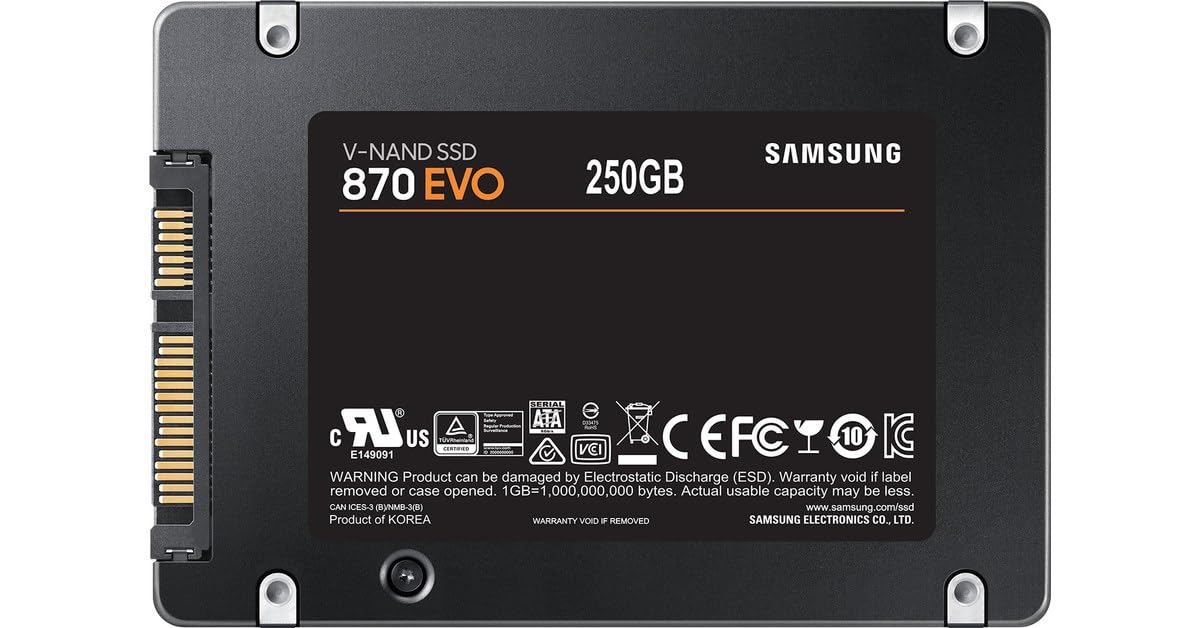


🚀 Upgrade your workflow with the SSD that means business — speed, smarts, and reliability in one sleek package!
The Samsung SSD 870 EVO 250GB is a high-performance 2.5-inch SATA solid-state drive delivering maximum SATA interface speeds of up to 560 MB/s read and 530 MB/s write. Featuring Intelligent Turbo Write technology for sustained speed, it offers professional-grade reliability with a 150 TBW endurance rating. Managed effortlessly via Samsung Magician 6 software, this SSD is compatible with a wide range of desktops and laptops, making it an ideal upgrade for professionals seeking fast, durable, and easy-to-manage storage.


| ASIN | B08PC3PGZM |
| Best Sellers Rank | 920 in Computers & Accessories ( See Top 100 in Computers & Accessories ) 5 in Internal Solid State Drives 1,436 in Components & Replacement Parts |
| Box Contents | SSD, user manual, warranty terms |
| Brand | Samsung |
| Brand Name | Samsung |
| Cache Memory Installed Size | 512 |
| Color | Noir |
| Compatible Devices | Desktop, Laptop |
| Connectivity technology | SATA |
| Country of Origin | China |
| Customer Package Type | Standard Packaging |
| Customer Reviews | 4.7 out of 5 stars 43,241 Reviews |
| Data Transfer Rate | 560 Megabytes Per Second |
| Digital Storage Capacity | 250 GB |
| Digital storage capacity | 250 GB |
| Enclosure Material | Cotton |
| Form Factor | 2.5-inch |
| Global Trade Identification Number | 08806090545931 |
| Hard Disk Description | Solid State Drive |
| Hard Disk Form Factor | 2.5 Inches |
| Hard Disk Interface | Serial ATA |
| Hard disk form factor | 2.5 Inches |
| Hard disk interface | Serial ATA |
| Hard-Drive Size | 250 GB |
| Hardware Connectivity | SATA 1.5 Gb/s, SATA 3.0 Gb/s, SATA 6.0 Gb/s |
| Installation Type | Internal Hard Drive |
| Item Dimensions L x W x Thickness | 10L x 7W x 0.7Th centimetres |
| Item Type Name | 250GB internal SSD |
| Item Weight | 86 Grams |
| Manufacturer | Samsung |
| Media Speed | 530 |
| Model Name | 870 EVO |
| Model Number | MZ-77E250B/EU |
| Network Connectivity Technology | SATA |
| Number of Items | 1 |
| Product Features | Portable |
| Product Warranty | 5 year limited with manufacturer |
| Read Speed | 560 Megabytes Per Second |
| Special feature | Portable |
| Specific Uses For Product | Gaming |
| Unit Count | 1.0 count |
D**S
REVIEW: "Samsung SSD 870 EVO, 2 TB"
SSD arrived timeously and as described. It's clearly a very good SSD that performs flawlessly once one's HDD info. is successfully transferred to this new Samsung SSD using Samsung's "Magician" software. Some words of caution: it's often very difficult to use Samsung's software to facilitate data transfer from your old HDD to Samsung's SSD. There are many comments / problems around this on-line, so do your homework prior to installing this new SSD; no need to rush this ... do it properly. Once the HDD data is successfully transferred to this new SSD, it's pure magic. Note, the caution above is usually only experienced when using Samsung's cloning software. One apparently does not experience these difficulties when using other cloning software such as Macrium Reflect, etc. I specifically chose, however, to use the Samsung SSD cloning software, eventually succeeding, which has proved to be the right thing to do as this extensively-functional Magician software from Samsung is excellent for managing one's new Samsung SSD. Try to stick with using Samsung's Magician software, for closing and for on-going monitoring, etc. of one's new SSD. In closing, once the new SSD is successfully in place, make sure that "Trim" is activated by Microsoft's "Optimise Drives" defragging system (original software; all Microsoft software have it onboard as standard). Whilst it SHOULD be activated automatically, check anyway by bringing up Microsoft's "Optimise Drives" and checking to see whether "Scheduled Optimisation" is turned on, i.e. the box it ticked. Note that using Samsung's original "Magician" software to monitor this new Samsung SSD does also have a trimming function built in which additionally serves to make sure the new SSD is trimmed continuously. However, per the above explanation, also make sure that trimming is also activated via Microsoft "Optimise Drives" software. Good luck! Once you install your new SSD you won't look back ... it's chalk and cheese in speed, efficiency, etc.! Worth the time / effort!
I**Y
Excellent Product
Worth a buy - its a great little drive and seems to be fast. Iv had no problems with it over time and its worked consistently well as my boot drive, so the 500gb is a good size.
T**G
⭐⭐⭐⭐⭐ Rock-Solid Reliability — Still the Benchmark for Everyday SSDs
I’ve used quite a few SSDs over the years — some fast on paper, some that fail six months later — but the Samsung 870 EVO continues to be the gold standard for anyone who values speed, reliability, and peace of mind. Installation was effortless. It was instantly recognized by my PC, and Samsung’s Magician software made the setup and cloning process straightforward — even if you’re not especially tech-savvy. Within half an hour, I had my old drive fully cloned and running silently on the new SSD. Performance-wise, it’s everything you’d expect from the EVO line: quick boots, instant app launches, and fast transfers that don’t dip even under heavy loads. What stands out most is the consistency — no random slowdowns, no stutters, no fuss. It just works, quietly and efficiently. The 1TB capacity hits a nice sweet spot — plenty of space for games, media, and OS, without the eye-watering price of larger NVMe drives. And while this is a SATA SSD (not NVMe), the real-world difference for most people is minimal unless you’re constantly transferring huge 4K files. Build quality feels premium, too — solid casing, no flex, and you can tell it’s made to last. I’ve had older EVOs running for years in other machines without a single hiccup, and that’s saying something. If I had to find one flaw, it’s that the included documentation could be clearer about cloning steps for beginners — but Samsung’s software makes up for it. After several weeks of daily use, the verdict’s simple: this is the drive you buy when you want performance you can forget about — because it just works flawlessly. Would I recommend it? Without hesitation. Whether you’re upgrading a laptop, reviving an older desktop, or just need reliable storage, the 870 EVO remains one of the smartest and most dependable choices on the market. (Reviewed after setup, data transfer, and several weeks of daily use — not a first-impression review.) 💾
C**N
Good quality decent capacity SATA SSD drive - 5 year warranty. Great value.
High-quality SATA 2.5" SSD drive. About as good as this technology gets - SATA SSD drives are now a mature technology giving a decent amount of quick storage with a fairly long life at moderate cost. A huge performance improvement over a hard disk drive, but their performance is limited by the SATA interface. If you need ultimate SSD speed, look to M.2 SSD technology. This Samsung drive is 2020 technology (production of this purchase October 2021) so has a good drive controller and firmware. For SATA drives, performance is good and Samsung are confident enough to give a 5 year limited warranty. The SATA format SSD is an ideal way to give an extra lease-of-life to an aging computer as it can be swapped for any existing SATA hard disk drive. Samsung provide software to migrate such hard disk drives. (You may need to buy a 2.5" to 3.5" SATA adapter caddy to physically install the new SSD.) The 870 Evo is therefore a great 'upgrade' drive. It my case, it is now cheap enough to use as a 1TB data drive in a PC booted from an even faster M2 SSD drive - a nice boost in general system responsiveness over a 1TB hard disk data drive. Note that some cheaper SATA SSD drives have good headline performance but relatively poor real-world performance due to cutting too many corners on the drive electronics required to cache and transfer data. This Samsung 870 EVO gives good solid real-world performance.
E**N
Fast and Reliable Storage Upgrade
The Samsung 870 EVO 4TB SSD performs flawlessly with quick load times and smooth operation. Installation was simple and it boosted my system’s overall speed. Definitely a solid choice for anyone needing large and dependable storage.
M**Y
An excellent SSD
Bought this to replace the old HDD in a laptop, highly recommend. Boot times went from 5+ minutes down to around 1. Much better performance, plus it’s completely silent given that it’s solid state. I was also impressed with how lightweight and compact it is. Just be aware, if you want to back up/clone your current drive, you’ll need a SATA to USB cable, which is not included.
T**X
Great SAMSUNG SSD
I recently decided to upgrade my computer's storage and went with a Samsung SSD, and I couldn’t be happier with my choice. The installation was a breeze, and I was up and running within no time. The performance is fantastic—booting up my system is lightning-fast, and opening applications feels almost instant. I also noticed a significant improvement in file transfer speeds, which has made my workflow so much smoother. Plus, I appreciate how quiet it runs; it’s definitely a nice change from the old hard drive I had. Overall, if you’re looking for a reliable and speedy SSD, I highly recommend giving the Samsung SSD a try. It’s been a solid investment for me!
E**N
High quality
Good quality from Samsung. The item was recommended. Changed out for a traditional HDD. The speed difference was huge in comparison.
Trustpilot
1 week ago
1 month ago