


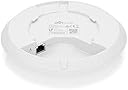

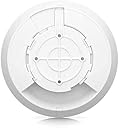
Ubiquiti UniFi 6 Lite Access Point | US Model | PoE Adapter not Included (U6-Lite-US)
Product ID: 271661502
📶1.5 Gbps aggregate Wi-Fi 6 speed
🔌802.3af PoE powered (adapter not included)
🖧Gigabit Ethernet port
Buy anything from 5,000+ international stores. One checkout price. No surprise fees. Join 2M+ shoppers on Desertcart.
Desertcart purchases this item on your behalf and handles shipping, customs, and support to Colombia.
🚀 Elevate your network game with UniFi 6 Lite — where speed meets sleek sophistication!
The Ubiquiti UniFi 6 Lite Access Point (U6-Lite-US) is a compact Wi-Fi 6 device delivering up to 1.5 Gbps aggregate speeds across 2.4 GHz and 5 GHz bands using advanced 2x2 MU-MIMO and OFDMA technology. Designed for flexible ceiling or wall mounting, it supports 802.3af PoE powering (adapter not included) and features a Gigabit Ethernet port. Ideal for high-density environments, it offers enterprise-grade reliability and seamless remote management through the UniFi app, making it a top choice for both professional and home networks.
| ASIN | B08QG92M83 |
| Best Sellers Rank | #204 in Computer Networking Wireless Access Points |
| Brand | Ubiquiti Networks |
| Customer Reviews | 4.6 4.6 out of 5 stars (1,003) |
| Date First Available | December 13, 2020 |
| Item Dimensions LxWxH | 7 x 7 x 2.5 inches |
| Item Weight | 1.26 pounds |
| Item model number | U6-Lite-US |
| Manufacturer | Ubiquiti Networks |
| Product Dimensions | 7 x 7 x 2.5 inches |
| Series | UniFi 6 |
| Voltage | 24 Volts |
| Wireless Type | 2.4 GHz Radio Frequency, 5 GHz Radio Frequency |
S**E
Solid signal. Reliable. Stable. Good buy.
Integration of this AP into my home network was very straight-forward. Ubiquiti does require that you use their app or network appliance for configuration, as they do not provide a web interface like a SoHo router/AP would. However, the result of this decision is a more streamlined device with better speed and less overhead. For the adventurous and those that still really don't want to trust the app, you might instead choose to convert the AP to run OpenWRT. Be warned, however, that the result of doing so is an interface that is not as friendly as the Ubiquiti app, and performing the conversion would probably void your warranty as well. Installation: General installation is mostly a simple matter for someone with basic home handiwork skills. Drill the holes in the proper places, add the backing plate (if mounted to drop ceiling) or use the wall retainers** for drywall, mount the mounting plate, drill the cable hole and feed the cable^^, and settle the AP onto the mounting plate with a twist. This sounds easy and the AP even has markings for alignment onto the mounting plate. However, there are two gotchas I found with this kind of installation. **: The wall retainers and screws included with the mounting kit are, to put it simply, useless. The retainers don't have enough grip to properly hold the AP on a ceiling installation. All four retainers pulled right out on me during the installation, and I needed to replace the parts with something better to get a good, solid mount. ^^: Seriously, make sure you have the space all around the mounting site and drill the hole for the cable AFTER you have the mount plate in place. The cable hole must be positioned very carefully or you'll have serious issues getting the unit to mount properly because the cable will be in the way. If the cable hole MUST be distant from the mounting bracket, there is a pop-out cable pass-through opening on the back of the AP. All that said and done, the signal distribution from the central, ceiling-mounted orientation is absolutely perfect. With all previous attempts I had using desktop or wall-mount consumer-grade APs, there were always dead zones that led to no amount of headaches. With the UniFi 6 Lite in place, there isn't a single dead zone. Coverage appears balanced and even across all spaces. End result: There's a clear reason why APs like this are used in corporate and enterprise environments. However, it doesn't require you be in an office to buy and deploy one. Even the Lite version does an excellent job in a basic home environment.
C**N
Great WiFi hardware, at home and at the office!
I work in an office where our state-provided Internet was garbage and we had the opportunity to add a regular ISP and our own hardware to the mix. I went with four (and growing) Ubiquiti APs and they have all worked -flawlessly- since install. Adopting them into our network was easy (it also helps greatly that we're using a Ubiquiti DreamMachine Pro SE to drive it all). The UniFi app is pleasant enough to use and has the features I was looking for in prosumer-grade network devices/software. Keeping track of what devices are on what AP, which are using a lot of data, securing the network, etc. is all very easy with these access points (and the UniFi app & UDM Pro SE.) I love the simplicity of having one CAT5/6 line running to each radio and that being all you need (assuming whatever it's connected to has 802.3af PoE and not passive PoE - I learned this the expensive way). Devices also may roam around basically anywhere in the office without losing connection. The included mounting hardware should also cover most situations and has also performed perfectly so far. I can also remotely administer them/the network (as long as the Internet connection feeding it all stays up.) The TL;DR of it is that these are devices you basically never have to babysit - they just work after the initial setup. I likely won't be at this agency for the rest of my career and I need something that will work spectacularly after I leave; these are it!
O**K
Unifi is a fun way to run a home network.
If you have a Unifi Dream Machine or Dream Router, and you have the app on your phone, when you go to power on a new AP it will show up in the app like airpods do lol. It's cute. Adding it to the network is a piece of cake. These are especially great if you have a second house or something! I set up a site-to-site VPN and an edgerouter at my second location, and then adopted the APs to my Unifi Dream Machine at home. Now my networks are synced and have the same SSIDs and passwords in both locations. Pretty fun! For this particular AP: They're $99 and you need either a 48v passive PoE injector, or an 802.3af POE injector like the U-POE-AF ($8 on unifi's website). I wish Amazon was an authorized retailer because my goodness, I'd pay the extra $$ to have same/next day delivery! I.. don't understand this. The range is fine. The performance is good. I have yet to really put my U6-lites through their paces but wanted to mention that. Also: These things can do wireless uplinks just fine. How does that work? You have other Unifi APs in the same location? Ok great. Plug this one into your ethernet network, adopt it, set it up. Now go ahead and unplug it from power and ethernet. Take it to where you want to use it wirelessly. Plug the power in but not the LAN connection. It will adopt wirelessly. (If you have custom wifi settings, you may need to enable meshing). Other neat thing: When you're using wireless uplink, if you plug something into the LAN port on your PoE injector, it'll connect to the network. Good way to bridge an ethernet desktop or camera or whatever in a remote location. :) Anyway, Unifi can be pretty simple, or ridiculously complicated. It's up to you!
S**E
A great addition to a Ubiquiti UniFi network...Not for standalone use.
I purchased a handful of these for my home to replace some older UniFi access points. I primarily wanted the added speed and capacity of WiFi 6. Currently I'm running them in a wireless mesh configuration since I don't have cabling to the entire house yet. These access points are as easy to install as any other UniFi hardware (just adopt them in the Controller) and provide a nice bump in speed. I'm able to get almost full gigabit speed now from my newer devices. It also made the numerous IoT devices around my home much happier. Can't beat the price either at $99 each. If you don't have an existing UniFi setup, however, these probably aren't for you. They CAN be integrated into other networks, but it's much easier when you have an existing UniFi infrastructure (router, switches, controller, etc). Don't expect an internal web GUI or standalone configuration for these...That's just not how UniFi works. You MUST use the UniFi controller software (available free or as part of a dedicated appliance). These are JUST access points. No onboard router. If you're looking for a standalone solution, look more toward the UniFi Dream Machine or AmpliFi. My only big gripe is that documentation and support is pretty much limited to the online forums. You won't be able to call up Ubiquiti for answers. On the plus side, they are inexpensive enough that you can purchase a couple for spares. I haven't had any failures, but it never hurts.
J**D
Simply the best wifi experience
Unifi is the best prosumer brands out there; but aren't cheap. The 6 lite is a good combination of price and performance though. We have 1 set up in the garage to extend signal in there and to the driveway to go along with 4 ap 6 pro's through rest of 5000 sf house.
K**L
Great for Extending our Wifi
We have 3 of the Ubiquiti UniFi 6 Lite Access Points in our home, one in the basement and two on our main level ranch almost 2300 sqft on the main. The access point itself is very slim and unnoticeable. It also has a convenient blue night light built into it, perfect for night or dark hallways. They run smoothly and have given us no issues. e've integrated three Ubiquiti UniFi 6 Lite Access Points into our household setup. One is strategically positioned in the basement, while the other two are optimally located on our main-level ranch approx. 2300 sqft. The access point's design allows it to seamlessly blend into its surroundings. An added bonus is its blue night light, thoughtfully incorporated for navigation during nighttime hours or in dimly lit hallways. These access points have operated seamlessly, delivering quality performance without any hitches or glitches.
J**.
Great AP - setup was tricky
This was my first Ubiquiti product - So I wasn’t terribly familiar with the architecture / control types for it, but it does work well. You essentially have two options: You can use it as a standalone device, devoid of features like VLAN, Guest Network, and so on… Or you can pair it with the Unifi cloud controller. I started with Standalone, but quickly pivoted to Cloud, as I’d like to eventually segment my network into VLANs… If you’re going the cloud controller route, you can either use a hosted provider for a fee, or if you have the technical ability and appropriate equipment, you can run the cloud controller software on any of your machines. They do make a windows product, but I chose to do it on one of my Linux boxes. The AP has great coverage for my apartment. Network throughput is great, with most of my devices pulling 300-350 megabit down and up.
S**N
Don't waste money on cheaper devices
This unit was simple to configure and lite up my whole house better than any big box store high end router. The only drawback is you have to purchase a POE switch to power it. I purchased the TP-Link model TL-SF1005P from Amazon and it worked like a charm. Simple instructions: Connect a cable from your exsisting router ito one port of the TP-Link POE switch. Connect a cable from another port of the POE switch to the Unifi-6 device. Download the Unifi Network app on your phone and configure your SSID and password. It's not that tough. Ubiquity has been making professional WiFi/Radio equipment for years. They make some real good high end products. I'm glad they made a cheaper consumer product to help people struggle with poor signal. Another suggestion: After you get it working, log into your old WiFi router and turn off the wireless WiFi. That way it won't interfere with the new setup you just configured.
A**Y
Quality of producy
Worked as intended. It was easy to install
D**M
Worth getting
I use it at home. And I have to restart it once in awhile but otherwise its a great product. Want to buy more from the brand.
A**E
Bon produits
Cette AP est toujours en fonction. Aucun bug jusqu’à présent
M**N
Ubiquiti unifi 6
The setup is simple and works well in my 1400 square foot house.
N**0
Lite Pro Enterprise???
Use it at the office. I see it with 30 devices connected and nobody complains about anything. The Lite is all you need why spend more?
Trustpilot
3 weeks ago
2 weeks ago