Buy anything from 5,000+ international stores. One checkout price. No surprise fees. Join 2M+ shoppers on Desertcart.
Desertcart purchases this item on your behalf and handles shipping, customs, and support to Colombia.
๐ฎ Capture Every Frame, Own Every Moment!
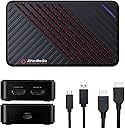
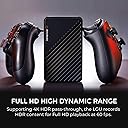
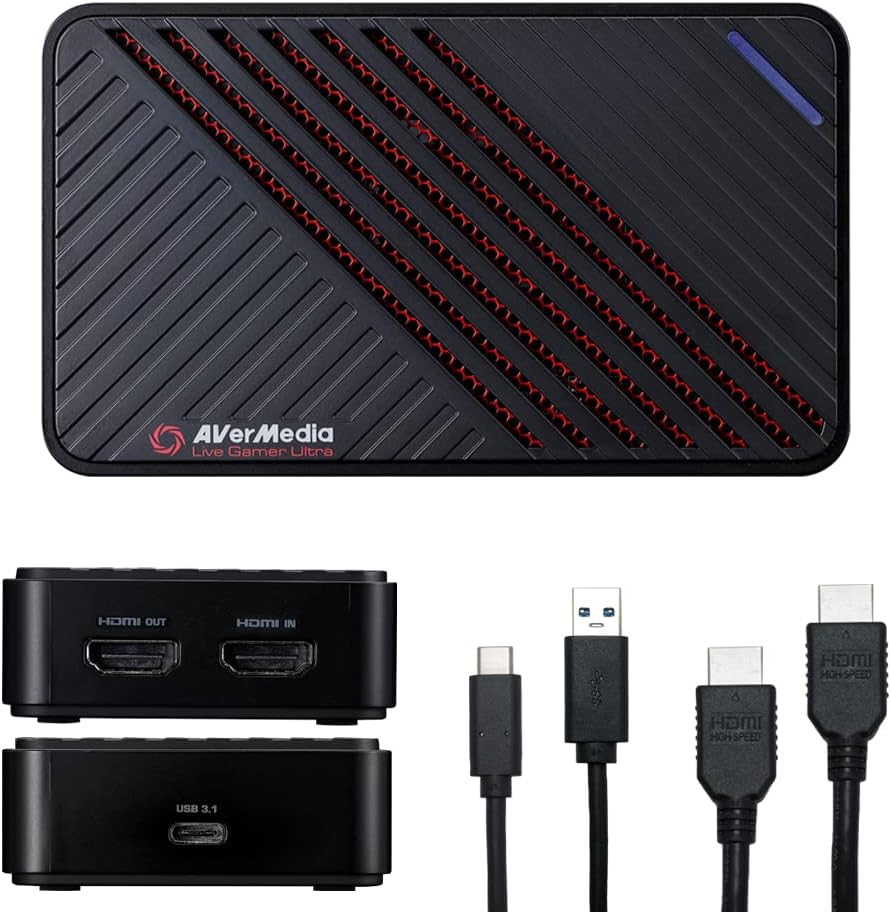
The AVerMedia Live Gamer Ultra GC553 is a compact, high-performance capture card designed for professional gamers and streamers. It supports 4K60 HDR recording with ultra-low latency and up to 240Hz Full HD pass-through, ensuring smooth, vibrant gameplay capture. Compatible with major consoles and PC platforms, it offers easy plug-and-play setup and includes CyberLink PowerDirector for seamless editing, making it an essential tool for next-level content creation.


| ASIN | B07DHV47HF |
| AV Output | HDMI 2.0 |
| Antenna Location | Video Recording, Gameplay Broadcasting |
| Best Sellers Rank | #29,057 in Computers ( See Top 100 in Computers ) #40 in Internal TV Tuner & Video Capture Cards |
| Brand | AVerMedia |
| Built-In Media | Video Capture Card |
| Compatible Devices | PS5, Xbox Series X/S |
| Customer Reviews | 4.3 4.3 out of 5 stars (743) |
| Global Trade Identification Number | 00795522965851 |
| Hardware Interface | USB 3.1 Type C |
| Item Dimensions | 11.3 x 6.6 x 2.6 centimeters |
| Item Type Name | Game Capturing Device |
| Item Weight | 118 g |
| Manufacturer | AVERMEDIA |
| Mfr Part Number | GC553 |
| Minimum System Requirements | Windows 10, Personal Computer |
| Model Name | GC553 |
| Model Number | GC553 |
| Operating System | Windows 10 |
| Other Special Features of the Product | Compact |
| Platform | PlayStation 5, Xbox Series X |
| Tuner Type | ATSC 3.0, HDMI 2.0 |
| UPC | 795522965851 |
| Unit Count | 1 Count |
| Video Capture Resolution | 1080p |
A**R
I tried to save myself a few dollars buying a cheap capture card initially... What a nightmare. I lost 2 days of streaming trying to get it working. This card arrived this morning, within 5 minutes of plugging it in, I'm online & everything is working perfectly. Do yourself a favour & buy a reputable brand like this... The cheap junk is just that.
S**.
Graba a alta calidad y soporta los 120hz de la Xbox series, el รบnico problema es que no tiene un puerto para conectar los audifonos y eso ocasiona que no pueda grabar el audio de mis amigos
P**.
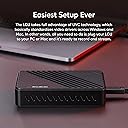
I'm writing this review primarily because none of the other reviews seem to cover using the device on macOS, which is what I bought it for. This is for the GC553 connected over USB-C with an Apple Thunderbolt cable as the Mac instructions suggest. I have the device connected to a 2018 Mac Mini, which obviously doesn't meet the system requirements AVerMedia provides but that's fine because I'm not using their software. I took my chances going in knowing this was a standard USB Video device and figured if the Mini can encode 4K30 in realtime via hardware then why would I need discrete graphics? As it turns out, I was right and it works fine. The official software provided for the device can't even capture a stable 1080p30, which is expected since it's just encoding in software. But it can apply firmware updates and change settings. OBS can't do hardware encoding on the Mini either, so that's not very good either. The good news is that any app that can do video capture + hardware encoding on a Mac works perfectly. The easiest option is Quicktime Player, which comes with macOS. Quicktime Player offers two quality settings, High and Maximum. High is 720p, maximum is 1080p. Both capture at a flawless 60fps with no dropped frames. Unfortunately QuickTime Player doesn't let you capture at 4K. I don't know how many capture apps for macOS support both hardware encoding and 4K devices, but I found a 3rd party app called SwiftCapture and purchased that. It can capture 4K30fps directly to H.264 on the Mac Mini flawlessly, no dropped frames. This is exactly what I wanted and it confirms that the official system requirements are just a limitation of the official software and you probably can use the capture device on any mac with USB-C as long as it supports hardware encoding. Note that I use this specifically for capture to files only. I haven't looked to see if any 3rd party streaming app supports the hardware encoder on the Mac Mini. OBS doesn't as of version 23.2.1. You can still use that anyway but the framerate will be choppy since it's not hardware encoded. As far as the product goes, I was impressed by the size. It's much smaller than the HD PVR that I used to capture component video previously. And the fact that it is USB powered is also nice. Set up was fairly easy, just connect it following the instructions and use the software on their website to update to the latest version. The only disadvantage I can see is that it doesn't seem to be capable of capturing 1440p60 unless the source device is outputting that resolution. When you have 4K content, I can capture in 4Kp30 or 1080p60 which is downscaled from 4K, but it doesn't let you capture the 4K downscaled to 1440p60. When you put the device into 1440p mode during 2160p video it just displays a message about resolution not being supported. In the software provided it seems the only way to capture at 1440p is to put the device into 4k30 mode but save your video as 1440p30. I'm not sure if it behaves the same way on Windows but it would be nice to be able to directly capture into 1440p even if the content was 2160p. Overall it's a great little device if you just want to do video recording from a Mac, especially if you don't use the provided software.
B**N
The software is .. insanely slow and clunky. On a Windows machine (where this product worked, ish - see below) it took forever to install their utility, it constantly suggested a firmware update, then failed identifying the device it just told me to update.. Bad start. I did manage to update the firmware using a Windows VM, so maybe that's a fluke? But! I bought this to use it on Linux. UVC should make that easy, in theory. Unfortunately I couldn't make the device work on two entirely different Linux machines - it is detected but doesn't provide any output. After days of tinkering and seeing reports of other people with the same issue online I have to assume that I am out of luck, that this hardware isn't standards compliant and was therefore a giant waste of money for me. Exploring alternatives now
K**Y
This one is worked for me. Was trying different not work for me as been very slow . After change this one is better .fast than other one and worked good.
Trustpilot
2 months ago
3 weeks ago