We remain fully operational. Our teams are working around the clock to ensure your deliveries continue safely.

DOWNLOAD THE APP


Customer Services
Copyright © 2025 Desertcart Holdings Limited
DOWNLOAD THE APP


🚀 Unlock Gigabit Power & Cut Rental Costs—Your Network’s New MVP!
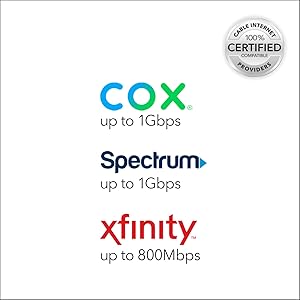
The NETGEAR CM1000 is a DOCSIS 3.1 certified cable modem delivering up to 1 Gbps download speeds, compatible with major US cable providers like Xfinity and Spectrum. It features a single Gigabit Ethernet port for connecting routers or devices, supports backward compatibility with DOCSIS 3.0, and eliminates monthly rental fees, making it a smart, future-ready choice for high-demand streaming, gaming, and professional use.




| ASIN | B01I5TJGSE |
| Brand | NETGEAR |
| Built-In Media | Ethernet cable, Power adapter, Quick install guide, Ultra-High Speed Cable Modem—DOCSIS 3.1 (CM1000) |
| Color | Black |
| Compatible Devices | Router |
| Connectivity Technology | Ethernet |
| Country of Origin | Indonesia |
| Customer Reviews | 4.3 4.3 out of 5 stars (16,379) |
| Data Transfer Rate | 1000 Megabits Per Second |
| Global Trade Identification Number | 00606449111071 |
| Internet Service Provider | Spectrum, Xfinity |
| Item Dimensions L x W x H | 15L x 13.7W x 22.4H centimeters |
| Item Type Name | NETGEAR CM1000 Ultra-High Speed Cable Modem – DOCSIS 3.1 Certified for XFINITY by Comcast (CM1000) |
| Item Weight | 381 g |
| Manufacturer | Netgear |
| Maximum Downstream Data Transfer Rate | 1029 Megabits Per Second |
| Maximum Upstream Data Transfer Rate | 246 Megabits Per Second |
| Modem Type | Cable |
| Number of Ethernet Ports | 1 |
| Number of Ports | 1 |
| UPC | 606449111071 |
| Unit Count | 1 Count |
B**N
The NETGEAR CM1000 is a modem that targets users who primarily are interested in gaming, or streaming HD video on multiple devices. This modem definitely delivers that type of performance. The design is very much in this vein, it looks vaguely futuristic, perhaps alien in its elongated hexagonal case. The two-tone dark charcoal unit affixed to a gray stand also seems a bit off, why two colors? Anyways, the stand is connected by a single screw, but it seems to also be attached using plastic rails, and it seems sturdy enough. It is very obviously meant to only be used in this upright orientation the reasoning for which brings me to my next point... The triangular venting mixes form and function but is heavy on the form, as this modem does throw off some heat! It will warm your hands in the winter no problem. Might even save you on heating bills. It is almost concerning how warm it runs. I often think to power it down overnight or if I leave the house for an extended period. The modem is DOCSIS 3.1, which is a international standard that allows for higher bandwidth over existing Cable TV service. The next generation of internet speed offerings from ISPs will be in the multiples of Gbps, and to take advantage, you will need a modem that is DOCSIS 3.1. Thankfully, this modem is backwards compatible with the older standard DOCSIS 3.0. The modem came assembled on the stand out of the box, along with the customary canary category 5 cable, and power adapter. I didn't use the cat 5, I opted for the Vandesail CAT7 Cable because, well, why not? The category 7 cable has a much higher bandwidth, and will be used in future equipment, so best to be prepared! I also upgraded the coaxial cable in my house to Quad Shield RG-6 Coax 75 Ohm 3Ghz Cable as you see in the included picture. I have the CM1000 connected to a NETGEAR AC1600 which I had from using with DSL internet service. The pair is working seamlessly together, and I am regularly seeing download speeds at the maximum of my service rating of 200Mbps, using Comcast as an ISP. See the included screencap of the speed test. During install, the modem powered up, and went through a few reboots, and after about 10 to 15 minutes, the connection was made. It initially didn't want to to play with the NETGEAR AC1600 router, but after a few power cycles, everything resolved itself, and the two now peacefully coincide. The status indicators are only on the left side of the front, which itself is angled at about 30 degrees away from you if you are looking straight on. A strange design decision, it limits one's vision of them, especially if you must place it on your left. Not a huge deal, but it seems so easy to design a better solution. Fortunately, I haven't had a need to check the indicator LEDs. Conclusion: BUY. An A+ modem, fit for heavy gaming or streaming HD video. PROS: + Easy setup + DOCSIS 3.1 and 3.0 compatible + FAST + Will work with the next generation of speed tiers + Don't have to rent from ISP CONS: - Expensive - LEDs are difficult to view - Runs really warm!
A**U
The netgear is not working
J**S
If you are looking to ditch the monthly charge of renting a modem from your ISP, or simply to get higher performance, this Netgear modem is currently the best option out there. I'm a software engineer, gamer, and consume all my video content through the web...so I live through the internet. Why this Netgear modem? A few months ago I picked up an Arris SURFboard SBG6580 DOCSIS 3.0 Cable Modem/ Wi-Fi N Router, after previously having success with Arris modems. I liked the idea of an all in one combo, and since the SBG6580 was dual-band I figured it should work great. It didn't. The short version of the story is I spent the next 6 weeks with terrible internet issues, which I thought was mostly Comcast's fault (after previous experiences)...disconnects, download speeds of around 1Mbps, upload speeds of .5Mbps (despite paying for 50Mbps down and 5Mbps up)...and then it would work perfectly for 3 minutes. Super frustrating. After extensive research it appears the SBG6580 wireless was the issue (extreme unreliability). I moved and decided to start over again building my network. After a bunch of research I ditched the Arris and picked up this Netgear modem. It had great reviews, was a bit future-proofed (16 download channels!!), and came in at a reasonable price. Setup was amazingly easy. As a Comcast customer I didn't even need to call in to activate the modem (thank cosmos!); it was all done through a web interface. I paired this modem with a TP-LINK Archer C5 AC1200 Dual Band Wireless, and the performance is outstanding! I currently pay for 50Mbps down and 5Mbps up, and what I'm actually getting with this new setup is around 90Mbps down, and 10Mbps up...way over what I actually pay for! Additionally, in 3 weeks of use I haven't had to reset my modem once, have had 0 disconnects, and generally an amazing experience. Want speed and reliability? Buy this modem! GLHF!
P**R
Why did I buy it? I needed a router to avoid Comcast rental's fee. Does it work? The installation by the Comcast guy was super easy and it took less then 10 minutes. I then changed the network id an password in 2 minutes following the instructions on the router itself. I have used the router for more than 1 month now and I never had an issue: it never throttled my speed and I can reach almost the speed I have when using an ethernet cable. I live in a studio and the router has enough range to cover all of it. Pros: - Easy installation - Good range (at least for a small/medium apartment) - It allows you to avoid rental's fees Cons: - A bit expensive Bottom line: The modem/router has been working perfectly and I can't complain about anything, except the fact that it's a bit expensive but, if you consider that Comcast charges you around 10 bucks per month to rent their router to you, you will break even after 10 months.
J**F
Replaced a few month old Arris surfboard modem/router. This was so easy to set up, it recognized my devices: phones, TV's, phone and didn't require inputting their individual MAC addresses to allow them to communicate past the router. The TV's in this respect was what the old unit couldn't do without a bunch of work, or never did. My wife's TV couldn't get to amazon videos on the old one, but this modem/router had it back in action without any configuration work on my end. Great. The Arris modem/router also was very challenging getting/keeping the wireless connection to my laptop. I eventually ran a hardwire as I was troubleshooting for about a month with my service provider and my own time/work. It should have been simple, put in the password and go. It wasn't. NOW, with the Netgear modem/router, it is that simple. Every device connected the first time. There's lots of happiness in the house with everyone's devices connected again. After all of my devices were up and running- I went into the setup for the modem/router setup, this is where you type in the IP address 192..... and configure the unit. The interface looked good and was organized so I could find what I was looking for. I was expecting that I could input the MAC addresses for all of my devices and what I found is that they were already discovered and on a list ! So I edited the list and renamed them what we would call them, helpful for me but not even necessary. All that I really needed to do, was call the provider, turn on the unit and everything was running like I wanted. I'm so confused about the experience between the two manufacturers being so completely different and that my in depth computer and network skills couldn't fix the problems on the old one, but the Netgear modem/router worked perfectly. Hands down, the Netgear unit works, doesn't have household hardwired, or wireless network issues and the setup was so simple. I would definitely buy more Netgear products when this needs replacement.
Trustpilot
3 days ago
2 weeks ago