We remain fully operational. Our teams are working around the clock to ensure your deliveries continue safely.

DOWNLOAD THE APP


Customer Services
Copyright © 2025 Desertcart Holdings Limited
DOWNLOAD THE APP
Buy anything from 5,000+ international stores. One checkout price. No surprise fees. Join 2M+ shoppers on Desertcart.
Desertcart purchases this item on your behalf and handles shipping, customs, and support to Colombia.
🎬 Capture Every Frame, Command Every Stream
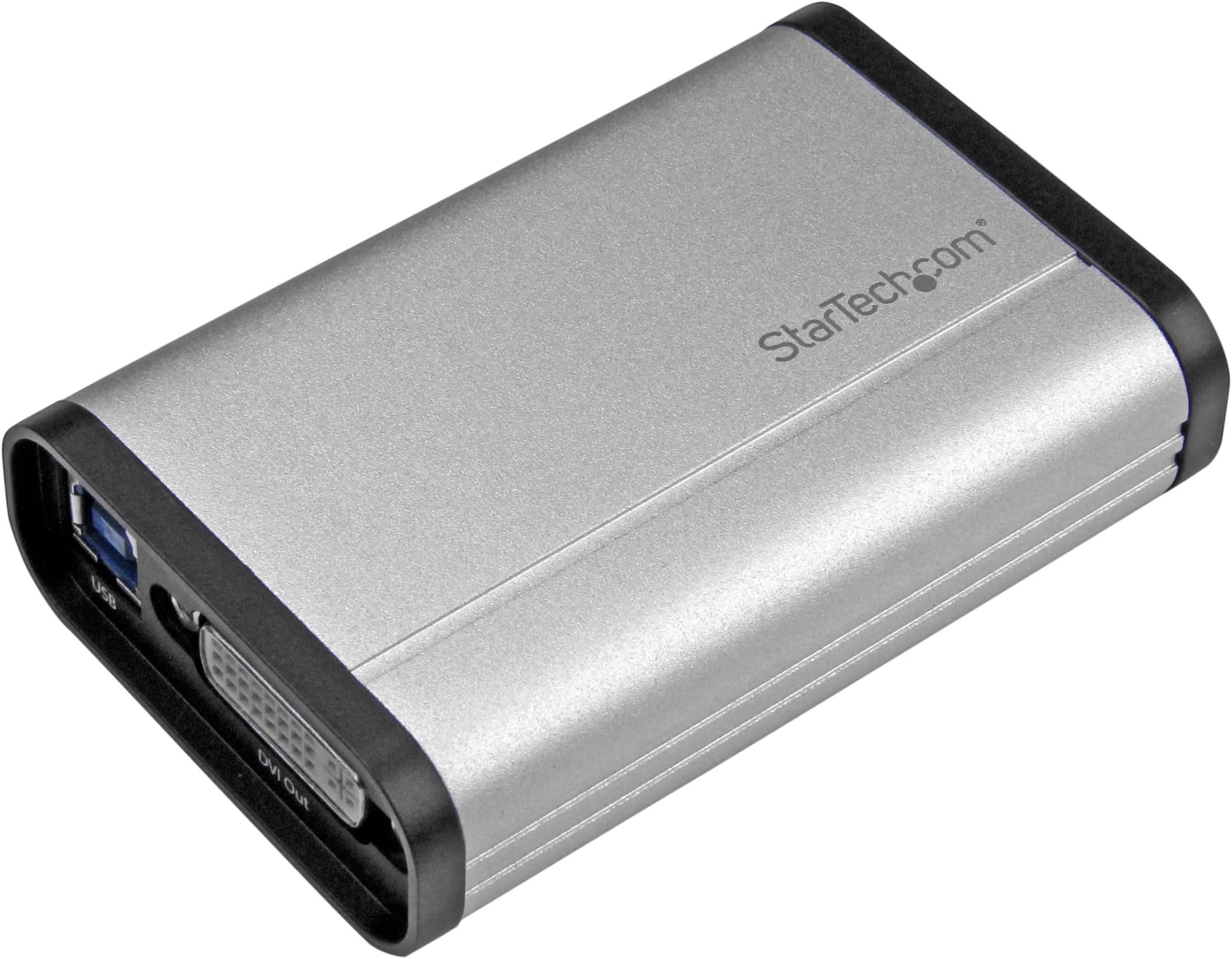
The StarTech.com USB32DVCAPRO is a professional-grade DVI video capture card that records pristine 1080p video at 60fps via USB 3.0. Featuring a robust aluminum enclosure and a dedicated 3.5mm audio input, it supports seamless integration with Windows 10 and DirectShow-compatible software, making it ideal for gamers, educators, and content creators who demand reliable, high-quality video capture and live streaming capabilities.


| ASIN | B01IEW58NO |
| AV Output | DVI |
| Antenna Location | Video Recording |
| Best Sellers Rank | #139,350 in Computers ( See Top 100 in Computers ) #210 in Internal TV Tuner & Video Capture Cards |
| Brand | StarTech |
| Built-In Media | USB 3.0 Capture Device for High Performance DVI Video - 1080p 60fps - Aluminum |
| Compatible Devices | Personal Computer |
| Country of Origin | China |
| Customer Reviews | 3.4 3.4 out of 5 stars (338) |
| Global Trade Identification Number | 00065030864855 |
| Hardware Interface | USB 3.0 |
| Item Dimensions | 9.1 x 6.1 x 2.5 centimeters |
| Item Type Name | Video Capturing Device |
| Item Weight | 100 g |
| Manufacturer | STARTECH.COM |
| Mfr Part Number | USB32DVCAPRO |
| Minimum System Requirements | Compatibility: Windows operating system and USB 3.0 interface |
| Model Name | USB 3.0 Capture Device for High Performance DVI Video - 1080p 60fps - Aluminum |
| Model Number | USB32DVCAPRO |
| Operating System | windows_10 |
| Other Special Features of the Product | Not_Performance_Used |
| Platform | Not Machine Specific |
| Tuner Type | NTSC, PAL-M, PAL-60, PA (analog) |
| UPC | 065030864855 |
| Video Capture Resolution | 1080p |
B**L
I searched and searched for a TWAIN compliant USB video capture device so that I could use it with some specialized software. This is the only one I could find. I installed it on a Windows 10 computer using drivers downloaded from Startech website. It captures at NTSC resolution only but the images are clear and bright and it works in any software the supports TWAIN. 5 stars for the price, and supporting a standard interface instead of going the proprietary route.
L**S
This device is very useful for capturing video from VGA sources. My specific use is for capturing video from older computers that lack HDMI/DVI inputs. For this, it works very well. StarTech has updated its 'StreamCatcher' software since this product was initially released; as a result, it's much more stable. If you need to capture up to 1080p content at 60fps (including sound) from a VGA device, look no further.
J**S
Outstanding product. The Windows drivers worked flawlessly on Win7x64.. but due to the way things are with DirectX and WDM. A simple driver installer "cannot" simply install this type of device, it takes at least three seperate manual setups.. or more if you let USB plug and play run amok. Its tedious.. every capture device driver install .. is tedious. (After that) Twain32 works in Irfanview, Artweaver, XnView and anything else I tried, a Twain32 live preview and image grabber dumps the snapshot in the program like you would expect, lets you select S-Video or Composite as the capture source. Windows Live Movie Maker treats it like a Webcam with an Audio source and stores clips in .wmv files, it pops up dialogs to give you access to the DirectX Decoder/ProcAmp/Image panels for live fine tuning. VLC works with it. Windows GraphEdit works with the COM and WDM components. [This does not have a >time base corrector< built in.. they cost a bit too much to imagine that being in something this small] So VHS or BetaMax tape captures will have that "swimmy, jello" effect unless you take it into account and get a TBC. For super clean reliable sources though its fine. Colors and Brightness Contrast are adjustable but defaults are pretty good. Its a bucket of fun if you know what your getting into and know the tradeoffs and what all the details are about, the information and the drivers are "there".. unlike many alternatives. CDROM comes with Windows exe and MacOS pkg installers.. but seriously.. don't expect to just run them and they work.. they just don't for capture devices. (I have not had it long, do not know the frame drop stats, or any potential long term heating or audio sync issues that come from very long capture sessions). I did test it with a 2007 mac-mini running 10.6.8 and install produced an Application installed in Applications with a separate Uninstaller App to remove it. Capture was flawless.. far easier than the Win7 driver install. Saved files in a native .mp4 format using native Apple codecs. The max capture resolutions appears to be 720x480 do not think this is for 1080p or 1080i captures.. [it is Not] its for SD or lower captures.. its "best" of breed for SD type resolutions and highly compatable across many operating systems and versions. I have not tested on Win10 or the new MacOS (post-OSX) and suspect it won't work well on those, too much change and different demands.
C**O
muy buen equipo aunque un poco exigente con equipo donde se va acorrer ya que necesita corel 5 , para q funcione al 100
A**O
Strumento indispensabile per portare in digitale tutti i vecchi filmini famigliari su cassette VHS. Con il software fornito sono riuscito a portare su PC tutti i filmati registrati a suo tempo con una videocamera miniDV. Un ottimo strumento di conversione, lo consiglio sicuramente a coloro che hanno intenzione di portare su file le loro vecchie registrazioni video.
Trustpilot
1 month ago
1 month ago