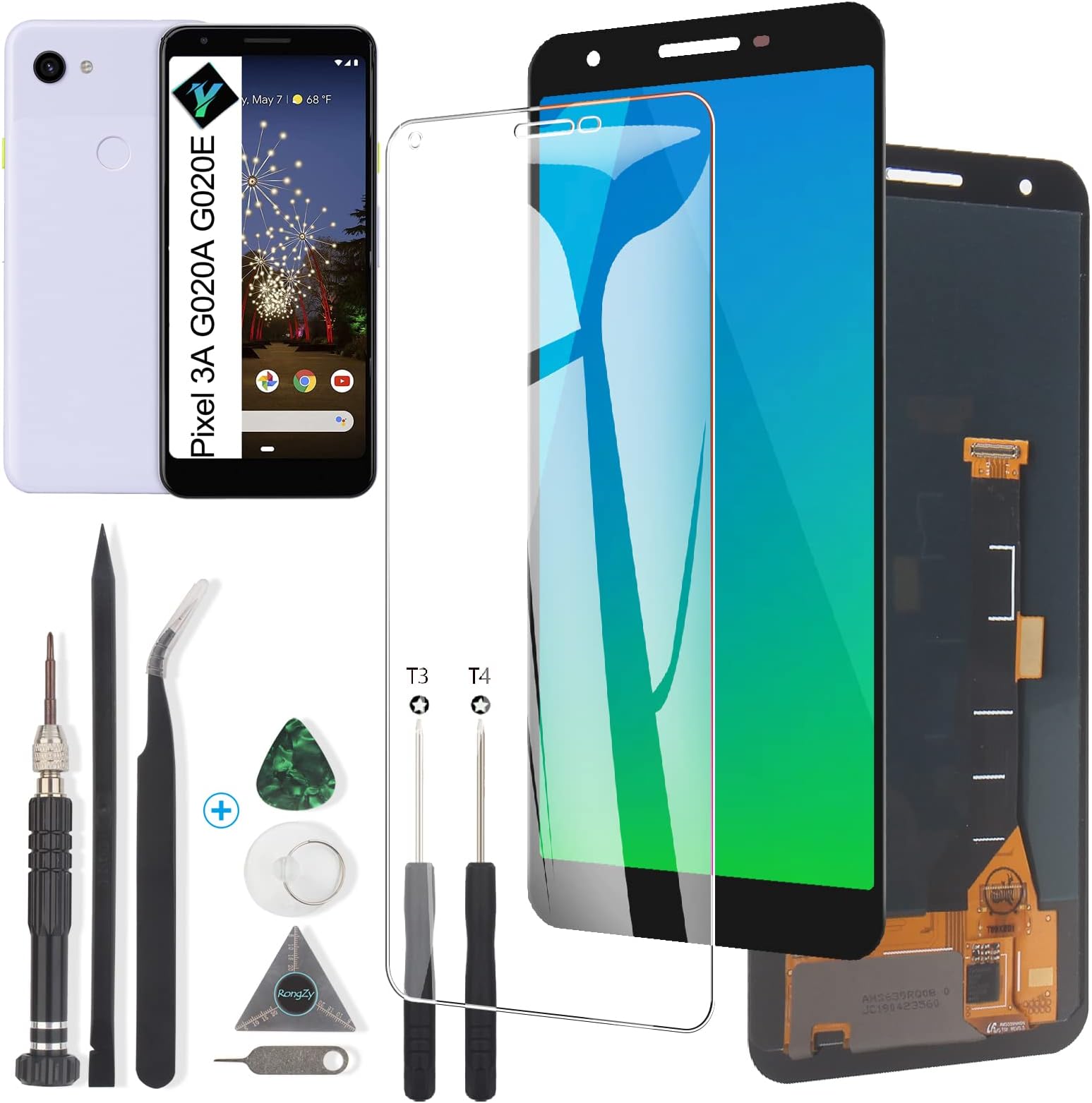


Display for Google Pixel 3A OLED Screen Replacement Touch LCD Screen Digitizer Assembly for Google Pixel 3A G020A G020E G020B LCD with Tools(Black)
Product ID: 253296214
✅Quality Assured
📱OLED Display
🔧Repair Tools Included
Buy anything from 5,000+ international stores. One checkout price. No surprise fees. Join 2M+ shoppers on Desertcart.
Desertcart purchases this item on your behalf and handles shipping, customs, and support to Colombia.
🔧 Revive Your Pixel: The Screen That Brings Your Phone Back to Life!
This OLED screen replacement for Google Pixel 3A is designed to restore your device's display to its original glory. Compatible with models G020A, G020E, and G020B, it comes with essential tools for installation and has passed strict quality control tests to ensure reliability. Perfect for fixing cracked screens, dead pixels, and touch response issues, this assembly is your go-to solution for a seamless repair experience.


| Best Sellers Rank | #203,138 in Cell Phones & Accessories ( See Top 100 in Cell Phones & Accessories ) #3,562 in Replacement Cell Phone Screens |
| Customer Reviews | 3.8 out of 5 stars 90 Reviews |
B**W
Successful installation breathes new life into my phone
Through a tragic, freak accident, my Pixel 3a's phone was struck and broken to the point where it was no longer usable. For perspective, the screen was completely black except for some small flashing horizontal lines near the bottom of the screen. The trackpad was also no longer operable and would not respond to finger presses. However, the phone itself would still register my fingerprint on the back sensor, plus it could receive calls, indicating that the phone itself was still operable. Normally I would see this as an opportunity to upgrade my phone, but due to the maddening design feature of the Pixel phones to NOT have a sim card slot, I had to look into replacing my screen so as to save the 1,000+ pictures stored within my phone. Fast forward to the new screen's arrival. While I'm competent around all manner of technology, replacing a phone's screen is not something I've done before. But with the guidance from some how-to videos on youtube and some patience, I was able to remove my old screen and install the new one. Without a doubt, working through the old glue that holds the old screen to the phone was the most time-consuming process. I had to soften the glue with a hair dryer first, but the thin metal triangle tool that came with the new screen was excellent in separating the screen from the body of the phone. I also found the simple act of connecting the new screen to my phone to be a bit difficult since the connection port is on the smaller side. But trials aside, the joy of seeing the screen light up upon connection was delightful......only to be followed by concern when the screen wouldn't register my finger presses. What ultimately fixed this was doing a hard restart of my phone (holding down the power button for 15-20 seconds, forcing the phone into a restart) a couple times (4, to be exact). After that, finger presses and swipes were tracking again. With the screen working perfectly again, I used the thin strips of double-sided tape to attach the screen to the phone, followed by wrapping some rubber bands around my phone to promote a solid attachment between the new screen and the phone's body. Several hours later, all seems to be well and this repair job appears to be a success. All in all, I'm very happy with how this all worked out. The screen appears to be exactly the same as my old one, all of the tools I needed for this repair came in the new screen's package, and hopefully I can expect some longevity from this upgrade. If things change, I'll update this review accordingly.
C**S
It worked 2 weeks.
The screen worked good enough for two weeks. After that, the screen started flickering. Then, it became dim. See pictures.
J**S
Cracked screen replacement
Works as advertised. Fairly easy to install, but take your time. Would recommend.
B**U
Great part to extend the life of my old Pixel phone.
I've always bought my own replacement screens when it comes to the Google Pixel. I'm a devout user, and when the screen breaks, well, I'm not always ready to get a new phone. I use prepaid service so I don't have a new phone given to me every couple of years. So when the screen breaks, it's far cheaper to just replace it altogether. Now, not everyone will be up for this kind of job. It's no walk in the park. It does come with some tools that make the job easier, but if you do this somewhat regularly like I have, you might want to invest in a 10 dollar set of phone tools. The part fits and functions exactly as it should. You should be able to find many videos of how to replace your screen online. FYI. If you're replacing the screen on your pixel, you might also consider replacing the battery while you have the screen off.
A**E
-1 star for non working Torx driver/bit. Make sure you have a T3 bit.
Just put the new screen in ~5 minutes ago. The screen looks great, Install was easy outside factors the replacement part can't make it easier (the tiny FPC connectors are a struggle to connect.) The kit included 2 cheap Torx screwdrivers and a high-quality aluminum one with multiple tips. None of these was a T3 (or if the cheap plastic one was, it was way off and did not fit) and I had to use an Ifixit screwdriver kit. Kit came with: A screen protector which appears to be of average or higher quality A low-quality feeling suction cup (it works well however the release nub is basically missing) An average quality thick plastic spudger and poking tool. A cheap guitar pick that worked great A very thin (2-3 thou?) large triangular tool with mm measurements. Most useful phone repair tool I've had included. Most useful tool I used. 2 Very cheap Torx bits. One is like 3.5T and the other is 4T, neither fit the screwhead. I suspect the 3.5T was supposed to be a 3T. 1 Very nice aluminum driver bit with 00 Philips bit, 2mm flathead bit, and 2T, 4T, and 5T Torx bits. Used the flathead bit to scrape away the old glue. A 0.1 OZ tube of rubber cement glue. Very poor grammar but understandable instructions. 3 strips of 3M double-sided adhesive. Not very useful as it's way too wide at 3mm to fit in almost every spot that needs adhesive. A cheap pair of 45 degree ESD tweezers. A bunch of rubber bands, I will follow up in 1-3 months if I see any changes in the screen quality I see people noting. Last, I recommend installing a proximity sensor test right after install to make sure you did not get anything between the sensor and the glass. [Way to late update] Screen works wonderfully. Sadly a few months in I dropped my phone again on a pile of sharp rocks. The top layer shattered but surprisingly the digitizer and display were unharmed. After 6 months of use like that it still works great and definitely more robust than the factory display.
K**B
Worked like a charm!
It worked I can’t believe it! My order came with everything and then some. I have no idea what some of the reviews were talking about where the screw driver you needed wasn’t included. There was about 4 extra screw drivers and a very nice screw driver with extra bits stored inside. All the extra tools were very welcomed. As far as installation goes the hardest part was getting the new ribbon cable to set in place and get the metal bracket put on over it. But with a little trial and error I got it in and the new screen is working perfectly. It’s not sitting in the phone the best but that’s because the cracked pieces of the old screen tore up the plastic casing a bit. Overall very happy with the purchase and saved a ton of money versus taking the phone to a repair shop.
B**N
missing parts, misleading instructions. screen quality unknown
The screen is missing the speaker hole cover. Pretty small part, but keeps sand and debris from getting between the screen and the phone. Also, instructions say that the glue will set in 10 minutes. B7000 glue (included in the package) sets in 24-48 hours. My screen was still very loose after 20 minutes, so expect to clamp your phone for at least a day. Some people were complaining about the screwdriver not having the right head, but the screwdriver actually has multiple heads stored inside. This screwdriver was probably the most useful part of the package. My screen also is not working correctly, but i dont know if the screen is faulty or i hurried the installation. In any case, my touchscreen doesn't respond to any touch. I'm not factoring that in my rating/review, since this was my first screen replacement. I probably didn't ensure the connection was tight enough.
T**O
Completely incorrect screen/Going green
Great. Got the phone taken a apart. Screen was at least sort of working until the disassemble and now I’m out of luck. Update: Ordered a second screen from this company. Considered the QA was a fluke. Second screen was correct but about two weeks in it started desaturating and turning green. Almost a month with it now and the quality is so bad I've now decided to just purchase a new phone. DO NOT BUY THIS REPLACEMENT PART.
Trustpilot
3 weeks ago
2 months ago