Buy anything from 5,000+ international stores. One checkout price. No surprise fees. Join 2M+ shoppers on Desertcart.
Desertcart purchases this item on your behalf and handles shipping, customs, and support to Colombia.
💼 Flex your storage game with Toshiba’s versatile powerhouse!
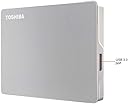
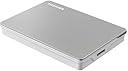
The Toshiba Canvio Flex 2TB Portable External Hard Drive offers a sleek, silver design with massive 2TB storage capacity. Ready for both USB-C and USB 3.0 connections, it includes dual cables for seamless compatibility across Mac, PC, and tablets. Formatted exFAT for cross-platform use, this compact drive delivers reliable, high-speed data transfers, making it the perfect flexible storage companion for professionals who demand convenience and performance on the move.


| ASIN | B08JKHPV1V |
| Additional Features | Portable |
| Best Sellers Rank | #41 in External Hard Drives |
| Brand | TOSHIBA |
| Built-In Media | Portable Hard Drive, USB-A Cable, USB-C Cable |
| Cache Memory Installed Size | 2 |
| Color | Silver |
| Compatible Devices | Mac, PC, Tablet |
| Connectivity Technology | USB |
| Customer Package Type | FFP |
| Customer Reviews | 4.6 out of 5 stars 8,346 Reviews |
| Data Transfer Rate | 5 Gigabits Per Second |
| Digital Storage Capacity | 2 TB |
| Enclosure Material | Aluminum/Glass |
| Form Factor | 2.5-inch |
| Global Trade Identification Number | 00723844000806 |
| Hard Disk Description | Mechanical Hard Disk |
| Hard Disk Form Factor | 2.5 Inches |
| Hard Disk Interface | USB 3.0 |
| Hard Disk Rotational Speed | 5400 RPM |
| Hard-Drive Size | 2 TB |
| Hardware Connectivity | USB, USB 3.0, USB Type C |
| Hardware Platform | Mac, PC |
| Installation Type | External Hard Drive |
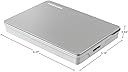
| Item Dimensions L x W x Thickness | 3"L x 4"W x 1"Th |
| Item Type Name | Canvio Flex Portable External Hard Drive |
| Item Weight | 5.28 ounces |
| Manufacturer | Toshiba |
| Media Speed | 120 MB/s |
| Mfr Part Number | HDTX120XSCAA |
| Model Name | Canvio Flex |
| Model Number | HDTX120XSCAA |
| Number of Items | 1 |
| Read Speed | 1 Bytes Per Second |
| Special Feature | Portable |
| Specific Uses For Product | Business, Multimedia, Personal |
| UPC | 723844000806 |
| Warranty Description | 3 year limited manufacturer |
E**A
Works, medium size and light weight.
I got it to keep extra files and videos aside from my computer. And honestly for a price it comes with 2 cords type A and C. Design is sleek, works well with Apple MacBook (idk about Microsoft). Size is pretty medium, it is light weight, and can be carried around. So far, no issues.
K**T
Robust and Flexible, A Dream Come True for Storage Enthusiasts! ★★★★★ (5/5)
Happiness is finding a hard drive that works awesome and looks damn good 2. Below you will know the reasons why the Toshiba Canvio Flex is the best purchase I have ever made for my beautiful CPU. (MBP2020 OS: SONOMA 14.0) There's a lot to appreciate about the Toshiba Canvio Flex 1TB Portable External Hard Drive. Toshiba is a well-established and reputable brand in the world of technology, and with this particular product, they certainly don't disappoint. Design and Portability The Canvio Flex is compact and lightweight, making it incredibly portable. The sleek design also means it looks as good as it performs. It's very easy to carry around, perfect for those who are always on the move. The silver casing feels durable and sturdy, a sure sign of a high-quality product. Compatibility and Flexibility Perhaps the greatest strength of the Canvio Flex is its compatibility. The drive comes with both USB-C and USB 3.0 connectivity, which means it can be easily plugged into virtually any device, whether it's a PC, Mac, or even your smartphone. The transition between devices is seamless, and the flexibility this provides is a huge plus point. Performance When it comes to performance, the Canvio Flex shines. With USB 3.0, data transfer rates are rapid and smooth. The 1TB storage capacity is more than enough for most personal or professional needs. Whether you're storing large files, doing regular backups, or just want a safe place to keep your photos and videos, this drive has got you covered. Setup and Usability The setup is pretty straightforward. It's plug-and-play with no complicated procedures or software installations required. It is preformatted for Windows and Mac, which saves time and effort. The LED light indicator also helps keep track of your data transfers. Reliability One thing I appreciate about Toshiba products is their reliability. Based on my usage so far, the Canvio Flex has lived up to that reputation. With Toshiba's years of expertise in the field of storage technology, I'm confident that this drive will serve me well for a long time. Conclusion The Toshiba Canvio Flex 1TB Portable External Hard Drive offers a wonderful blend of design, compatibility, performance, and ease of use. It's a versatile storage solution that is perfect for a variety of uses. Whether you're a student, a professional, or a casual user, this external hard drive is a product worth considering. At its price point, it offers excellent value for money, making it a smart investment.
S**I
Best Hard Drive
I recently purchased the 2TB External Hard Drive and I couldn't be more satisfied with its performance. This sleek and compact device offers ample storage space for all my digital needs while maintaining a small form factor that's perfect for on-the-go use. Package comes with in both a USB and USB-C cable. This allows me to connect it to a wide range of devices, from my older laptops to my newer smartphones and tablets. It's incredibly convenient to have both options readily available without the need for additional adapters. Despite its compact size, this hard drive doesn't compromise on performance. I've been consistently impressed by its fast data transfer speeds, allowing me to quickly backup and access my files without any hassle. Whether I'm transferring large video files or just some pictures, this hard drive handles it all with ease. Overall, I highly recommend this Hard Drive to anyone in need of reliable and portable storage solution.
B**I
This drive delivers without breaking a sweat
When it comes to portable storage, the Toshiba Canvio Flex 2TB Portable External Hard Drive is like the Swiss Army knife of hard drives—ready for whatever you throw at it. Whether you're rocking a PC, a Mac, or even a tablet, this little silver powerhouse has your back. First off, let’s talk about compatibility. Formatted exFAT right out of the box, the Canvio Flex is designed to play nice with multiple devices. No need for reformatting gymnastics when switching from your MacBook to your Windows laptop, or even your tablet. And yes, it's USB-C ready, but don’t worry if you’re still living in the USB 3.0 world—Toshiba's got you covered with both USB-C and USB-A cables included. The versatility of this drive is seriously impressive. It’s like Toshiba decided that no device should be left behind, so they built a drive that’s ready to work with just about anything. And at 2TB, it’s got more than enough space to store your ever-growing collection of photos, videos, and all those files you keep promising to organize someday. Design-wise, the Canvio Flex keeps it sleek and simple. The silver finish is stylish without being flashy, so it won’t look out of place next to your tech setup, whether you’re in the office or on the go. And since it’s so compact, it’s easy to toss in your bag without weighing you down. In short, the Toshiba Canvio Flex is the ultimate storage solution for those who demand flexibility and reliability. Whether you’re transferring files between devices or just need a dependable backup, this drive delivers without breaking a sweat. It’s like having a trusty sidekick in your digital adventures, always ready to lend a hand—or, in this case, a few terabytes.
M**A
Learn about specs before you buy
Love the flexibility this product offers, I'm able to plug it into Phone, iPad, or PC and preserve the quality of the photos. I'm at a point of confusion and a bit of frustration but I'd still recommend this to others as it's portable, convenient and serves its main purpose. Please approach the rest of commentary with the understanding that I'm very new to photo storage and upgraded from Google photos to this toshiba hard drive to preserve my raw photos. I have minimal understanding of hard drive technology and specs. My challenge is.....data transfer takes a lot longer than I anticipated/hoped. It's excruciatingly slow trying to open, view, and organize photos on my iPad. So much so that on an 11 hour flight, I wasn't able to accomplish anything. It's faster with my laptop, which makes sense to this non tech expert. That being said, it's still really pretty slow and laggy when reading it. Transfer of photos from SD card to hard drive took a pretty long time, I did it in 2 phases, maybe 30 gb each time. Would love to figure out the math on what I should expect that transfer to take, maybe my expectations were too high. I don't know anything about specs, I wish I had before I bought and wish I did now. I assumed that if it can STORE 2TB of data, that it should have no problem reading 74 gb worth of items at a fair speed so I can organize them into folders. As I simply view them on my laptop, It also doesn't seem to keep them loaded as I scroll down, and it is an arduous process to group them. Maybe I'm meant to transfer the photos to the computer first and look at them there, and then transfer them back? Is that how to make this work better? I'll be doing some research in my spare time. Biggest complaint - if it is such a difficult task to open up and load all the photos at once in the main folder where they default, can there be an easier way to group them into separate folders to reduce this pain point? Maybe an auto folder based on date, or all photos from 5000-6000 in one. Maybe I'll look into a software that organizes them as this is painful. I don't know if it is possible to organize the photos ahead of time from the SD card before transferring when on the go - or if I should just rethink my process all together. Other context - I've confirmed my laptop processing capabilities are not the issue, it is the specs of the hard drive (confirmed by tech support from laptop team). HP Elitebook, new in last 5 years.
B**A
Good value
This Toshiba Canvio Flex 4 drive is only slightly thicker than my WD 2 TB drive but double its capacity. I love the fact that it comes with both USB-C and USB-A cables so that I do not need to constantly look for the dongle because my MacBook only has 4 USB-C like thunderbolt ports. In terms of speed, the MacOS hardware report states that this disk speed is up to 5 GB/s. I do not expect it to match SSD drives for sure. In reality, it took 5 hours to copy 52 GB data off my old WD drive. The speed could be limited by the read as well as the write process. It took nearly 7 hours to complete the first Time Machine backup of ~230 GB data off my internal hard drive. Since I'm using it for daily backups, all I need is that the drive is reliable and operates smoothly. Reformatting it to AFS, the format compatible with Time Machine, was a breeze. Judging by its quietness and coolness, I think that it will do just fine. At ~ $25/TB, I'm quite happy with this external hard drive.
A**Z
Recomendado al 100%
100% recomendado, llevo años usandolo sin falla, y con una velocidad aceptable.
L**O
Tal como lo pedí
Muy buen producto
S**C
reliable storage but lags
This is a spinning hard drive so its not as slim, lightweight or as fast as a Solid State Drive (SSD). but its also not as expensive as a SSD. Its plastic with a silver top which is nice looking. A blue LED on the side lights up when there is activity and it looks nice. A single old-style Micro USB-B port on the side with 2 cables for USB-A and USB-C. The cables are color coded which is convenient. Because it is a spinning hard drive it does go to sleep when not in use and there is a noticeable delay when waking up. Its quiet and there is no heat during continuous use. Its fast enough to stream videos from and I do use it to store movies, with direct playback. Small enough to travel with.
D**T
Nicht NTFS vorformatiert...
Nicht NTFS vorformatiert - Mittel schnell. Hat sogar einmal die Kennung verloren - sprich Neuzuweisung der Festplatte als Laufwerk.
S**Y
Very Good!
Great product and easy to use. No issues and would buy again.
M**A
Total einfach!
Einfach anschließen und damit arbeiten. Besser geht nicht!
C**C
Huge capacity and handy for backup
Very easy to use as can plug direct to my Android for backup. The huge capacity is real for backup of multiple devices.
Trustpilot
1 month ago
4 days ago