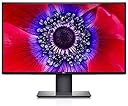
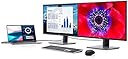
🖥️ Elevate your workspace with the ultra-sharp, ultra-sleek Dell U2520DR!
The Dell U2520DR is a 25-inch QHD (2560x1440) UltraSharp monitor featuring an IPS panel for vibrant colors and wide viewing angles. It offers versatile connectivity including USB-C with power delivery, HDMI, and DisplayPort, plus VESA compatibility for flexible mounting. Designed for professionals seeking a sleek, high-performance display that enhances productivity and workspace aesthetics.


| ASIN | B08968WZ2W |
| Adaptive Sync | G-Sync Compatible |
| Additional Features | Flicker-Free, Tilt Adjustment |
| Aspect Ratio | 1:1 |
| Best Sellers Rank | #574,726 in Electronics ( See Top 100 in Electronics ) #11,150 in Computer Monitors |
| Brand | Dell |
| Color | Black |
| Connectivity Technology | HDMI, USB |
| Contrast Ratio | 1000:1 |
| Customer Reviews | 4.5 out of 5 stars 290 Reviews |
| Display Resolution Maximum | 1440 x 1440 |
| Display Technology | IPS |
| Display Type | LCD |
| Hardware Connectivity | USB Type C |
| Has Color Screen | Yes |
| Image Contrast Ratio | 1000:1 |
| Item Dimensions D x W x H | 12"D x 2"W x 5"H |
| Manufacturer | Dell Computers |
| Model Name | U2520DR |
| Model Number | U2520DR |
| Mounting Type | Wall Mount |
| Native Resolution | 2560x1440 |
| Number of Component Outputs | 1 |
| Picture Quality Enhancement Technology | QHD, IPS, Flicker-Free, G-Sync |
| Refresh Rate | 60 Hz |
| Resolution | QHD Wide 1440p |
| Response Time | 5 Milliseconds |
| Screen Finish | Glossy |
| Screen Size | 25 Inches |
| Screen Surface Description | Glossy |
| Specific Uses For Product | Desktop |
| Total Number of HDMI Ports | 1 |
| Total USB 3.0 Ports | 2 |
| Total Usb Ports | 2 |
| UPC | 884116365839 |
| Warranty Description | 1 |
C**S
Gorgeous picture
This monitor has loads of connections in a variety of styles. I am using HDMI through a passive switch and it works without a hitch. (UPDATE) Impression after a couple of weeks: I find myself REALLY liking it. - Quality of construction and materials are solid. - Stand allows for multiple viewing angles through the raise/tilt/angle functions. I find this very useful based on where I have my sit/stand desk set. - The size is good for my purposes. Provides a lot of real estate for opening multiple applications. I typically have email, calendar and Excel open at the same time. The native Windows 10 functions make this simple. - Haven't seen any back lighting or "glow" issues, but I normally work in a well lit area. - Video is smooth and presents a quality image. My setup is two laptops and a ROKU. Using a USB switch (Techole) to control. No problems at all. I am very satisfied with this monitor and recommend it.
J**K
Tool-free assembly: a gorgeous chassis comes with this excellent monitor.
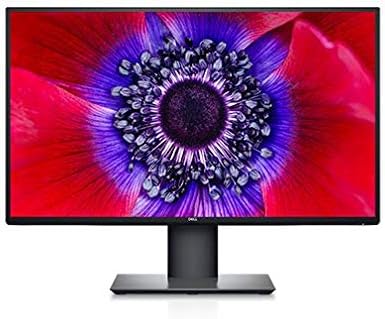
What a great looking monitor in every respect. And yes, the display is just what I expected, but I am amazed by how well the stand itself was designed. The stand is an industrial designer's dream. The arm attaches to the base solidly by a single screw beneath the stand that has a flip-out handle so you can tighten it securely by hand, which I did. The side-to-side rotation of the monitor accommodated by the base itself, where the arm mounts to a circular plate that sits flush in the surrounding square base, with practically no gap in-between the two. Rubberized feet at the bottom of the stand prevents table scratches. The arm itself has a slightly backward lean that places the monitor's center of gravity over the base, which why such a small base works out (9.5" wide x by 7" deep). The arm has vertical slot in which the monitor plate slides up and down. The minimum height of the screen from the table, measured at screen bottom, is 2" and the max is 7". When rotated into its extremely tall portrait view, that same min is 3/8" (the base height) and the max is 2 and 5/8". Oh! And this sliding plate attaches to the monitor back with no tools: it pivots into place with a solid click, and there is a button for releasing it again (which would then require you to pivot it back out). Everything at the back of the monitor is flush and gorgeous, including the circular inset in the monitor plate that rotates the monitor vertically, perfectly mirroring the rotating mechanism in the base. The whole thing feels solid and looks stunning. I dread any sort of assembly, and fully expected that I would be attaching the plate to the monitor with four screws into its VESA mount, and then fussing with additional number of screws to attach the arm to the base. But that was not the case! Without reading instructions I had this together in under 5 minutes. Amazing job, Dell. Give your designers a raise.
L**Y
What a pleasant surprise
How nice to have reasons to write a positive review these days .. as so many products disappoint in quality and added value. This screen was extremely easy to set up, literally 5 minutes. A thunderbolt 3 usb-c to usb-c cable is included and I could connect a computer right away, and clean my desk from the computer charging cable. Beautiful. It works perfectly, a MacBook Pro 16 inch gets charged and keeps fully charged at 100%. Very nice also that I can connect my phone to a USB port at the left side of the screen, it gets charged and it connects to my computer. This monitor does not have an additional power supply - it is integrated in the monitor, there is just the cable to plug into the wall outlet. Another item that goes, no bulky power supply from my old screen. As for the display itself: it is scary bright. I adjusted it at 50% of the brightness. Texts are super sharp. The colors appear to be very close to accurate. I still have to dive into photo editing and video mounting, but as a first impression, the picture quality is really nice. I am very glad that I did not buy a 27 inch 4k monitor, the text and webpages are significantly smaller on this screen already (compared to 1920) I can put two documents and two webpages next to each other on this screen. Height adjustment and turning the screen works like a charm. The screen is sturdy, it stands still! Very happy with this purchase, I really got a lot for my money, a product that kept all promises.
M**S
Nice monitor, but instructions for set up and connection are a bit cryptic
Really like the monitor's design and performance. The instructions that come with it, and are available online are a bit too cryptic for me -- no words explaining the icons, a lot of different connections on the monitor, and not much help.
E**I
Worth it for the built-in docking station alone.
What's not to like? Assembly was simple. The screen is beautiful. The height and position is very adjustable. It's great for office work, but I've also clocked a few hours of Xbox. I was surprised with the gaming performance considering that this is not a gaming monitor. The HDR performance is so so, but I'm not expecting to watch a lot of movies on this monitor. But forget all of that. The built-in USB-C docking is where it is at. One cable delivers power, video and USB device connections between the monitor and my laptop (or Galaxy S9 in Dex mode). I can't believe how few cables I need to hook everything up. I'm waiting for Dell to release a soundbar to go with this monitor. For now I have a crappy little speaker hooked up :( . I purchased this monitor primarily for home office purposes and I'm happy that I did.... but if I had it to do all over, I might have bought the 27" version.
M**T
Perfect purchase
I spent maybe three months looking for monitors for my MacbookPro. This one nailed it...I only wish it had speakers, but I knew that before hand...The hub is so useful, though I wish it had a couple more ports...but again...knew that ahead of time. The stand was not originally going to be used, but as I was waiting for the wall unit, I ended up loving it...my wife appreciates the flexibility it has to easily move up and down, and turns as well on a dime. The controls are intuitive and as far as clarity goes...we are not disappointed. Im no monitor snob, but did do my research wisely with this..for our purposes, we use if for typical office stuff...reading/typing documents, attending video meetings, watching short videos work related...not movies, and I do video production as well. Therefore...all I can say is that the pixel quality is perfect for us. We do use the Smart HDR function set for DisplayHDR with input of USB-C. It runs the MacPro perfectly...not a single issue powering it.
K**A
Great unfussy monitor with accurate colour
Excellent monitor for the money. 1440p isn’t dead. If you don’t absolutely NEED 4K (you probably don’t!) this monitor is sharp & the colour reproduction is accurate like you’d expect from Dell. If you’re hooking it up to a new M1 Mac (like I did with a Mac Mini) you may have a bit of a headache initially getting it to output RGB instead of YPbPr over HDMI, but there’s a few tricks you can find googling to get it fixed up. Not the monitor’s fault– it’s great. If you’re considering this one, just buy it.
M**D
Died at year 3
Great monitor, really enjoyed it - purchased in 2021. It has now died, and it's 2024. I checked on dell.com, and they don't offer support for 2021 models anymore. Pretty expensive for it to only last 3 years!
A**R
High Quality Business & Personal Monitor
I purchased this monitor for a home office setup and was pleasantly surprised by the ergonomics and screen quality of this monitor. The overall monitor and stand appear to be both of very high quality. The 8ms response time worried me at first but everything runs extremely smooth. 25 inches feels like the perfect screen size for dual monitors. 27 inches is slightly too large for my setup.
Q**K
Crisp & convenient
I'm a Software Engineer and I use this as a second display. I'm on MacOS for development and I have no issues using this with my 2020 16inch MBP as some others on the Internet have mentioned before. The contrast is a bit too high/colour depth a bit too low compared to my other displays, but I may be able to sort that in the settings. I've not bothered because it works really well for staring at lines of code all day anyways. There were some scratches on the bevel and the bevel is warped a little bit in some spots so I cant give it 5 stars. But, it is a great choice for a secondary as a dev. Oh, also, the powered USB-C setup is brilliant!
P**Y
Qualité médiocre, garantie nulle.
Cet écran fut utilisé pour le télétravail. Visiblement fabriqué en Chine, il est d'une qualité inférieure pour un produit Dell. Il a failli après seulement 14 mois d'usage normal et Dell a refusé d'honorer sa garantie de 3 ans au prétexte fallacieux que l'écran avait été endommagé malgré des photos et vidéos transmises montrant l'inverse. Il est dommage et désolant qu'une compagnie comme Dell se prête à ce genre d'échappatoire pour nier sa garantie.
S**S
NOT FOR MACBOOKS
The display appears pixelated when connected to a macbook.
J**N
Great External Monitor for an iPad Air (2020) or an iPad Pro (2018, 2020, 2021).
A great monitor with sharp, contrasting images. I used this as an external monitor for my iPad Air (2020) and it's useful based on my workflow. The only downside is that it's 1440p, not 4K, but it's not a deal breaker.
Trustpilot
2 weeks ago
2 weeks ago